The Mac mini M4 is small enough to disappear on a desk, and its built-in speaker sounds like it. Apple fits a single small speaker inside the 5-inch enclosure, which is fine for alerts and video calls but not for music, films, or a Logic Pro session. The good news is that the Mac mini has more audio outputs than most people use: a 3.5mm headphone jack on the front with support for high-impedance headphones, an HDMI port that carries multichannel audio, USB-C and Thunderbolt ports, and Bluetooth 5.3.
That means almost any speaker can work. The question is which one suits your desk, your budget, and how you listen. This guide covers our favorite desktop speakers for a Mac mini, from a $199 pair to a $4,000 statement piece, plus the Audioengine A2+ vs Edifier M60 matchup that comes up in nearly every "best desktop speakers for Mac" thread.
TL;DR
Best overall: Audioengine A2+ Gen 3 ($299). Small enough for any desk, with USB-C audio from the Mac mini, Bluetooth with AAC and aptX Adaptive, analog inputs, and a subwoofer output.
Best value: Edifier M60 ($199.99 list). 66W RMS, Hi-Res certified, USB-C, Bluetooth 5.3, and AUX, with stands in the box. Use USB-C, since Macs do not support its LDAC codec.
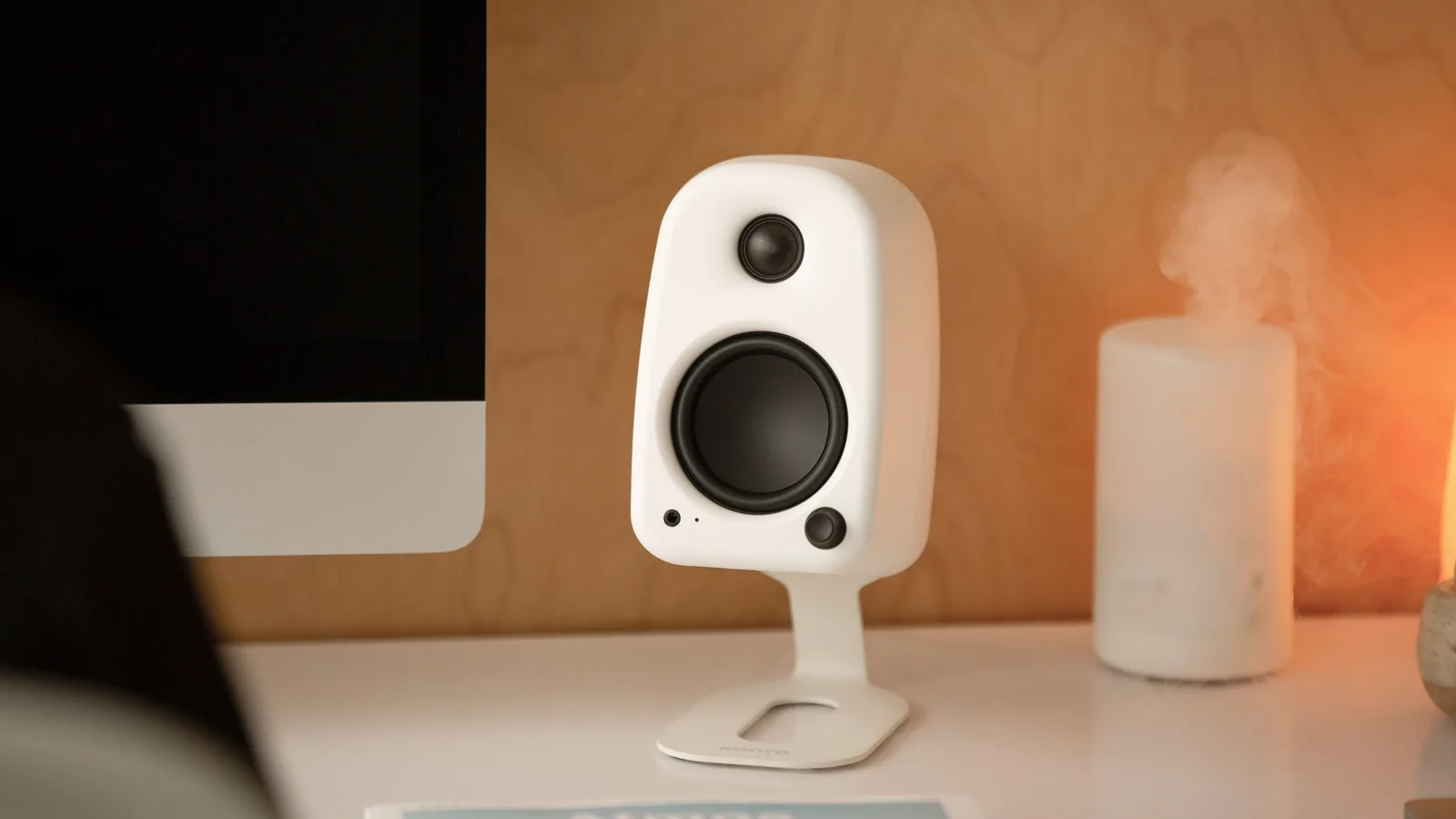
Best compact alternative: Kanto Uki ($269.99). USB-C, Bluetooth, a headphone port on the speaker, and an automatic subwoofer crossover.
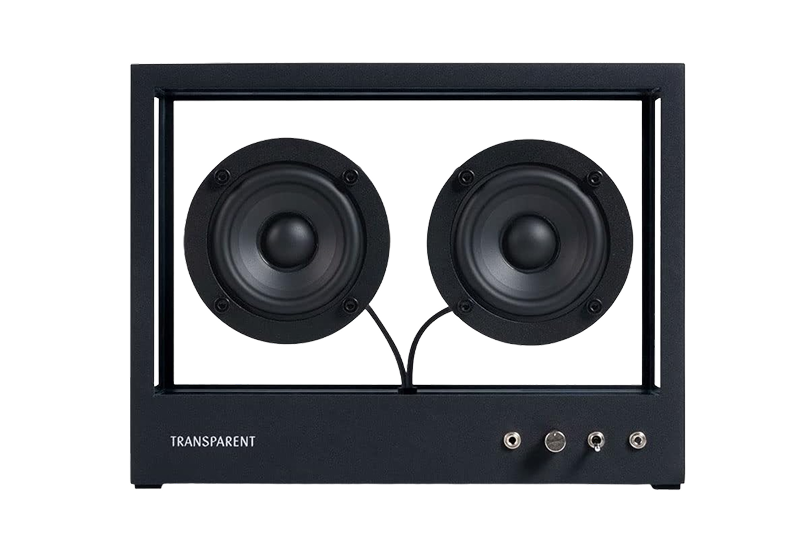
Best design piece: Small Transparent Speaker ($600). Tempered glass and aluminum, Bluetooth, and a modular build you can repair.
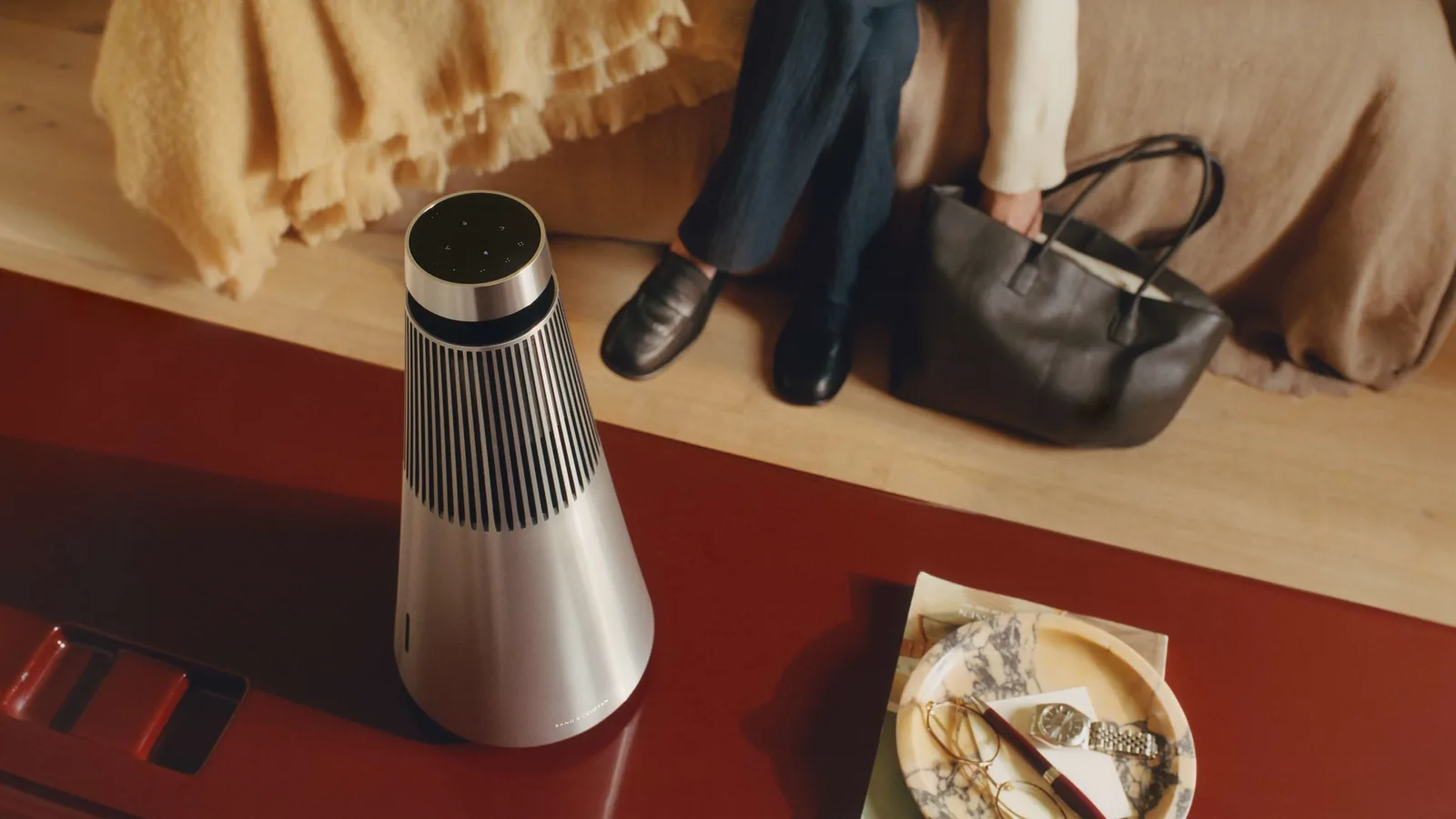
Best if money is no object: Bang & Olufsen Beosound 2 (from $4,000). 360-degree sound, AirPlay, and a USB-C line-in.
A slim MagSafe wallet that folds into a stand and grip.
HardwareAccessoriesiOS
Opal C1 Camera
DSLR quality on a webcam for the
HardwareCamerasmacOS
Flow 2
A CNC aluminum low-profile keyboard with cloud-soft switches and VIA.
HardwareKeyboards & MiceiOS & macOS
Flow Lite84
A slim tri-mode mechanical keyboard built for comfortable Mac typing.
HardwareKeyboards & MiceiOS & macOS
Q15 Max
A premium wireless ortholinear keyboard for Mac.
HardwareKeyboards & MicemacOS
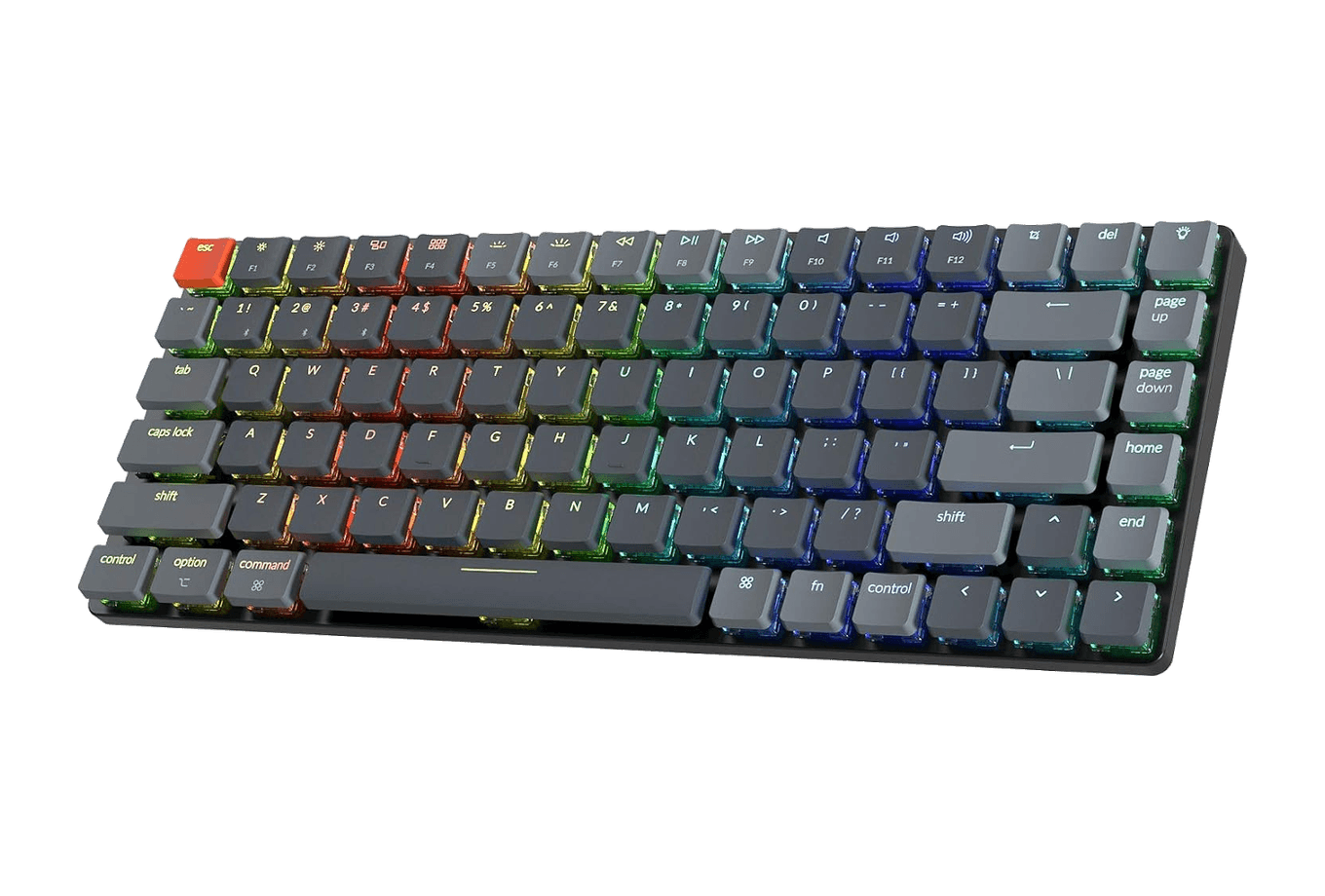
K3 Ultra-slim
An ultra-slim 75% mechanical keyboard built for Mac.
HardwareKeyboards & MiceiOS & macOS
3-in-1 Cube with Qi2
A foldable Qi2 charger for iPhone, Apple Watch, and AirPods.
HardwarePoweriOS
BoostCharge 2-in-1 Magnetic Foldable Wireless Charger with Qi2
A foldable Qi2 stand that charges iPhone and AirPods together.
HardwareiOS
MagGo Wireless Charging Station (Foldable 3-in-1)
A travel-size Qi2 station for iPhone, Apple Watch, and AirPods.
HardwareiOS
More bass: a Sonos Sub Mini ($499) only works with a Sonos speaker, so pair it with an Era 100 rather than with your Mac directly.
How to connect speakers to a Mac mini M4
Apple's tech specs list four ways to get sound out of the Mac mini M4:
1. USB-C or Thunderbolt. The best option for desktop speakers with a built-in DAC, such as the A2+ Gen 3, M60, or Uki. The Mac sends a digital signal and the speaker does the conversion, so you avoid noise and the speaker shows up in Sound settings as its own output. 2. 3.5mm headphone jack. On the front of the Mac mini, with what Apple calls advanced support for high-impedance headphones. Fine for any speaker with an analog input, but the cable runs to the front of the computer. 3. Bluetooth 5.3. Convenient and cable-free. Macs stream over AAC or SBC, so a speaker's aptX or LDAC support does not help on a Mac. 4. HDMI. Supports multichannel audio, useful if your Mac mini is connected to a TV or an AV receiver.
Apple also sells newer Mac mini models now, and the current spec sheet keeps the front headphone jack and HDMI audio, so everything below applies to them as well.
Best speakers for a Mac mini compared
Prices are US list prices from official stores at the time of writing.
Speaker
Price
Mac connection
Power and drivers
Bluetooth
Best for
Audioengine A2+ Gen 3
$299
USB-C, 3.5mm, RCA
Class D, 2.75" aramid woofers, 0.75" silk tweeters
5.3, AAC, aptX Adaptive, LC3
Most Mac mini desks
Edifier M60
$199.99
USB-C, 3.5mm
66W RMS, 3" aluminum woofers, 1" silk tweeters
5.3, SBC, LDAC
Value and volume
Kanto Uki
$269.99
USB-C, RCA
50W RMS, 3" paper woofers, 3/4" silk tweeters
5.3
Compact desks with a sub
Small Transparent Speaker
$600
Bluetooth
Class D, 2 x 3" full range
5.0
Design-led setups
Bang & Olufsen Beosound 2
From $4,000
USB-C line-in, AirPlay, Bluetooth
105W, 5.25" woofer, 360-degree sound
5.3, SBC, AAC
A single speaker for a whole room
Sonos Sub Mini
$499
Through a Sonos speaker
Dual woofers, sealed cabinet
No
Adding bass to Sonos
Audioengine A2+ Gen 3: the best all-round Mac mini speakers
The A2 has been the default answer to "what speakers should I get for my Mac" for nearly two decades, and Audioengine refreshed it in September 2026. The A2+ Wireless Speakers Gen 3 keeps the small hand-built cabinets but moves to USB-C audio input, adds Qualcomm aptX Adaptive Bluetooth on Bluetooth 5.3, and supports AAC and LC3 too. USB audio runs at 44.1, 48, and 96kHz through a PCM5100A DAC. Each speaker has a 2.75-inch aramid fiber woofer and a 0.75-inch silk dome tweeter, with a quoted frequency response of 65Hz to 22kHz (plus or minus 2dB).
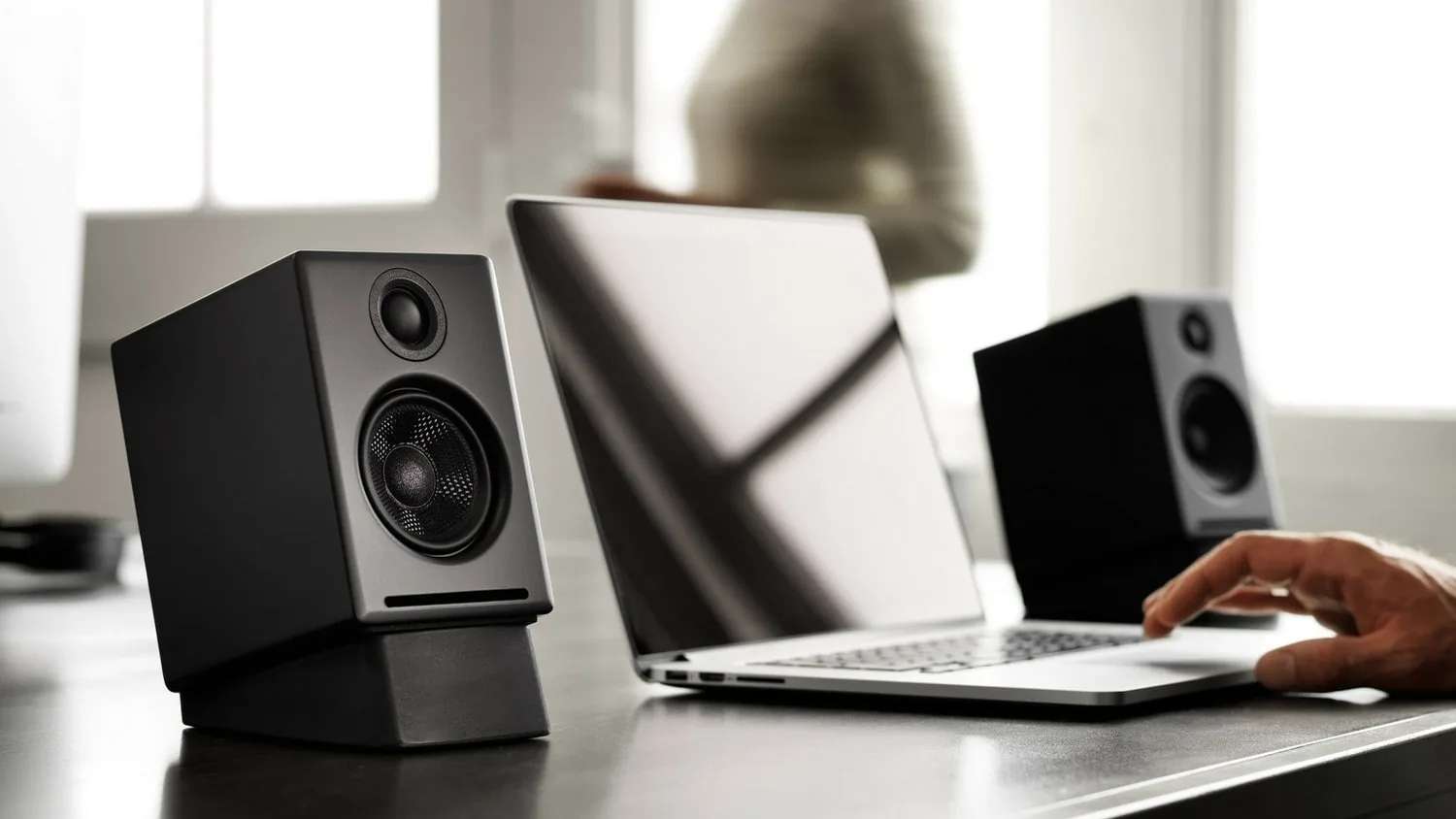
The A2+ Gen 3 is small enough to sit either side of a monitor without crowding the desk. Image: Audioengine
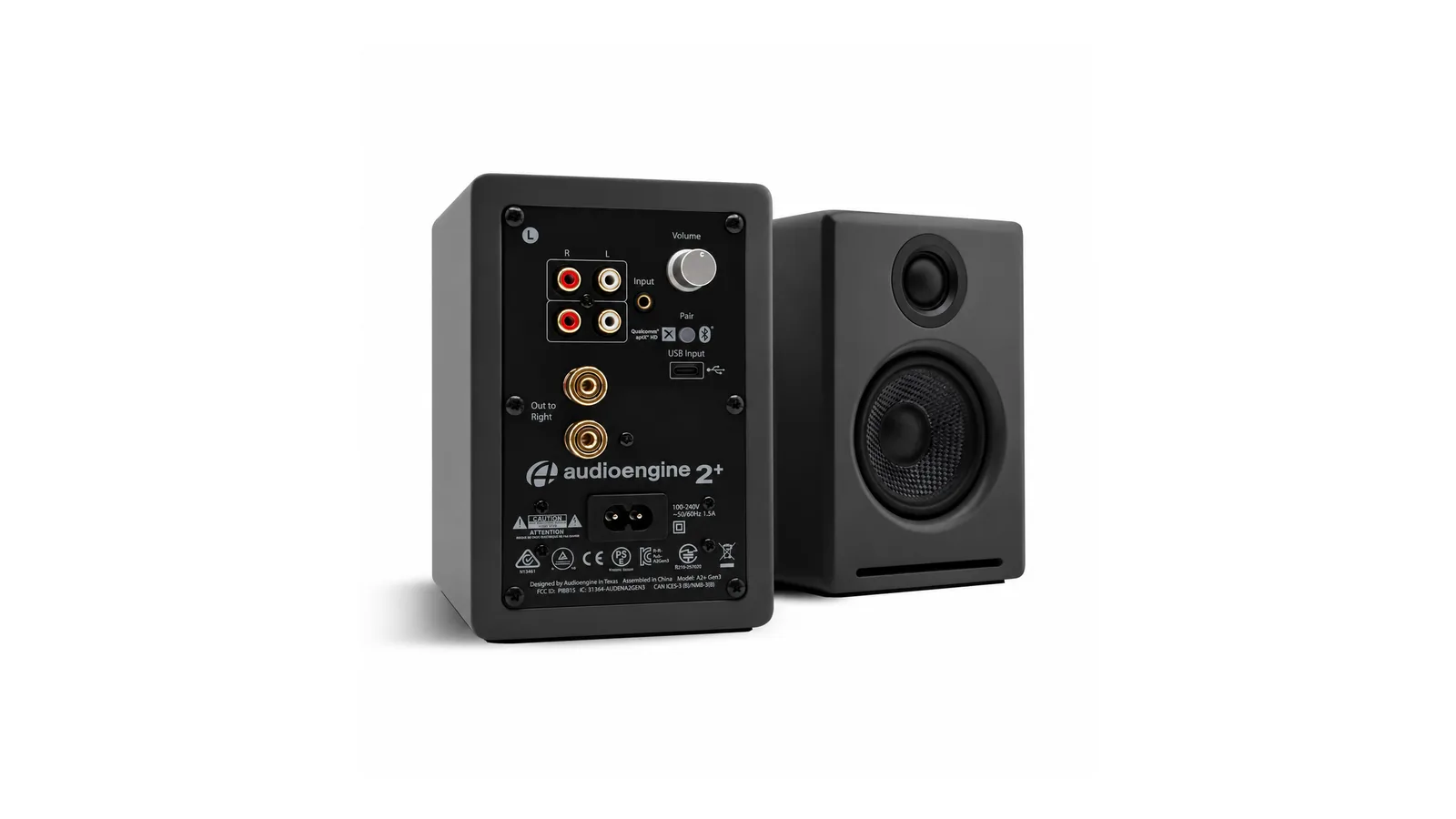
For a Mac mini, the setup is one cable: USB-C from the Mac to the left speaker. Audioengine's own advice is to use USB-C or Bluetooth on a computer, because that bypasses the computer's audio hardware and lets the speakers' DAC do the work. There are also RCA and 3.5mm inputs for a turntable or second source, and an RCA output if you want to add a subwoofer later. It costs $299 and comes in Matte Black, Matte Green, Hi-Gloss Limoncello Yellow, Hi-Gloss Piano White, and Hi-Gloss Red.
USB-C, RCA, and 3.5mm inputs, plus a subwoofer output, all on the left speaker. Image: Audioengine
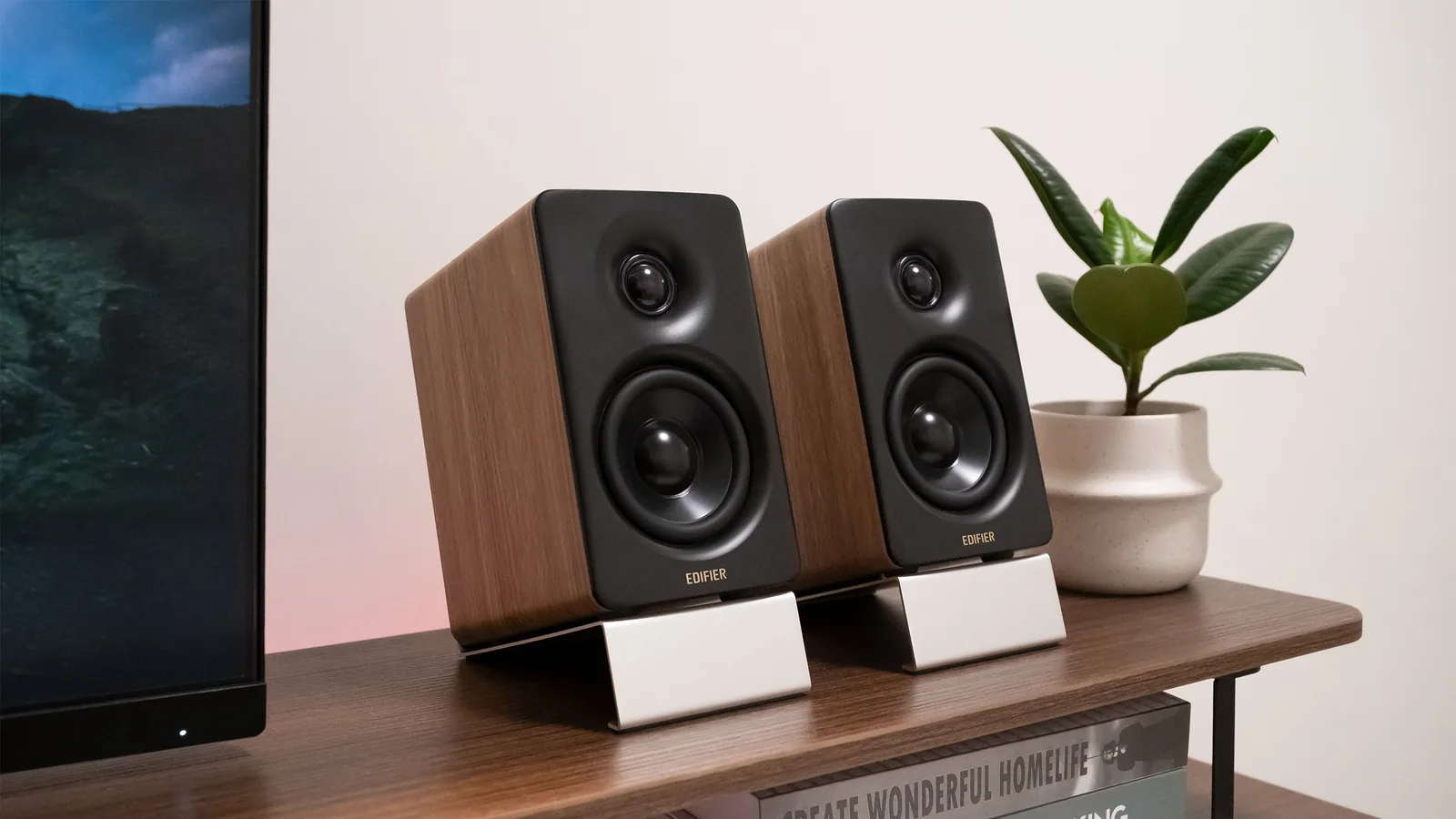
The Edifier M60 is the speaker most people cross-shop with the A2+, and on paper it gives you more for less. It is a 66W RMS system (15W per tweeter and 18W per mid-low driver) with 1-inch silk dome tweeters and 3-inch aluminum mid-low drivers, a Texas Instruments Class-D amplifier, and DSP running at 24-bit/96kHz. It is Hi-Res Audio and Hi-Res Audio Wireless certified, has a backlit touch panel, works with Edifier's ConneX app, and includes angled stands. Edifier lists it at $199.99.
The M60 ships with stands that angle the speakers up toward your ears. Image: Edifier
The differences that matter on a Mac desk:
Bluetooth codecs. The M60 supports SBC and LDAC. Macs do not support LDAC, so over Bluetooth a Mac falls back to SBC. The A2+ Gen 3 supports AAC, which Macs and iPhones use. If you plan to stream from your Mac or iPhone wirelessly, the A2+ has the edge. Over USB-C, the codec question disappears.
Size. Each M60 measures 100 x 168 x 147mm and the pair weighs 3.07kg. Each A2+ Gen 3 speaker is 15.2cm tall, 10.2cm wide, and 13.3cm deep, so it is the smaller of the two.
Bass and loudness. The M60's larger drivers and higher power make it the louder, fuller speaker in a bigger room. The A2+ is tuned for near-field listening and has a subwoofer output if you want more.
Extras. The M60 has stands and app control in the box. The A2+ has an RCA input and a subwoofer output, which the M60 lacks.
Price. The M60 is about $100 cheaper at list price.
Our take: buy the A2+ Gen 3 if you want the most refined small speaker, plan to use AAC Bluetooth from Apple devices, or may add a subwoofer. Buy the M60 if you want maximum sound per dollar and will connect it over USB-C.
Kanto Uki: compact, with a headphone port on the speaker
Kanto's Uki is a newer desktop speaker built around all-day listening. The rounded cabinets hold 3-inch paper cone woofers and 3/4-inch silk dome tweeters, driven by Class-D bi-amplification at 50W RMS. Inputs are USB-C (16-bit/48kHz), Bluetooth 5.3, and RCA. Two touches are especially handy next to a Mac mini: a 3.5mm headphone output on the speaker itself, and a subwoofer output with an automatic 100Hz crossover. You can also swap which speaker sits on the left. Kanto's list price is $269.99, and it was on sale when we checked.
Uki puts a headphone port and a subwoofer output on the speaker, so the Mac mini's front jack stays free. Image: Kanto
Small Transparent Speaker: the one people ask about
The Small Transparent Speaker is the speaker you buy because of how it looks. Its tempered glass front lets you see the drivers and electronics, and the frame is aluminum. Inside are two 3-inch full-range drivers and a Class D amplifier, with a quoted 60Hz to 20kHz response (plus or minus 3dB). It connects over Bluetooth 5.0, two can be paired as a true wireless stereo set, and Transparent sells a Wi-Fi module for multi-device streaming. The modular design is meant to be repaired and upgraded instead of replaced. It is $600, comes in black or white, measures 268 x 203 x 95mm, and was out of stock in some colors when we checked.
For a Mac mini, it works as a Bluetooth speaker. That keeps the desk free of cables, but you give up the digital USB-C connection the other speakers offer.
Small Transparent SpeakerScandinavian Elegance Meets Modern SoundVisit WebsiteThe Transparent Bluetooth Speaker combines fashion with functionality, offering exceptional sound quality in a sleek, minimalist design.
- Made from high-quality tempered glass and aluminum, it fits seamlessly into any home decor.
- With Bluetooth 5.0, it allows for easy streaming from any compatible device.
- Each speaker can connect with others for multi-room audio experiences, ensuring that you're never limited by your space.
- Updates over time will keep it relevant as technology evolves, making it not only a great audio device but also a stylish addition to your living space, capable of fulfilling all your audio needs without compromise.
Elevate your audio experience with the Transparent Bluetooth Speaker. Its timeless design and superior sound quality make it a perfect fit for any space. Enjoy seamless streaming and multi-room capabilities, all while staying ahead with future upgrades.Visit Website
Bang & Olufsen Beosound 2: the luxury option
The Beosound 2 is not a desktop speaker in the usual sense. It is a 43cm tall aluminum cone that uses B&O's Acoustic Lens Technology to throw sound 360 degrees around a room. The current third-generation model has 105W of amplification across a tweeter, two midrange drivers, and a 5.25-inch woofer, with a quoted range of 33Hz to 23.4kHz. It streams over Wi-Fi with AirPlay, Google Cast, Spotify Connect, and TIDAL Connect, and it also has Bluetooth 5.3, Ethernet, and a USB-C line-in with a USB-C to AUX adapter in the box. You can pair two for stereo.
Beosound 2 fills a room in every direction, which suits a Mac mini that doubles as a home media computer. Image: Bang & Olufsen
With a Mac mini, AirPlay is the easiest route: choose the Beosound 2 from the Sound menu and it plays everything your Mac plays. It starts at $4,000.
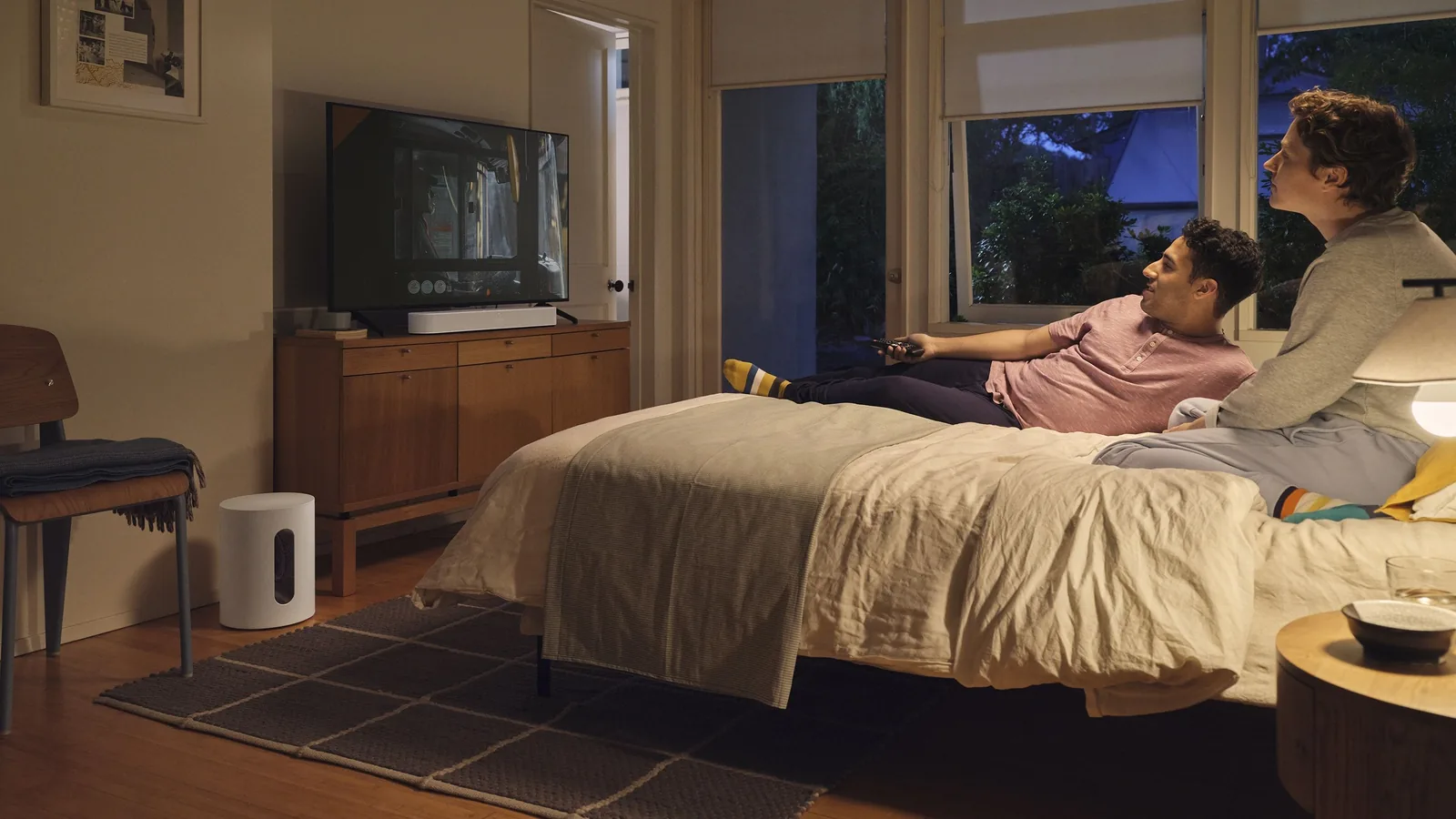
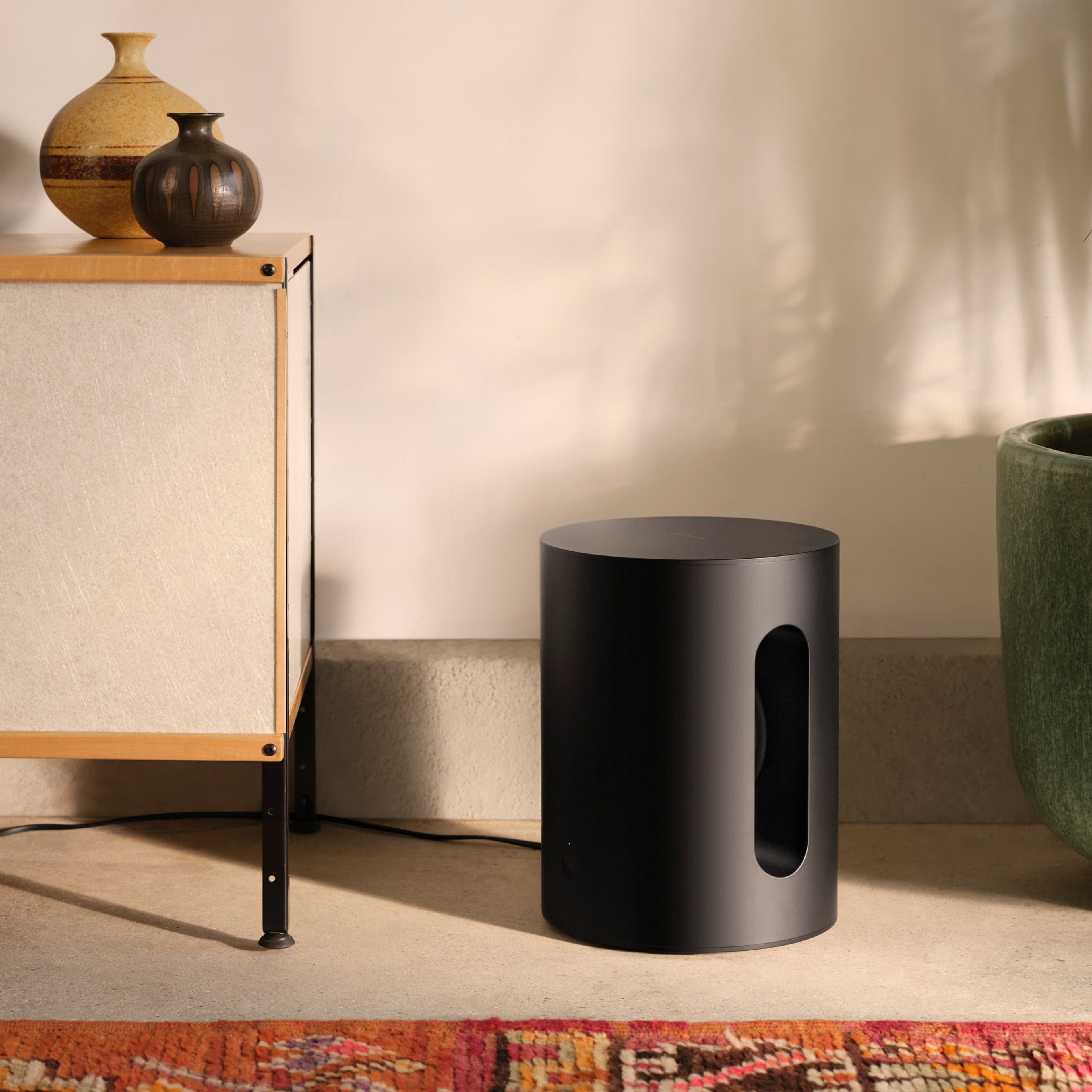
The Sonos Sub Mini is a compact cylindrical subwoofer with two inward-facing woofers in a sealed cabinet. Sonos says the opposing woofers cancel each other's vibration to reduce distortion, and Trueplay tuning adapts the bass to your room. It costs $499.
The catch for Mac users: the Sub Mini does not connect to a computer. Sonos pairs it with a Beam, Ray, Era 100, One, or One SL. For a desk, the cleanest route is a Sonos Era 100 ($219), which plays from your Mac over AirPlay 2 or Bluetooth and can take a wired source through the Sonos Line-In Adapter. Two Era 100s plus a Sub Mini make a proper 2.1 system, at a price well above the A2+.
The Sub Mini pairs with Sonos speakers and soundbars rather than plugging into a computer. Image: Sonos
If you already own A2+ Gen 3 or Uki speakers, a wired subwoofer from their subwoofer outputs is simpler and cheaper.
Sonos Sub MiniCompact wireless subwoofer for enhanced bass.Visit WebsiteThe Sonos Sub Mini is a compact wireless subwoofer designed to enhance your audio experience. It delivers deep, rich bass that elevates the sound quality of your movies, music, and games without overwhelming your living space. Ideal for smaller rooms or apartments, this subwoofer features advanced processing technology and Trueplay tuning, ensuring optimal performance tailored to your room's acous
- Seamlessly integrates with Sonos systems like Beam, Ray, One, and One SL.
- Dual custom woofers in an acoustically sealed cabinet for rich, distortion-free sound.
- Advanced processing technology enhances bass response for clear audio.
- Easy setup via the Sonos app with Trueplay tuning for room-specific acoustics.
- Compact design ideal for smaller spaces, perfect for movies, music, and gaming.
- Delivers immersive sound that enhances your entertainment experience.
The Sonos Sub Mini is your perfect audio companion, delivering powerful bass in a compact design. Ideal for any space, it enhances your entertainment experience, whether you're watching movies, gaming, or listening to music. With easy setup and adaptive tuning, enjoy rich sound that fits seamlessly into your home.Visit Website
Tips for better sound from a Mac mini
Use USB-C when you can. It gives the speaker a clean digital signal and lets the speaker's DAC do the work.
Get the tweeters to ear height. Desktop stands, or the stands included with the M60, make a bigger difference than most upgrades.
Leave a gap behind them. Rear-ported speakers sound boomy pushed against a wall.
Pick the output. Open System Settings > Sound > Output and choose your speakers. macOS remembers the choice.
Mind the Mac mini's own speaker. If sound still comes from the Mac mini, check that another output is not selected in the Sound menu bar item.
FAQ
What are the best speakers for a Mac mini M4?
For most people, the Audioengine A2+ Gen 3. It connects over USB-C, is small enough for any desk, supports AAC Bluetooth from Apple devices, and has a subwoofer output. The Edifier M60 is the best value, and the Beosound 2 is the luxury pick.
Does the Mac mini M4 have a headphone jack?
Yes. Apple's tech specs list a 3.5mm headphone jack on the front with advanced support for high-impedance headphones, plus a built-in speaker and multichannel audio over HDMI.
Is the Mac mini's built-in speaker good enough?
For notifications and calls, yes. For music or video, any of the speakers here will be a large improvement.
Audioengine A2+ or Edifier M60?
Choose the A2+ Gen 3 for a smaller footprint, AAC Bluetooth, and a subwoofer output. Choose the M60 for more power and lower price, and connect it over USB-C because Macs do not support LDAC.
Can I connect a Sonos Sub Mini directly to my Mac?
No. The Sub Mini pairs with a Sonos speaker or soundbar, such as an Era 100, which then plays audio from your Mac over AirPlay 2 or Bluetooth.
Should I use Bluetooth or USB-C?
USB-C for a speaker that sits on your desk all the time. Bluetooth is better for switching between your Mac and phone.
Verdict
For a Mac mini M4 desk, the Audioengine A2+ Gen 3 is the easiest recommendation: one USB-C cable, a small footprint, and sound far beyond its size. If you want more volume for less money, the Edifier M60 is excellent over USB-C. The Kanto Uki is a smart compact alternative with a headphone port and sub output, the Small Transparent Speaker is the one to buy for looks, and the Beosound 2 is the speaker for a Mac mini that runs the whole room. Add a Sonos Sub Mini only if you are building a Sonos system.
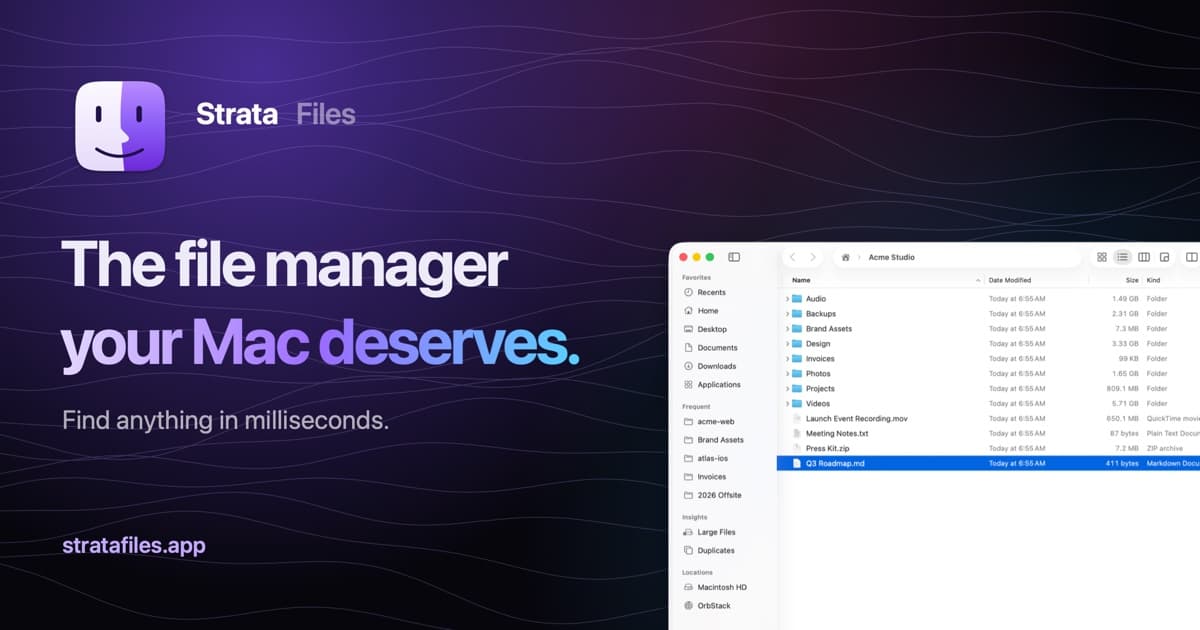
Strata Files is a free, open-source file manager for macOS. It combines indexed file search, live folder sizes, and keyboard navigation with tools for organizing files and inspecting projects.
- Search files as you type or use plain-English queries.
- Browse in dual panes and save tabs as workspaces.
- Inspect disk usage, Git status, code, and document previews.
- Pause and resume copies, review conflicts, and undo file operations after restarting.
- Batch rename files with a live preview and browse archives as folders.
- Generate document summaries and plan bulk changes locally.
Requires macOS 26 Tahoe on Apple silicon. Apple Intelligence is optional, with built-in fallbacks for summaries and bulk-change requests. Strata is MIT licensed, and its search index and history stay encrypted on your Mac.
SoftwareUtilitiesmacOS
MeltKit
Create animated gradients and seamless loops
One-time
MeltKit is a desktop studio for creating animated gradient backgrounds on Mac and Windows. Choose a look, customize its colors, and export it for websites, presentations, or videos.
- Explore flow, marble, mesh, aura, ribbons, rings, and other shapes.
- Generate six variations in a click.
- Layer effects such as grain, glass, and halftone.
- Export seamless loops as MP4 or WebM up to 4K.
- Save PNG stills up to 8K, JPEG images, self-contained HTML, or React components.
A one-time license covers up to three computers and includes version 1 updates. Internet is needed for activation; the app then works offline. Exports can be used commercially.
SoftwareDesignmacOS
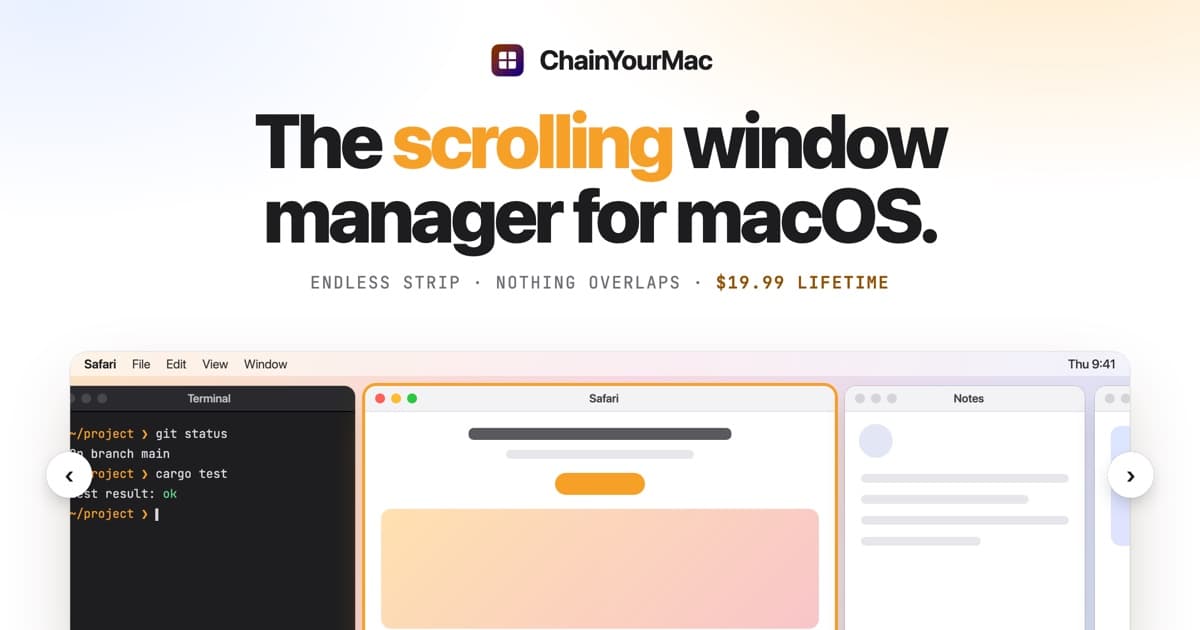
ChainYourMac
Arrange windows on a scrolling strip
One-time
ChainYourMac arranges windows on a horizontal strip that scrolls beyond the edges of your display, keeping each window at its chosen width.
- Navigate with keyboard shortcuts or three- and four-finger trackpad swipes.
- Group windows into stacks or tabbed columns.
- Set preset widths, gaps, and per-app floating rules.
- Keep separate layouts for each display and Space.
- Restore window order and stacks after restarting.
Requires macOS 13 Ventura or later on Apple silicon. A lifetime license for one Mac costs $19.99 and includes future updates; multi-Mac licenses are available.
SoftwareUtilitiesmacOS
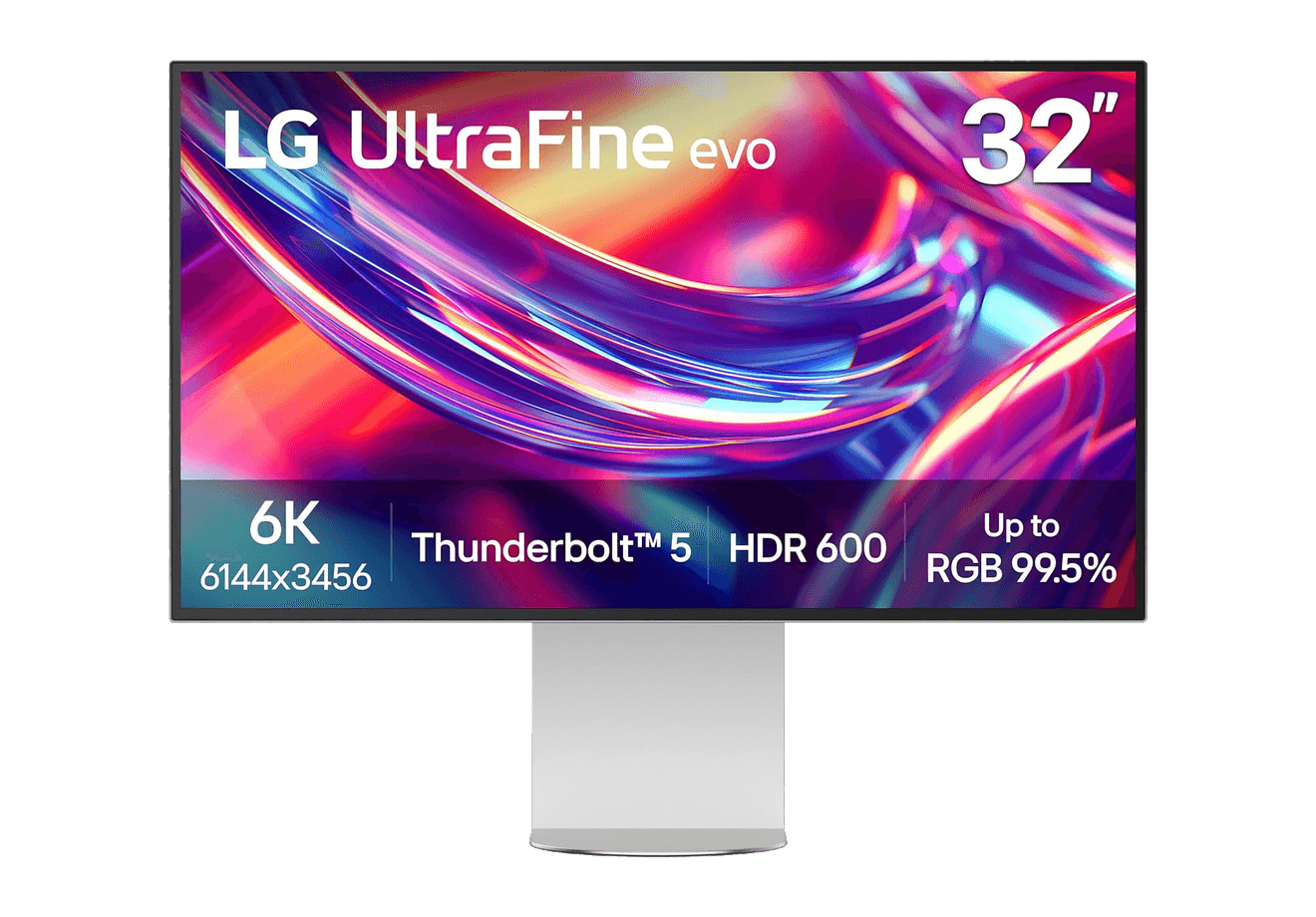
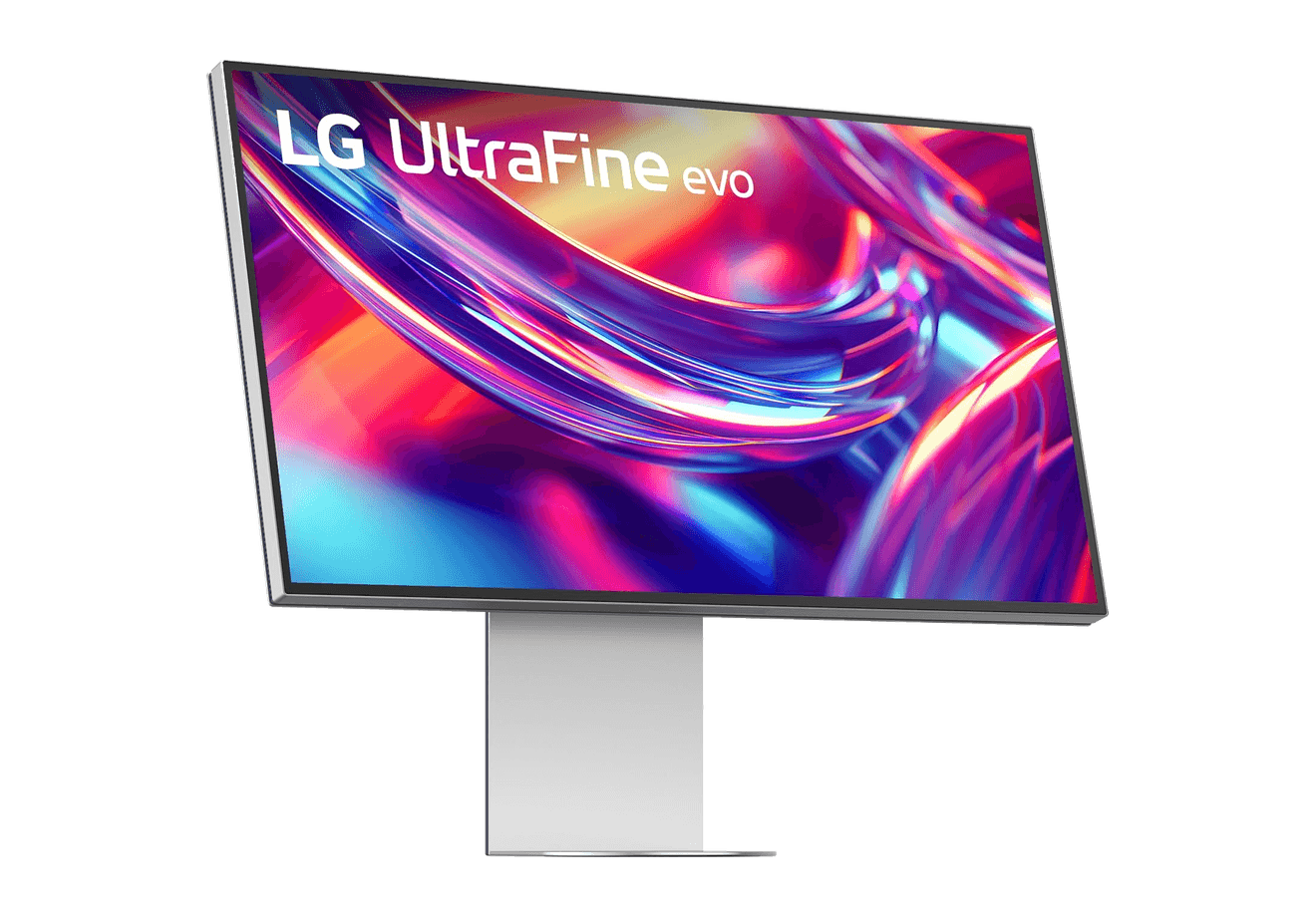
LG UltraFine evo 6K
A 32-inch 6K Thunderbolt 5 display built for Mac creators.
WorkspaceDisplays
Flow 2
A CNC aluminum low-profile keyboard with cloud-soft switches and VIA.
HardwareKeyboards & MiceiOS & macOS
Flow Lite84
A slim tri-mode mechanical keyboard built for comfortable Mac typing.
HardwareKeyboards & MiceiOS & macOS
Agent Caffeine
Keep your Mac awake for agents
One-time
Agent Caffeine is a Mac menu bar utility that prevents sleep while AI coding agents are working, then allows the Mac to sleep when work stops.
- Track activity from agents including Claude Code, Codex, and Cursor.
- Keep the Mac awake with the lid closed during active work.
- Allow a configurable grace period when an agent waits for input.
- Send notifications when agents need attention or finish.
- Pause sleep prevention or stay reachable for a set duration.
Closed-lid operation on battery requires an approved helper. Battery and temperature safeguards can release sleep prevention. Includes a seven-day trial, followed by a one-time purchase with lifetime updates.
SoftwareUtilitiesmacOS
Q15 Max
A premium wireless ortholinear keyboard for Mac.
HardwareKeyboards & MicemacOS
K3 Ultra-slim
An ultra-slim 75% mechanical keyboard built for Mac.
 Dudu
Dudu