Four Mac Apps That Change What You See When You Stop Working

The Mac is excellent at what it does and completely uninterested in what it looks like. These four apps address the second part.

Written byDudu avatarDudu
3 min read
Created July 19, 2026Updated July 19, 2026

You lock your screen for five minutes and come back to a gray wallpaper and a dock that has not changed since 2019. The machine is excellent. It just does not look like it belongs to anyone.

These four apps do not change how the Mac works. They change what it looks like when you are not doing anything — which turns out to be most of the time.

The stack:

  • Alcove · Dynamic Island, but on your Mac
  • Wallspace · the wallpaper that actually moves
  • Cooldock · a dock with something happening in it
  • Bauhaus Clock · a clock worth glancing at

1. The Notch Finally Does Something

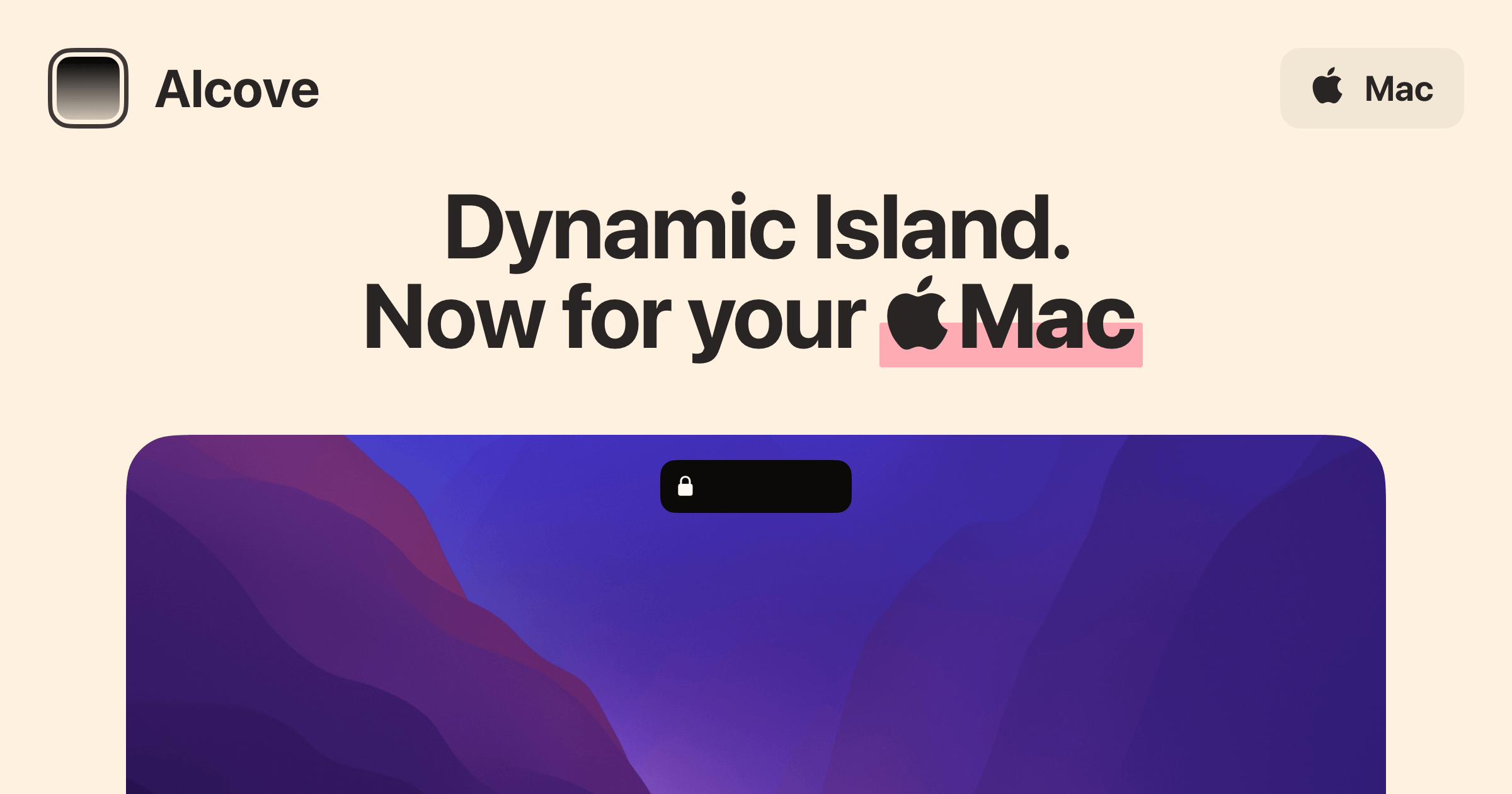
Apple gave the Mac a notch. It does almost nothing. Alcove gives it the Dynamic Island treatment — notifications, music, timers, and live activity feeds that expand and collapse from the top of the screen in the same language your iPhone speaks. The notch stops being a cutout and starts being the most interesting part of the menu bar.


It is a small thing to care about. It is also a thing you notice every single time you look up.

AlcoveDynamic Island experience for your MacAlcove is a native macOS application designed to enhance the user experience on Macs with a notch. It provides features such as fluid transitions, instant notifications, live activities, swipe gestures, customizable HUDs, and lock screen widgets. These functionalities aim to make media controls, alerts, and system status more accessible and interactive for users. - Provides a Dynamic Island-style interface for the Mac notch, enhancing user interaction. - Supports fluid transitions for a seamless visual experience during notifications and activities. - Integrates live activities to display real-time updates and information. - Enables swipe gestures for quick access to media controls and alerts. - Offers customizable HUDs for personalized display of system status and notifications. - Includes lock screen widgets for immediate access to alerts and media controls. Alcove is tailored for users with Macs featuring a notch, offering a range of functionalities that improve accessibility and interaction with media controls and notifications. Its features, including customizable HUDs and live activities, provide a practical solution for managing alerts and system status efficiently.Visit Website

2. The Wallpaper That Does Not Stand Still

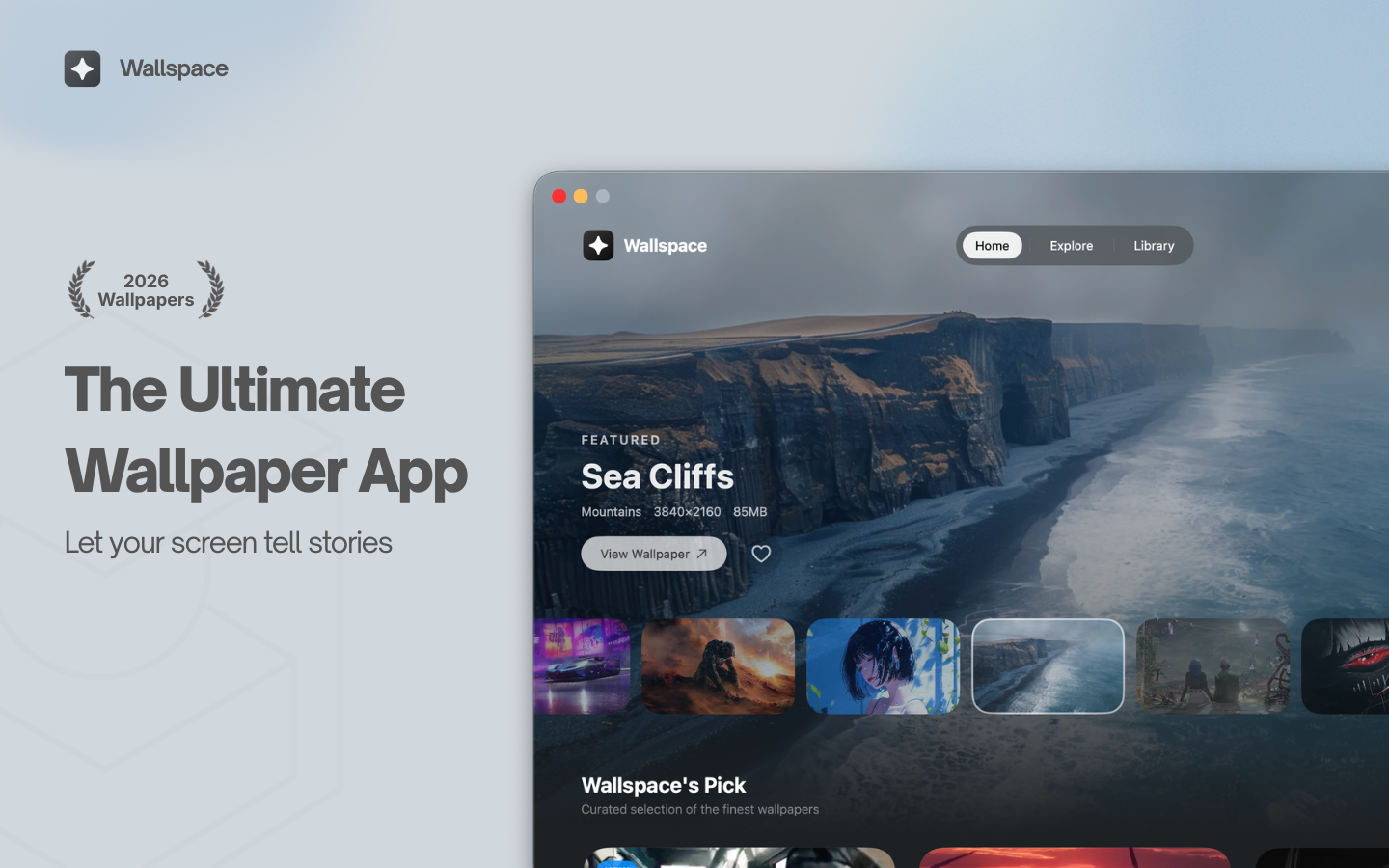
The default macOS wallpaper is a photograph of a landscape taken at a specific moment in time, which is the exact opposite of how landscapes work. Wallspace replaces it with 4K wallpapers that breathe, drift, and shift — cinematic enough to notice, subtle enough not to distract.

You spend eight hours a day looking at your desktop. It might as well be doing something.

WallspaceLive wallpapers for your MacWallspace is a Mac application that provides live and dynamic desktop wallpapers. Users can browse a selection of animated backgrounds and apply them to their desktops, enhancing their workspace with motion and visual themes. This tool is designed for individuals seeking to replace traditional static wallpapers with more engaging and visually appealing options. - Browse a library of animated wallpapers to customize your desktop. - Apply live wallpapers that update dynamically based on time or events. - Easily switch between different visual themes to refresh your workspace. - Supports multiple monitor setups for a cohesive visual experience. - Simple installation and user-friendly interface for quick setup. Wallspace offers a practical solution for users looking to enhance their Mac desktop experience with dynamic wallpapers. By providing a variety of animated backgrounds that can change based on time or events, it allows for a personalized and visually stimulating workspace.Visit Website

3. A Dock With Something in It

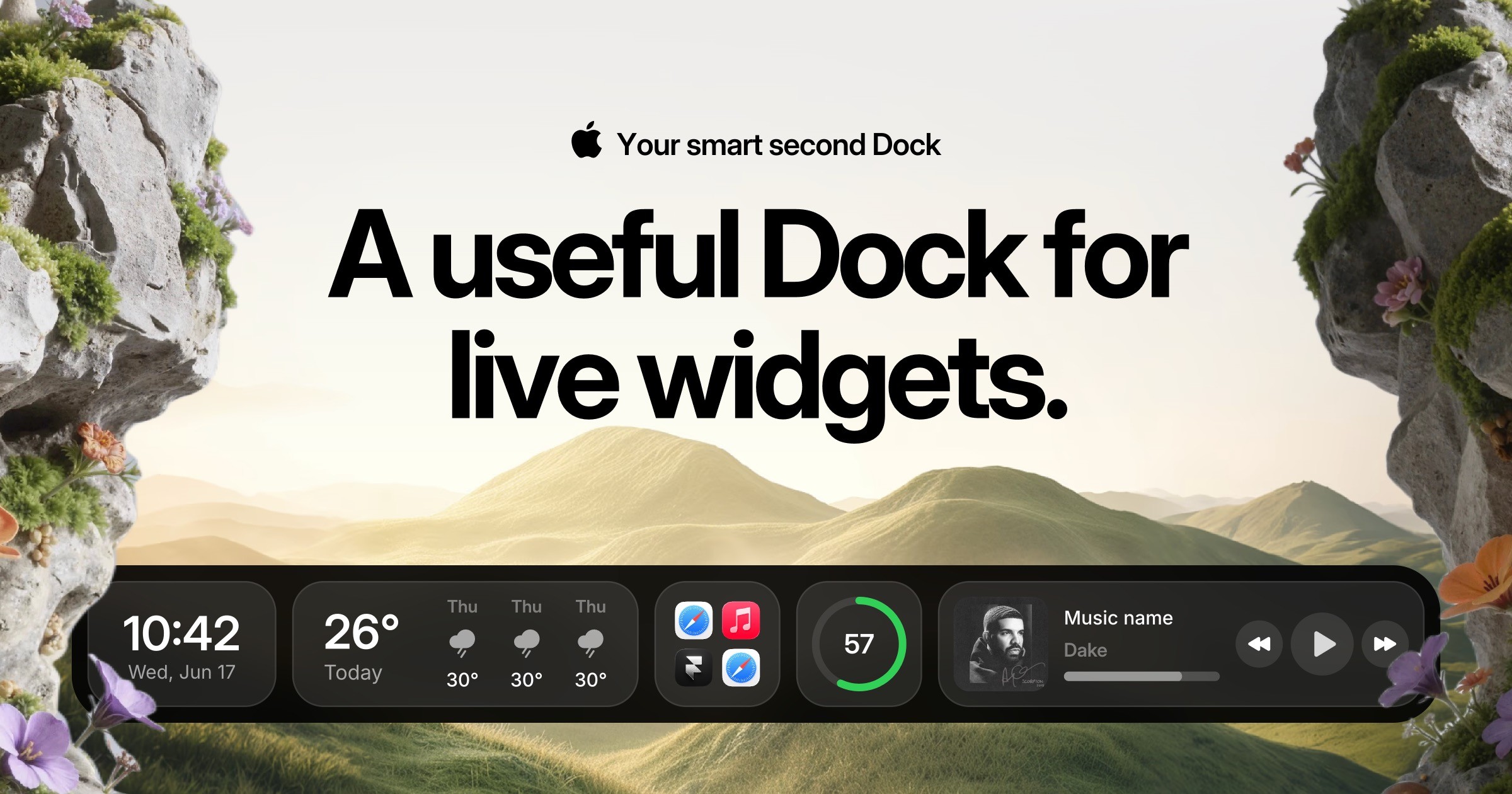
The Mac dock is where apps sit and wait. Cooldock turns it into a place where things are actually happening — weather, calendar events, system stats, whatever you care about enough to glance at between tasks. The dock stops being a row of static icons and starts being a row of information.

It is a subtle difference, and then one afternoon you realise you have not opened a separate weather app in weeks.

CooldockA useful Dock for live widgets.Cooldock brings music, todos, events, weather, search, stats, quick actions, and more useful widgets into one beautiful live dock beside your original Mac Dock. - Integrates live widgets for music, weather, todos, and events into a customizable second Dock. - Provides quick access to favorite apps, folders, and system stats from a compact interface. - Supports reminders and calendar events for efficient task management. - Allows for real-time monitoring of system performance, including CPU and RAM usage. - Features quick actions for toggling settings like Wi-Fi and Bluetooth directly from the Dock. Add live widgets, quick actions, apps, folders, search, stats, weather, calendars, reminders, and more into a beautiful second Dock beside your original Mac Dock. This app provides a seamless way to enhance your productivity and streamline everyday tasks with easily accessible widgets.Visit Website

4. A Clock Worth the Glance

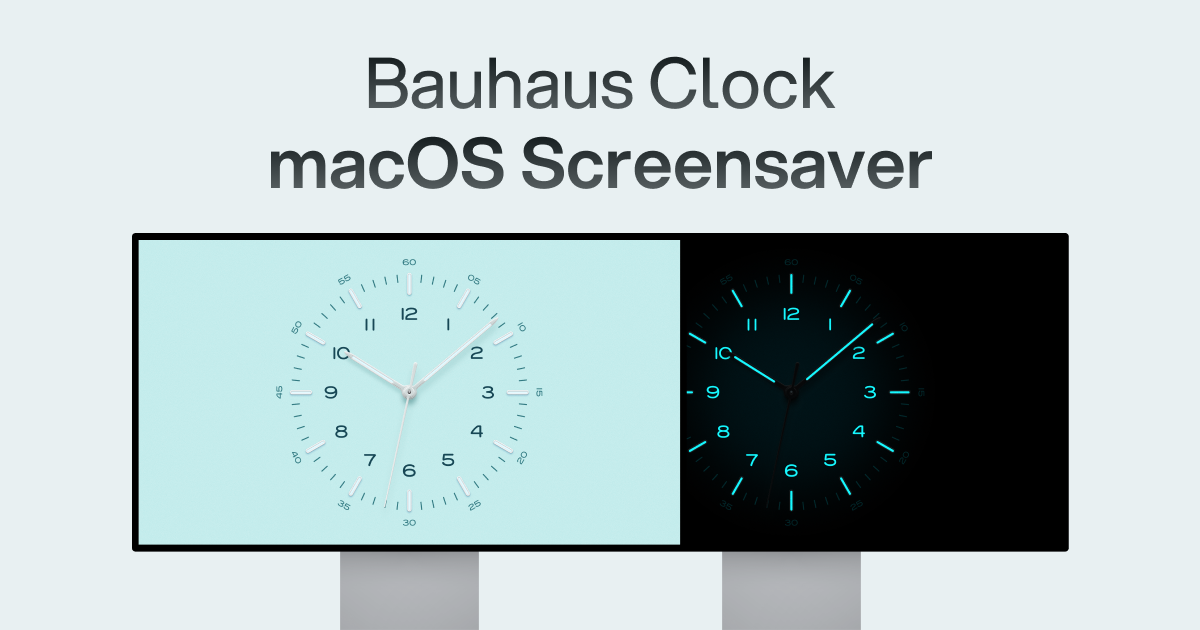
The menu bar clock says the time. Bauhaus Clock says the time in a way that has clearly thought about how time should look. Bauhaus-inspired, minimal, the kind of thing that would be at home on the wall in a good apartment.

A clock is something you look at dozens of times a day. It is a reasonable thing to make beautiful.

Bauhaus ClockTurn waiting into watching.The Bauhaus Clock is an elegant screensaver designed for Mac that transforms idle screens into captivating visuals. With meticulous attention to detail, this screensaver combines precision engineering with stunning design, featuring customizable clock dials and multiple movement types. Users can enjoy features like day/night themes, and intelligent algorithms that prevent burn-in. Designed to complement any room, it’s more than just a screensaver—it’s a piece of art that brings joy every time it appears on your screen.Visit Website

Four apps, none of them changing how the Mac works, all of them changing how it looks when you look away from what you are doing. That turns out to matter more than you would expect.

You might also like

DeskMinder icon

DeskMinder

For Easily Distracted Minds

DeskMinder screenshot
Freemium

DeskMinder is a productivity software application designed for Mac users who struggle with distractions. It provides a straightforward interface for creating desktop pop-up reminders and tasks, helping users manage urgent to-dos, short breaks, and fleeting ideas. With features like full-screen notifications and Apple Reminders integration, DeskMinder aims to enhance focus and time management for i - With features like easy-to-create desktop pop-ups for reminders and tasks, it simplifies the process of staying on top of urgent to-dos, short breaks, or fleeting ideas. - Users can benefit from full-screen notifications, Apple Reminders integration, and flexible widget placement, making it ideal for anyone requiring a little extra help to maintain focus. - The app includes additional shortcuts for quick reminder setups and customizable widget options, along with a history tracking feature to monitor daily progress. Designed specifically for Mac users, DeskMinder aims to facilitate better time management and productivity for those with attention challenges, providing a seamless user experience without unnecessary complexity.

SoftwareProductivitymacOS
Klack icon

Klack

Satisfying sound with every keystroke

Klack screenshot
Paid

Klack is a macOS application designed to enhance the typing experience through high-fidelity sound for each keystroke. It provides features such as immersive spatial audio, instant feedback, and customizable sound options, making it suitable for writers, developers, and anyone who values an engaging typing environment. The app is easily accessible from the menubar and offers extensive configuratio - Provides immersive spatial audio for enhanced typing feedback. - Allows customization of keystroke sounds, pitch variations, and volume settings. - Features a menubar interface for quick access to configuration options. - Supports instant feedback with each keystroke for a more engaging experience. - Designed for writers and developers seeking auditory feedback while typing. Klack enhances the typing experience on Mac by providing high-fidelity sound for each keystroke.

SoftwaremacOS
TypoTab icon

TypoTab

TypoTab, the ultimate AI writing assistant for

TypoTab screenshot
Paid

TypoTab is a macOS application that functions as an AI-driven writing assistant. It enhances writing efficiency by providing tools for grammar correction, text rephrasing, and content generation, all accessible from the menu bar without needing to switch applications. This tool is designed for writers, students, and professionals looking to streamline their writing process and improve productivity - Provides grammar correction and text rephrasing directly from the menu bar. - Allows text refinement in any application without switching contexts. - Offers customizable actions to meet individual writing needs. - Streamlines repetitive writing tasks for improved efficiency. - Supports a wide range of applications, enhancing workflow across platforms. TypoTab is a macOS application that enhances writing efficiency by providing grammar correction, text rephrasing, and content generation directly from the menu bar. It allows users to refine text in any application without switching contexts, offering customizable actions to suit individual writing needs.
SoftwareWritingmacOS
Spotted in Prod icon

Spotted in Prod

The very best of iOS

Spotted in Prod screenshot
Freemium

Spotted in Prod is a web platform that curates standout iOS apps and interactions. It features short clips showcasing real product user interfaces from both indie developers and major tech companies. The platform aims to support designers and builders by providing insights into the people behind the work and offering a library of downloadable apps. - Access a curated library of standout iOS app interactions and user interfaces. - View short video clips showcasing real product UI from various developers. - Discover profiles of indie makers and established tech companies behind the apps. - Download featured apps directly from the platform for hands-on experience. - Membership unlocks the full library of clips for comprehensive exploration. Spotted in Prod serves as a resource for designers and developers seeking inspiration from a diverse range of iOS applications. By showcasing real product UI through curated clips, it facilitates learning and exploration of effective design practices.

SoftwareDesigniOS & macOS
FloatyDo icon

FloatyDo

A tiny floating todo list for Mac

FloatyDo screenshot
Freemium

FloatyDo is a floating todo widget designed for macOS. It allows users to manage tasks while working across different applications, providing quick capture and keyboard controls for easy access to daily priorities. The widget can be customized with various themes and fonts. FloatyDo is available for free on the Mac App Store, with an optional Lifetime unlock, and requires macOS Sequoia 15. - Floating widget remains visible across applications for easy access to tasks. - Quick capture feature allows for rapid entry of tasks using keyboard shortcuts. - Customizable themes and fonts to personalize the user interface. - Designed for minimal distraction, focusing on daily priorities rather than extensive project management. - Available for free on the Mac App Store, with an option for a Lifetime unlock. - Requires macOS Sequoia 15.0 or later for optimal functionality. FloatyDo is designed for users who need a simple and accessible way to manage tasks without disrupting their workflow. Its floating interface allows for easy visibility across applications, making it suitable for those who prefer quick task entry and minimal distractions. The customization options enhance user experience, while its compatibility with macOS Sequoia 15.

SoftwareProductivitymacOS
Juicy icon

Juicy

Custom Mac battery alerts & health

Juicy screenshot
One-time

Juicy is a native Mac menu bar application designed for battery management. It allows users to set custom alerts for battery levels, monitor battery health, cycle count, and temperature, and receive lifecycle notifications for charging. Additionally, it provides insights into connected device batteries, dismisses macOS battery notifications, and tracks per-app energy usage over various timeframes. - Set custom battery alerts at any specified level. - Monitor battery health, cycle count, and temperature. - Receive lifecycle alerts for charging and the 80% charge limit. - View battery status of connected devices. - Automatically dismiss macOS battery notifications. - Analyze per-app energy usage over 24 hours, 7 days, and 30 days. Juicy provides users with comprehensive battery management tools tailored for Mac. By offering customizable alerts, health tracking, and detailed energy usage insights, it enhances battery longevity and performance. This app is particularly useful for those who want to optimize their device's energy efficiency and minimize interruptions from system notifications. Compatible with macOS Sequoia 15.

SoftwareUtilitiesmacOS
Wick icon

Wick

A proper Clock app for Mac

Wick screenshot
Free

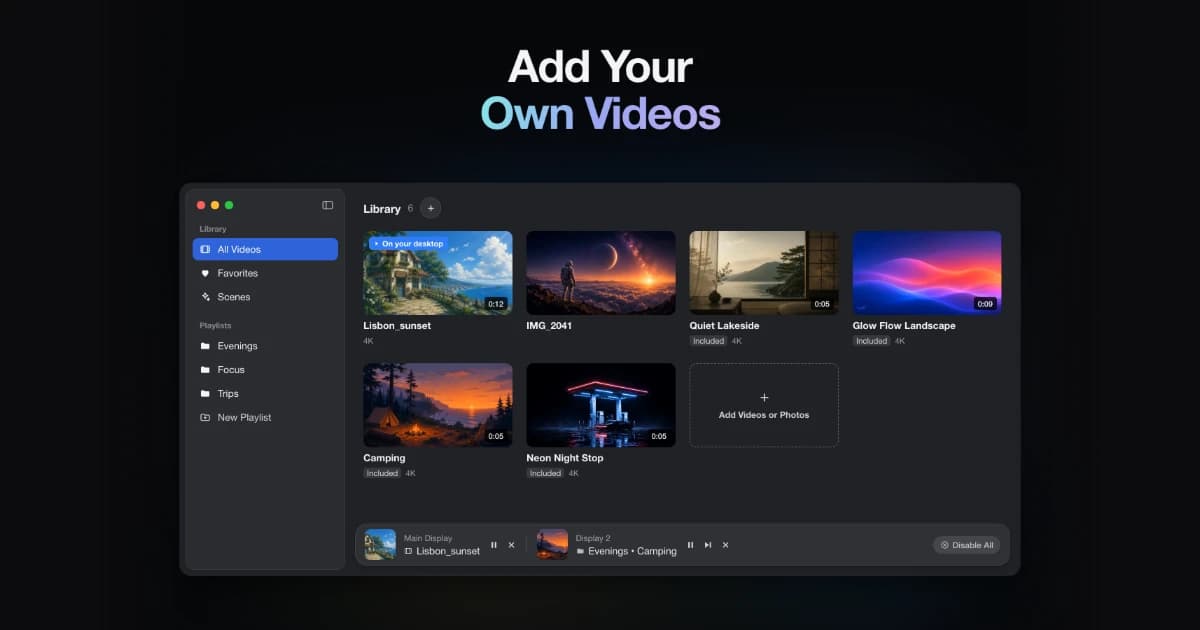
Wick is a free native Mac application designed to enhance the clock functionality on macOS. It consolidates Timers, Stopwatches, and Alarms into a single interface, offering integration with the menu bar and lock screen. This app is suitable for users seeking a streamlined way to manage time-related tasks and is compatible with macOS Sequoia (15) and later. - Provides timers, stopwatches, and alarms in a single application. - Integrates with the macOS menu bar for easy access. - Displays active timers on the Lock Screen via Alcove. - Compatible with macOS Sequoia (15) and later versions. - Free to download and use without any subscription fees. Wick offers a comprehensive clock solution for macOS users, integrating timers, stopwatches, and alarms in a user-friendly interface. Its menu bar and lock screen features enhance accessibility, making it suitable for those who require efficient time management tools.
SoftwareUtilitiesmacOS
HeyClicky icon

HeyClicky

AI buddy that lives on your Mac

HeyClicky screenshot
Freemium

HeyClicky is a software application designed for macOS that functions as an AI assistant. It allows users to interact with their screen content by answering questions audibly, providing on-screen guidance, and executing voice-activated tasks across various applications. It integrates with services like Gmail and Notion, offering support for creative tools, code editors, and spreadsheets. - Provides voice responses based on on-screen content when activated by a hotkey. - Offers on-screen drawing tools to visually guide users through tasks. - Integrates with Gmail and Notion for streamlined task management. - Allows users to create and run voice-triggered agents without using a terminal. - Delivers step-by-step assistance across various applications, including creative tools and code editors. - Available in a free tier, with additional features in Pro and Max plans. HeyClicky enhances productivity by providing real-time assistance tailored to your workflow. Its integration with applications like Gmail and Notion allows for seamless task management, while voice-triggered agents simplify interactions across various software. With a free tier and options for advanced features, it caters to users seeking efficient support in creative and technical environments.

SoftwareAImacOS
VoiceOS icon

VoiceOS

Voice assistant to control your Mac

VoiceOS screenshot
Freemium

VoiceOS is an AI voice assistant software designed for Mac and Windows. It enables users to dictate text, send messages, search the web, and automate application actions using voice commands. This tool is particularly beneficial for individuals seeking hands-free control and improved efficiency in their daily desktop tasks. - Dictate text and documents using voice commands for hands-free writing. - Send messages and emails through voice activation without manual input. - Perform web searches and retrieve information using voice queries. - Automate repetitive tasks and app actions with customizable voice commands. - Compatible with both Mac and Windows operating systems for versatile use. VoiceOS provides a practical solution for users looking to enhance productivity through voice commands. By facilitating hands-free text dictation, message sending, and web searches, it streamlines daily tasks. Its ability to automate repetitive actions further supports efficiency, making it a valuable tool for both Mac and Windows users seeking to optimize their workflow.

SoftwareProductivitymacOS

New additions

Spotted in Prod icon

Spotted in Prod

The very best of iOS

Spotted in Prod screenshot
Freemium

Spotted in Prod is a web platform that curates standout iOS apps and interactions. It features short clips showcasing real product user interfaces from both indie developers and major tech companies. The platform aims to support designers and builders by providing insights into the people behind the work and offering a library of downloadable apps. - Access a curated library of standout iOS app interactions and user interfaces. - View short video clips showcasing real product UI from various developers. - Discover profiles of indie makers and established tech companies behind the apps. - Download featured apps directly from the platform for hands-on experience. - Membership unlocks the full library of clips for comprehensive exploration. Spotted in Prod serves as a resource for designers and developers seeking inspiration from a diverse range of iOS applications. By showcasing real product UI through curated clips, it facilitates learning and exploration of effective design practices.

SoftwareDesigniOS & macOS
FloatyDo icon

FloatyDo

A tiny floating todo list for Mac

FloatyDo screenshot
Freemium

FloatyDo is a floating todo widget designed for macOS. It allows users to manage tasks while working across different applications, providing quick capture and keyboard controls for easy access to daily priorities. The widget can be customized with various themes and fonts. FloatyDo is available for free on the Mac App Store, with an optional Lifetime unlock, and requires macOS Sequoia 15. - Floating widget remains visible across applications for easy access to tasks. - Quick capture feature allows for rapid entry of tasks using keyboard shortcuts. - Customizable themes and fonts to personalize the user interface. - Designed for minimal distraction, focusing on daily priorities rather than extensive project management. - Available for free on the Mac App Store, with an option for a Lifetime unlock. - Requires macOS Sequoia 15.0 or later for optimal functionality. FloatyDo is designed for users who need a simple and accessible way to manage tasks without disrupting their workflow. Its floating interface allows for easy visibility across applications, making it suitable for those who prefer quick task entry and minimal distractions. The customization options enhance user experience, while its compatibility with macOS Sequoia 15.

SoftwareProductivitymacOS
Juicy icon

Juicy

Custom Mac battery alerts & health

Juicy screenshot
One-time

Juicy is a native Mac menu bar application designed for battery management. It allows users to set custom alerts for battery levels, monitor battery health, cycle count, and temperature, and receive lifecycle notifications for charging. Additionally, it provides insights into connected device batteries, dismisses macOS battery notifications, and tracks per-app energy usage over various timeframes. - Set custom battery alerts at any specified level. - Monitor battery health, cycle count, and temperature. - Receive lifecycle alerts for charging and the 80% charge limit. - View battery status of connected devices. - Automatically dismiss macOS battery notifications. - Analyze per-app energy usage over 24 hours, 7 days, and 30 days. Juicy provides users with comprehensive battery management tools tailored for Mac. By offering customizable alerts, health tracking, and detailed energy usage insights, it enhances battery longevity and performance. This app is particularly useful for those who want to optimize their device's energy efficiency and minimize interruptions from system notifications. Compatible with macOS Sequoia 15.

SoftwareUtilitiesmacOS
Wick icon

Wick

A proper Clock app for Mac

Wick screenshot
Free

Wick is a free native Mac application designed to enhance the clock functionality on macOS. It consolidates Timers, Stopwatches, and Alarms into a single interface, offering integration with the menu bar and lock screen. This app is suitable for users seeking a streamlined way to manage time-related tasks and is compatible with macOS Sequoia (15) and later. - Provides timers, stopwatches, and alarms in a single application. - Integrates with the macOS menu bar for easy access. - Displays active timers on the Lock Screen via Alcove. - Compatible with macOS Sequoia (15) and later versions. - Free to download and use without any subscription fees. Wick offers a comprehensive clock solution for macOS users, integrating timers, stopwatches, and alarms in a user-friendly interface. Its menu bar and lock screen features enhance accessibility, making it suitable for those who require efficient time management tools.

SoftwareUtilitiesmacOS
HeyClicky icon

HeyClicky

AI buddy that lives on your Mac

HeyClicky screenshot
Freemium

HeyClicky is a software application designed for macOS that functions as an AI assistant. It allows users to interact with their screen content by answering questions audibly, providing on-screen guidance, and executing voice-activated tasks across various applications. It integrates with services like Gmail and Notion, offering support for creative tools, code editors, and spreadsheets. - Provides voice responses based on on-screen content when activated by a hotkey. - Offers on-screen drawing tools to visually guide users through tasks. - Integrates with Gmail and Notion for streamlined task management. - Allows users to create and run voice-triggered agents without using a terminal. - Delivers step-by-step assistance across various applications, including creative tools and code editors. - Available in a free tier, with additional features in Pro and Max plans. HeyClicky enhances productivity by providing real-time assistance tailored to your workflow. Its integration with applications like Gmail and Notion allows for seamless task management, while voice-triggered agents simplify interactions across various software. With a free tier and options for advanced features, it caters to users seeking efficient support in creative and technical environments.

SoftwareAImacOS
VoiceOS icon

VoiceOS

Voice assistant to control your Mac

VoiceOS screenshot
Freemium

VoiceOS is an AI voice assistant software designed for Mac and Windows. It enables users to dictate text, send messages, search the web, and automate application actions using voice commands. This tool is particularly beneficial for individuals seeking hands-free control and improved efficiency in their daily desktop tasks. - Dictate text and documents using voice commands for hands-free writing. - Send messages and emails through voice activation without manual input. - Perform web searches and retrieve information using voice queries. - Automate repetitive tasks and app actions with customizable voice commands. - Compatible with both Mac and Windows operating systems for versatile use. VoiceOS provides a practical solution for users looking to enhance productivity through voice commands. By facilitating hands-free text dictation, message sending, and web searches, it streamlines daily tasks. Its ability to automate repetitive actions further supports efficiency, making it a valuable tool for both Mac and Windows users seeking to optimize their workflow.

SoftwareProductivitymacOS
Sketch icon

Sketch

Design and prototype user interfaces

Sketch screenshot
Paid

Sketch is a design platform for Mac that focuses on creating vector user interfaces. It enables designers to build interactive prototypes, collaborate with team members, and efficiently hand off assets to developers. With features like symbols, libraries, and a robust plugin ecosystem, Sketch supports the entire design process from initial exploration to production-ready specifications. - Create vector-based user interfaces with precision using a comprehensive set of design tools. - Build interactive prototypes to visualize user flows and gather feedback early in the design process. - Collaborate in real-time with team members through shared documents and version control. - Utilize symbols and libraries for consistent design elements across projects, enhancing efficiency. - Export assets in various formats for seamless handoff to developers, streamlining the production workflow. - Integrate with a wide range of plugins to extend functionality and customize the design process. Sketch is designed for Mac users who need a comprehensive tool for vector-based user interface design. Its features facilitate collaboration and streamline the workflow from concept to production.

SoftwareDesignmacOS
Screen Charm icon

Screen Charm

Polished screen recordings for Mac

Screen Charm screenshot
Freemium

Screen Charm is a screen recording software for Mac that enables users to create clear and polished videos. It features smart zoom, camera and microphone capture, system audio recording, 4K export, and the ability to generate sharable links. This tool is designed for founders, developers, course creators, and SaaS teams who need to produce demos and instructional content efficiently. - Records high-quality screen videos with 4K export capability. - Captures system audio, microphone input, and webcam footage simultaneously. - Features smart zoom for focused video presentations. - Generates sharable links for easy distribution of recorded content. - Streamlines video creation for demos, tutorials, and presentations. Screen Charm provides a comprehensive solution for users needing to create high-quality screen recordings on Mac. Its features cater specifically to professionals in various fields, allowing for efficient production of instructional and promotional content.

SoftwareCreativemacOS
Obsidian icon

Obsidian

Private markdown notes and knowledge

Obsidian screenshot
Free

Obsidian is a markdown note-taking software designed for creating a private knowledge base on Mac. It stores notes as local plain-text files, allows users to visualize connections through a graph view, and supports various plugins and themes. This tool is beneficial for writers, researchers, and students who need to organize and connect their ideas without relying on cloud storage. - Stores notes locally as plain-text files for easy access and backup. - Allows linking of notes to visualize relationships in a graph view. - Supports a variety of plugins to extend functionality and customize workflows. - Offers theming options for personalized note-taking environments. - Facilitates markdown formatting for structured and organized content creation. Obsidian provides a robust platform for users seeking to manage their notes and ideas effectively. Its local storage ensures data privacy, while features like graph visualization and plugin support enhance the organization and connectivity of information. This makes it a suitable choice for individuals who prioritize structured note-taking and customization in their workflow.

SoftwaremacOS