Most Mac window managers split your screen into smaller and smaller tiles. A scrolling window manager does the opposite: every window keeps its width, and the row of windows simply grows past the edge of the display, like PaperWM on GNOME or niri on Linux.
In this guide you'll learn which scrolling window managers work on macOS today, how ChainYourMac, OmniWM, and PaperWM.spoon compare, how to set one up, and where Loop and AeroSpace fit in.
TL;DR
Best scrolling window manager for most Macs:ChainYourMac ($19.99 once). Runs on macOS 13 to 26, keeps native Spaces, and needs only the Accessibility permission.
Shotbase is a comprehensive tool designed to capture and manage all your screen-based content effortlessly. With features like stunning screenshot capabilities, recording options that include cinematic effects, and an intuitive organizational structure powered by local AI, you can easily keep your multimedia assets organized and accessible. Shotbase not only allows you to capture specific areas, windows, or full screens on your Mac but also enables you to edit and enhance your captures with backgrounds, frames, and annotations. The integrated AI ensures your captures are automatically named and tagged for easy searching, making it an excellent choice for anyone looking to enhance their productivity and creativity in one seamless workspace.
SoftwareCreativemacOS
DeskMinder
For Easily Distracted Minds
Freemium
DeskMinder is a productivity software application designed for Mac users who struggle with distractions. It provides a straightforward interface for creating desktop pop-up reminders and tasks, helping users manage urgent to-dos, short breaks, and fleeting ideas. With features like full-screen notifications and Apple Reminders integration, DeskMinder aims to enhance focus and time management for i
- With features like easy-to-create desktop pop-ups for reminders and tasks, it simplifies the process of staying on top of urgent to-dos, short breaks, or fleeting ideas.
- Users can benefit from full-screen notifications, Apple Reminders integration, and flexible widget placement, making it ideal for anyone requiring a little extra help to maintain focus.
- The app includes additional shortcuts for quick reminder setups and customizable widget options, along with a history tracking feature to monitor daily progress.
Designed specifically for Mac users, DeskMinder aims to facilitate better time management and productivity for those with attention challenges, providing a seamless user experience without unnecessary complexity.
SoftwareProductivitymacOS
Klack
Satisfying sound with every keystroke
Paid
Klack is a macOS application designed to enhance the typing experience through high-fidelity sound for each keystroke. It provides features such as immersive spatial audio, instant feedback, and customizable sound options, making it suitable for writers, developers, and anyone who values an engaging typing environment. The app is easily accessible from the menubar and offers extensive configuratio
- Provides immersive spatial audio for enhanced typing feedback.
- Allows customization of keystroke sounds, pitch variations, and volume settings.
- Features a menubar interface for quick access to configuration options.
- Supports instant feedback with each keystroke for a more engaging experience.
- Designed for writers and developers seeking auditory feedback while typing.
Klack enhances the typing experience on Mac by providing high-fidelity sound for each keystroke.
SoftwaremacOS
TypoTab
TypoTab, the ultimate AI writing assistant for
Paid
TypoTab is a macOS application that functions as an AI-driven writing assistant. It enhances writing efficiency by providing tools for grammar correction, text rephrasing, and content generation, all accessible from the menu bar without needing to switch applications. This tool is designed for writers, students, and professionals looking to streamline their writing process and improve productivity
- Provides grammar correction and text rephrasing directly from the menu bar.
- Allows text refinement in any application without switching contexts.
- Offers customizable actions to meet individual writing needs.
- Streamlines repetitive writing tasks for improved efficiency.
- Supports a wide range of applications, enhancing workflow across platforms.
TypoTab is a macOS application that enhances writing efficiency by providing grammar correction, text rephrasing, and content generation directly from the menu bar. It allows users to refine text in any application without switching contexts, offering customizable actions to suit individual writing needs.
SoftwareProductivitymacOS
Redact Guard
Hide sensitive details before sharing screenshots
One-time
A Mac utility that detects and obscures sensitive information in screenshots and copied images, processing them on device.
- Redact passwords, API keys, and personal details
- Process screenshots and copied images
- Keep image processing on your Mac
SoftwareUtilitiesmacOS
Polarsteps
Plan trips and capture your journey
Freemium
A travel companion combining itinerary planning, route tracking, and a visual trip journal.
- Plan destinations and transport
- Record routes and share travel updates
- Turn trip memories into a printed photo book
SoftwareUtilitiesiOS & iPadOS
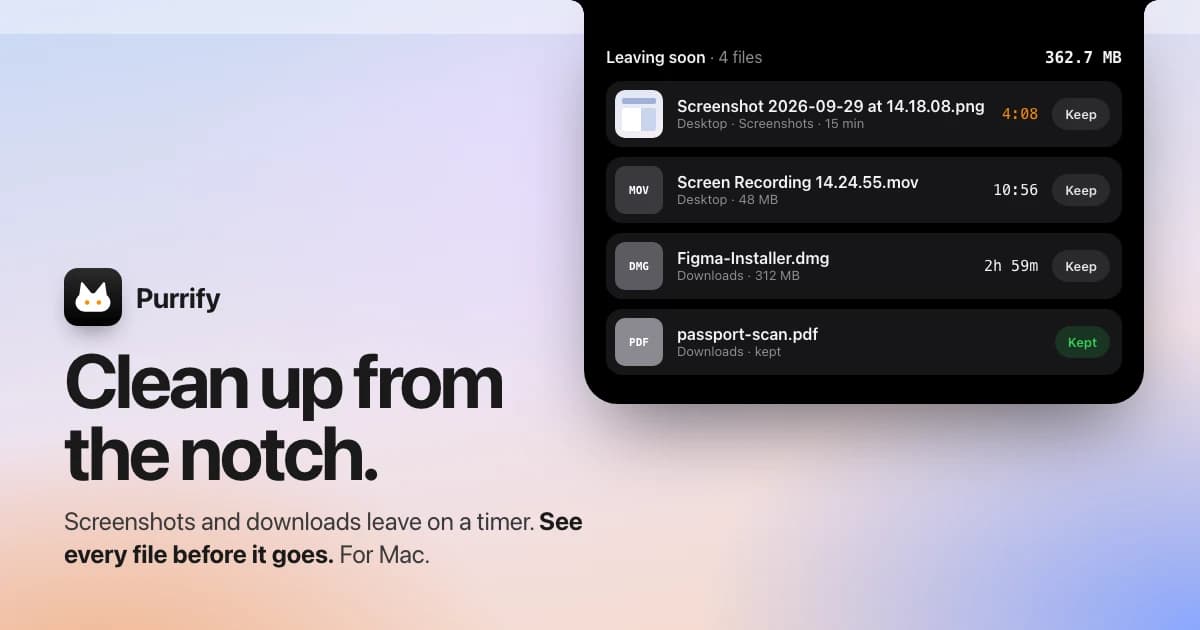
Purrify
Clean screenshots and downloads from the notch
One-time
A timed cleanup utility for screenshots and downloads, accessible from the Mac notch.
- Set files to leave on a timer
- Review files before cleanup
- Restore files when needed
SoftwareUtilitiesmacOS
Night Sky
Explore stars and planets through augmented reality
Freemium
A personal planetarium for identifying objects in the sky from Apple devices.
- Identify stars, planets, constellations, and satellites
- Explore sky objects with augmented reality
- Save and share locations using Sky Tags
SoftwareUtilitiesiOS & iPadOS & macOS
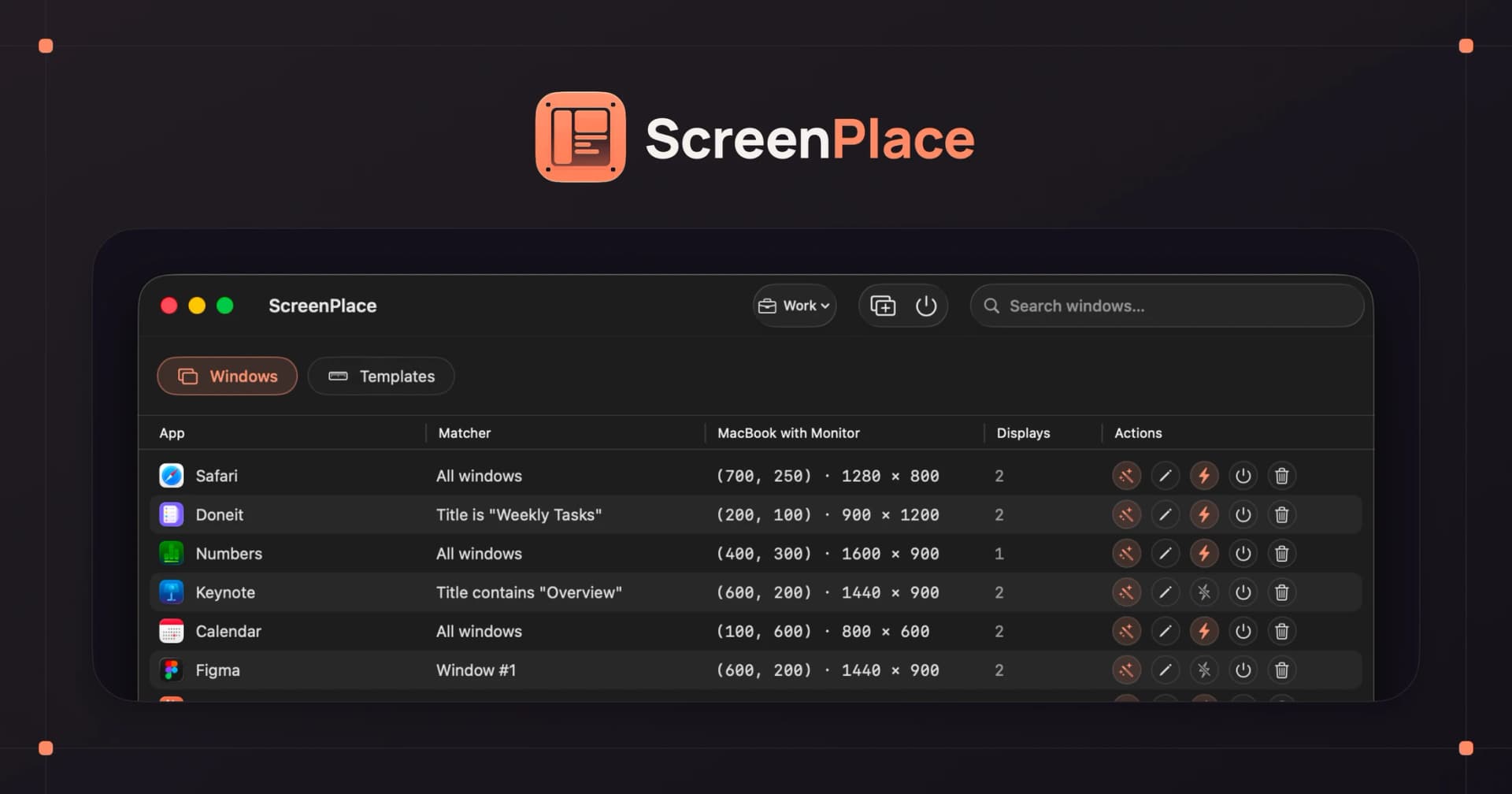
ScreenPlace
Restore windows to their remembered positions
Freemium
A window manager that remembers where app windows belong and restores their positions.
- Save window arrangements
- Restore windows to their places
- Keep a consistent workspace across sessions
SoftwareProductivitymacOS
Best free option on macOS 26 Tahoe: OmniWM. Open source, niri-style scrolling plus Hyprland-style tiling, with lots of power-user extras.
Free and scriptable: PaperWM.spoon, a Hammerspoon plugin configured in Lua.
Not scrolling, but useful:Loop is a free radial-menu window snapper. AeroSpace is a free i3-style tiler.
Apple silicon only: ChainYourMac and OmniWM both need an M-series Mac.
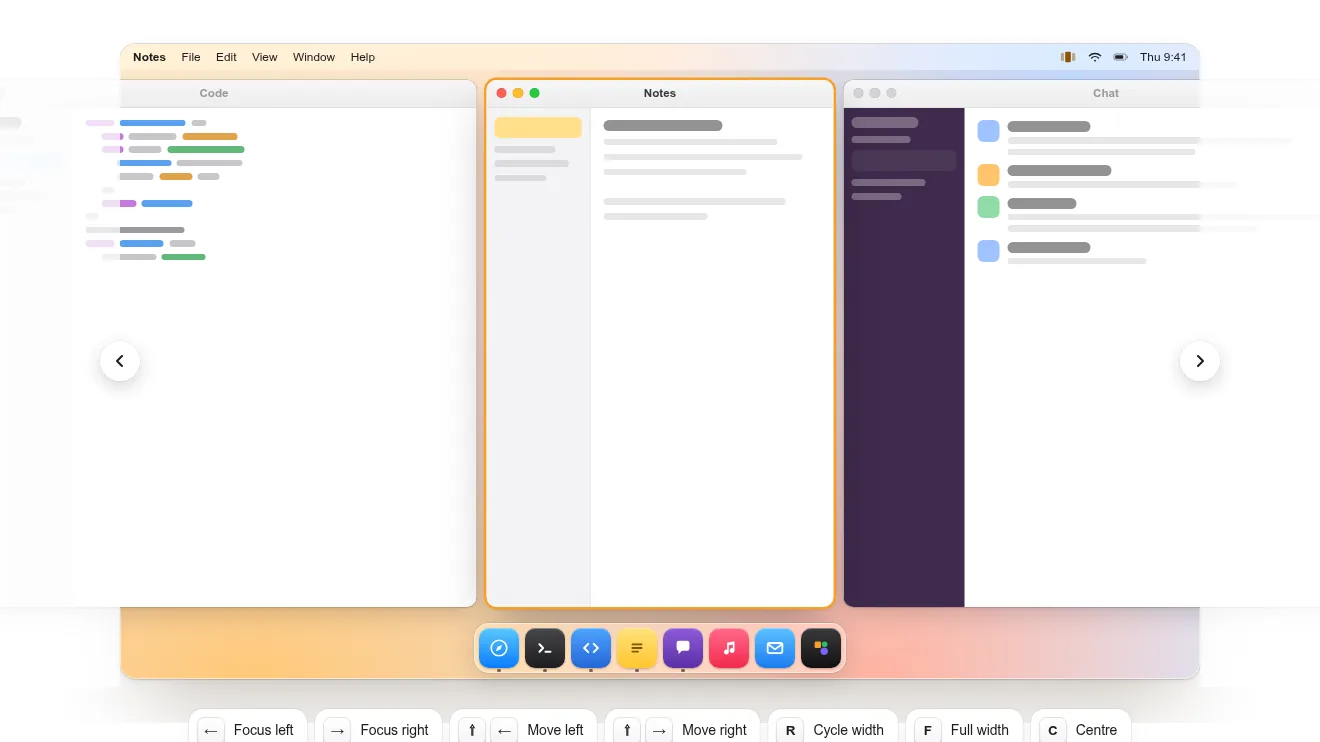
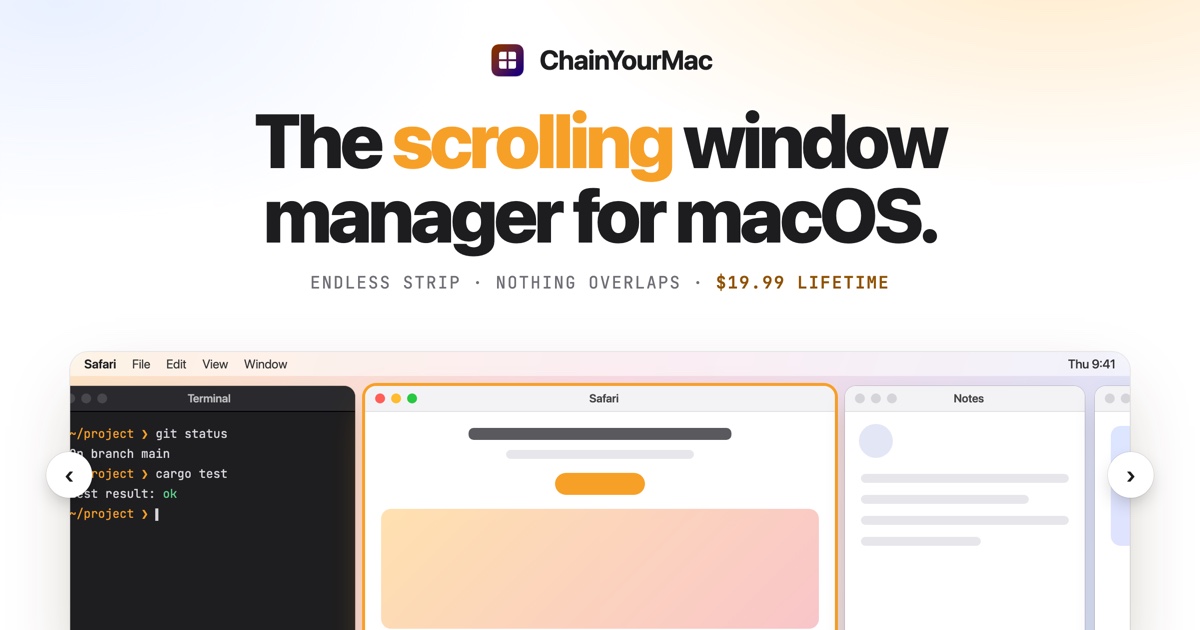
ChainYourMac lays windows on a strip that scrolls past the screen edges. Image: ChainYourMac
What is a scrolling window manager?
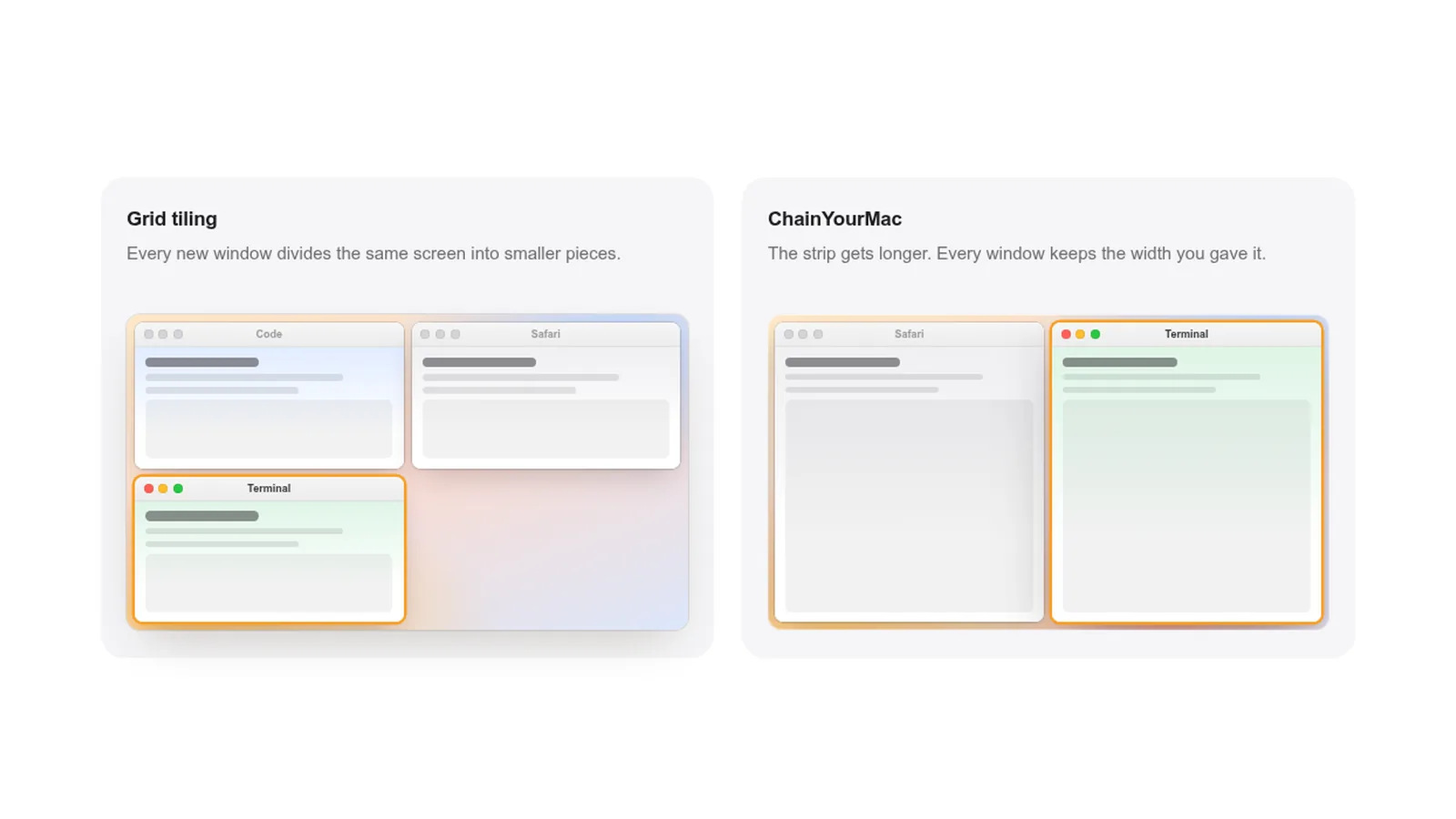
A scrolling window manager places each window in a column on one long horizontal strip. Opening a new window adds a column instead of shrinking the others, and you scroll the strip with the keyboard or a trackpad swipe.
Grid tiling divides the screen, while a scrolling strip just gets longer. Image: ChainYourMac
The idea comes from PaperWM, a GNOME extension, and niri, a scrollable tiling Wayland compositor for Linux. Both are popular with developers who keep many terminals, editors, and browsers open at once.
It suits laptops and ultrawide monitors alike. You see two or three windows at a comfortable size and keep the rest one keystroke away.
ChainYourMac: the easiest scrolling window manager for Mac
ChainYourMac brings the PaperWM and niri layout to macOS as a regular app with a settings window for everything. Version 2.3 runs on macOS 13 Ventura or later on Apple silicon.
ChainYourMacArrange windows on a scrolling stripVisit WebsiteChainYourMac arranges windows on a horizontal strip that scrolls beyond the edges of your display, keeping each window at its chosen width.
- Navigate with keyboard shortcuts or three- and four-finger trackpad swipes.
- Group windows into stacks or tabbed columns.
- Set preset widths, gaps, and per-app floating rules.
- Keep separate layouts for each display and Space.
- Restore window order and stacks after restarting.
Requires macOS 13 Ventura or later on Apple silicon. A lifetime license for one Mac costs $19.99 and includes future updates; multi-Mac licenses are available.Visit Website
It works with native macOS Spaces, giving each display and Space its own strip, and restores your window order after a restart. It does not need SIP changes, and a SwiftUI app sits on top of a Rust engine.
How to set up ChainYourMac
Step 1: Download ChainYourMac and move it to Applications.
Step 2: Grant the Accessibility permission when asked. It is the only permission needed.
Step 3: Follow the first-run tour, which checks for conflicting apps and settings.
Step 4: Use the Control and Option shortcuts to move focus, move windows, and change column width.
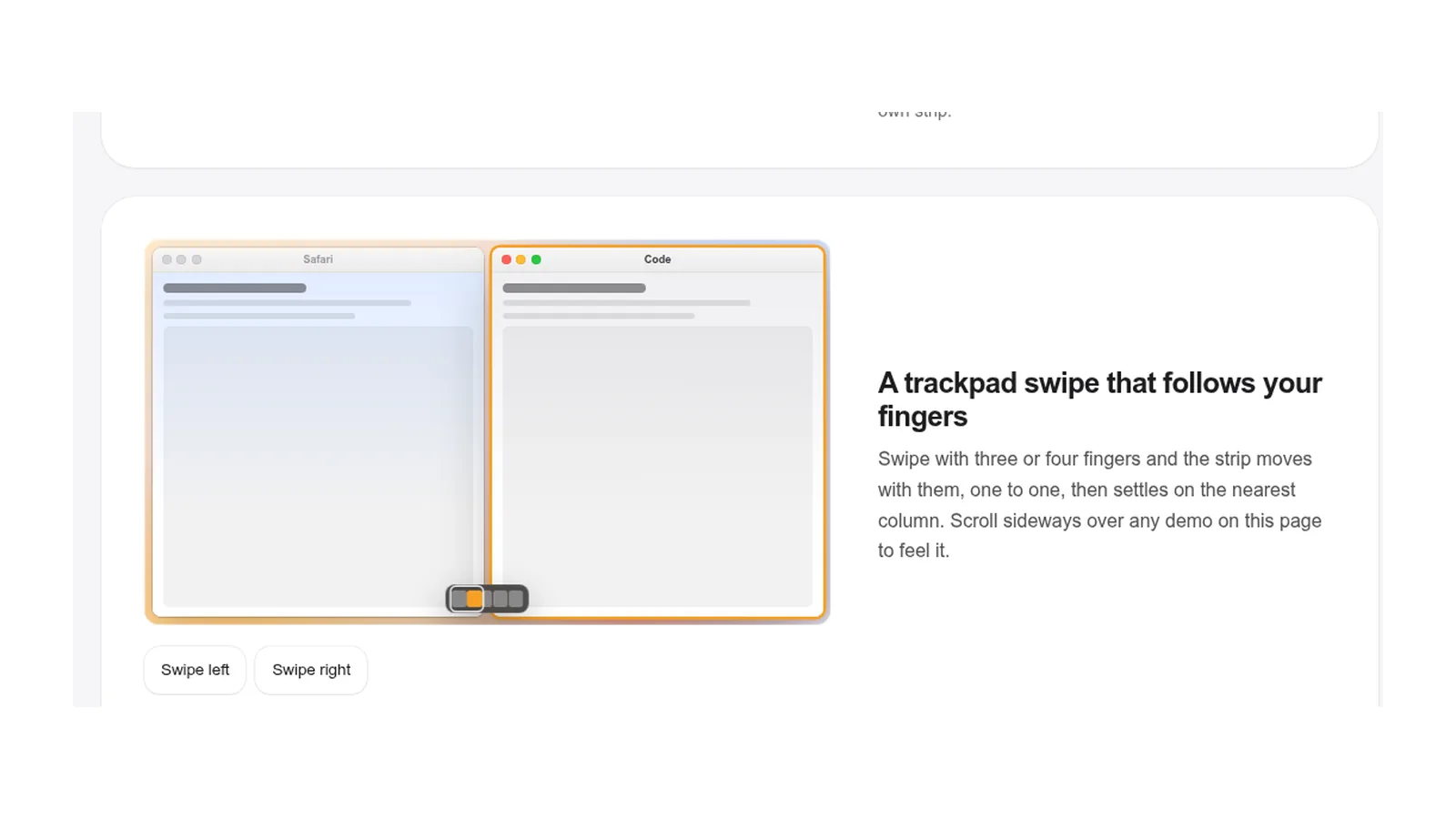
Step 5: Swipe with four fingers (three or five if you prefer) to scroll the strip.
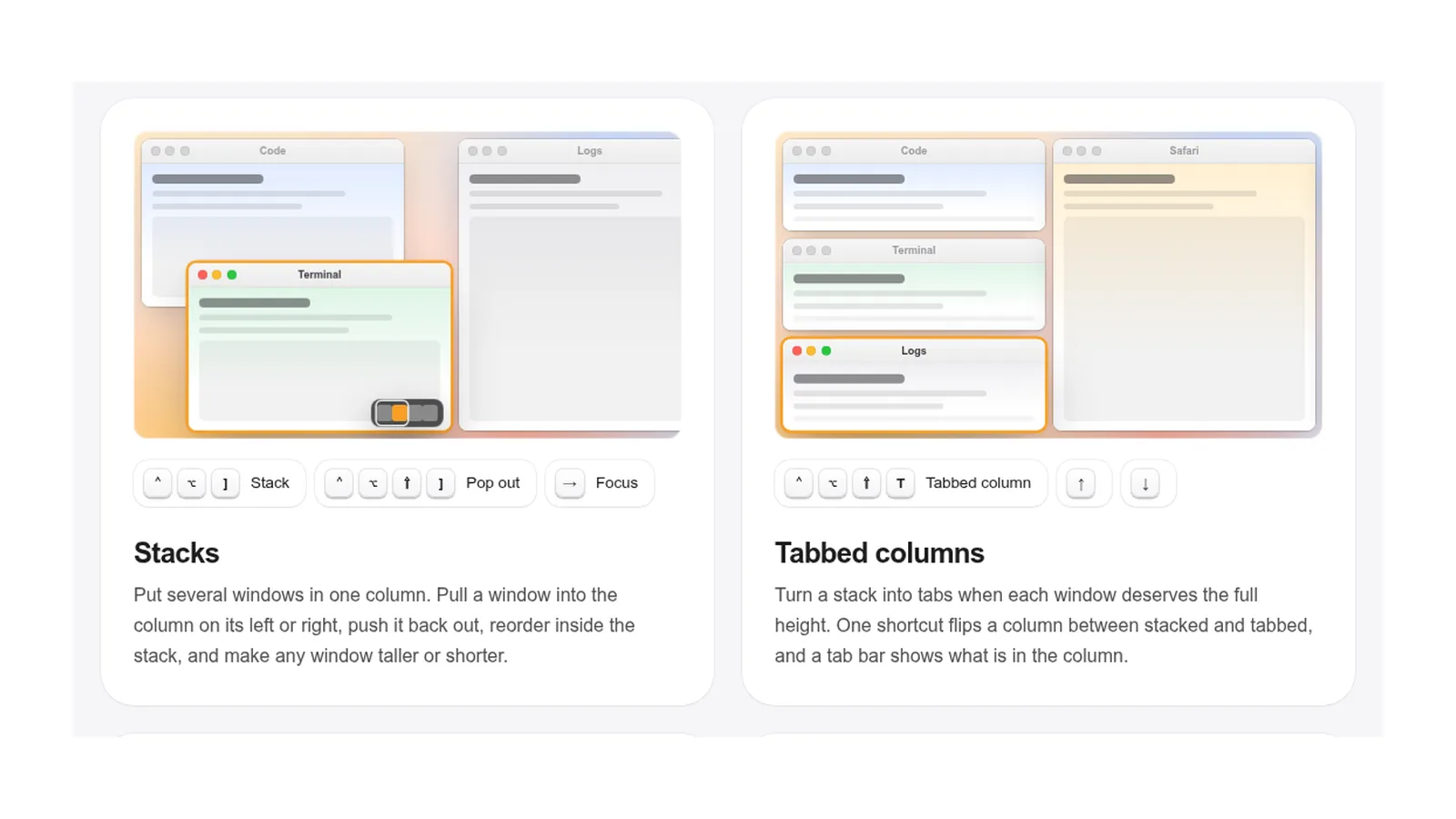
Stacks put several windows in one column, and tabbed columns flip them into tabs. Image: ChainYourMac
Stacks, tabbed columns, preset widths, and a strip minimap handle the cases where pure scrolling gets awkward. Power users get a CLI, a URL scheme, and Raycast script commands.
The strip follows your fingers on the trackpad, then settles on the nearest column. Image: ChainYourMac
The catch is the price and the hardware. It costs $19.99 once for one Mac, it is closed source, and Intel Macs are not supported.
OmniWM: free niri-style scrolling for macOS Tahoe
OmniWM is free and open source under GPL-2.0. It offers a niri-style scrolling layout and a Hyprland-style Dwindle (BSP) layout, chosen per workspace.
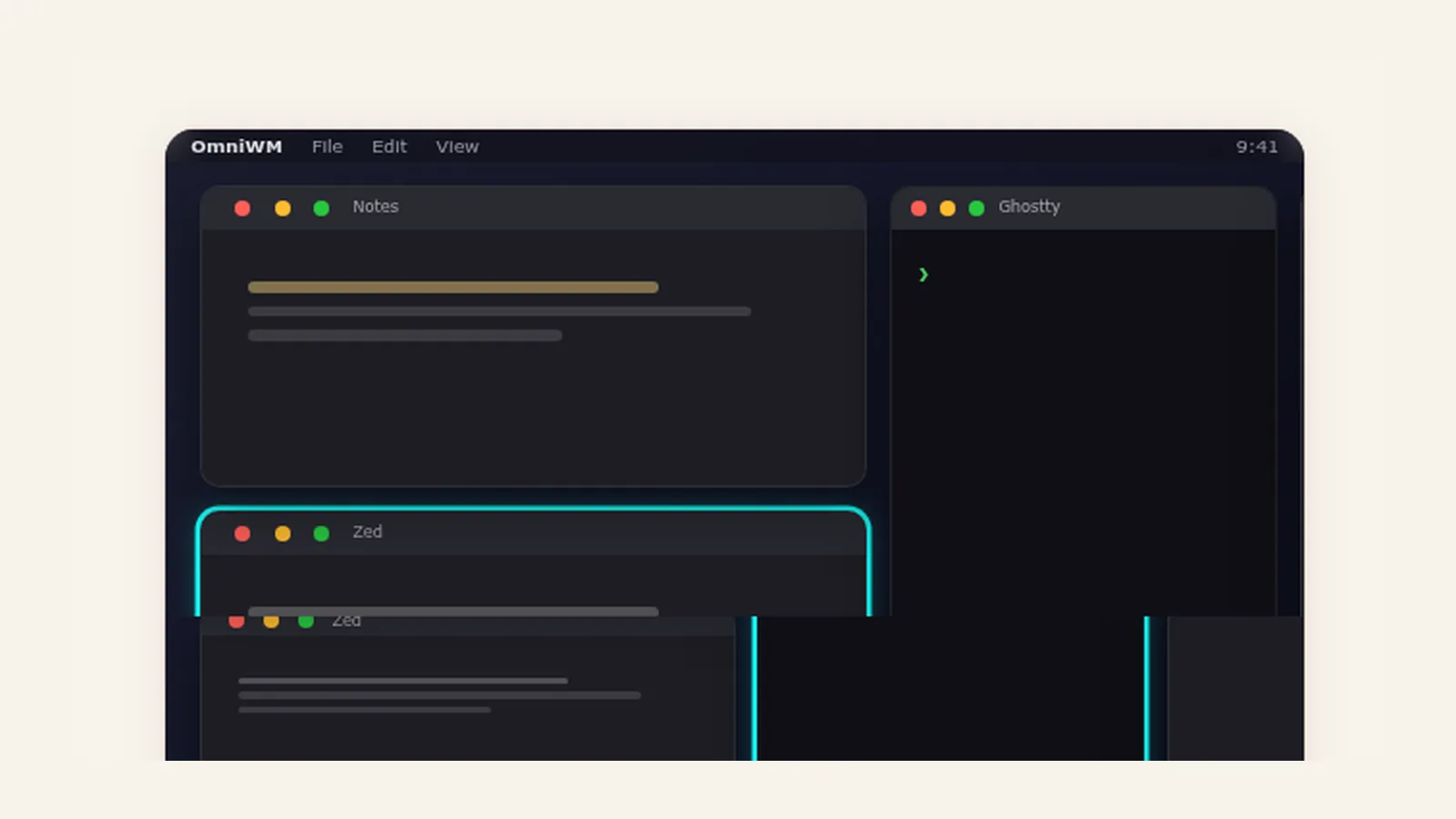
OmniWM's niri layout swaps, cycles, and resizes columns on the strip. Image: OmniWM
It requires macOS 26 Tahoe or later on Apple silicon, plus Accessibility and Input Monitoring permissions and "Displays have separate Spaces" turned on. It uses its own workspaces instead of macOS Spaces, and it relies partly on private Apple APIs.
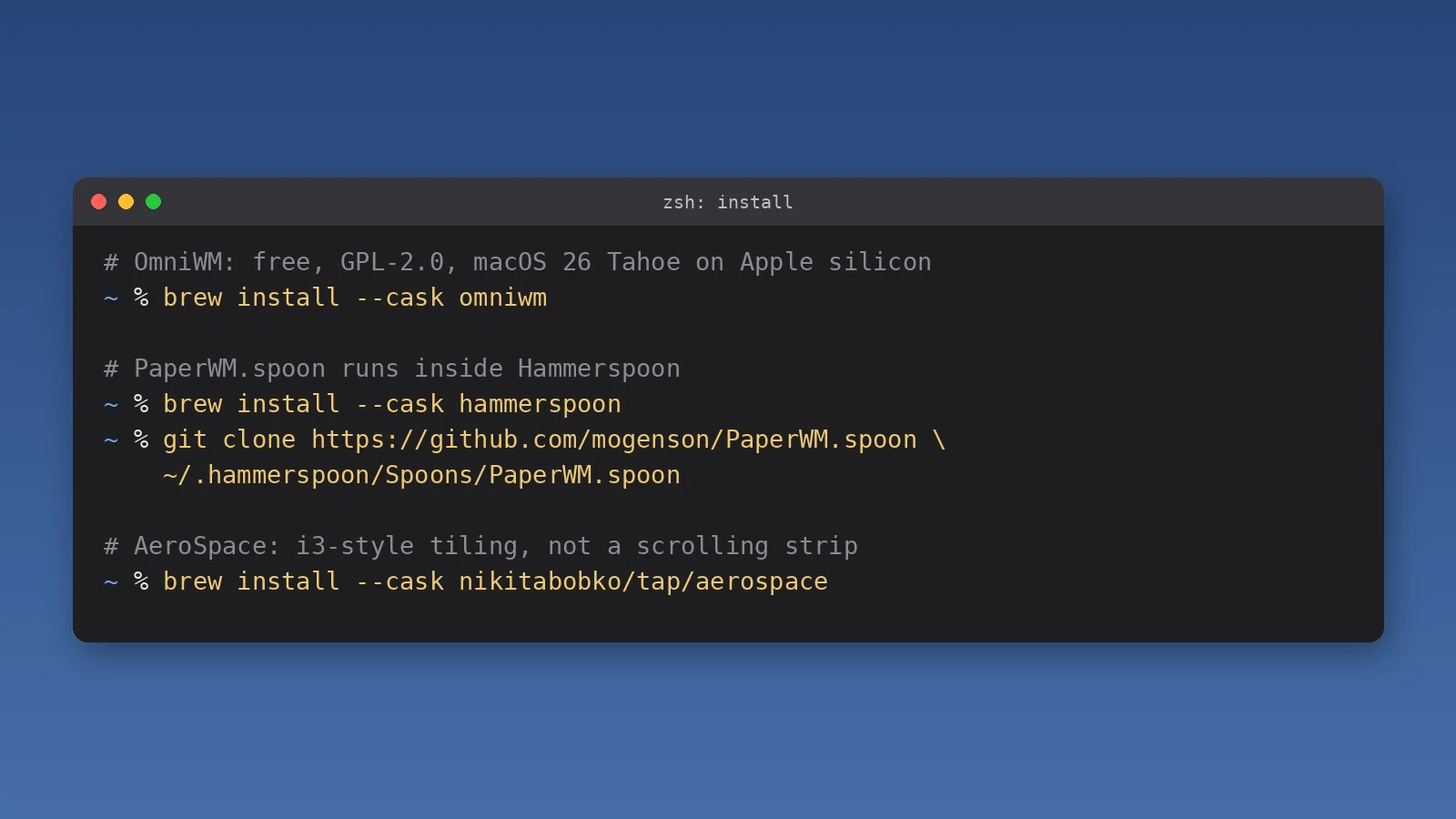
In return you get a quake-style drop-down terminal, scratchpads, an overview, a command palette, and the omniwmctl CLI. Install it with brew install --cask omniwm.
OmniWMFree niri-style scrolling and Hyprland-style tiling for macOS.Visit WebsiteOmniWM is a free, open-source window manager that brings niri-style scrolling columns and Hyprland-style Dwindle tiling to macOS, chosen per workspace. It keeps System Integrity Protection on.
- Niri layout scrolls columns sideways, or rows on a portrait display.
- Dwindle layout splits the focused tile for classic BSP tiling.
- Includes a quake-style terminal, scratchpads, an overview, and a command palette.
- Trackpad gestures scroll columns with two, three, or four fingers.
- The omniwmctl CLI and IPC allow full automation.
OmniWM requires macOS 26 Tahoe or later on Apple silicon, plus the Accessibility and Input Monitoring permissions. It is licensed GPL-2.0 and installs with Homebrew.Visit Website
PaperWM.spoon: a free scrolling layout for Hammerspoon
PaperWM.spoon adds a PaperWM-style scrolling layout to Hammerspoon, the free macOS automation app. You configure it in Lua, so it suits people who already script their Mac.
Install commands for OmniWM, PaperWM.spoon, and AeroSpace. Illustration: Macfolio
How to install PaperWM.spoon
Step 1: Install Hammerspoon with brew install --cask hammerspoon and grant it Accessibility access.
Step 2: Clone PaperWM.spoon into ~/.hammerspoon/Spoons/PaperWM.spoon.
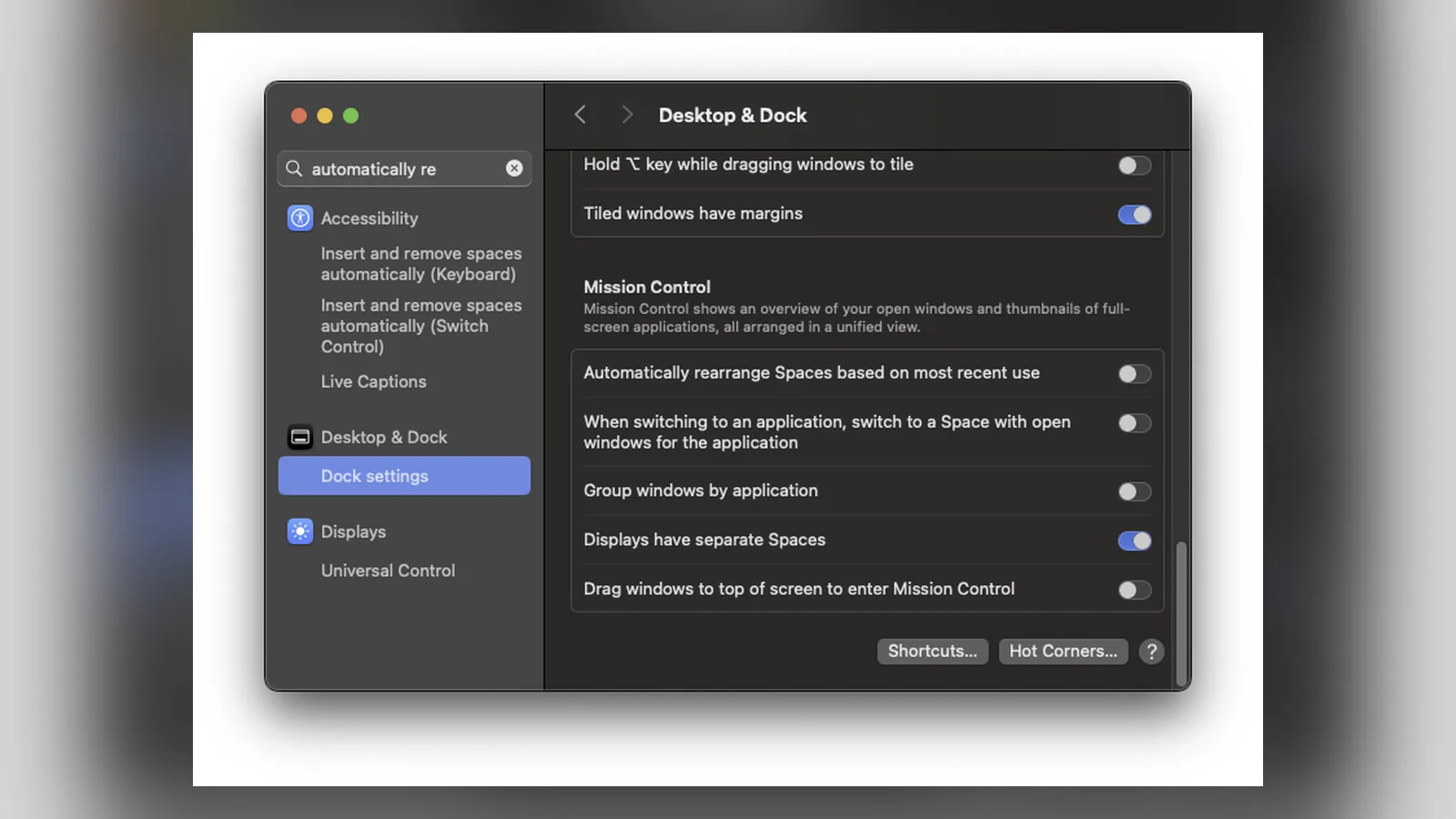
Step 3: In System Settings > Desktop & Dock, turn off "Automatically rearrange Spaces based on most recent use" and turn on "Displays have separate Spaces".
Step 4: Load the Spoon in your Hammerspoon config, bind the default hotkeys, and start it.
PaperWM.spoon needs separate Spaces on and automatic Space rearranging off. Image: PaperWM.spoon
It is free and runs anywhere Hammerspoon does, including Intel Macs, but animations are simpler and setup means editing a config file.
How to choose a scrolling window manager for your Mac
Start with your macOS version. OmniWM only runs on macOS 26 Tahoe, while ChainYourMac covers macOS 13 through 26, and PaperWM.spoon follows Hammerspoon's support.
Next, decide how much you rely on macOS Spaces and Mission Control. ChainYourMac and PaperWM.spoon keep native Spaces, while OmniWM replaces them with its own workspaces.
Finally, think about setup. If you want a settings window and a guided tour, pick ChainYourMac. If you enjoy config files and free software, OmniWM or PaperWM.spoon will reward the extra effort.
Tips for using a scrolling layout on a MacBook
Keep two columns visible: on a 13-inch or 14-inch screen, half-width columns are the sweet spot.
Use full width for focus: one shortcut expands the current window, and another returns it to the strip.
Turn off Stage Manager: it fights with any window manager for control of window positions.
Learn three shortcuts first: focus left, focus right, and move window. The rest can wait.
ChainYourMac vs OmniWM vs PaperWM.spoon: Comparison
ChainYourMac
OmniWM
PaperWM.spoon
Loop
Layout
Scrolling strip, stacks, tabs
niri scrolling or Dwindle
Scrolling strip
Radial snapping, not scrolling
Price
$19.99 once
Free, GPL-2.0
Free, open source
Free, GPL-3.0
macOS
13 or later, Apple silicon
26 Tahoe or later, Apple silicon
Whatever Hammerspoon supports
13 or later
Install
Direct download
brew install --cask omniwm
Clone into Hammerspoon
brew install loop
Spaces
Native macOS Spaces
Own workspaces
Native Spaces
Native Spaces
Permissions
Accessibility
Accessibility, Input Monitoring
Accessibility (Hammerspoon)
Accessibility
Setup
Settings window
Settings plus CLI
Lua config
Settings window
Trackpad scrolling
3, 4, or 5 fingers
2, 3, or 4 fingers
Configurable
No
ChainYourMac vs Loop: Do you need both?
They solve different problems. Loop snaps one window at a time: hold a trigger key, move the cursor toward a direction on its radial menu, and the window fills that half, corner, or size.
LoopWindow management made elegant.Visit WebsiteLoop is a Open source macOS app that simplifies window management for you.
- You can effortlessly choose your window direction using a radial menu triggered by a simple key press, and customize it according to your preferences with personalized colors and settings.
- Easily move, resize, and arrange your windows with just a few clicks, saving you valuable time and energy.
Loop is constantly evolving, with new features and improvements added regularly to enhance your window management experience on macOS.Visit Website
Loop is a free, open-source window manager built around a radial menu. Image: Loop
Loop is free, open source under GPL-3.0, and runs on macOS 13 or later. Choose Loop if you like a classic layout and only want faster snapping, or ChainYourMac if you want every window on a scrolling strip.
What about AeroSpace?
AeroSpace is a free, MIT-licensed tiling window manager inspired by i3. It splits the screen into a tree of tiles and uses fast virtual workspaces, without disabling SIP.
It is not a scrolling manager, and it is still a public beta. Pick it if you want classic keyboard tiling rather than a strip.
FAQ
Is there a PaperWM for Mac?
Yes. PaperWM.spoon brings PaperWM's scrolling layout to macOS through Hammerspoon, and ChainYourMac and OmniWM offer the same idea as standalone apps.
Is there a niri for macOS?
Not niri itself, which is Linux only. OmniWM and ChainYourMac both copy niri's scrolling columns on macOS.
What is the best free scrolling window manager for Mac?
OmniWM if you run macOS 26 Tahoe on Apple silicon. On older macOS versions or Intel Macs, use PaperWM.spoon.
Do scrolling window managers need SIP disabled?
No. ChainYourMac, OmniWM, PaperWM.spoon, and AeroSpace all work with System Integrity Protection on.
Does ChainYourMac work on Intel Macs?
No. ChainYourMac needs an Apple silicon Mac running macOS 13 or later.
Verdict
ChainYourMac is the best scrolling window manager for most Mac users. It runs on four macOS versions, works with native Spaces, and needs the least setup.
On macOS 26 Tahoe, OmniWM is a strong free alternative with more extras. PaperWM.spoon is for Hammerspoon users, and Loop is the pick if you only want faster snapping.
A Mac utility that detects and obscures sensitive information in screenshots and copied images, processing them on device.
- Redact passwords, API keys, and personal details
- Process screenshots and copied images
- Keep image processing on your Mac
SoftwareUtilitiesmacOS
Polarsteps
Plan trips and capture your journey
Freemium
A travel companion combining itinerary planning, route tracking, and a visual trip journal.
- Plan destinations and transport
- Record routes and share travel updates
- Turn trip memories into a printed photo book
SoftwareUtilitiesiOS & iPadOS
Purrify
Clean screenshots and downloads from the notch
One-time
A timed cleanup utility for screenshots and downloads, accessible from the Mac notch.
- Set files to leave on a timer
- Review files before cleanup
- Restore files when needed
SoftwareUtilitiesmacOS
Night Sky
Explore stars and planets through augmented reality
Freemium
A personal planetarium for identifying objects in the sky from Apple devices.
- Identify stars, planets, constellations, and satellites
- Explore sky objects with augmented reality
- Save and share locations using Sky Tags
SoftwareUtilitiesiOS & iPadOS & macOS
ScreenPlace
Restore windows to their remembered positions
Freemium
A window manager that remembers where app windows belong and restores their positions.
- Save window arrangements
- Restore windows to their places
- Keep a consistent workspace across sessions
SoftwareProductivitymacOS
Keyty
Show keystrokes and clicks during demos
Free
A free, open-source keyboard and mouse visualizer for recordings, presentations, and livestreams.
- Display shortcuts and typed input
- Highlight mouse clicks
- Customize overlay styles, colors, and placement
SoftwareUtilitiesmacOS
NowPlaying
Discover records and explore their stories
Freemium
A music discovery app that adds recording details and visual context to listening.
- Explore albums and recording credits
- Display artwork and song information
- Discover records beyond familiar playlists
SoftwareCreativeiOS & iPadOS
Slopes
Track ski days and explore resort maps
Freemium
A skiing and snowboarding tracker for iPhone and Apple Watch, with activity statistics and trip memories.
- Record runs and lift rides
- Share live locations with friends
- Explore interactive resort maps with Premium
SoftwareUtilitiesiOS & iPadOS
Superlist
Keep tasks notes and teamwork together
Freemium
A shared workspace for tasks and notes, with tools for turning meetings and ideas into action.
- Create and organize task lists
- Collaborate on shared notes and projects
- Use meeting summaries and voice input to capture tasks
 Dudu
Dudu