macOS can show a moving aerial while your Mac is locked, but once you log in the desktop goes still. A live wallpaper app keeps video playing behind your windows, and the best ones pause when you are on battery or working in full screen.
In this guide you'll learn which live wallpaper apps for Mac are worth installing in 2026, what they cost, which ones also animate the lock screen, how to use your own video as a wallpaper, and how to keep battery drain low.
TL;DR
Best overall:Backdrop. Thousands of community 4K scenes, lock screen support, and multi-display playback. $14.99 a year or $29.99 lifetime.
Shotbase is a comprehensive tool designed to capture and manage all your screen-based content effortlessly. With features like stunning screenshot capabilities, recording options that include cinematic effects, and an intuitive organizational structure powered by local AI, you can easily keep your multimedia assets organized and accessible. Shotbase not only allows you to capture specific areas, windows, or full screens on your Mac but also enables you to edit and enhance your captures with backgrounds, frames, and annotations. The integrated AI ensures your captures are automatically named and tagged for easy searching, making it an excellent choice for anyone looking to enhance their productivity and creativity in one seamless workspace.
SoftwareCreativemacOS
DeskMinder
For Easily Distracted Minds
Freemium
DeskMinder is a productivity software application designed for Mac users who struggle with distractions. It provides a straightforward interface for creating desktop pop-up reminders and tasks, helping users manage urgent to-dos, short breaks, and fleeting ideas. With features like full-screen notifications and Apple Reminders integration, DeskMinder aims to enhance focus and time management for i
- With features like easy-to-create desktop pop-ups for reminders and tasks, it simplifies the process of staying on top of urgent to-dos, short breaks, or fleeting ideas.
- Users can benefit from full-screen notifications, Apple Reminders integration, and flexible widget placement, making it ideal for anyone requiring a little extra help to maintain focus.
- The app includes additional shortcuts for quick reminder setups and customizable widget options, along with a history tracking feature to monitor daily progress.
Designed specifically for Mac users, DeskMinder aims to facilitate better time management and productivity for those with attention challenges, providing a seamless user experience without unnecessary complexity.
SoftwareProductivitymacOS
Klack
Satisfying sound with every keystroke
Paid
Klack is a macOS application designed to enhance the typing experience through high-fidelity sound for each keystroke. It provides features such as immersive spatial audio, instant feedback, and customizable sound options, making it suitable for writers, developers, and anyone who values an engaging typing environment. The app is easily accessible from the menubar and offers extensive configuratio
- Provides immersive spatial audio for enhanced typing feedback.
- Allows customization of keystroke sounds, pitch variations, and volume settings.
- Features a menubar interface for quick access to configuration options.
- Supports instant feedback with each keystroke for a more engaging experience.
- Designed for writers and developers seeking auditory feedback while typing.
Klack enhances the typing experience on Mac by providing high-fidelity sound for each keystroke.
SoftwaremacOS
TypoTab
TypoTab, the ultimate AI writing assistant for
Paid
TypoTab is a macOS application that functions as an AI-driven writing assistant. It enhances writing efficiency by providing tools for grammar correction, text rephrasing, and content generation, all accessible from the menu bar without needing to switch applications. This tool is designed for writers, students, and professionals looking to streamline their writing process and improve productivity
- Provides grammar correction and text rephrasing directly from the menu bar.
- Allows text refinement in any application without switching contexts.
- Offers customizable actions to meet individual writing needs.
- Streamlines repetitive writing tasks for improved efficiency.
- Supports a wide range of applications, enhancing workflow across platforms.
TypoTab is a macOS application that enhances writing efficiency by providing grammar correction, text rephrasing, and content generation directly from the menu bar. It allows users to refine text in any application without switching contexts, offering customizable actions to suit individual writing needs.
SoftwareProductivitymacOS
Ardia
Arc-style sidebar browser on real Chromium
Free
Ardia is a free, open-source Mac browser that recreates Arc's sidebar on current Chromium. It imports Arc spaces, pinned tabs, and themes, and builds in the full uBlock Origin.
- Vertical sidebar with pinned tabs, folders, and swipeable profiles.
- One-click import from Arc, Dia, Chrome, Safari, Firefox, and more.
- Split view with up to three panes.
- Little Ardia quick window and picture-in-picture video.
- Full uBlock Origin built in, with iCloud-based encrypted sync.
Ardia suits Arc users who want the same layout without AI, on an actively updated browser.
SoftwareProductivitymacOS
Zen Browser
Calm, open-source browser with vertical tabs
Free
Zen is a free, open-source browser based on Firefox, built around a vertical tab sidebar, workspaces, and split view. It is the closest open-source match to Arc's layout.
- Vertical tabs with pinned Essentials and Workspaces.
- Split view for up to four tabs side by side.
- Compact mode hides the toolbar for a clean window.
- Glance opens links in a quick preview.
- Supports Firefox add-ons and Mozilla privacy features.
Zen suits people who loved Arc's sidebar and want an open-source, community-built browser.
SoftwareProductivitymacOS
Orion Browser
Fast WebKit browser with zero telemetry
Freemium
Orion is a free Mac browser from Kagi built on WebKit, the engine behind Safari. It blocks ads and trackers, collects no telemetry, and can run many Chrome and Firefox extensions.
- Native WebKit speed and battery life.
- Built-in ad and tracker blocking with zero telemetry.
- Supports many Chrome and Firefox extensions.
- Vertical tabs, profiles, and deep customization.
- Optional Orion+ supporter plan for early builds.
Orion suits Mac users who want Safari-level efficiency with more control.
SoftwareProductivitymacOS
Vivaldi
Highly customizable browser with built-in tools
Free
Vivaldi is a free Chromium-based browser focused on customization. It includes tab stacks, vertical tabs, tab tiling, workspaces, and built-in mail, calendar, and notes.
- Vertical tabs, tab stacks, and workspaces.
- Tab tiling to view several pages at once.
- Built-in ad and tracker blocker.
- Mail, calendar, feed reader, and notes included.
- Works with Chrome Web Store extensions.
Vivaldi suits power users who want to tune every part of their browser.
SoftwareProductivitymacOS
Brave
Private Chromium browser that blocks ads by default
Freemium
Brave is a free, open-source Chromium-based browser that blocks ads and trackers out of the box. It supports Chrome extensions and includes Leo, a private AI assistant.
- Brave Shields block ads, trackers, and fingerprinting.
- Vertical tabs and tab groups.
- Chrome Web Store extension support.
- Leo AI assistant, free with an optional Premium plan.
- Sync across Mac, Windows, Linux, iOS, and Android.
Brave suits people who want Chrome compatibility with stronger privacy defaults.
SoftwareProductivitymacOS
Best value:Wallspace. Free to download, with a $12.99 one-time Pro upgrade for 4K, lock screen, and unlimited downloads.
Best free: Aerial. Open source, plays Apple TV aerials as your screensaver and a real moving wallpaper.
Best for web dashboards: Plash, free, turns any website into your desktop.
Your own videos, free: Phosphene adds personal clips to the macOS wallpaper picker on macOS 26.
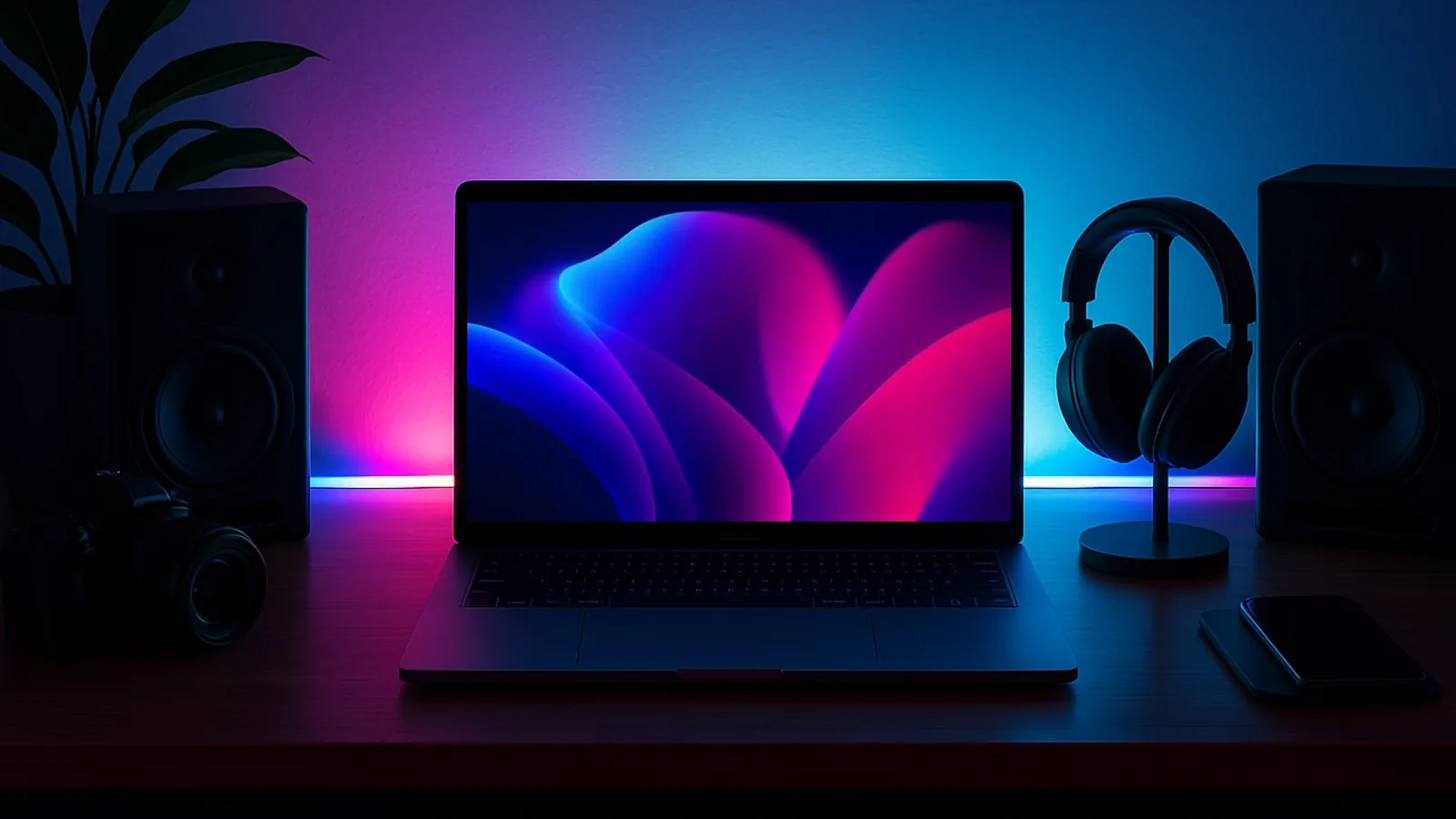
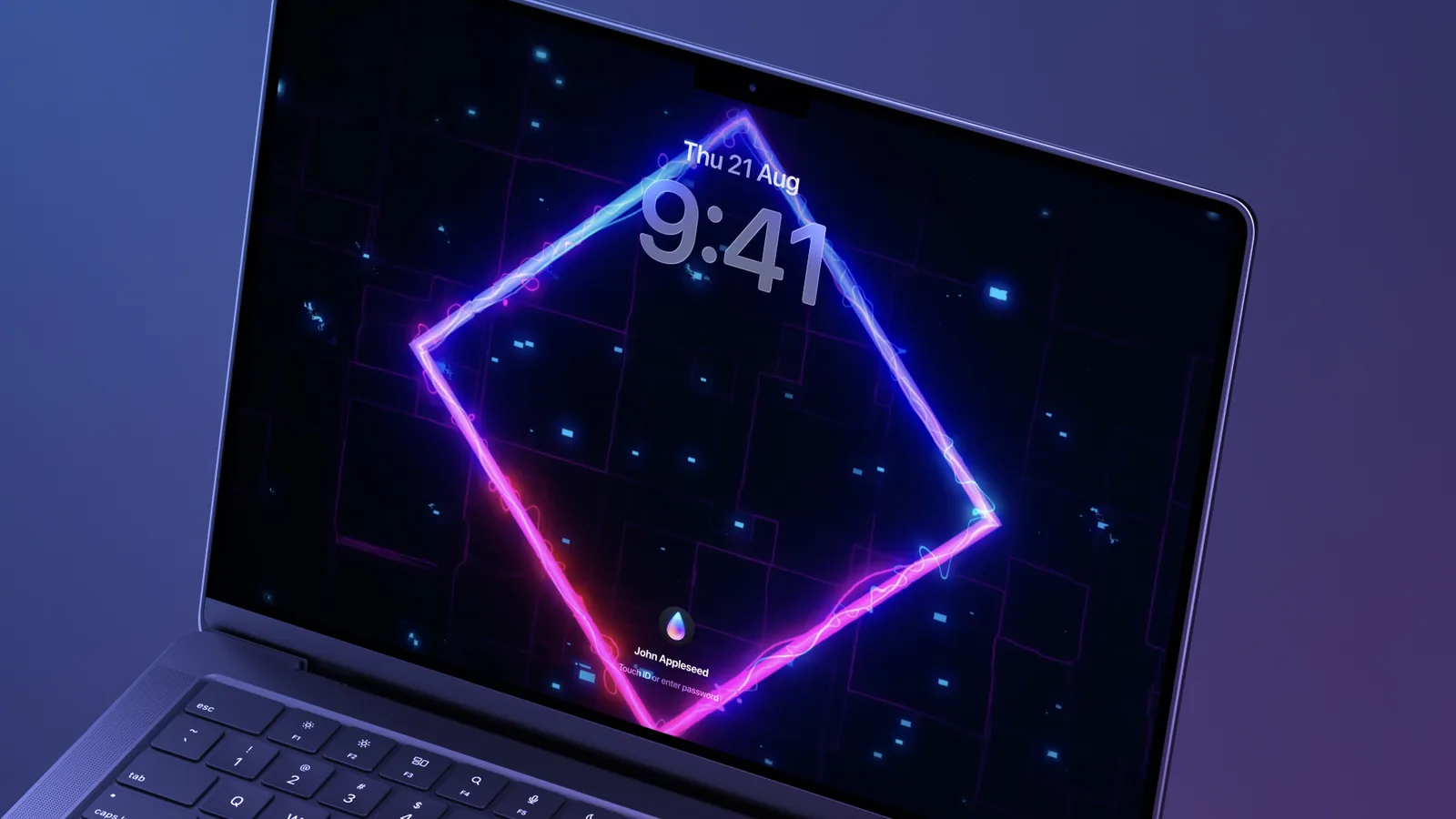
A Backdrop live wallpaper on a MacBook desk setup. Image: Cindori
Best live wallpaper apps for Mac compared
Backdrop
Wallspace
Aerial
Plash
Phosphene
Price
$1.99 a month, $14.99 a year, $29.99 lifetime
Free, Pro $12.99 once
Free, open source
Free
Free, MIT
Wallpaper library
Thousands of community scenes
Curated 4K library
Apple TV aerials plus community packs
Any website
None, bring your own
Your own videos
Yes
Yes, MP4
Yes
No
Yes
Lock screen
Yes
Pro, macOS 26
Login screen after wake
No
Yes
Multiple displays
Yes
Yes
Yes
Yes
Per display and Space
Pauses to save power
Full screen and battery
Battery and heavy tasks
When covered, on battery
Optional on battery
Battery, idle, thermal
macOS
15 or later
15 or later
26 or later (older version for 15)
26 or later
26 or later
Backdrop: the best live wallpaper app for Mac
Backdrop from Cindori plays 4K video wallpapers with hardware acceleration, across one or several displays. Its community platform has thousands of scenes, and the Creator tool turns your own videos into wallpapers.
BackdropLive wallpapers for your Mac desktopVisit WebsiteBackdrop is a macOS application designed to enhance desktop and Lock Screen aesthetics with animated live wallpapers. It allows users to select from thousands of community-created 4K video backdrops, offering a range of calming nature scenes and dynamic animations. The app supports multi-display setups and includes features for creating custom playlists and personalizing visuals, making it suitabl
- Provides a library of thousands of 4K video backdrops for desktop customization.
- Supports smooth playback across multiple displays with low CPU usage.
- Allows users to curate playlists of wallpapers and create custom videos.
- Includes Lock Screen support for dynamic backgrounds.
- Features community-created wallpapers for diverse visual options.
Backdrop offers a range of customizable live wallpapers for macOS, enhancing desktop aesthetics with high-quality video and animated scenes. Users can select from thousands of community-created options or upload personal videos, making it a versatile tool for personalizing workspace visuals.Visit Website
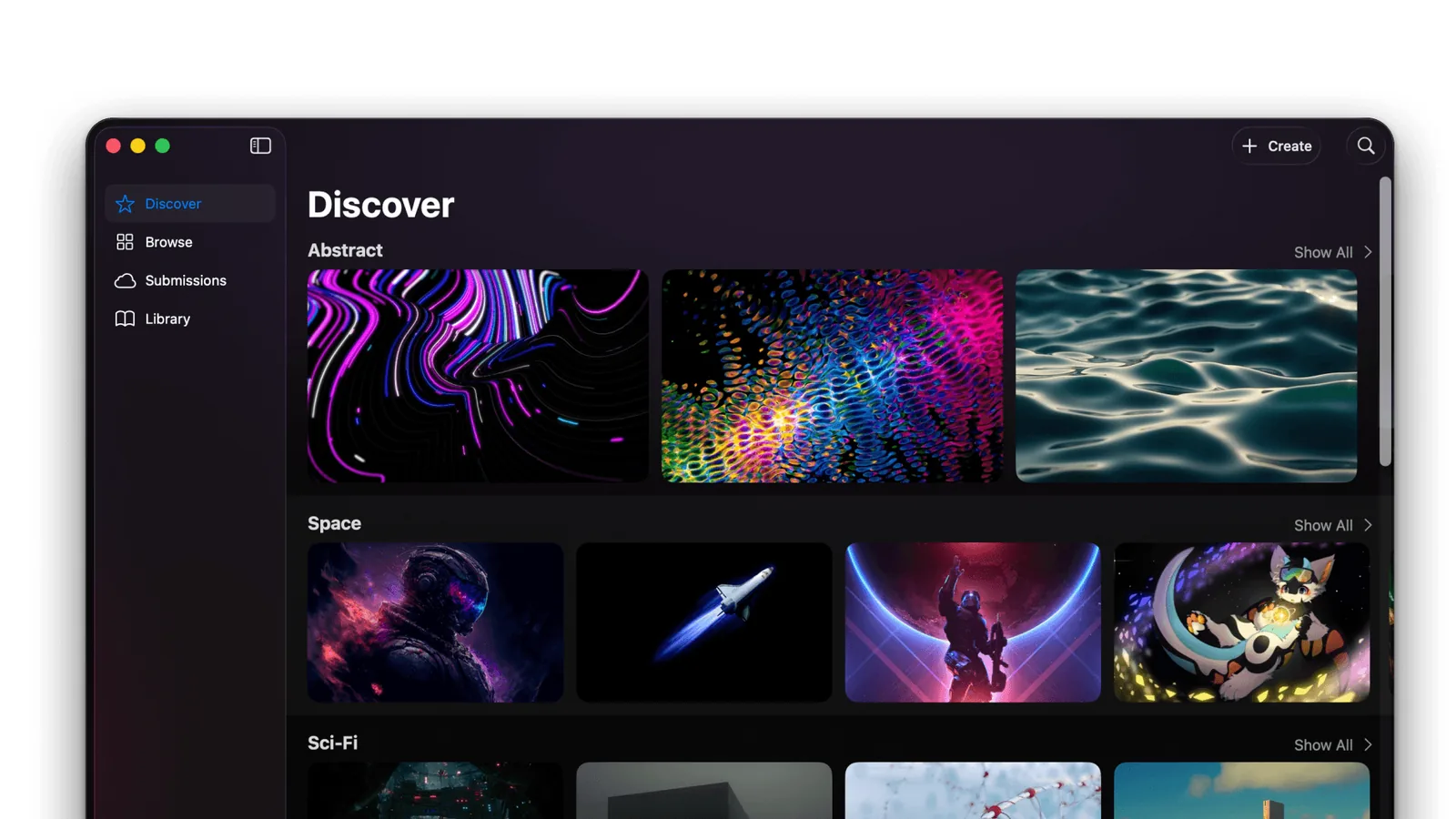
Backdrop's Discover tab groups community wallpapers by style. Image: Cindori
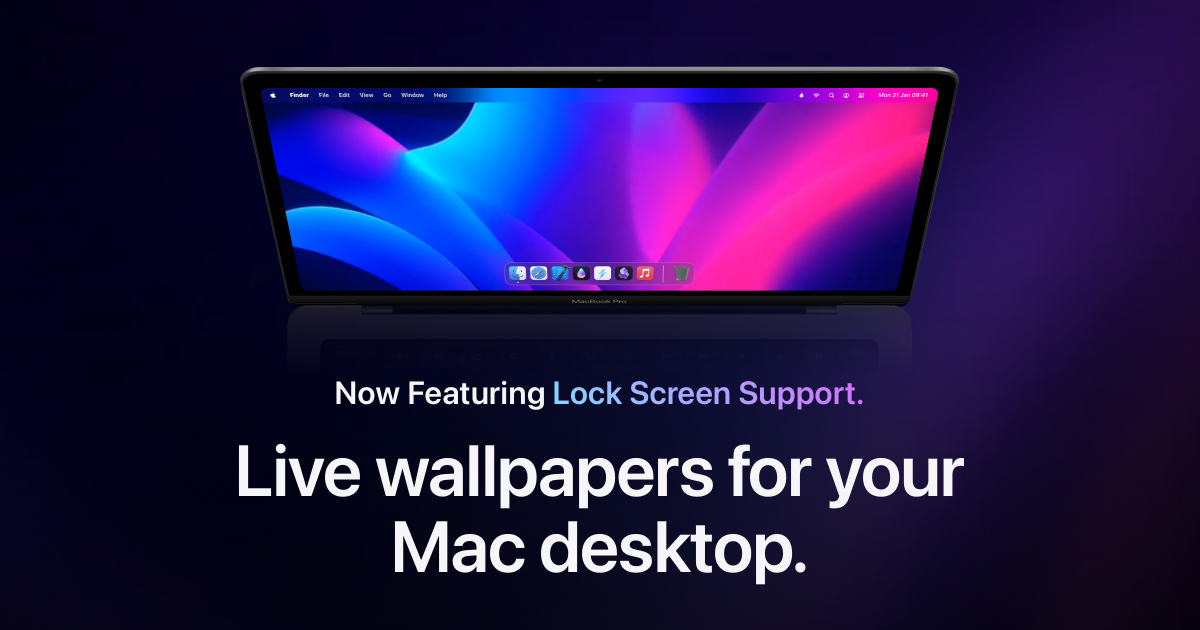
It also sets video wallpapers on the Lock Screen, so your Mac looks alive from the moment it wakes. Playback pauses when an app is in full screen, with extra savings on battery.
Backdrop extends live wallpapers to the Mac Lock Screen. Image: Cindori
The free trial has no time limit but allows three watermarked backdrops. Buying removes the watermark: $1.99 a month, $14.99 a year, or $29.99 once. It needs macOS 15 Sequoia or later.
Wallspace: the best value live wallpaper app
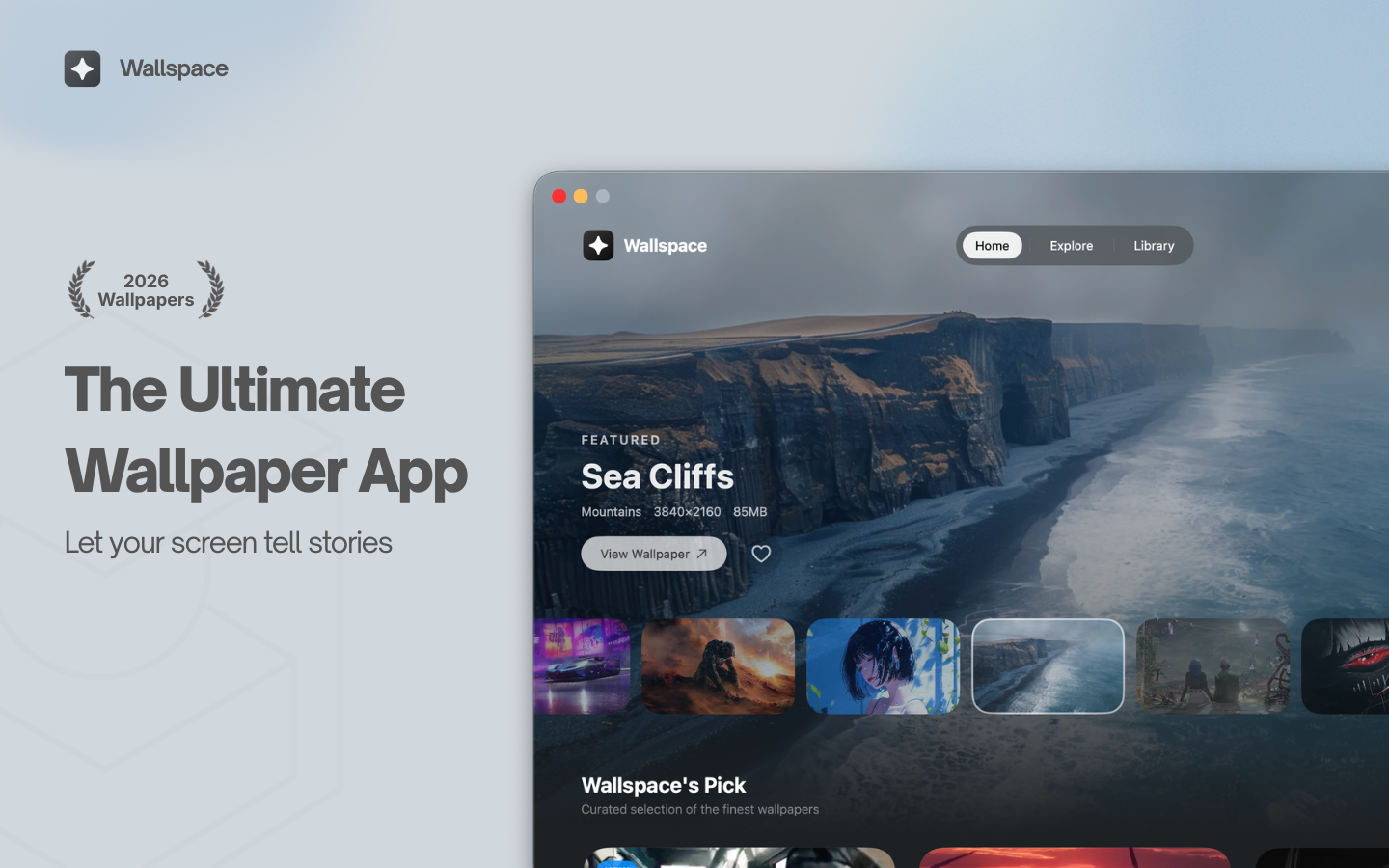
Wallspace is a native Swift app that is free to download and use, with no account and no ads. A $12.99 one-time Pro upgrade unlocks unlimited downloads, 4K quality, lock screen wallpapers, and community access.
WallspaceLive wallpapers for your MacVisit WebsiteWallspace is a Mac application that provides live and dynamic desktop wallpapers. Users can browse a selection of animated backgrounds and apply them to their desktops, enhancing their workspace with motion and visual themes. This tool is designed for individuals seeking to replace traditional static wallpapers with more engaging and visually appealing options.
- Browse a library of animated wallpapers to customize your desktop.
- Apply live wallpapers that update dynamically based on time or events.
- Easily switch between different visual themes to refresh your workspace.
- Supports multiple monitor setups for a cohesive visual experience.
- Simple installation and user-friendly interface for quick setup.
Wallspace offers a practical solution for users looking to enhance their Mac desktop experience with dynamic wallpapers. By providing a variety of animated backgrounds that can change based on time or events, it allows for a personalized and visually stimulating workspace.Visit Website
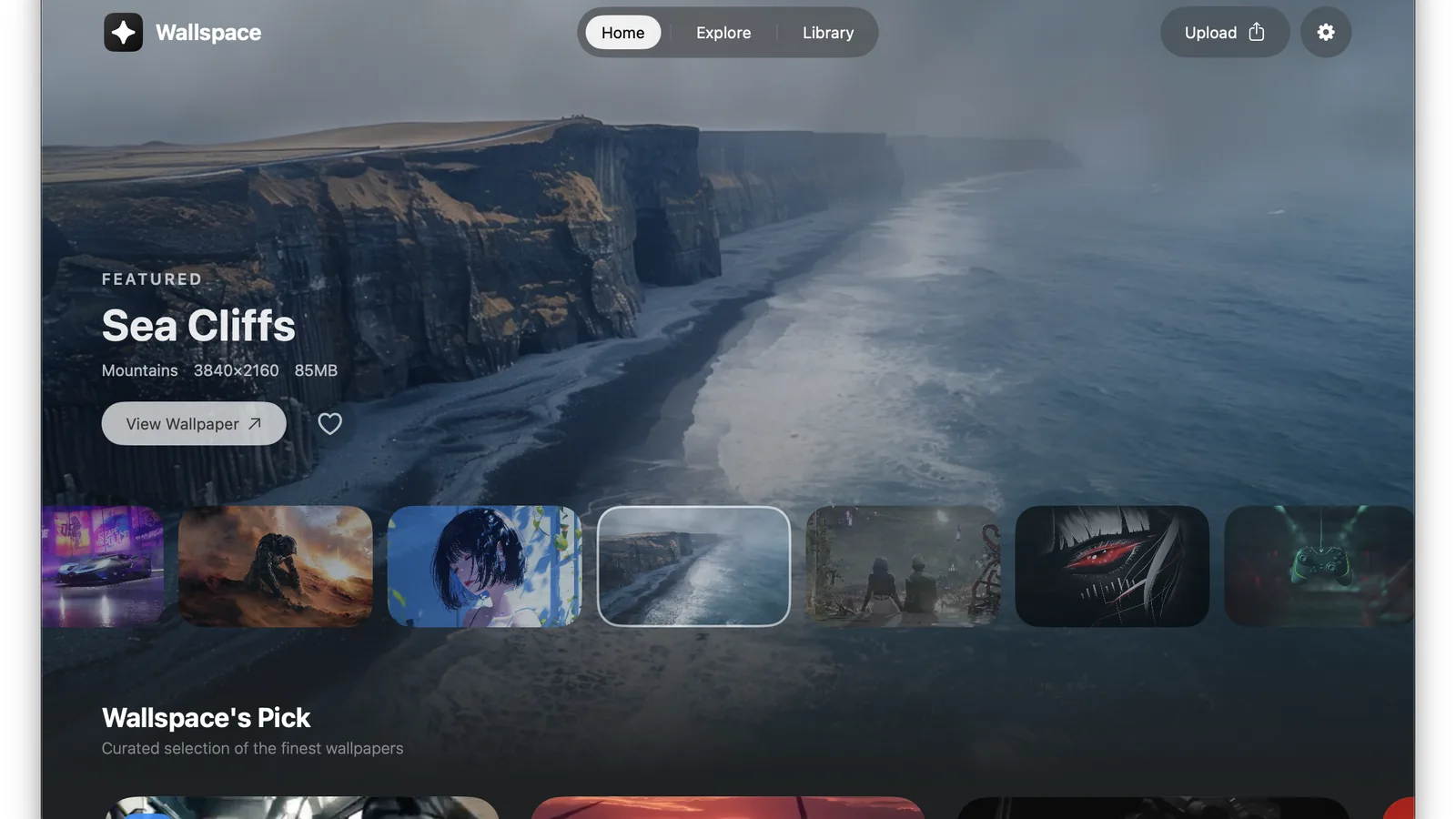
Wallspace features a curated wallpaper on its home screen. Image: Wallspace
The developer says it uses under 2% CPU and pauses on battery or during heavy work. It needs macOS 15 or later, and lock screen wallpapers need macOS 26. Pro purchases have a 5-day refund window.
Backdrop vs Wallspace: Which should you choose?
Choose Backdrop if variety matters most. Its community platform adds new scenes all the time, and you can submit your own creations for others to use.
Choose Wallspace if you want to pay once and forget it. $12.99 unlocks everything, while Backdrop's lifetime license costs $29.99.
Both play 4K video, support multiple displays, accept your own videos, and pause to save power. Wallspace needs macOS 26 for lock screen wallpapers, so check your macOS version if that matters to you.
Aerial: the best free live wallpaper for Mac
Aerial started in 2015 as a free, open-source way to get the Apple TV screensaver on a Mac. Version 4.1.8 adds a native live wallpaper that shows up in System Settings next to Apple's own and keeps playing on the login screen after wake.
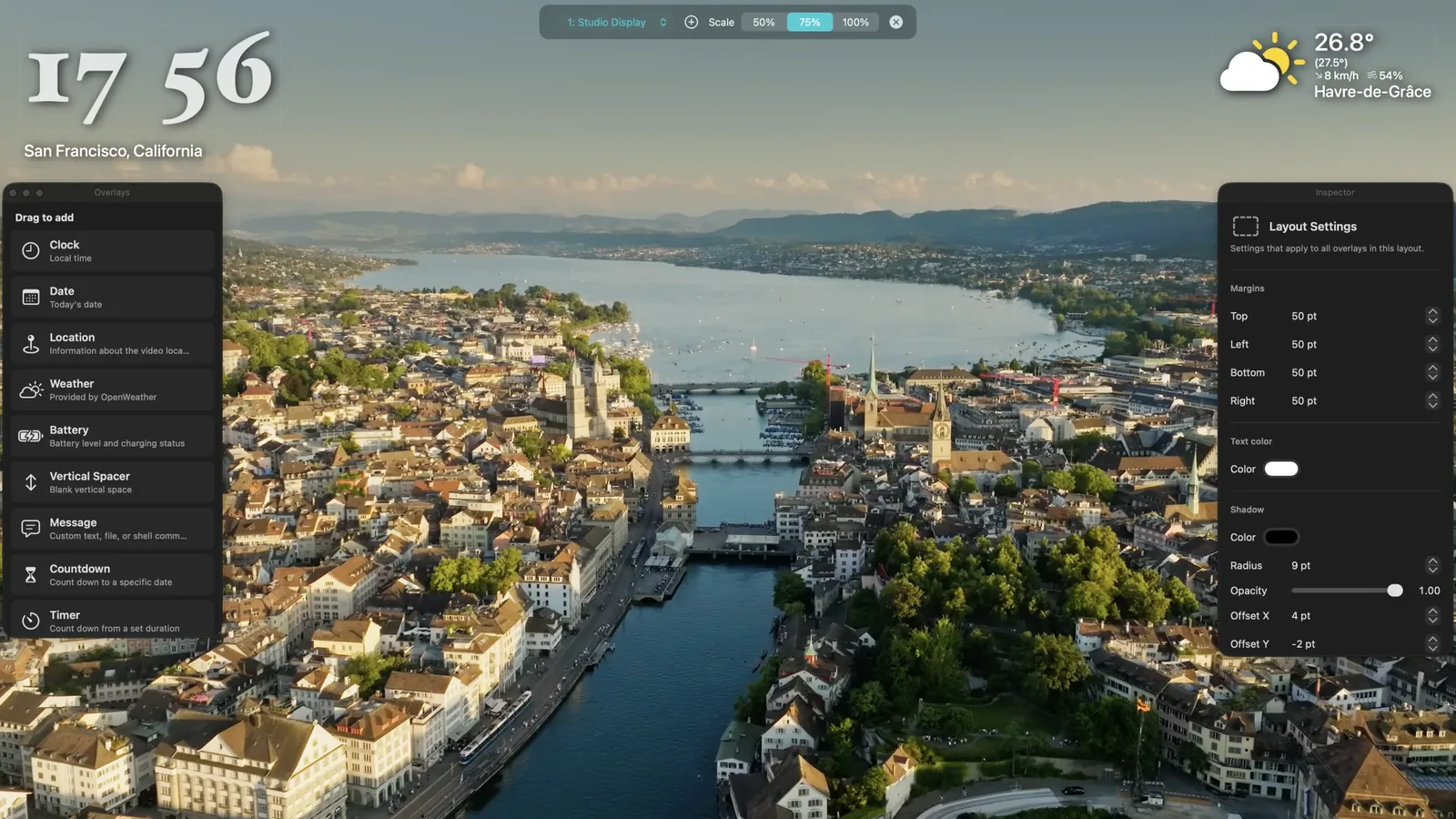
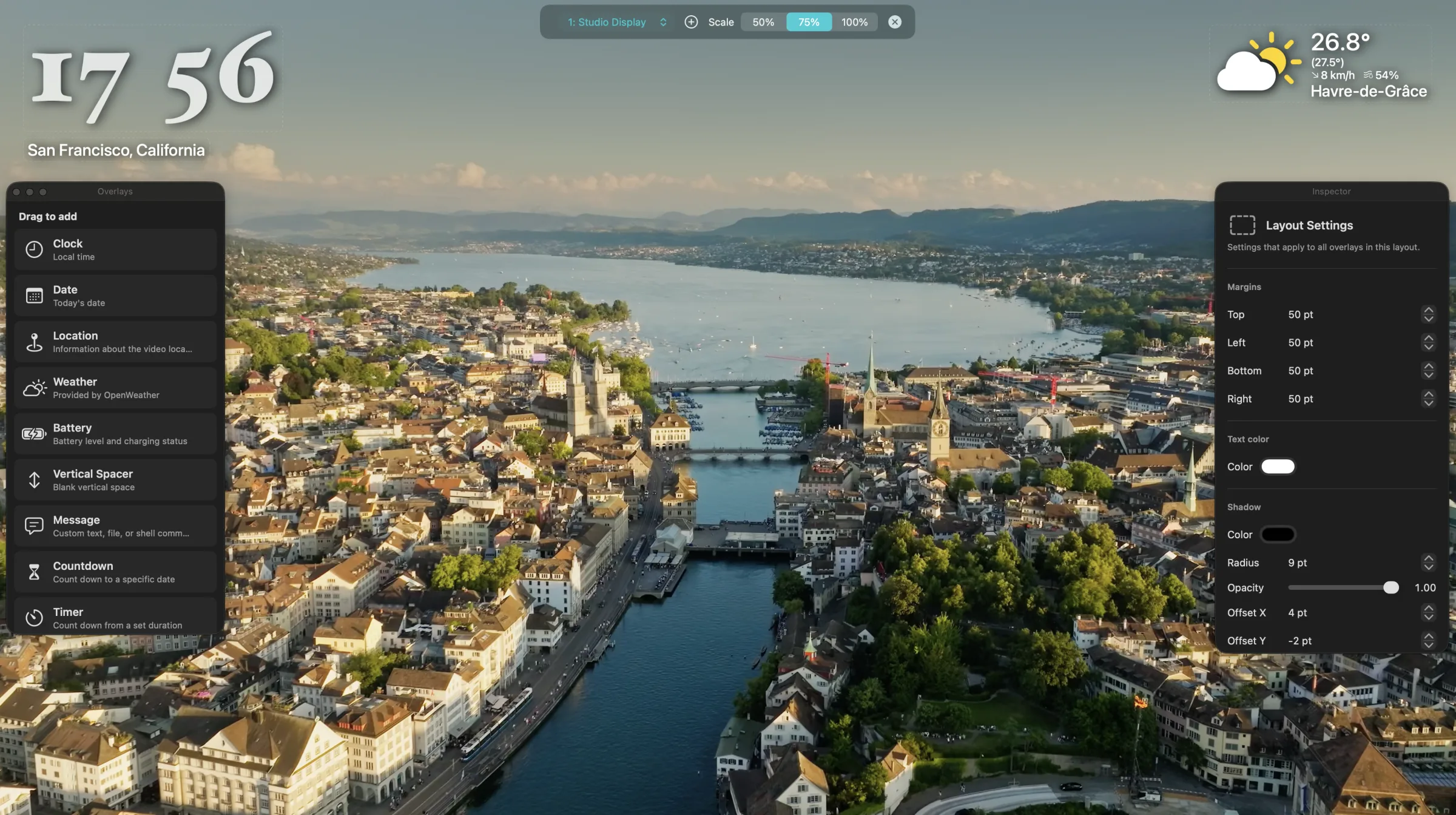
Aerial's overlay editor adds a clock, weather, and location to any video. Image: Aerial
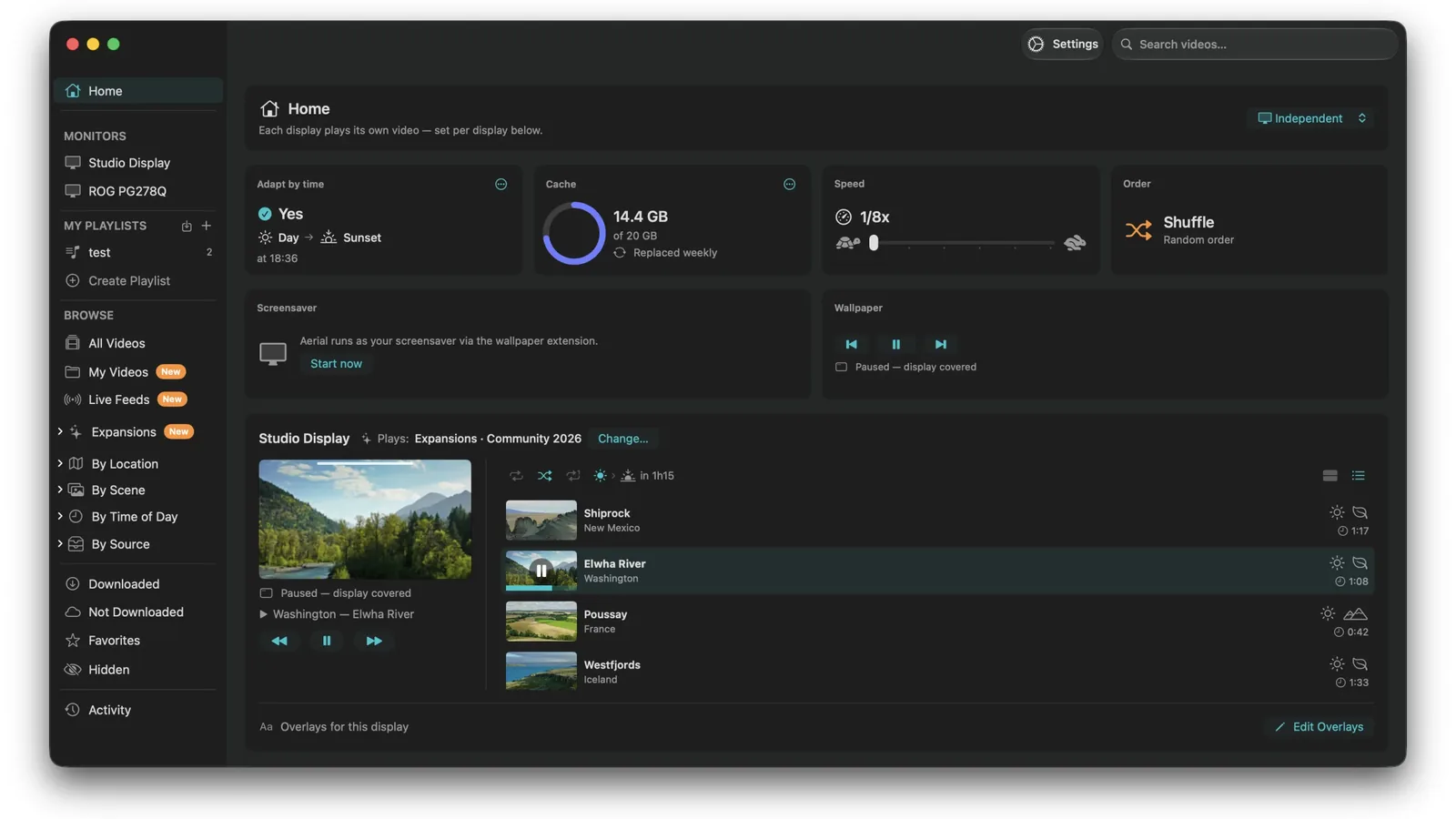
It plays the full Apple TV catalog, including 4K sets, plus your own videos, live camera feeds, and community video packs. Drag-and-drop overlays add a clock or the weather on top.
Aerial's dashboard shows what plays on each display. Image: Aerial
Aerial 4.1.8 needs macOS 26 Tahoe, on Apple silicon or Intel. On macOS 15 Sequoia, download version 4.0.16 instead.
AerialApple TV aerial videos as your Mac screensaver and live wallpaper.Visit WebsiteAerial plays Apple's aerial videos, from cities and deserts to the view from the ISS, as your Mac screensaver and as a native live wallpaper. It is free and open source, with no telemetry.
- Plays the full Apple TV aerial catalog, including 4K sets.
- Adds clocks, weather, and other overlays with a drag-and-drop editor.
- Supports your own videos, live camera feeds, and community video packs.
- Offers multi-display modes, including one video across every screen.
- The live wallpaper pauses when covered by windows or on battery.
Version 4.1.8 requires macOS 26 Tahoe or later on Apple silicon or Intel. Aerial 4.0.16 remains available for macOS 15 Sequoia.Visit Website
Plash: use any website as your desktop wallpaper
Plash by Sindre Sorhus is a free Mac App Store app that shows a website as your wallpaper. Use it for a live weather map, a calendar, a dashboard, or an animated web page.
Plash turns any website into your desktop wallpaper. Image: Sindre Sorhus
You can save several websites and switch between them, pick a display, and turn it off on battery. Plash itself uses around 40MB of memory, although heavy websites use more. The current version needs macOS 26, and older versions remain on its website.
PlashMake any website your Mac desktop wallpaper.Visit WebsitePlash by Sindre Sorhus shows a website as your Mac desktop wallpaper, so a dashboard, weather map, calendar, or animated page can sit behind your windows. It is free on the Mac App Store.
- Save multiple websites and switch between them.
- Show the website on a specific display.
- Reload pages automatically at an interval you choose.
- Deactivate automatically while on battery.
- Browsing mode lets you interact with the page when needed.
Plash itself uses around 40MB of memory, though heavy websites can use more. The current version requires macOS 26, and earlier versions for older macOS releases are available from its website.Visit Website
Phosphene: free video wallpapers in System Settings
Phosphene is a free, MIT-licensed app for macOS 26 that lets the system play your own videos as wallpapers on the desktop and lock screen. You pick them in System Settings, per display and per Space.
It has no wallpaper catalog, and it relies on Apple's private wallpaper framework, so a macOS update could break it.
How to set a live wallpaper on Mac
Step 1: Install a live wallpaper app such as Backdrop or Wallspace and open it.
Step 2: Browse the library and download a wallpaper you like.
Step 3: Choose the display to apply it to, or apply it to all displays.
Step 4: Turn on lock screen wallpapers if your app and macOS version support them.
Step 5: Enable pause on battery and in full screen to save power.
How to use your own video as a live wallpaper on Mac
Step 1: Export your clip as an MP4 or MOV file, ideally a few seconds long and seamless.
Step 2: In Backdrop, open the Creator. In Wallspace, choose an MP4 from your Mac.
Step 3: Set it as your wallpaper and check that the loop point looks smooth.
Can you get live wallpapers on Mac without an app?
Partly. Since macOS Sonoma, aerial wallpapers in System Settings > Wallpaper move slowly as a screen saver and settle to a still frame when you log in. For video that keeps playing on the desktop, you need an app like Aerial, Backdrop, or Wallspace.
Do live wallpapers drain a MacBook battery?
They use some power, but modern apps keep it small. Backdrop, Wallspace, Aerial, and Phosphene all pause playback on battery or when windows cover the desktop, and Apple silicon decodes video efficiently.
For the longest battery life, use pause on battery and choose 1080p scenes on a laptop screen.
FAQ
What is the best live wallpaper app for Mac?
Backdrop, for its large community library, lock screen support, and multi-display playback. Wallspace is the best value at $12.99 once.
Is there a free live wallpaper app for Mac?
Yes. Aerial is free and open source, Plash is free for websites, and Phosphene is free for your own videos. Wallspace also has a free tier.
Can I put a live wallpaper on the Mac lock screen?
Yes. Backdrop, Wallspace Pro on macOS 26, and Phosphene all support the lock screen.
Does Backdrop have a free version?
There is a free trial with no time limit, but it is limited to three watermarked wallpapers. A purchase removes the watermark.
Do live wallpapers slow down a Mac?
Not noticeably on Apple silicon. Pick an app that pauses in full screen and on battery.
Verdict
Backdrop is the best live wallpaper app for Mac if you want the biggest library and lock screen support. Wallspace is the better deal, with a free tier and a one-time Pro price.
If you only want Apple's aerials moving on your desktop, Aerial is free and excellent. Plash fills a different niche by turning web pages into wallpapers.
Ardia is a free, open-source Mac browser that recreates Arc's sidebar on current Chromium. It imports Arc spaces, pinned tabs, and themes, and builds in the full uBlock Origin.
- Vertical sidebar with pinned tabs, folders, and swipeable profiles.
- One-click import from Arc, Dia, Chrome, Safari, Firefox, and more.
- Split view with up to three panes.
- Little Ardia quick window and picture-in-picture video.
- Full uBlock Origin built in, with iCloud-based encrypted sync.
Ardia suits Arc users who want the same layout without AI, on an actively updated browser.
SoftwareProductivitymacOS
Zen Browser
Calm, open-source browser with vertical tabs
Free
Zen is a free, open-source browser based on Firefox, built around a vertical tab sidebar, workspaces, and split view. It is the closest open-source match to Arc's layout.
- Vertical tabs with pinned Essentials and Workspaces.
- Split view for up to four tabs side by side.
- Compact mode hides the toolbar for a clean window.
- Glance opens links in a quick preview.
- Supports Firefox add-ons and Mozilla privacy features.
Zen suits people who loved Arc's sidebar and want an open-source, community-built browser.
SoftwareProductivitymacOS
Orion Browser
Fast WebKit browser with zero telemetry
Freemium
Orion is a free Mac browser from Kagi built on WebKit, the engine behind Safari. It blocks ads and trackers, collects no telemetry, and can run many Chrome and Firefox extensions.
- Native WebKit speed and battery life.
- Built-in ad and tracker blocking with zero telemetry.
- Supports many Chrome and Firefox extensions.
- Vertical tabs, profiles, and deep customization.
- Optional Orion+ supporter plan for early builds.
Orion suits Mac users who want Safari-level efficiency with more control.
SoftwareProductivitymacOS
Vivaldi
Highly customizable browser with built-in tools
Free
Vivaldi is a free Chromium-based browser focused on customization. It includes tab stacks, vertical tabs, tab tiling, workspaces, and built-in mail, calendar, and notes.
- Vertical tabs, tab stacks, and workspaces.
- Tab tiling to view several pages at once.
- Built-in ad and tracker blocker.
- Mail, calendar, feed reader, and notes included.
- Works with Chrome Web Store extensions.
Vivaldi suits power users who want to tune every part of their browser.
SoftwareProductivitymacOS
Brave
Private Chromium browser that blocks ads by default
Freemium
Brave is a free, open-source Chromium-based browser that blocks ads and trackers out of the box. It supports Chrome extensions and includes Leo, a private AI assistant.
- Brave Shields block ads, trackers, and fingerprinting.
- Vertical tabs and tab groups.
- Chrome Web Store extension support.
- Leo AI assistant, free with an optional Premium plan.
- Sync across Mac, Windows, Linux, iOS, and Android.
Brave suits people who want Chrome compatibility with stronger privacy defaults.
SoftwareProductivitymacOS
Walyro
Bring personal videos to your desktop
Freemium
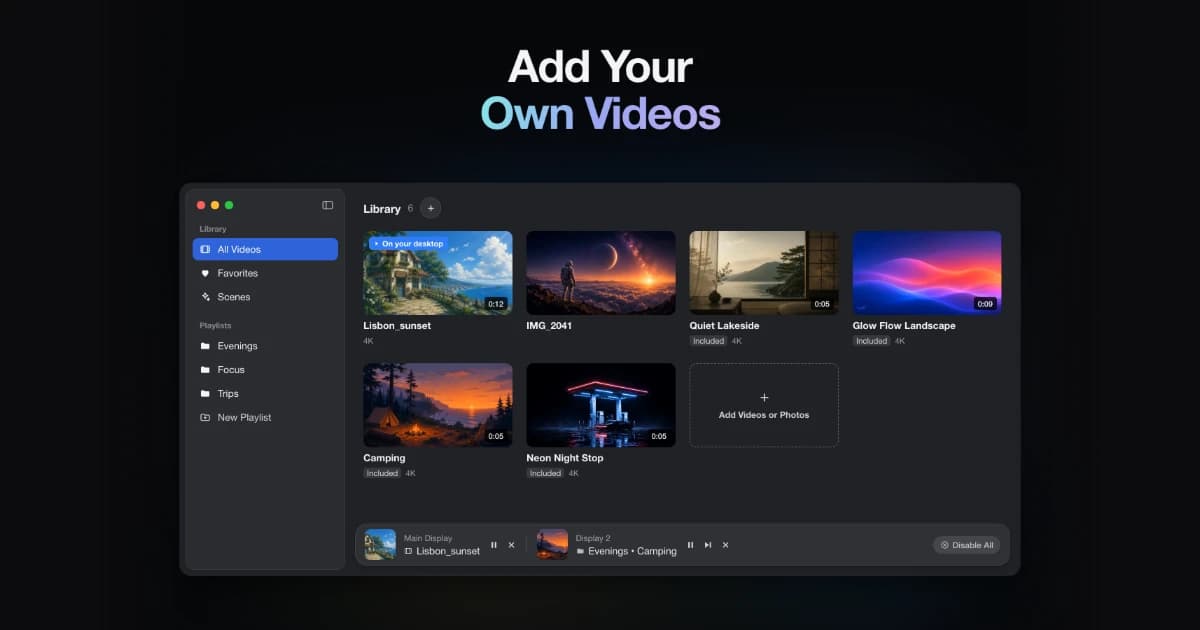
A live wallpaper app for macOS 14 and later, using built-in scenes or your own videos.
- Use MP4, MOV, and M4V clips
- Apply wallpapers to selected displays
- Keep a local library that works offline
SoftwareUtilitiesmacOS
Vinyl for Mac
Put a turntable on your desktop
One-time
A desktop turntable visualization that connects to Spotify and Apple Music. Requires macOS Sonoma or later.
- Show current album artwork and track information
- Choose display sizes and backgrounds
- Keep controls available in the menu bar
SoftwareCreativemacOS
Redact Guard
Hide sensitive details before sharing screenshots
One-time
A Mac utility that detects and obscures sensitive information in screenshots and copied images, processing them on device.
- Redact passwords, API keys, and personal details
- Process screenshots and copied images
- Keep image processing on your Mac
SoftwareUtilitiesmacOS
Polarsteps
Plan trips and capture your journey
Freemium
A travel companion combining itinerary planning, route tracking, and a visual trip journal.
- Plan destinations and transport
- Record routes and share travel updates
- Turn trip memories into a printed photo book