CleanMyMac costs $39.95 a year for one Mac, and most of what it does can be done for free. Caches, leftover app files, old downloads, and forgotten installers are easy to find once you have the right tool.
In this guide you'll learn which free CleanMyMac alternatives actually work on macOS in 2026, how to clean your Mac safely with Mole, how to see what is filling your disk, and when paying for CleanMyMac still makes sense.
TL;DR
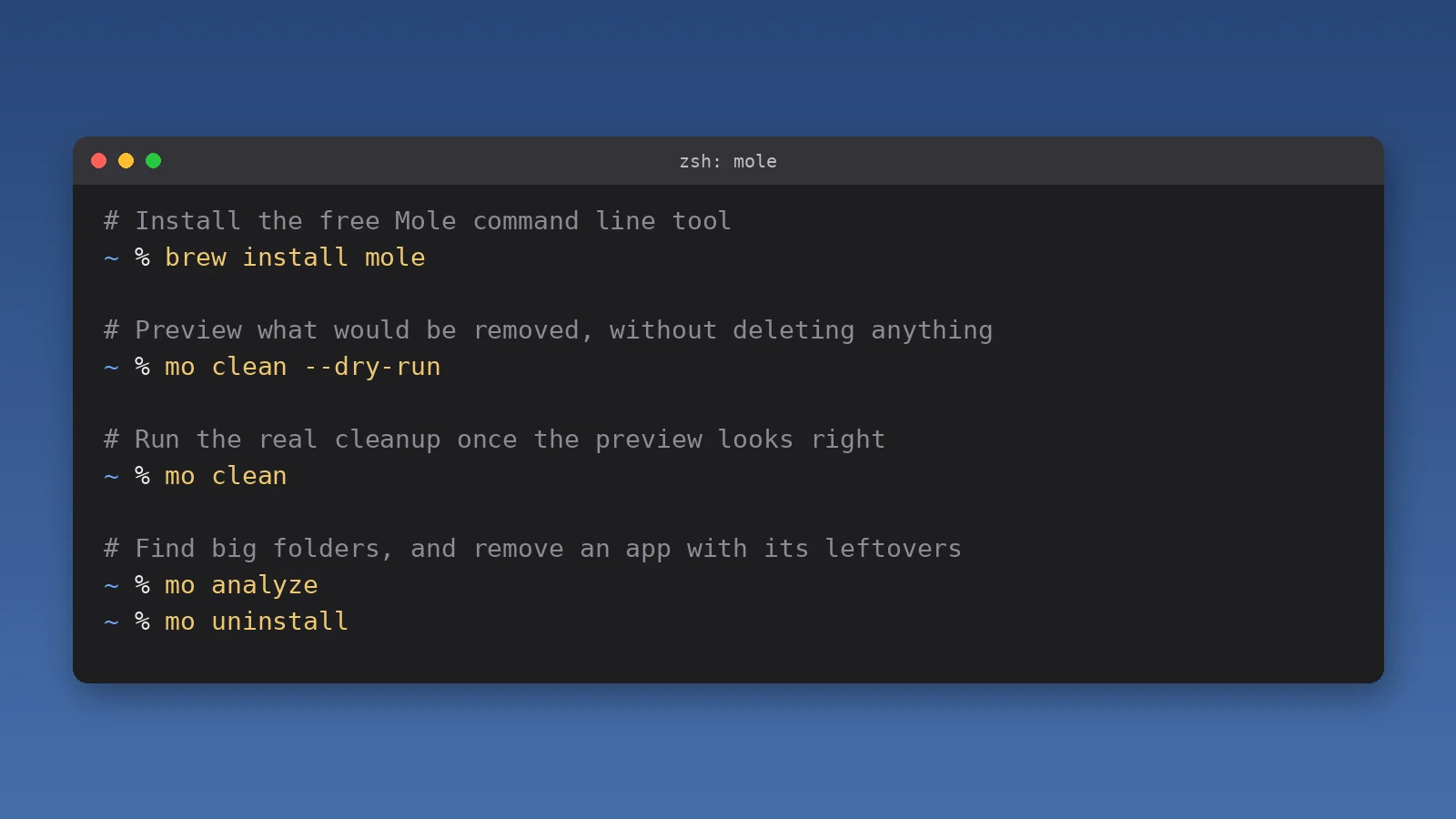
Best free CleanMyMac alternative: the Mole command line tool. It is open source (GPL-3.0), cleans caches and app leftovers, and previews everything with mo clean --dry-run.
Prefer an app window? The Mole app costs $19 once and adds a review step before anything is deleted.
Find big files for free: GrandPerspective (open source) or the built-in Storage settings in macOS.
Free app uninstallers: AppCleaner, or Mole's mo uninstall.
Worth paying for: DiskBuddy ($19 once) for a clearer disk map, or CleanMyMac if you want malware removal and one-click Smart Care.
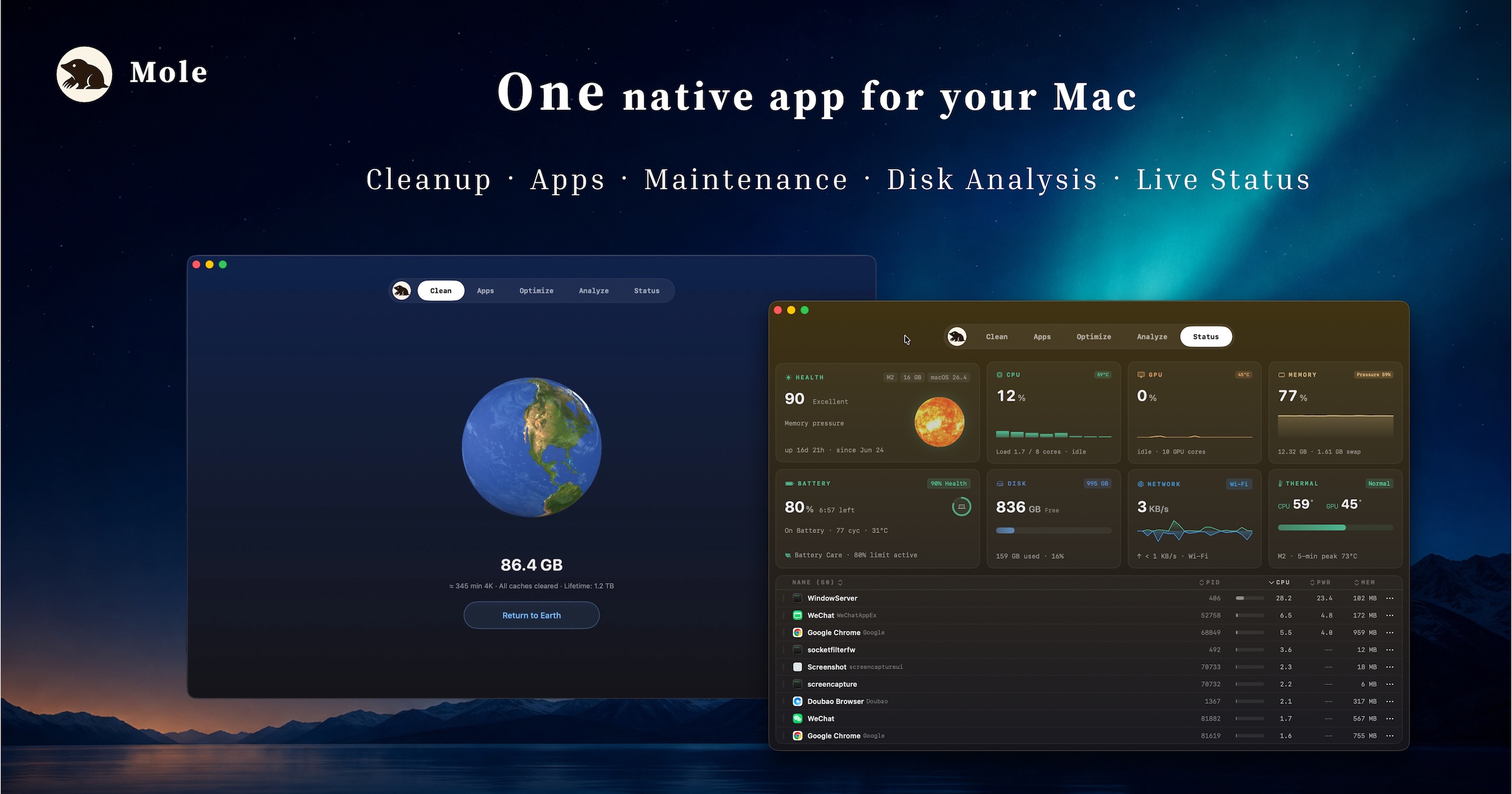
Mole started as a free command line tool and now has a native Mac app. Image: Mole
Shotbase is a comprehensive tool designed to capture and manage all your screen-based content effortlessly. With features like stunning screenshot capabilities, recording options that include cinematic effects, and an intuitive organizational structure powered by local AI, you can easily keep your multimedia assets organized and accessible. Shotbase not only allows you to capture specific areas, windows, or full screens on your Mac but also enables you to edit and enhance your captures with backgrounds, frames, and annotations. The integrated AI ensures your captures are automatically named and tagged for easy searching, making it an excellent choice for anyone looking to enhance their productivity and creativity in one seamless workspace.
SoftwareCreativemacOS
DeskMinder
For Easily Distracted Minds
Freemium
DeskMinder is a productivity software application designed for Mac users who struggle with distractions. It provides a straightforward interface for creating desktop pop-up reminders and tasks, helping users manage urgent to-dos, short breaks, and fleeting ideas. With features like full-screen notifications and Apple Reminders integration, DeskMinder aims to enhance focus and time management for i
- With features like easy-to-create desktop pop-ups for reminders and tasks, it simplifies the process of staying on top of urgent to-dos, short breaks, or fleeting ideas.
- Users can benefit from full-screen notifications, Apple Reminders integration, and flexible widget placement, making it ideal for anyone requiring a little extra help to maintain focus.
- The app includes additional shortcuts for quick reminder setups and customizable widget options, along with a history tracking feature to monitor daily progress.
Designed specifically for Mac users, DeskMinder aims to facilitate better time management and productivity for those with attention challenges, providing a seamless user experience without unnecessary complexity.
SoftwareProductivitymacOS
Klack
Satisfying sound with every keystroke
Paid
Klack is a macOS application designed to enhance the typing experience through high-fidelity sound for each keystroke. It provides features such as immersive spatial audio, instant feedback, and customizable sound options, making it suitable for writers, developers, and anyone who values an engaging typing environment. The app is easily accessible from the menubar and offers extensive configuratio
- Provides immersive spatial audio for enhanced typing feedback.
- Allows customization of keystroke sounds, pitch variations, and volume settings.
- Features a menubar interface for quick access to configuration options.
- Supports instant feedback with each keystroke for a more engaging experience.
- Designed for writers and developers seeking auditory feedback while typing.
Klack enhances the typing experience on Mac by providing high-fidelity sound for each keystroke.
SoftwaremacOS
TypoTab
TypoTab, the ultimate AI writing assistant for
Paid
TypoTab is a macOS application that functions as an AI-driven writing assistant. It enhances writing efficiency by providing tools for grammar correction, text rephrasing, and content generation, all accessible from the menu bar without needing to switch applications. This tool is designed for writers, students, and professionals looking to streamline their writing process and improve productivity
- Provides grammar correction and text rephrasing directly from the menu bar.
- Allows text refinement in any application without switching contexts.
- Offers customizable actions to meet individual writing needs.
- Streamlines repetitive writing tasks for improved efficiency.
- Supports a wide range of applications, enhancing workflow across platforms.
TypoTab is a macOS application that enhances writing efficiency by providing grammar correction, text rephrasing, and content generation directly from the menu bar. It allows users to refine text in any application without switching contexts, offering customizable actions to suit individual writing needs.
SoftwareProductivitymacOS
Redact Guard
Hide sensitive details before sharing screenshots
One-time
A Mac utility that detects and obscures sensitive information in screenshots and copied images, processing them on device.
- Redact passwords, API keys, and personal details
- Process screenshots and copied images
- Keep image processing on your Mac
SoftwareUtilitiesmacOS
Polarsteps
Plan trips and capture your journey
Freemium
A travel companion combining itinerary planning, route tracking, and a visual trip journal.
- Plan destinations and transport
- Record routes and share travel updates
- Turn trip memories into a printed photo book
SoftwareUtilitiesiOS & iPadOS
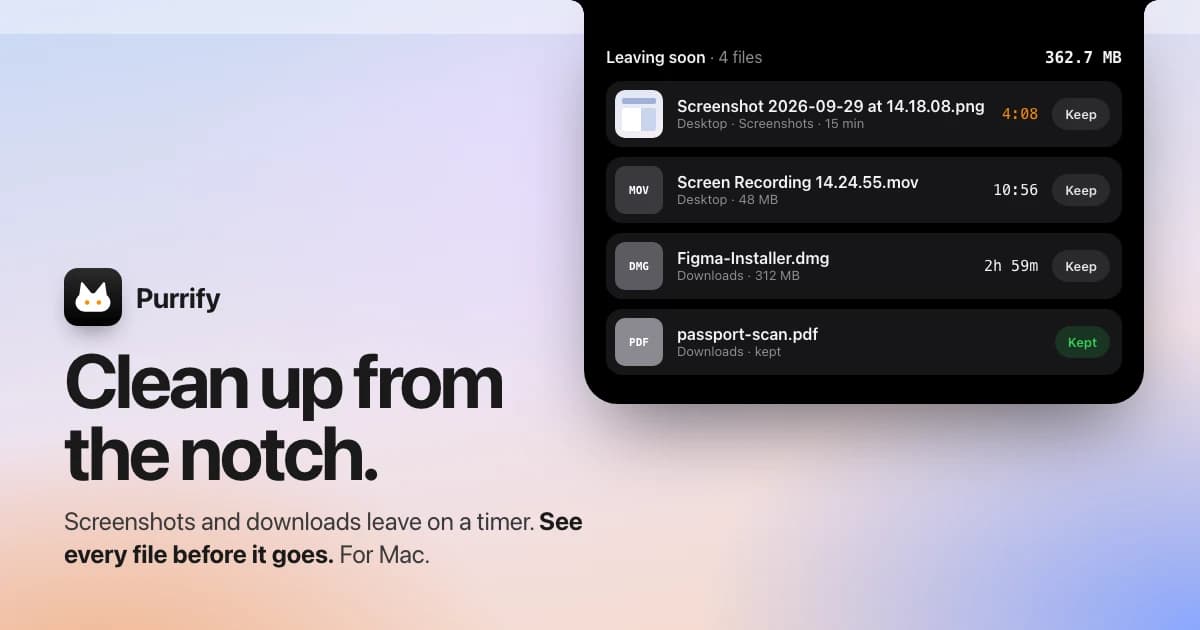
Purrify
Clean screenshots and downloads from the notch
One-time
A timed cleanup utility for screenshots and downloads, accessible from the Mac notch.
- Set files to leave on a timer
- Review files before cleanup
- Restore files when needed
SoftwareUtilitiesmacOS
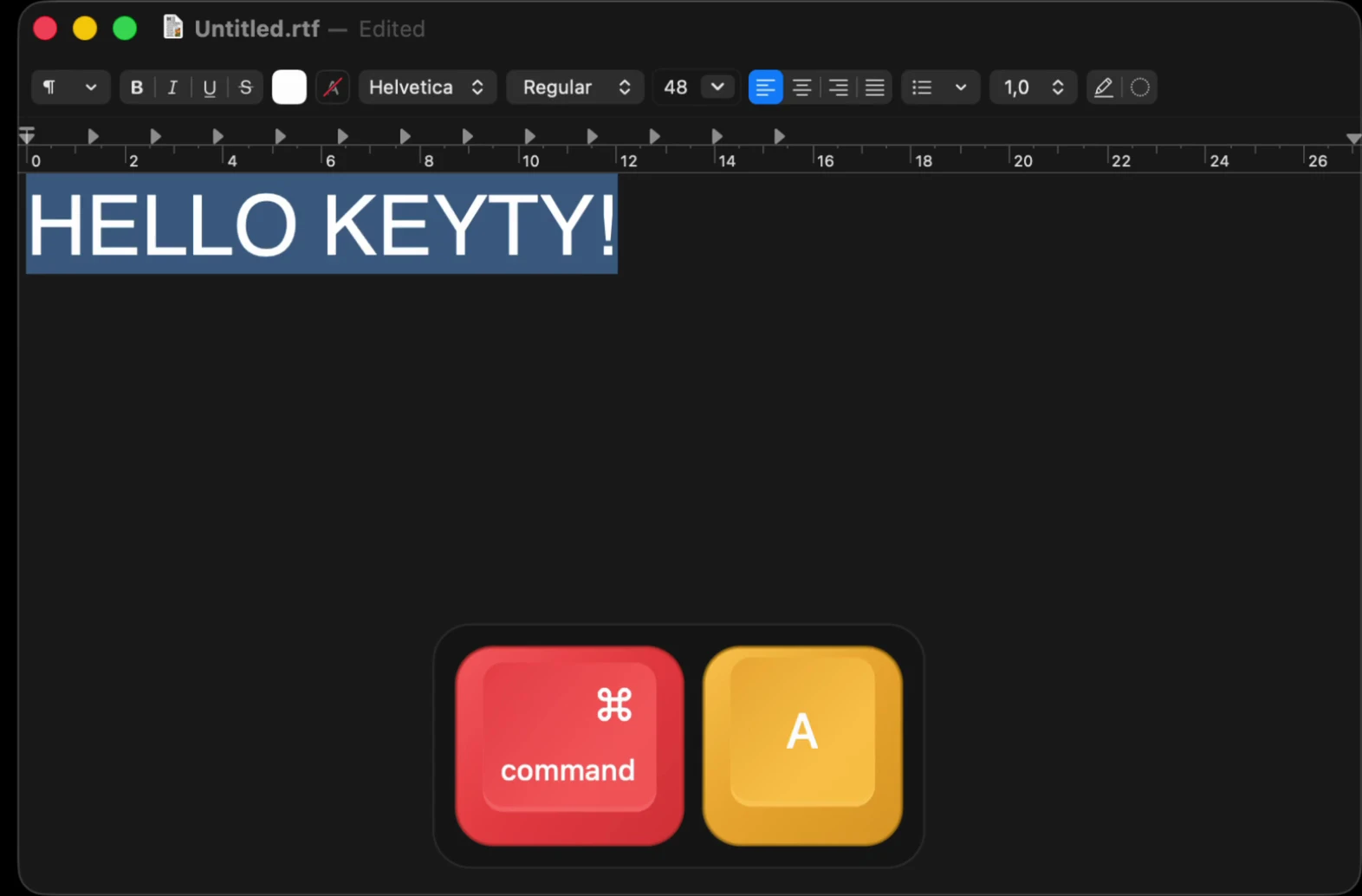
Keyty
Show keystrokes and clicks during demos
Free
A free, open-source keyboard and mouse visualizer for recordings, presentations, and livestreams.
- Display shortcuts and typed input
- Highlight mouse clicks
- Customize overlay styles, colors, and placement
SoftwareUtilitiesmacOS
Slopes
Track ski days and explore resort maps
Freemium
A skiing and snowboarding tracker for iPhone and Apple Watch, with activity statistics and trip memories.
- Record runs and lift rides
- Share live locations with friends
- Explore interactive resort maps with Premium
SoftwareUtilitiesiOS & iPadOS
What does CleanMyMac do that you need a replacement for?
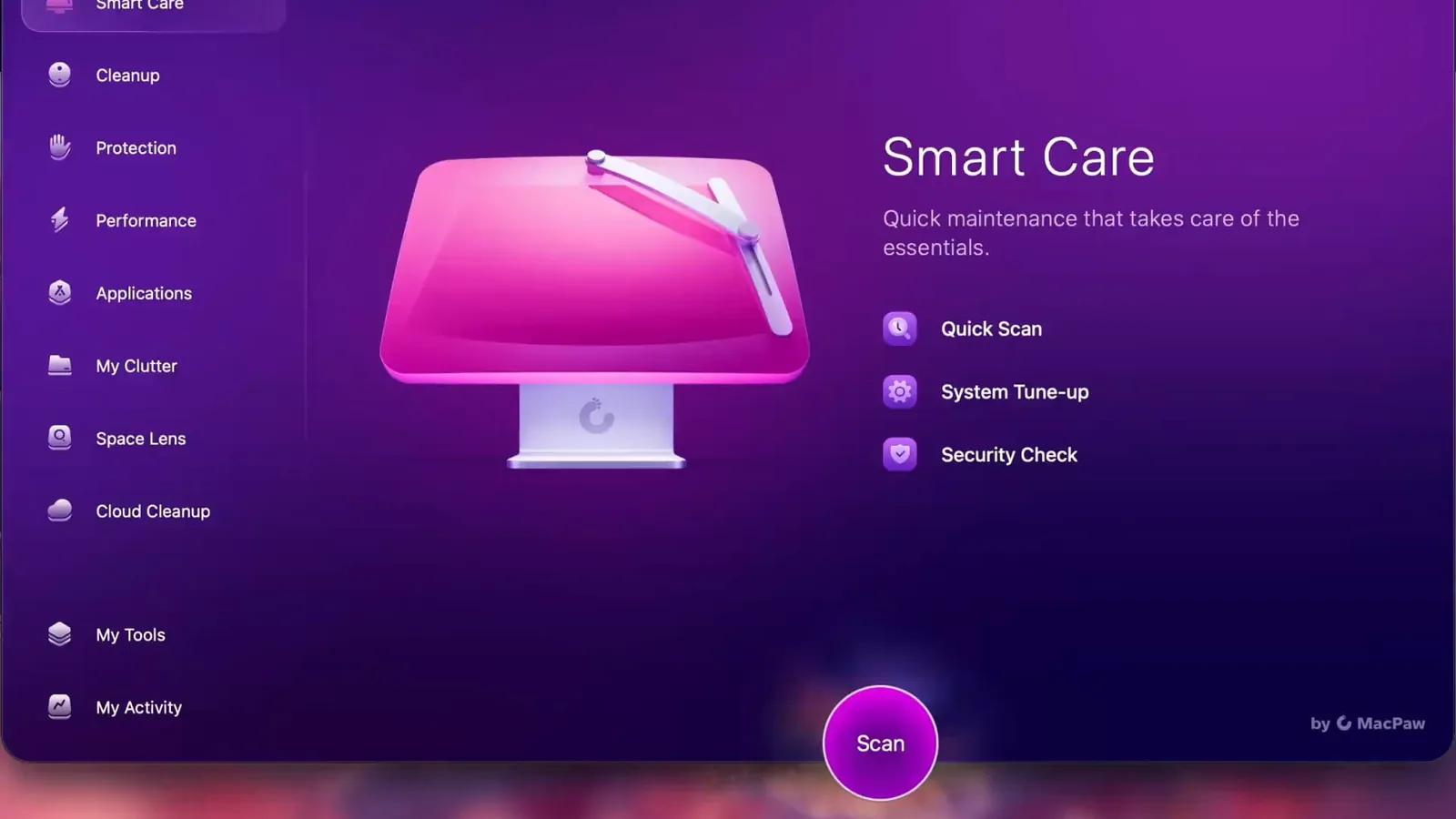
CleanMyMac bundles five jobs into Smart Care: clearing system junk, removing malware, speeding up the Mac with maintenance tasks, updating apps, and uninstalling apps with their leftovers. Most people buy it for the first and last.
Free tools cover cleanup, disk mapping, and uninstalling well. Malware scanning is the one area where free cleaners do not compete, and macOS already includes XProtect for known threats.
CleanMyMac Smart Care runs cleanup, protection, and maintenance in one scan. Image: MacPaw
Method 1: Free up space with built-in macOS Storage settings
Before installing anything, check what macOS already offers.
Step 1: Open System Settings > General > Storage.
Step 2: Wait for the bar to finish calculating, then review the recommendations, such as emptying the Trash automatically.
Step 3: Click the info button next to Applications, Documents, or Developer to see the largest items in each.
Step 4: Delete what you no longer need, then empty the Trash.
It is free and safe, but it does not clear app caches or find leftovers from apps you already deleted.
Method 2: Clean your Mac for free with Mole (open source)
Mole is the strongest free CleanMyMac alternative right now. The command line version is free and open source, runs on macOS 12 or later, and supports Intel and Apple silicon.
MoleStorage cleanup and optimization utilityVisit WebsiteMole is a native macOS storage management utility designed to analyze, clean, and optimize disk space. It consolidates essential tools for managing storage, allowing users to analyze disk usage, remove junk files, completely uninstall applications, find duplicates, and organize their storage efficiently.
- Analyze disk usage to identify large files and folders consuming space.
- Remove junk files to free up storage and improve system performance.
- Completely uninstall applications, including all associated files and data.
- Find and eliminate duplicate files to streamline storage.
- Organize files and folders for easier access and management.
Mole provides a comprehensive solution for macOS users looking to manage their storage effectively. By utilizing its features, users can gain insights into disk usage, eliminate unnecessary files, and maintain an organized file system. This utility is particularly beneficial for those seeking to optimize their device's performance and ensure efficient use of available disk space.Visit Website
How to install and use Mole safely
Step 1: Install Homebrew if you do not have it, then run brew install mole in Terminal.
Step 2: Run mo clean --dry-run to preview what would be removed. Nothing is deleted yet.
Step 3: Protect any cache you want to keep with mo clean --whitelist.
Step 4: Run mo clean when the preview looks right.
Step 5: Use mo analyze to explore large folders and mo uninstall to remove apps with their leftovers.
The Mole commands you need, with a preview before any cleanup. Illustration: Macfolio
One warning: mo clean, mo purge, and mo installer delete files permanently, while mo uninstall and mo analyze send them to the Trash. Always run the dry run first.
Developers get a bonus. mo purge clears project build folders, and mo status shows a live dashboard of CPU, memory, disk, and network use.
Mole app vs Mole CLI: is the $19 app worth it?
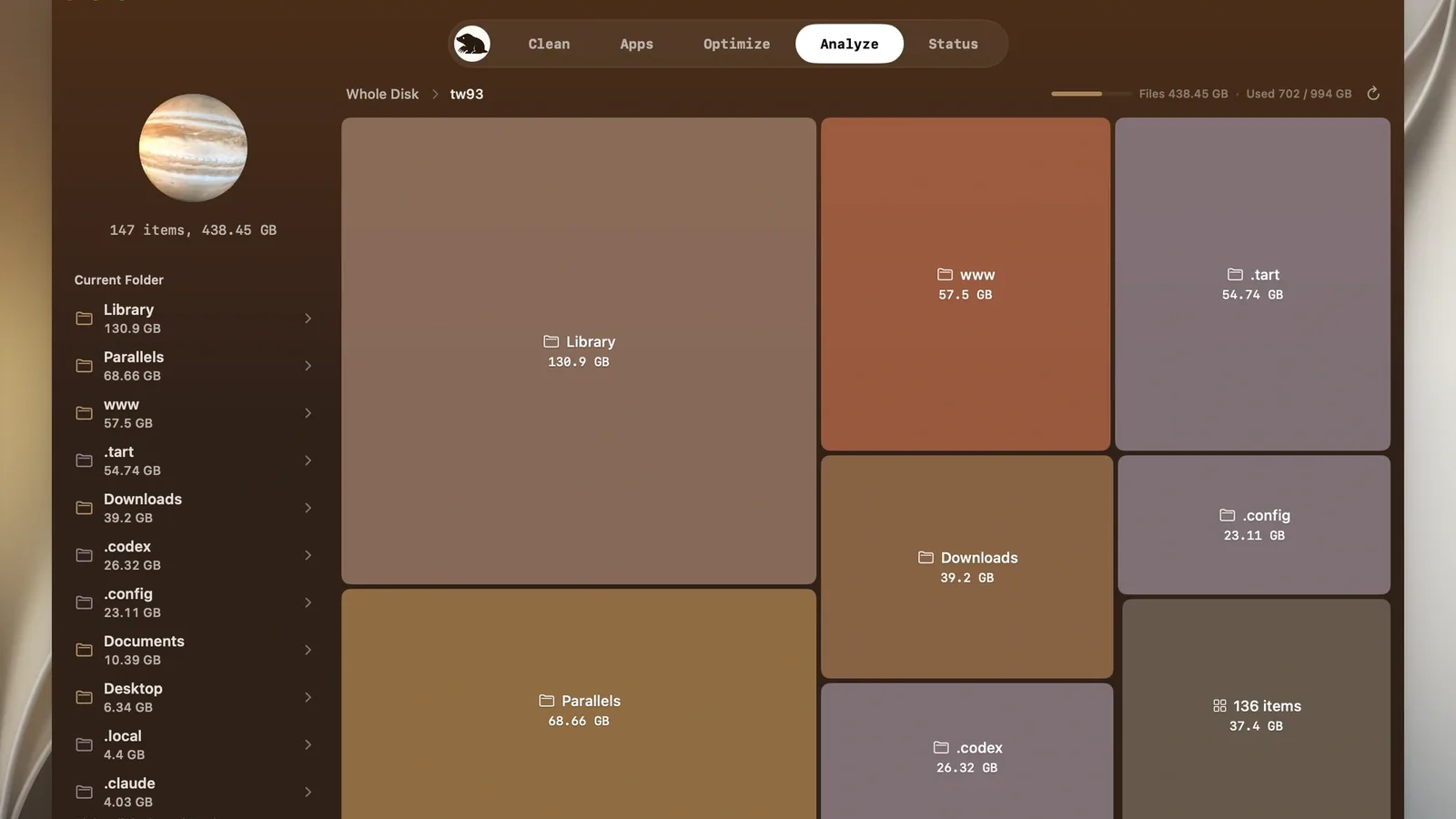
The Mole app costs $19 once, needs macOS 14 or later, and has a 14-day refund window. It adds a review screen for every item, uninstall leftovers for hundreds of apps, live system stats, and fan readings.
Mole's disk map lets you reveal big folders in Finder or move them to the Trash. Image: Mole
If you are comfortable in Terminal, the free CLI does the core cleanup. If you want to click through each item, the app is a fraction of a CleanMyMac subscription.
Method 3: See what is filling your disk with GrandPerspective (free)
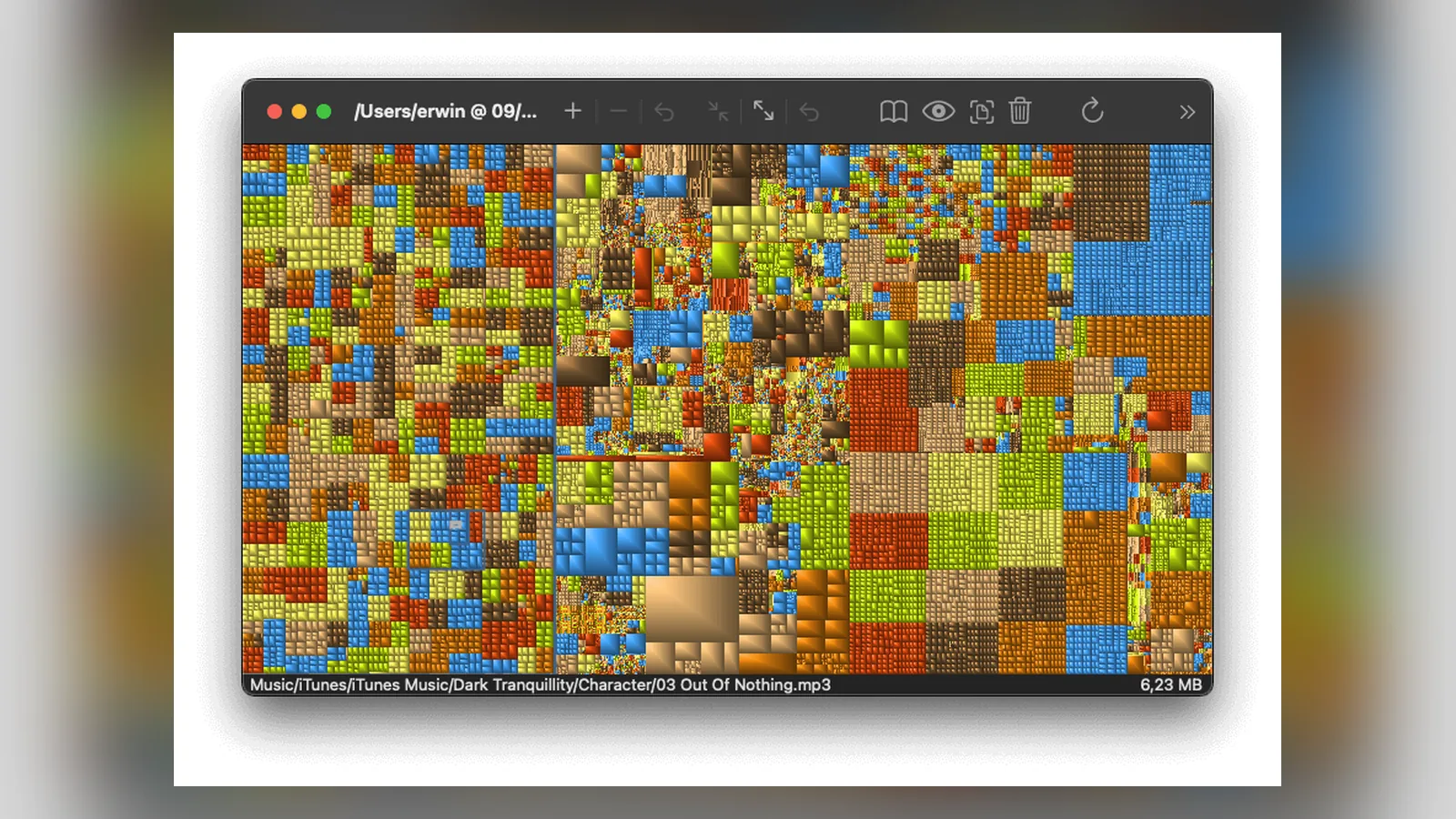
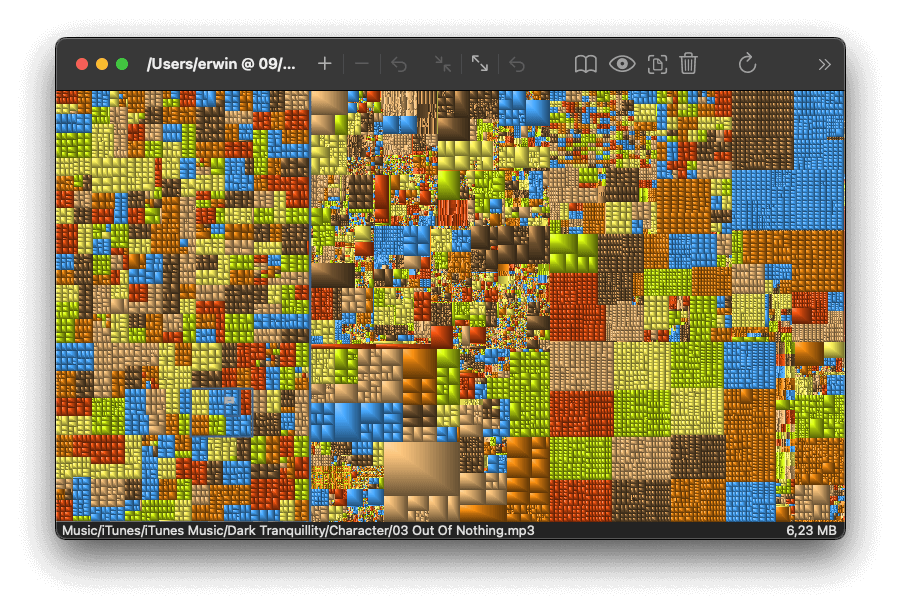
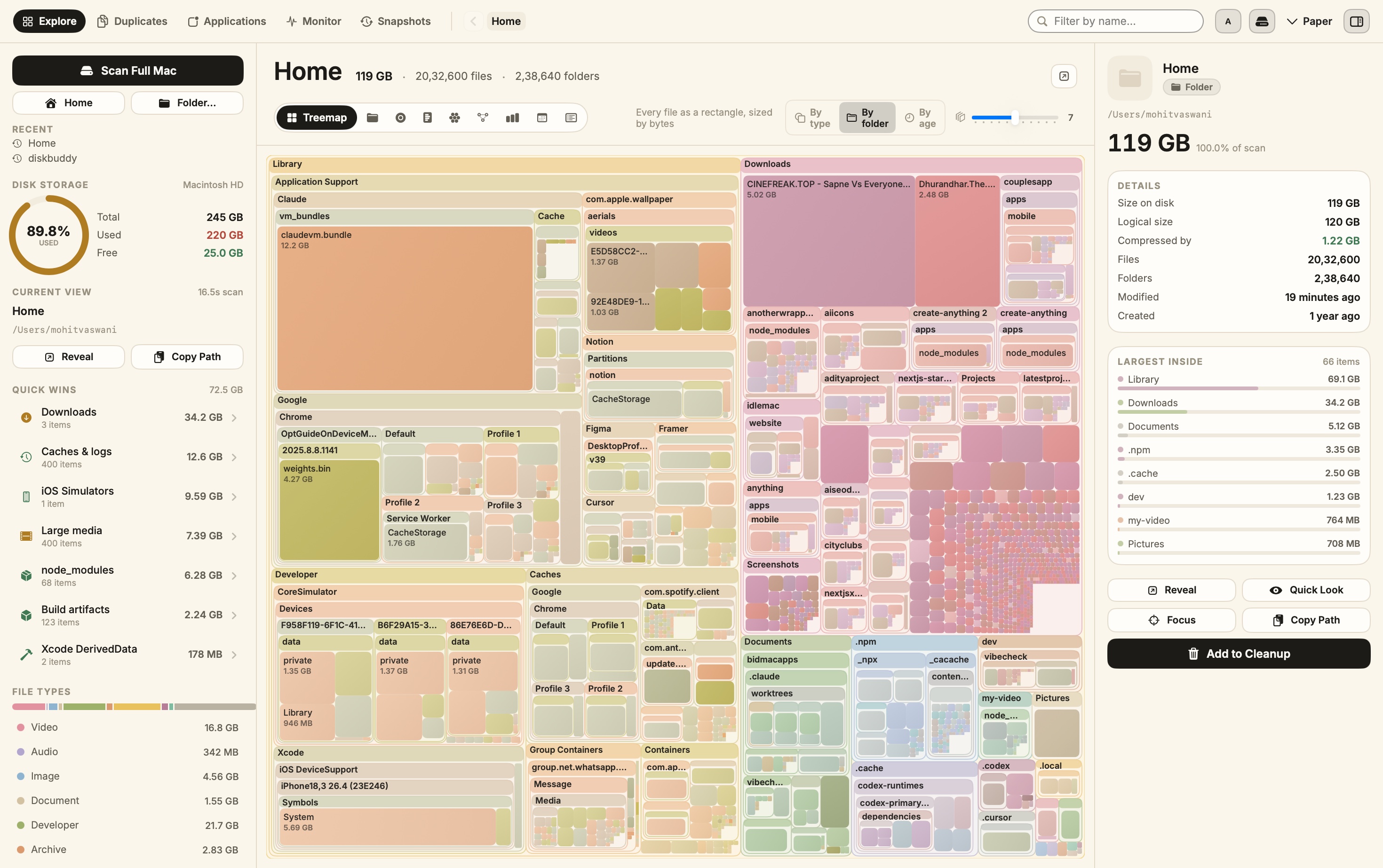
GrandPerspective is a free, open-source disk usage app that has been around for twenty years. It draws your disk as a treemap, where each file is a rectangle sized by how much space it uses.
GrandPerspective shows every file as a block sized by its disk space. Image: GrandPerspective
Version 3.8.1 runs on macOS 14 or later, on Apple silicon and Intel. Install it with brew install --cask grandperspective, download it free from SourceForge, or pay $2.99 on the Mac App Store to support the developer.
It only shows and deletes files. It does not clear caches for you, so pair it with Mole.
GrandPerspectiveFree, open-source treemap view of what fills your Mac disk.Visit WebsiteGrandPerspective is a free, open-source disk usage app that draws a folder or drive as a treemap, where each file is a rectangle sized by the space it uses. It makes large and forgotten files easy to spot.
- Colors files by folder, extension, type, size, or age.
- Filters, searches, and navigates folders with the mouse or keyboard.
- Reveals files in Finder, previews them with Quick Look, and deletes them from the view.
- Analyzes Time Machine backups and cloud storage files.
- Saves and exports scan results as an image or text.
Version 3.8.1 requires macOS 14 or later on Apple silicon or Intel. It is free from SourceForge or Homebrew, and $2.99 on the Mac App Store to support development.Visit Website
DiskBuddy: a low-cost disk cleaner with a review queue
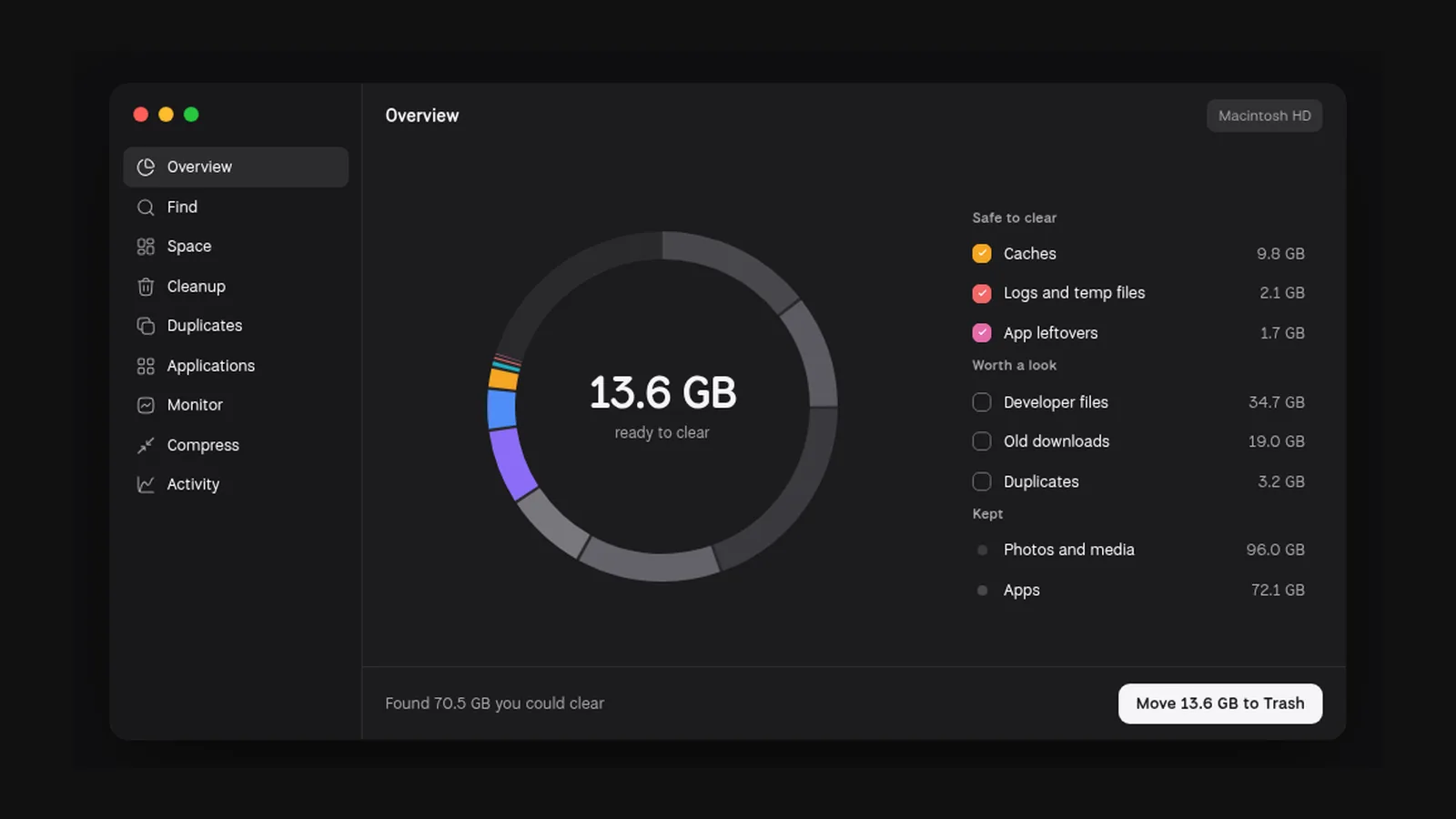
DiskBuddy is not free, but it is a one-time purchase at $19 (normally $49), and one license covers Mac and Windows. It scans locally and sorts files into safe to clear, worth a look, and kept.
DiskBuddyVisualize disk space and clean up filesVisit WebsiteDiskBuddy helps you find what is taking up space on your Mac, then review files before removing them. Scan a folder or drive and explore the results through eight visualizations.
- Browse storage with folder grids, treemaps, sunburst charts, and other views.
- Find duplicate files by content and identify large, old files.
- See app footprints including associated caches, preferences, and logs.
- Compare scan snapshots to see which folders have grown.
- Stage cleanup candidates in a review queue before deleting anything.
Supports macOS 14 or later on Apple silicon and Intel, with external and network drives supported. A one-time license includes all 1.x updates and works on one Mac or Windows machine at a time. File analysis happens locally; activation and periodic license checks require an internet connection.Visit Website
DiskBuddy splits a scan into safe to clear, worth a look, and kept. Image: DiskBuddy
Nothing is deleted outright. Files go to the Trash, and DiskBuddy needs macOS 14 or later.
Free app uninstallers: AppCleaner and Pearcleaner
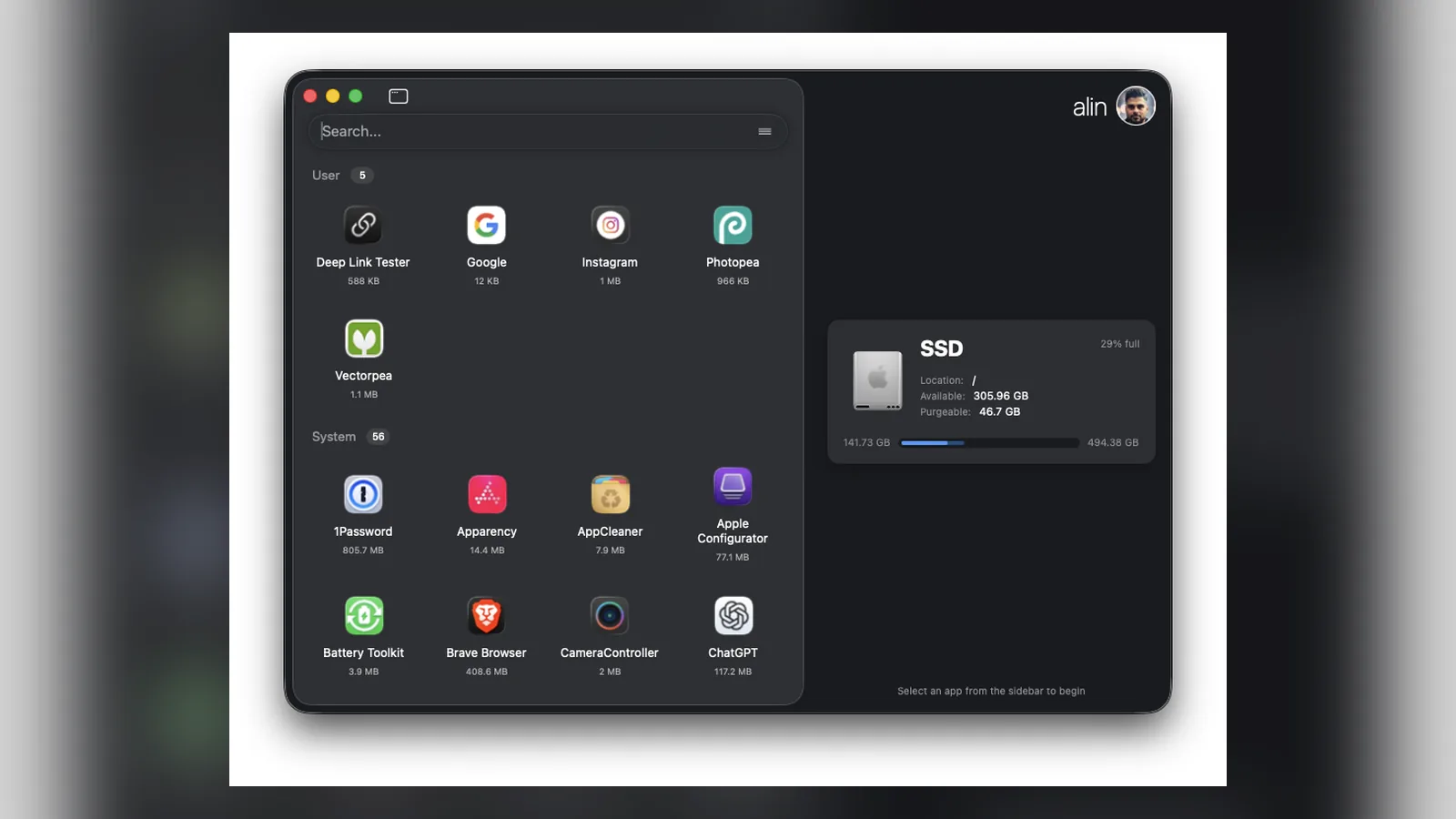
Dragging an app to the Trash leaves its support files, caches, and preferences behind. AppCleaner is a free uninstaller that finds those files when you drop an app onto its window. Version 3.7 supports macOS 15 and later.
Pearcleaner is a free, source-available uninstaller with a modern interface and orphaned file search. Its developer put the project on hold at the end of 2025, so expect no new updates.
Pearcleaner lists installed apps with their related files. Image: Pearcleaner
What not to delete when cleaning a Mac
Caches rebuild themselves, so clearing them is safe but temporary. Expect apps like Xcode, browsers, and Photos to regrow some of that space.
Leave the System and Library folders alone unless a tool explains each file. Check Time Machine backups and iCloud sync status before deleting large folders, and never remove files you do not recognize just because they are big.
Mole vs CleanMyMac vs DiskBuddy: Comparison table
Mole CLI
Mole app
CleanMyMac
DiskBuddy
GrandPerspective
Price
Free
$19 once
$39.95 a year, or $119.95 once
$19 once
Free ($2.99 App Store)
Open source
Yes, GPL-3.0
No
No
No
Yes, GPL
Cache and junk cleanup
Yes
Yes
Yes
Yes
No
App uninstaller
Yes
Yes
Yes
Shows apps
No
Disk map
Yes
Yes
Yes
Yes
Yes
Malware removal
No
No
Yes
No
No
macOS
12 or later
14 or later
11 or later
14 or later
14 or later
Is CleanMyMac worth it in 2026?
CleanMyMac is polished, notarized by Apple, and its Smart Care scan is the easiest one-click option. It also includes malware removal, which none of the free tools do.
CleanMyMac costs $39.95 a year for one Mac, $63.95 for two, or $119.95 for a one-time license. There is a free trial and a 30-day money-back guarantee on annual plans.
CleanMyMacMac cleaner and maintenance utilityVisit WebsiteCleanMyMac is a software application designed for Mac maintenance. It helps users clean system junk, manage storage, and uninstall applications completely. The app scans for caches, logs, and large files, while also providing Smart Care workflows, malware monitoring, and privacy tools to enhance overall system performance and efficiency.
- Cleans system junk by scanning for caches, logs, and large files.
- Manages storage by identifying and removing unnecessary files.
- Uninstalls applications completely, including associated files.
- Optimizes system performance through automated maintenance tasks.
- Provides malware monitoring to detect and remove threats.
- Includes privacy tools to manage sensitive data and online tracking.
CleanMyMac offers practical solutions for maintaining Mac systems by effectively removing unnecessary files, managing storage, and ensuring optimal performance. Its features cater to users seeking to enhance their device's efficiency while safeguarding against malware and managing privacy concerns.Visit Website
If you only need cleanup and uninstalls, the free route saves that money. If you are setting up a Mac for a family member who will never open Terminal, CleanMyMac is the safer hands-off pick.
FAQ
What is the best free alternative to CleanMyMac?
Mole's free command line tool. It cleans caches and app leftovers, uninstalls apps, and maps your disk, with a dry run before anything is removed.
Is there an open-source CleanMyMac alternative?
Yes. Mole's CLI is open source under GPL-3.0, and GrandPerspective is open source under the GNU GPL for disk mapping.
Is Mole safe to use on a Mac?
Yes, if you preview first. Run mo clean --dry-run, protect anything important with the whitelist, and remember that some commands delete permanently.
Can I clean my Mac without any app?
Yes. System Settings > General > Storage shows large files and offers recommendations. It will not clear app caches, though.
Do free Mac cleaners remove malware?
No. Mole says plainly it is not a malware scanner. CleanMyMac includes malware removal, and macOS has built-in XProtect.
Verdict
For most people, Mole is the best free CleanMyMac alternative. Start with the free CLI and mo clean --dry-run, and buy the $19 app if you would rather review items in a window.
Add GrandPerspective for a free disk map, or DiskBuddy if you want a cleaner one-time-purchase app. Keep CleanMyMac for Macs where one-click care and malware removal matter more than the yearly fee.
A Mac utility that detects and obscures sensitive information in screenshots and copied images, processing them on device.
- Redact passwords, API keys, and personal details
- Process screenshots and copied images
- Keep image processing on your Mac
SoftwareUtilitiesmacOS
Polarsteps
Plan trips and capture your journey
Freemium
A travel companion combining itinerary planning, route tracking, and a visual trip journal.
- Plan destinations and transport
- Record routes and share travel updates
- Turn trip memories into a printed photo book
SoftwareUtilitiesiOS & iPadOS
Purrify
Clean screenshots and downloads from the notch
One-time
A timed cleanup utility for screenshots and downloads, accessible from the Mac notch.
- Set files to leave on a timer
- Review files before cleanup
- Restore files when needed
SoftwareUtilitiesmacOS
Keyty
Show keystrokes and clicks during demos
Free
A free, open-source keyboard and mouse visualizer for recordings, presentations, and livestreams.
- Display shortcuts and typed input
- Highlight mouse clicks
- Customize overlay styles, colors, and placement
SoftwareUtilitiesmacOS
Slopes
Track ski days and explore resort maps
Freemium
A skiing and snowboarding tracker for iPhone and Apple Watch, with activity statistics and trip memories.
- Record runs and lift rides
- Share live locations with friends
- Explore interactive resort maps with Premium
SoftwareUtilitiesiOS & iPadOS
Widgetsmith
Personalize your Home Screen with custom widgets
Freemium
A widget customization app for arranging meaningful photos, information, and actions on Apple devices.
- Create photo, countdown, and information widgets
- Customize colors, fonts, and borders
- Launch apps and shortcuts through widget actions
SoftwareUtilitiesiOS & iPadOS
How We Feel
Check in with your emotions daily
Free
A free emotion check-in app from a nonprofit organization. Record feelings and reflect on patterns over time.
- Find words for your emotions
- Keep a record of emotional check-ins
- Explore reflection strategies and related activity trends
SoftwareUtilitiesiOS & iPadOS
Callsheet
Look up film casts without distractions
Freemium
A film and television reference app for quickly finding cast, crew, and episode information.
- Look up actors and production credits
- Browse film and television details
- Hide character names and episode details to avoid spoilers
SoftwareUtilitiesiOS & iPadOS
Minimal Paste
Search clipboard history and paste faster
One-time
Minimal Paste is a local clipboard manager for Mac. Search copied text, images, links, files, and colors from a shelf, then paste them back into the app you were using.
- Open the shelf with Shift-Command-V and navigate using the keyboard.
- Pin frequently used clips so retention does not remove them.
- Organize related clips into named, colored groups.
- Add folders and subfolders for quick access to their files.
- Select and paste several clips together.
- Position the shelf along a screen edge or in a separate window.
Clipboard history stays on your Mac, and password managers are ignored. Requires macOS 14 or later. A $9.99 one-time license covers three Macs and includes free updates, with a seven-day trial available.
 Dudu
Dudu