The Mac mini Upgrades That Make a Small Computer Feel Considered

The Mac mini ships efficient and slightly incomplete. Three upgrades fill the gaps without adding noise to the desk.

Written byDudu avatarDudu
2 min read
Created June 4, 2026Updated June 4, 2026

The Mac mini M4 ships with two USB-A ports, two USB-C ports, an HDMI port, and an ethernet port. It ships without a display, keyboard, or mouse. What it ships with is enough processing power to run most professional workflows. What it does not ship with is any answer for the ports you need at the front of the machine or a lid worth looking at.

Three upgrades. Each one addresses a specific gap the Mac mini arrives with.

The stack:

  • Retro Dock Station · a rear hub that adds four ports and a retro silhouette
  • Mac mini M4 Hub · a front-facing hub for the ports you actually reach for
  • Mac mini Transparent Case · a replacement lid that turns the internals into the aesthetic

1. The Hub That Goes in the Back

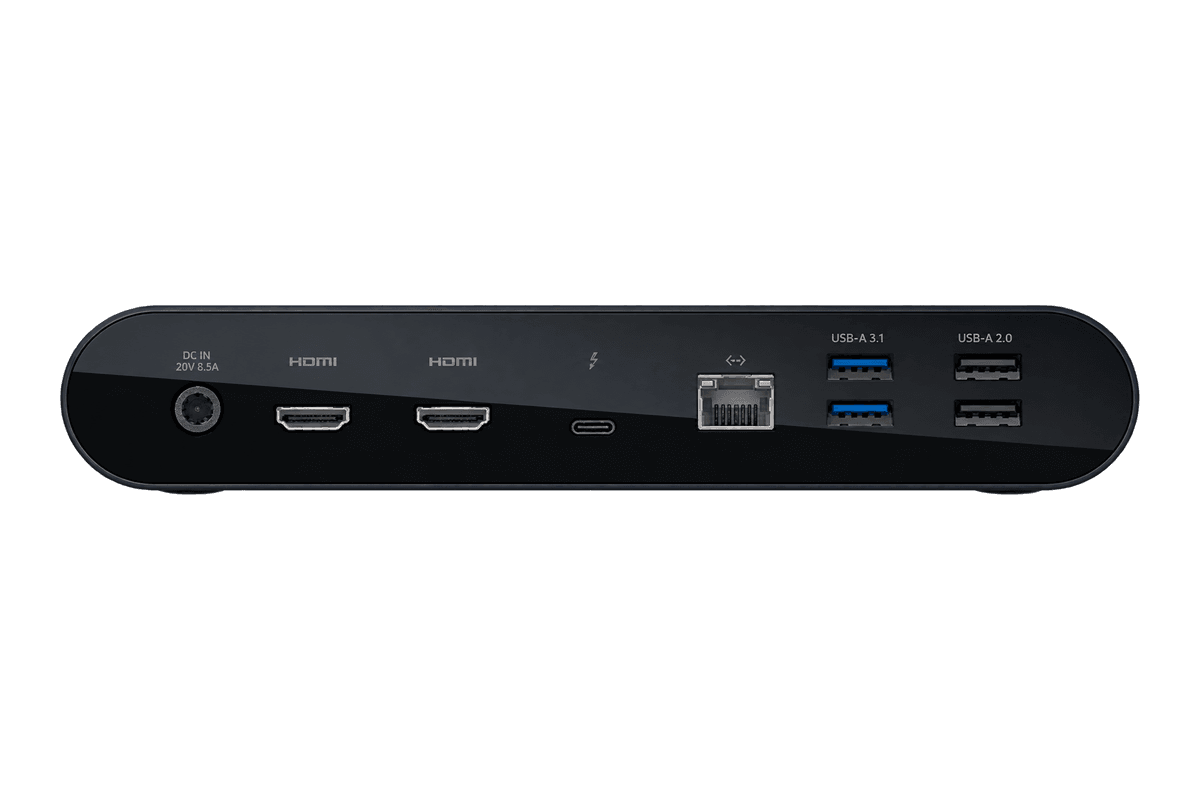
The Mac mini's ports are on the rear panel. Reaching behind the machine every time you plug in a drive is the kind of friction that compounds over a week without you noticing it. Retro Dock Station mounts flush to the back, adds USB-A, USB-C, and a card reader without any cables, and arrives with a silhouette that looks like miniaturised Apple history.


The retro look is not the point. The rear port access is. The look is a reasonable bonus.

Retro Dock StationTransform your Mac mini into a retroThe Wokyis M5 Retro Dock is not just a stylish dock but a multifunctional productivity hub for your Mac mini M4. It features a compact 5-inch HD display that provides quick access to notifications and apps while adding a nostalgic touch to your desk. The dock incorporates an M.2 NVMe SSD enclosure supporting drives up to 8TB, along with multiple connectivity options including USB-C, USB-A ports, and HDMI input. With its vintage aesthetic and modern functionality, the Wokyis dock is designed to enhance your workspace, making it tidier and more efficient while adding character to your setup.Visit Website

2. The Hub That Goes in the Front

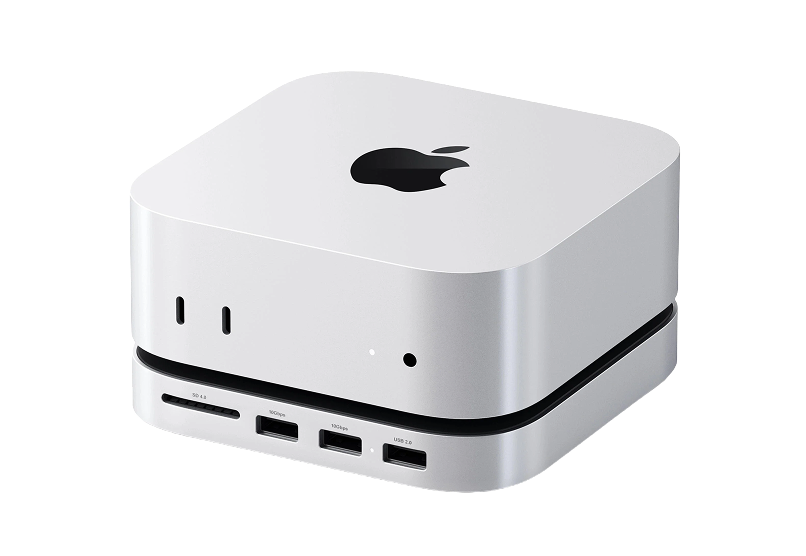
The rear hub handles occasional peripherals. Mac mini M4 Hub handles the daily ones. It installs directly into the front cutout of the Mac mini M4, replacing empty space with USB-A and USB-C ports at the front of the machine.

If you plug in a drive or a camera more than once a week, reaching around the back is a solved problem. This is what solves it.

Mac mini M4 HubExpand your Mac Mini capabilities with enhancedThe Satechi Mac Mini M4 Hub & Stand is designed to enhance your Mac Mini M4 experience. Featuring an M.2 NVMe SSD enclosure for easy storage expansion, it supports SSDs up to 4TB (SSD not included) and provides blazing-fast data transfer speeds of up to 10Gbps. The hub keeps your workspace organized with 5-in-1 expansion ports, including two high-speed USB-A (3.2) ports, one USB-A 2.0, and an SD card reader (UHS-II). Its optimized self-cooling design ensures your Mac Mini operates efficiently and coolly even under heavy use. Crafted with durability in mind, this sleek aluminum hub blends seamlessly with your setup. Get everything you need to elevate your Mac Mini experience!Visit Website

3. The Lid That Makes the Chip the Object

The Mac mini's lid is opaque aluminium. Mac mini Transparent Case replaces it with a transparent panel so the M4 chip, the memory, and the cooling architecture are visible from above. The machine becomes something worth glancing at when you sit down.

This is not for everyone. For people who bought the Mac mini specifically because they care about what is inside it, it is the logical next step.

Mac mini Transparent CaseTransparent case with dust-filtering designProtect your Mac Mini M4/M4 Pro with the Spigen Transparent Filter Case Stand. Designed specifically for the 2024 model, this case features a unique air-filter technology that prevents dust accumulation, ensuring optimal performance of your device. The durable PMMA and PVC materials not only provide stability but also enhance cleaning convenience, as the filter can be easily washed. With its retro-inspired design reminiscent of classic Apple aesthetics, the stand fits snugly under your display, elevating your Mac Mini to improve airflow and maintain a clean workspace. Ideal for those who prioritize both form and function, the design complements your setup while offering robust protection.Visit Website

The Mac mini M4 arrives efficient and slightly incomplete. These three fill the gaps without adding noise to the desk.

You might also like

Norma icon

Norma

Meet the object that restores silence.

Norma product image
Norma hover image
WorkspaceHealth
Opal C1 Camera icon

Opal C1 Camera

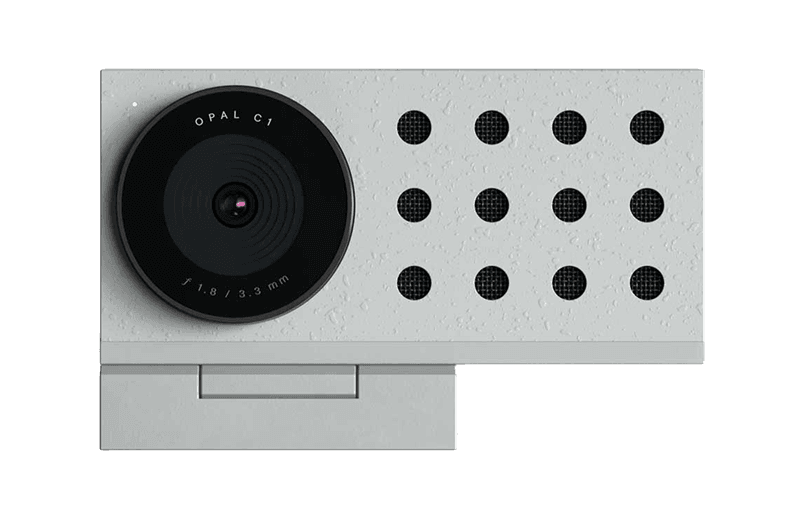
DSLR quality on a webcam for the

Opal C1 Camera product image
Opal C1 Camera hover image
HardwareUtilitiesmacOS
Bluetooth Remote Control icon

Bluetooth Remote Control

Seamless Control for Presentations

Bluetooth Remote Control product image
Bluetooth Remote Control hover image
HardwareUtilitiesiOS & macOS
Wireless Bluetooth Mouse icon

Wireless Bluetooth Mouse

Compact & Portable, USB-C Rechargeable

Wireless Bluetooth Mouse product image
Wireless Bluetooth Mouse hover image
HardwareiOS & macOS
Satechi 3-in-1 Qi2 Wireless Charging Station icon

Satechi 3-in-1 Qi2 Wireless Charging Station

25W Fast Magnetic Charger for iPhone, Apple

Satechi 3-in-1 Qi2 Wireless Charging Station product image
Satechi 3-in-1 Qi2 Wireless Charging Station hover image
HardwareUtilitiesiOS & macOS
2-in-1 Headphone Stand with Wireless Charger icon

2-in-1 Headphone Stand with Wireless Charger

Effortlessly organize and charge your devices with

2-in-1 Headphone Stand with Wireless Charger product image
2-in-1 Headphone Stand with Wireless Charger hover image
HardwareUtilitiesiOS & macOS
WHOOSH! icon

WHOOSH!

Powerful Screen Cleaner Spray for Monitors

WHOOSH! product image
WHOOSH! hover image
Workspace
iMac G3 iPhone 17 Pro Case icon

iMac G3 iPhone 17 Pro Case

Retro-inspired case with MagSafe compatibility.

iMac G3 iPhone 17 Pro Case product image
iMac G3 iPhone 17 Pro Case hover image
WorkspaceUtilities
iMac G3 Apple Watch Stand & Charger icon

iMac G3 Apple Watch Stand & Charger

A retro-inspired charger stand for your Apple

iMac G3 Apple Watch Stand & Charger product image
iMac G3 Apple Watch Stand & Charger hover image
HardwareiOS

New additions

Wallspace icon

Wallspace

Live wallpapers for your Mac

Wallspace screenshot
Freemium

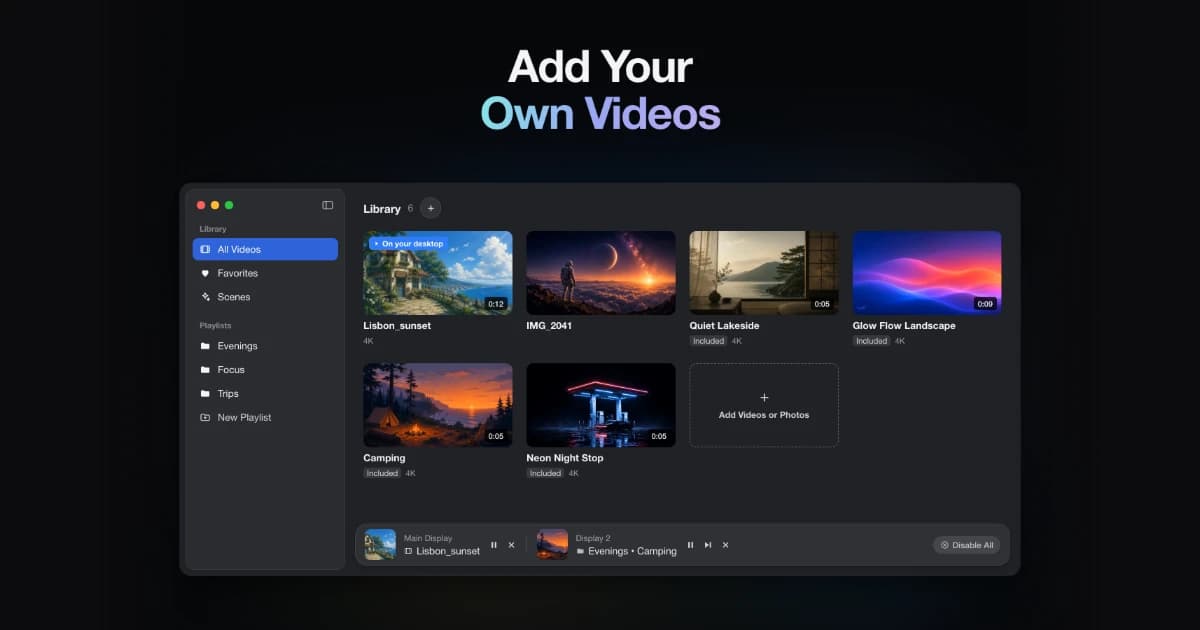
Wallspace is a Mac application that provides live and dynamic desktop wallpapers. Users can browse a selection of animated backgrounds and apply them to their desktops, enhancing their workspace with motion and visual themes. This tool is designed for individuals seeking to replace traditional static wallpapers with more engaging and visually appealing options. - Browse a library of animated wallpapers to customize your desktop. - Apply live wallpapers that update dynamically based on time or events. - Easily switch between different visual themes to refresh your workspace. - Supports multiple monitor setups for a cohesive visual experience. - Simple installation and user-friendly interface for quick setup. Wallspace offers a practical solution for users looking to enhance their Mac desktop experience with dynamic wallpapers. By providing a variety of animated backgrounds that can change based on time or events, it allows for a personalized and visually stimulating workspace.

SoftwareUtilitiesmacOS
VoiceOS icon

VoiceOS

Voice assistant to control your Mac

VoiceOS screenshot
Freemium

VoiceOS is an AI voice assistant software designed for Mac and Windows. It enables users to dictate text, send messages, search the web, and automate application actions using voice commands. This tool is particularly beneficial for individuals seeking hands-free control and improved efficiency in their daily desktop tasks. - Dictate text and documents using voice commands for hands-free writing. - Send messages and emails through voice activation without manual input. - Perform web searches and retrieve information using voice queries. - Automate repetitive tasks and app actions with customizable voice commands. - Compatible with both Mac and Windows operating systems for versatile use. VoiceOS provides a practical solution for users looking to enhance productivity through voice commands. By facilitating hands-free text dictation, message sending, and web searches, it streamlines daily tasks. Its ability to automate repetitive actions further supports efficiency, making it a valuable tool for both Mac and Windows users seeking to optimize their workflow.

SoftwareProductivitymacOS
Sketch icon

Sketch

Design and prototype user interfaces

Sketch screenshot
Paid

Sketch is a design platform for Mac that focuses on creating vector user interfaces. It enables designers to build interactive prototypes, collaborate with team members, and efficiently hand off assets to developers. With features like symbols, libraries, and a robust plugin ecosystem, Sketch supports the entire design process from initial exploration to production-ready specifications. - Create vector-based user interfaces with precision using a comprehensive set of design tools. - Build interactive prototypes to visualize user flows and gather feedback early in the design process. - Collaborate in real-time with team members through shared documents and version control. - Utilize symbols and libraries for consistent design elements across projects, enhancing efficiency. - Export assets in various formats for seamless handoff to developers, streamlining the production workflow. - Integrate with a wide range of plugins to extend functionality and customize the design process. Sketch is designed for Mac users who need a comprehensive tool for vector-based user interface design. Its features facilitate collaboration and streamline the workflow from concept to production.

SoftwareDesignmacOS
Screen Charm icon

Screen Charm

Polished screen recordings for Mac

Screen Charm screenshot
Freemium

Screen Charm is a screen recording software for Mac that enables users to create clear and polished videos. It features smart zoom, camera and microphone capture, system audio recording, 4K export, and the ability to generate sharable links. This tool is designed for founders, developers, course creators, and SaaS teams who need to produce demos and instructional content efficiently. - Records high-quality screen videos with 4K export capability. - Captures system audio, microphone input, and webcam footage simultaneously. - Features smart zoom for focused video presentations. - Generates sharable links for easy distribution of recorded content. - Streamlines video creation for demos, tutorials, and presentations. Screen Charm provides a comprehensive solution for users needing to create high-quality screen recordings on Mac. Its features cater specifically to professionals in various fields, allowing for efficient production of instructional and promotional content.

SoftwareCreativemacOS
Obsidian icon

Obsidian

Private markdown notes and knowledge

Obsidian screenshot
Free

Obsidian is a markdown note-taking software designed for creating a private knowledge base on Mac. It stores notes as local plain-text files, allows users to visualize connections through a graph view, and supports various plugins and themes. This tool is beneficial for writers, researchers, and students who need to organize and connect their ideas without relying on cloud storage. - Stores notes locally as plain-text files for easy access and backup. - Allows linking of notes to visualize relationships in a graph view. - Supports a variety of plugins to extend functionality and customize workflows. - Offers theming options for personalized note-taking environments. - Facilitates markdown formatting for structured and organized content creation. Obsidian provides a robust platform for users seeking to manage their notes and ideas effectively. Its local storage ensures data privacy, while features like graph visualization and plugin support enhance the organization and connectivity of information. This makes it a suitable choice for individuals who prioritize structured note-taking and customization in their workflow.

SoftwaremacOS
Notion icon

Notion

All-in-one workspace for notes

Notion screenshot
Free

Notion is a software platform that serves as an all-in-one workspace for notes, documents, tasks, and databases. It is designed for both teams and individuals, enabling them to write, plan projects, build wikis, and track work using tables and boards. Users can collaborate in real time with customizable pages and templates, streamlining their workflow and enhancing productivity. - Create and organize notes, documents, and tasks in a single workspace. - Utilize customizable templates for project planning and documentation. - Collaborate in real time with team members on shared pages. - Track work progress using tables, boards, and kanban views. - Integrate with other tools and services for streamlined workflows. Notion provides a versatile solution for individuals and teams looking to enhance their productivity and organization. By centralizing notes, tasks, and project management, it facilitates effective collaboration and workflow management. Users can tailor their workspace to meet specific needs, making it suitable for various applications, from personal planning to team projects.

SoftwaremacOS
Mux icon

Mux

Automatic priority network switching

Mux screenshot
One-time

Mux is a macOS utility that manages network connections by automatically selecting the highest-priority option available. It allows users to customize priority settings for Ethernet, Thunderbolt Bridge, USB tethering, and Wi-Fi. - Monitors and switches between Ethernet, Thunderbolt Bridge, USB tethering, and Wi-Fi based on priority. - Allows users to set custom priority orders for network connections. - Provides options to add delays for unstable network links. - Enables temporary overrides from the menu bar for immediate network changes. - Displays detailed information for each network service for better management. Mux is designed for users who require efficient network management on macOS. By automating the selection of the highest-priority network connection and allowing for customizable settings, it enhances connectivity reliability.

SoftwareUtilitiesmacOS
Mole icon

Mole

Storage cleanup and optimization utility

Mole screenshot
Freemium

Mole is a native macOS storage management utility designed to analyze, clean, and optimize disk space. It consolidates essential tools for managing storage, allowing users to analyze disk usage, remove junk files, completely uninstall applications, find duplicates, and organize their storage efficiently. - Analyze disk usage to identify large files and folders consuming space. - Remove junk files to free up storage and improve system performance. - Completely uninstall applications, including all associated files and data. - Find and eliminate duplicate files to streamline storage. - Organize files and folders for easier access and management. Mole provides a comprehensive solution for macOS users looking to manage their storage effectively. By utilizing its features, users can gain insights into disk usage, eliminate unnecessary files, and maintain an organized file system. This utility is particularly beneficial for those seeking to optimize their device's performance and ensure efficient use of available disk space.

SoftwareUtilitiesmacOS
Glaze icon

Glaze

Build personal Mac apps with AI

Glaze screenshot
Freemium

Glaze is a software tool that enables users to create personal Mac applications through AI interaction. It allows apps to run locally on the user's machine, integrating with files and system tools. These applications can be shared with teams or made publicly available, catering to individuals looking to develop customized software that aligns with their specific workflows. - Create custom Mac applications through an AI chat interface. - Run applications locally on your Mac without requiring an internet connection. - Integrate seamlessly with local files and system tools for enhanced functionality. - Share applications with team members or publish them for public use. - Tailor software to fit specific workflows and preferences. Glaze provides a practical solution for users seeking to develop personalized Mac applications tailored to their unique needs. By leveraging AI, it simplifies the app creation process while ensuring that applications can operate offline and integrate with existing system tools.

SoftwareDevelopermacOS