Shotbase vs CleanShot X vs Screen Studio: Which Mac Capture App Fits Your Workflow?

Compare Shotbase, CleanShot X, and Screen Studio across screenshots, recordings, editing, organization, and sharing to find the right Mac capture app.

Written byDudu avatarDudu
4 min read
Created September 21, 2026Updated September 21, 2026

Three Mac apps promise to make screen captures look better, but they emphasize different parts of the job. Shotbase does both: it makes and edits screenshots and polished screen recordings, then gives you an organized app to store, search, and quickly find previous captures. CleanShot X is built around fast, flexible screenshots and annotation, with recording and cloud sharing alongside them. Screen Studio concentrates on turning a screen recording into a polished video.
Here is how to choose based on the work you actually do.

The short answer

  • Choose Shotbase if you want one app for both screenshots and polished screen recordings, plus an organized library that helps you find old captures quickly. Local AI can add useful names, tags, and summaries.
  • Choose CleanShot X to take and annotate screenshots quickly throughout the day. It offers flexible capture modes, scrolling capture, annotation, OCR, and a quick access overlay.
  • Choose Screen Studio to make product demos, tutorials, or social videos. It offers automatic zooms, cursor treatment, a video timeline, and ready-made export layouts.

These are starting points rather than exclusive categories. Shotbase covers both the screenshot and video workflows, then keeps the results together for later use. CleanShot X leans into fast screenshot work, while Screen Studio puts more attention on editing the finished video.

Shotbase: screenshots, recordings, and a place to find them

Shotbase covers both sides of screen capture. For still images, it can grab an area, window, or whole screen; make scrolling screenshots; and capture webpages at different widths and in light or dark mode. For video, it records the screen with automatic zooms and offers motion and 3D effects. Its editor adds backgrounds, frames, shadows, watermarks, arrows, highlights, and callouts.
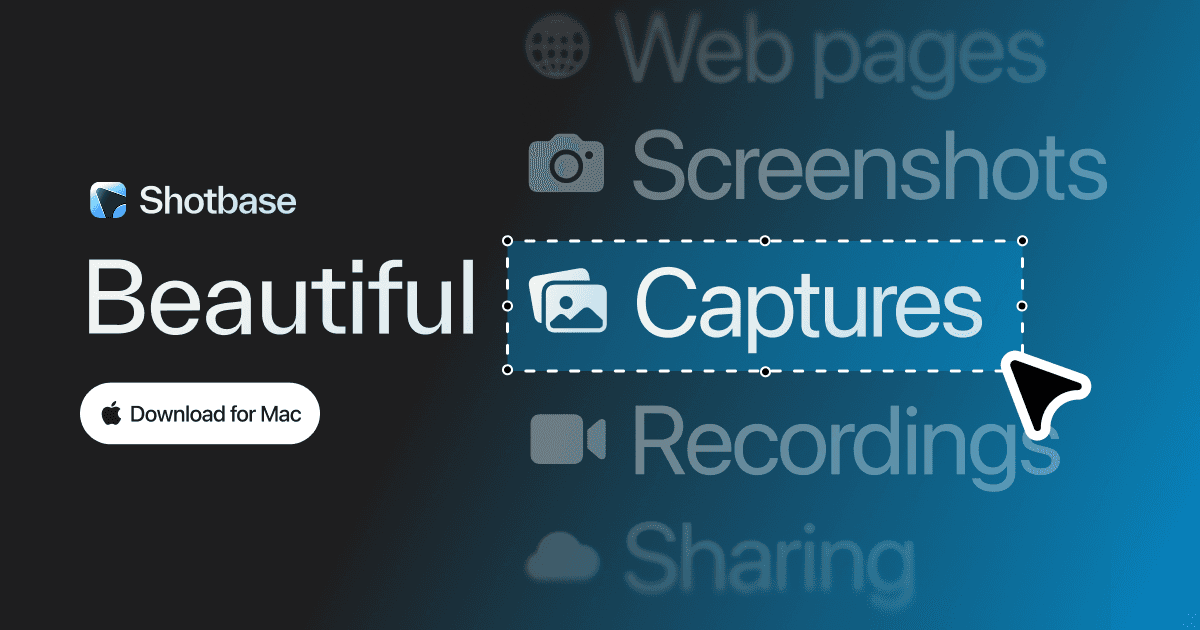
Shotbase official preview image

After you capture something, Base keeps screenshots, screen recordings, and webpage captures together in an organized app. Instead of hunting through folders for a screenshot or recording from weeks ago, you can search the library. On Apple silicon Macs, local AI can give captures useful names, tags, and summaries to make them easier to find. Shotbase says this visual analysis runs on your Mac. Finished captures can also be uploaded to a share page and sent by link.

CleanShot X: the everyday screenshot specialist

CleanShot X is a strong choice when the work begins with a screenshot and needs to move quickly. Capture an area, window, full screen, or scrolling content; add arrows, text, highlights, and other annotations; extract text with OCR; then drag the result into another app or share it through CleanShot Cloud. Its quick access overlay keeps recent captures close at hand.
CleanShot X official preview image

It also records video and GIFs, including microphone and computer audio, camera, click indicators, and keystrokes. Its video editor has grown, so it should not be dismissed as a still-image-only tool. The reason to choose it over Shotbase is the mature, highly configurable capture and annotation flow. The reason to choose Shotbase instead is its broader emphasis on organizing mixed media and webpage captures in one library.

Screen Studio: make the recording the finished product

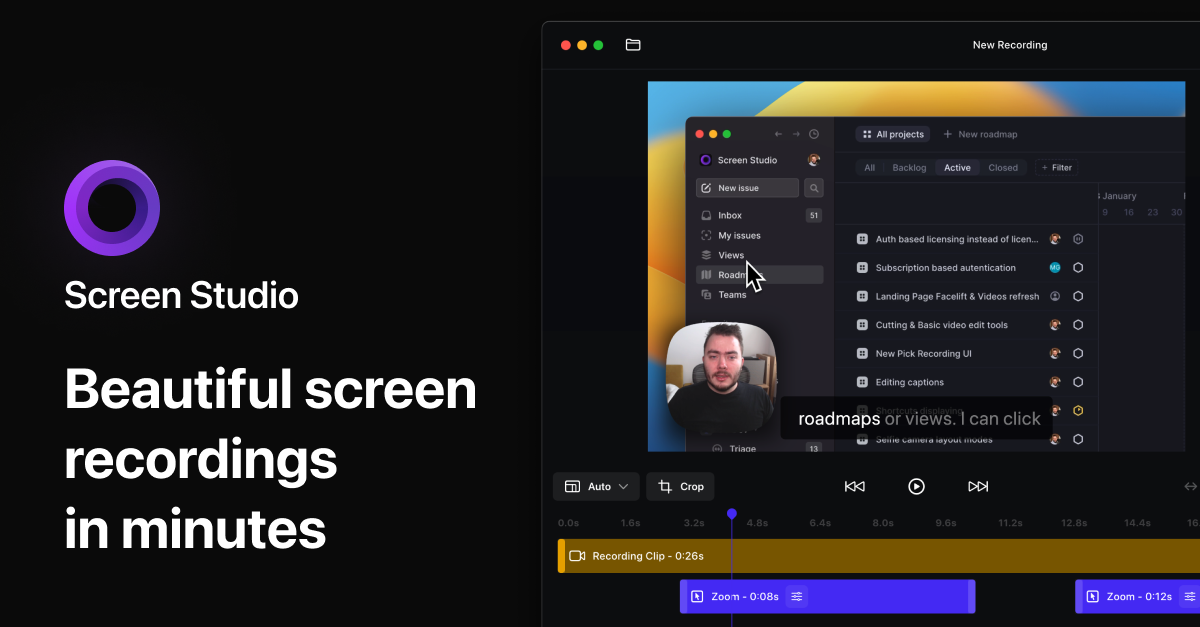
Screen Studio is built for demos, lessons, and social clips. It automatically zooms toward actions, smooths cursor movement, and lets you adjust zooms on a timeline. You can change backgrounds, spacing, shadows, and the output orientation, then trim or speed up parts of the recording. It records a webcam, microphone, and system audio, and it can record a connected iPhone or iPad with a device frame. Exports include video and GIF, with presets for different destinations.
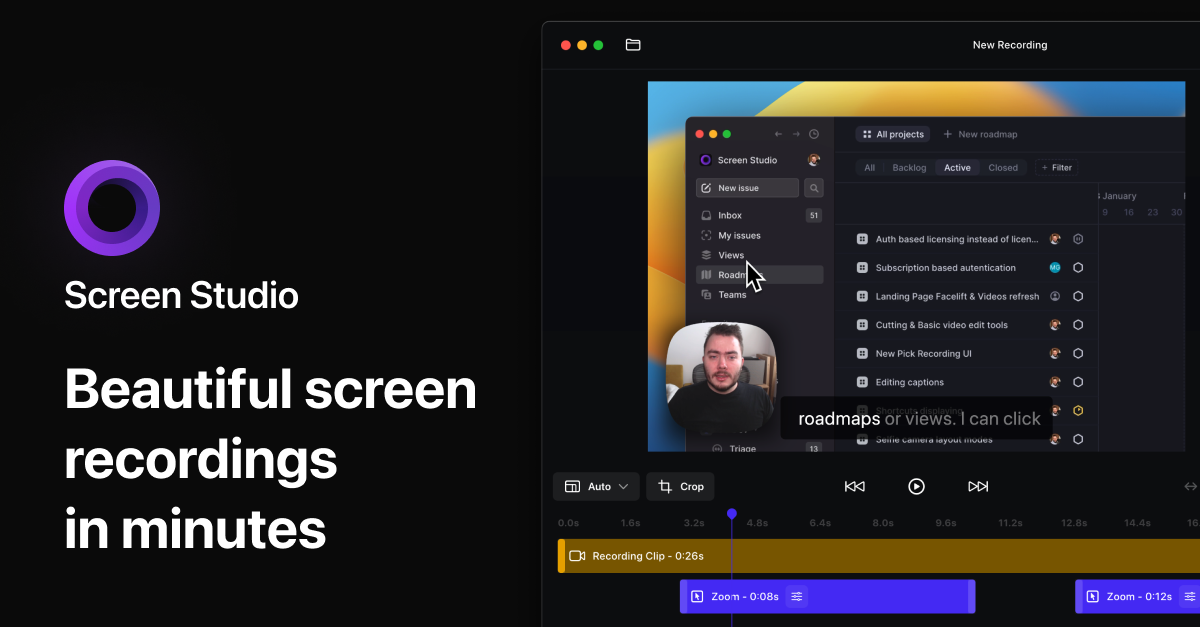
Screen Studio official preview image

That focused workflow makes Screen Studio the clearest pick if your deliverable is a polished video. Shotbase offers automatic zooms and richer capture organization; CleanShot X offers a broader screenshot toolkit. Screen Studio spends more of its interface on refining motion and presentation after you stop recording.

Which should you use?

Pick Shotbase if you want to create both screenshots and polished screen recordings, then store, organize, and quickly find either one later. Pick CleanShot X if screenshots, annotation, OCR, and quick sharing make up most of your day. Pick Screen Studio if most of your work is refining product demos or tutorial videos.

Try the workflow you repeat most often: capture something, make the edit you usually need, find it again, and share or export it. That small test will tell you more than a long feature checklist.

Sources
ShotbaseCapture, edit, organize, and share in oneShotbase is a comprehensive tool designed to capture and manage all your screen-based content effortlessly. With features like stunning screenshot capabilities, recording options that include cinematic effects, and an intuitive organizational structure powered by local AI, you can easily keep your multimedia assets organized and accessible. Shotbase not only allows you to capture specific areas, windows, or full screens on your Mac but also enables you to edit and enhance your captures with backgrounds, frames, and annotations. The integrated AI ensures your captures are automatically named and tagged for easy searching, making it an excellent choice for anyone looking to enhance their productivity and creativity in one seamless workspace.Visit Website
CleanShot XComprehensive screen capture and annotation toolCleanShot X is a comprehensive screen capturing software designed for Mac users. It offers over 50 features, including screenshot and screen recording capabilities, making it suitable for professionals and casual users alike. With tools for quick sharing, annotation, and GIF creation, it enhances productivity by streamlining the process of capturing and editing visual content. Its intuitive interf - Our overlay makes sharing a breeze. - Instantly save, copy or drag & drop screenshots or screen recordings to other apps. - You can annotate your screenshots quickly and easily, making it beloved by users who seek efficient and effective communication. - It’s an essential swiss army knife for health and education professionals as well as content creators—anyone looking for an optimized way to capture and share their screen. - Additional features like scrolling capture, screen recording, and clean backgrounds make it versatile for all your needs. CleanShot X offers a comprehensive suite of over 50 features for screen capturing and recording on Mac. Its intuitive interface and versatile tools, including scrolling captures, annotations, and cloud integration, make it a valuable asset for users needing efficient screenshot management and sharing capabilities.Visit Website
Screen StudioPolished screen recordings with automatic zoomScreen Studio is a Mac screen recorder and editor for product demos, tutorials, courses, and social videos. It automatically adds zooms and smooth cursor motion to make recordings easier to follow. - Zoom in on actions automatically, then adjust zooms on the timeline. - Smooth cursor movement and change cursor size after recording. - Record your screen, webcam, microphone, and system audio together. - Capture a connected iPhone or iPad over USB and add device frames. - Customize backgrounds, spacing, shadows, and horizontal or vertical layouts. - Trim clips, generate local transcripts and subtitles, and export video or GIFs. Available for macOS through monthly or annual paid subscriptions. Exports support up to 4K at 60 fps, with shareable links for sending recordings.Visit Website

You might also like

DeskMinder icon

DeskMinder

For Easily Distracted Minds

DeskMinder screenshot
Freemium

DeskMinder is a productivity software application designed for Mac users who struggle with distractions. It provides a straightforward interface for creating desktop pop-up reminders and tasks, helping users manage urgent to-dos, short breaks, and fleeting ideas. With features like full-screen notifications and Apple Reminders integration, DeskMinder aims to enhance focus and time management for i - With features like easy-to-create desktop pop-ups for reminders and tasks, it simplifies the process of staying on top of urgent to-dos, short breaks, or fleeting ideas. - Users can benefit from full-screen notifications, Apple Reminders integration, and flexible widget placement, making it ideal for anyone requiring a little extra help to maintain focus. - The app includes additional shortcuts for quick reminder setups and customizable widget options, along with a history tracking feature to monitor daily progress. Designed specifically for Mac users, DeskMinder aims to facilitate better time management and productivity for those with attention challenges, providing a seamless user experience without unnecessary complexity.

SoftwareProductivitymacOS
Klack icon

Klack

Satisfying sound with every keystroke

Klack screenshot
Paid

Klack is a macOS application designed to enhance the typing experience through high-fidelity sound for each keystroke. It provides features such as immersive spatial audio, instant feedback, and customizable sound options, making it suitable for writers, developers, and anyone who values an engaging typing environment. The app is easily accessible from the menubar and offers extensive configuratio - Provides immersive spatial audio for enhanced typing feedback. - Allows customization of keystroke sounds, pitch variations, and volume settings. - Features a menubar interface for quick access to configuration options. - Supports instant feedback with each keystroke for a more engaging experience. - Designed for writers and developers seeking auditory feedback while typing. Klack enhances the typing experience on Mac by providing high-fidelity sound for each keystroke.

SoftwaremacOS
TypoTab icon

TypoTab

TypoTab, the ultimate AI writing assistant for

TypoTab screenshot
Paid

TypoTab is a macOS application that functions as an AI-driven writing assistant. It enhances writing efficiency by providing tools for grammar correction, text rephrasing, and content generation, all accessible from the menu bar without needing to switch applications. This tool is designed for writers, students, and professionals looking to streamline their writing process and improve productivity - Provides grammar correction and text rephrasing directly from the menu bar. - Allows text refinement in any application without switching contexts. - Offers customizable actions to meet individual writing needs. - Streamlines repetitive writing tasks for improved efficiency. - Supports a wide range of applications, enhancing workflow across platforms. TypoTab is a macOS application that enhances writing efficiency by providing grammar correction, text rephrasing, and content generation directly from the menu bar. It allows users to refine text in any application without switching contexts, offering customizable actions to suit individual writing needs.

SoftwareProductivitymacOS
Aesty icon

Aesty

AI outfit styling and wardrobe planning

Aesty screenshot 1Aesty screenshot 2Aesty screenshot 3
Freemium

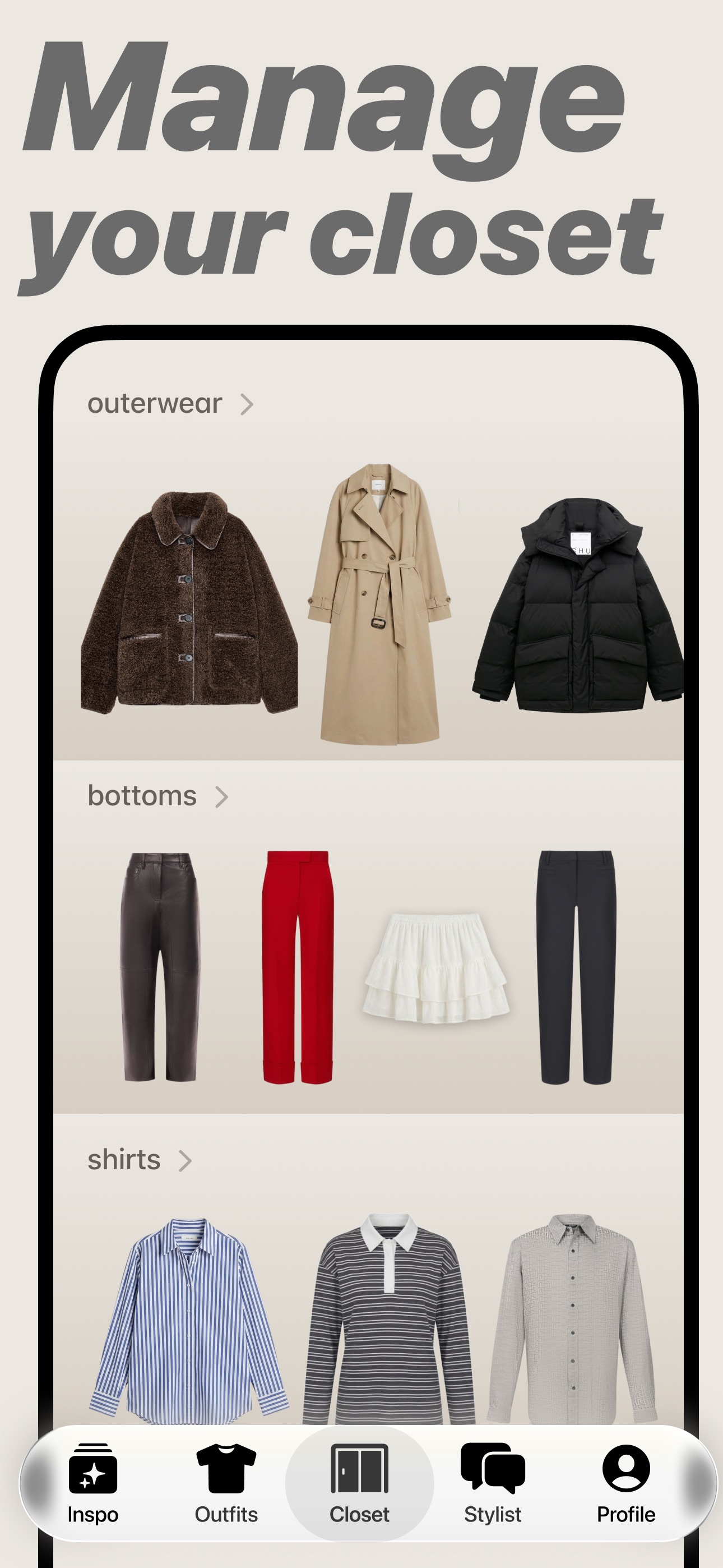
Aesty is an AI styling app that helps you organize your wardrobe, try on outfit ideas, and plan what to wear. Build looks from clothes you own or use a photo as inspiration. - Add clothing photos to a digital closet with automatic categorization and background removal. - Try outfits on a personalized avatar and mix them with your own wardrobe. - Generate outfit suggestions for different occasions and your style preferences. - Plan looks on a weekly calendar and assemble visual moodboards. - Identify garments in outfit photos and find shopping links for missing pieces. Free to download with paid in-app purchases and subscriptions. Designed for iPhone with iOS 18 or later. Apple lists compatibility with macOS 15 or later on M1-or-newer Macs, but the app is not verified for macOS.

SoftwareAIiOS & macOS
SupaSidebar icon

SupaSidebar

One sidebar for all browsers

SupaSidebar screenshot
Freemium

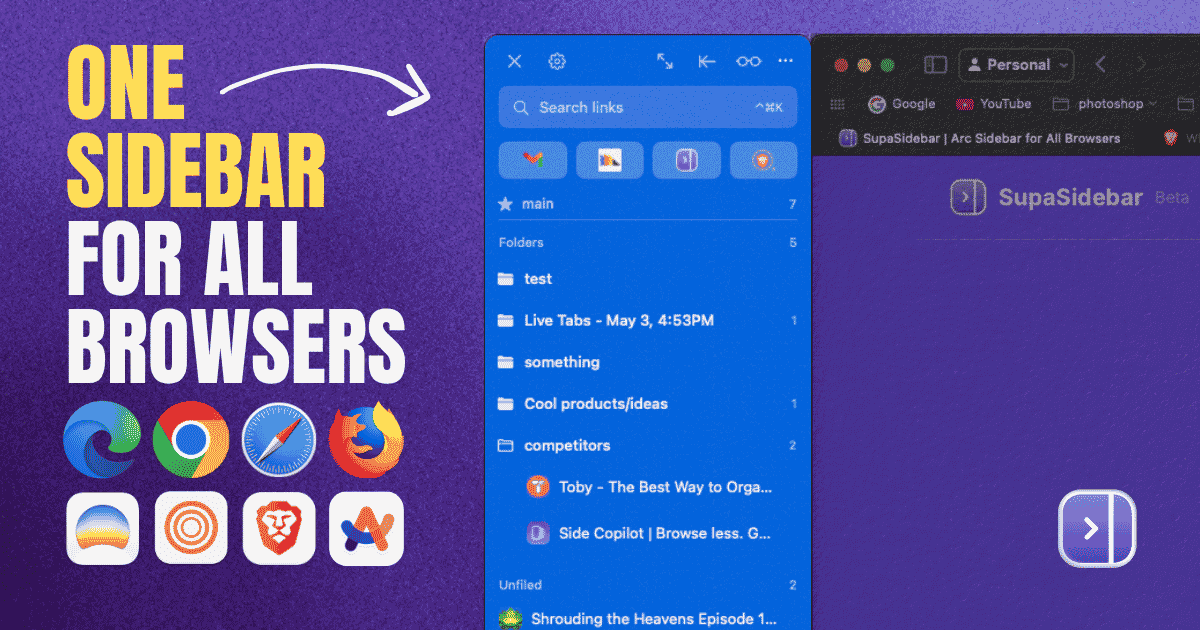
SupaSidebar is a macOS application that consolidates and organizes tabs, bookmarks, and applications across multiple web browsers, including Safari, Chrome, and Brave. It provides a unified sidebar interface for managing open tabs and bookmarks, allowing users to streamline their browsing experience and enhance productivity. - Displays all open tabs from multiple browsers in a single vertical sidebar for streamlined navigation. - Offers fuzzy search functionality to quickly access tabs, bookmarks, and browsing history. - Allows users to create and manage spaces and folders for organizing online activities. - Integrates with Finder to access files and folders directly from the sidebar. - Supports iCloud synchronization for consistent access across devices. SupaSidebar provides a unified sidebar interface for managing tabs, bookmarks, and files across multiple browsers on macOS. It supports popular browsers such as Safari, Chrome, and Brave, allowing users to organize their online resources efficiently.
SoftwareProductivitymacOS
DiskBuddy icon

DiskBuddy

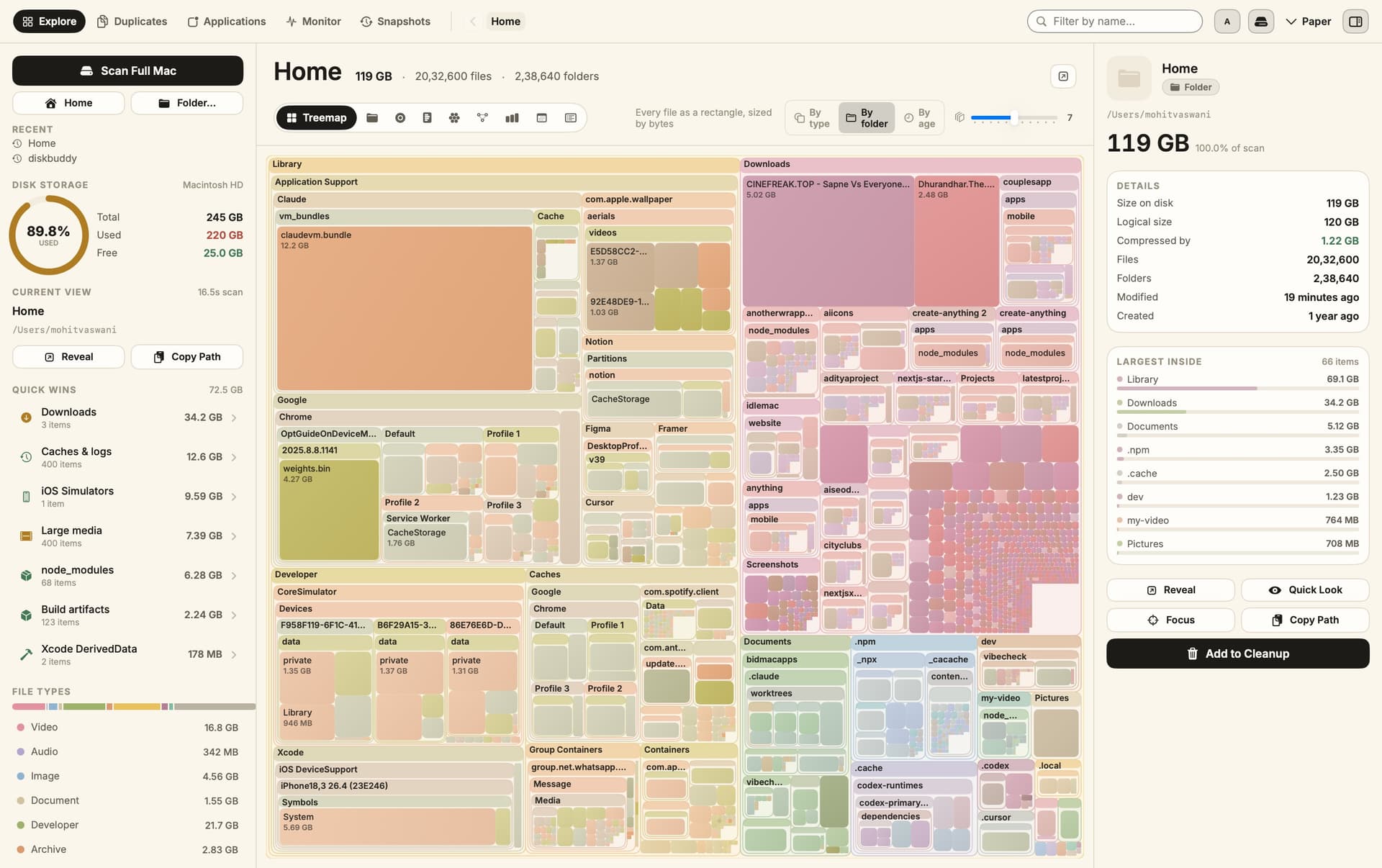
Visualize disk space and clean up files

DiskBuddy screenshot
One-time

DiskBuddy helps you find what is taking up space on your Mac, then review files before removing them. Scan a folder or drive and explore the results through eight visualizations. - Browse storage with folder grids, treemaps, sunburst charts, and other views. - Find duplicate files by content and identify large, old files. - See app footprints including associated caches, preferences, and logs. - Compare scan snapshots to see which folders have grown. - Stage cleanup candidates in a review queue before deleting anything. Supports macOS 14 or later on Apple silicon and Intel, with external and network drives supported. A one-time license includes all 1.x updates and works on one Mac or Windows machine at a time. File analysis happens locally; activation and periodic license checks require an internet connection.

SoftwareUtilitiesmacOS
Grok Bot icon

Grok Bot

AI teammates that work across your apps

Grok Bot screenshot
Paid

Grok Bot provides AI teammates that work inside apps and websites using a shared cloud computer. Give bots tasks from desktop or iOS, and follow their progress as they complete work. - Delegate research, reporting, operations, and other multi-step tasks. - Run multiple bots in parallel and let them coordinate in shared conversations. - Teach a workflow by demonstrating it, then reuse it as a routine. - Keep context across conversations and continue work while your laptop is closed. - Connect bots to the tools you use, with approval requested when needed. Available in beta on desktop, including macOS, and iOS through eligible paid Cursor, SuperGrok, and Teams plans. Usage allowances depend on the plan.

SoftwareAIiOS & macOS
DynamicLake icon

DynamicLake

Dynamic Island controls and activities for Mac

DynamicLake screenshot
One-time

DynamicLake adds a Dynamic Island interface to your Mac for music, system controls, notifications, and file actions. - Adjust volume, brightness, and keyboard backlighting from an integrated panel. - Control music and keep calendar events and weather within view. - Drag and drop files to preview, compress, share, AirDrop, or convert them. - See supported messaging notifications, calls, Bluetooth events, and live activities. - Customize the notch appearance or choose a compact miniLake layout. Supports macOS 14 or later on Intel and Apple silicon, including Macs with and without a notch. A one-time license covers up to three devices and includes lifetime updates.

SoftwareUtilitiesmacOS
Orbs icon

Orbs

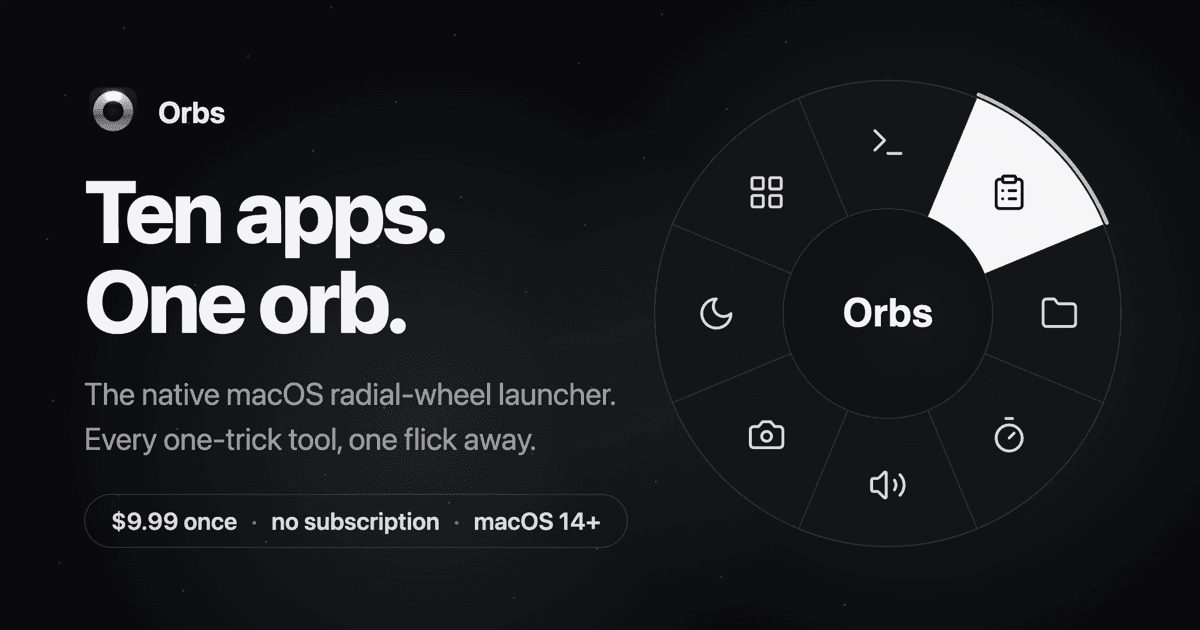
A radial launcher for apps and tools

Orbs screenshot
One-time

Orbs is a native Mac launcher that puts apps, shortcuts, and small utilities on a radial wheel beneath your cursor. Hold a key, move to an action, and release to run it. - Launch apps, run shell commands and macOS Shortcuts, or insert text snippets. - Build nested menus and separate profiles for different workflows. - Switch profiles automatically based on the frontmost app. - Use built-in tools including a timer, calculator, clipboard, color picker, and camera mirror. - Pin tool popovers above other windows when you need them to stay visible. Requires macOS 14 or later on Apple silicon or Intel. Its one-time lifetime license includes future updates, with local-only operation and no account required.

SoftwareProductivitymacOS

New additions

Aesty icon

Aesty

AI outfit styling and wardrobe planning

Aesty screenshot 1Aesty screenshot 2Aesty screenshot 3
Freemium

Aesty is an AI styling app that helps you organize your wardrobe, try on outfit ideas, and plan what to wear. Build looks from clothes you own or use a photo as inspiration. - Add clothing photos to a digital closet with automatic categorization and background removal. - Try outfits on a personalized avatar and mix them with your own wardrobe. - Generate outfit suggestions for different occasions and your style preferences. - Plan looks on a weekly calendar and assemble visual moodboards. - Identify garments in outfit photos and find shopping links for missing pieces. Free to download with paid in-app purchases and subscriptions. Designed for iPhone with iOS 18 or later. Apple lists compatibility with macOS 15 or later on M1-or-newer Macs, but the app is not verified for macOS.

SoftwareAIiOS & macOS
SupaSidebar icon

SupaSidebar

One sidebar for all browsers

SupaSidebar screenshot
Freemium

SupaSidebar is a macOS application that consolidates and organizes tabs, bookmarks, and applications across multiple web browsers, including Safari, Chrome, and Brave. It provides a unified sidebar interface for managing open tabs and bookmarks, allowing users to streamline their browsing experience and enhance productivity. - Displays all open tabs from multiple browsers in a single vertical sidebar for streamlined navigation. - Offers fuzzy search functionality to quickly access tabs, bookmarks, and browsing history. - Allows users to create and manage spaces and folders for organizing online activities. - Integrates with Finder to access files and folders directly from the sidebar. - Supports iCloud synchronization for consistent access across devices. SupaSidebar provides a unified sidebar interface for managing tabs, bookmarks, and files across multiple browsers on macOS. It supports popular browsers such as Safari, Chrome, and Brave, allowing users to organize their online resources efficiently.

SoftwareProductivitymacOS
Anker MagGo Wireless Charger (2-in-1 Stand) icon

Anker MagGo Wireless Charger (2-in-1 Stand)

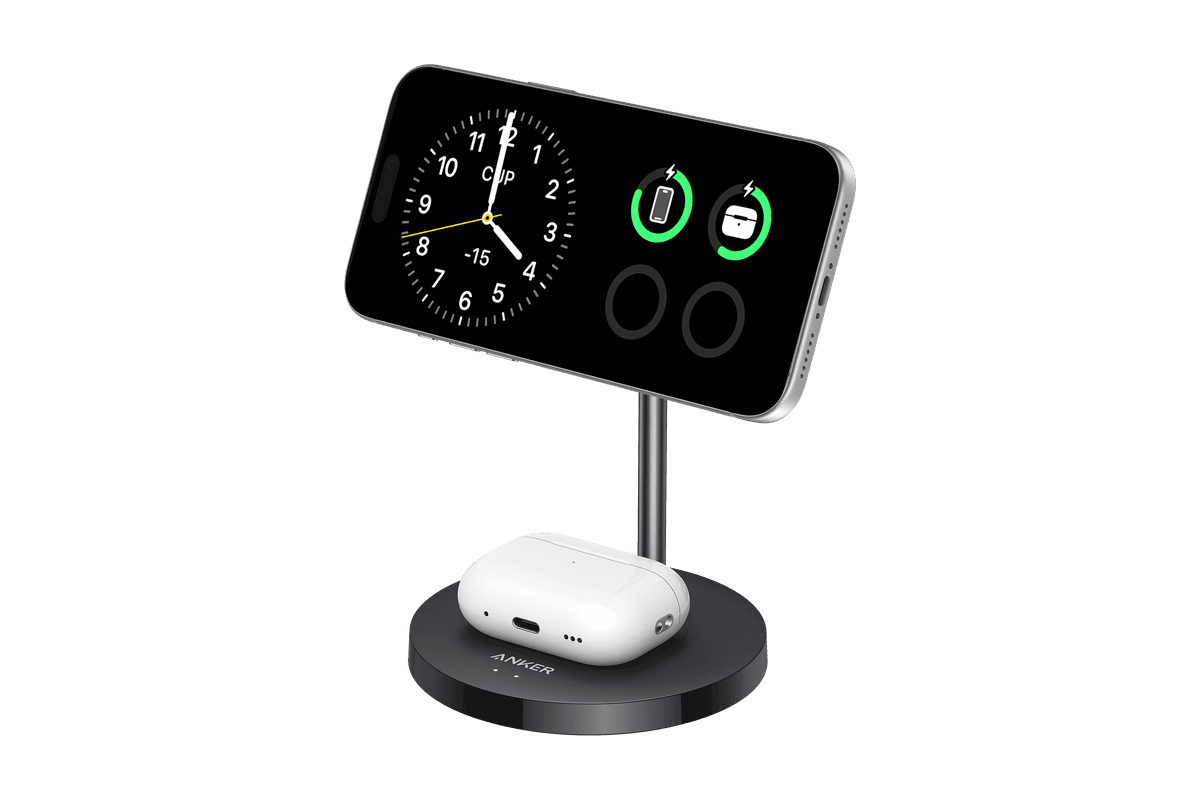
Charge your iPhone and earbuds together with a 15W Qi2 stand.

Anker MagGo Wireless Charger (2-in-1 Stand) product image
Anker MagGo Wireless Charger (2-in-1 Stand) hover image
HardwarePoweriOS
Anker MagGo Wireless Charger (Stand) icon

Anker MagGo Wireless Charger (Stand)

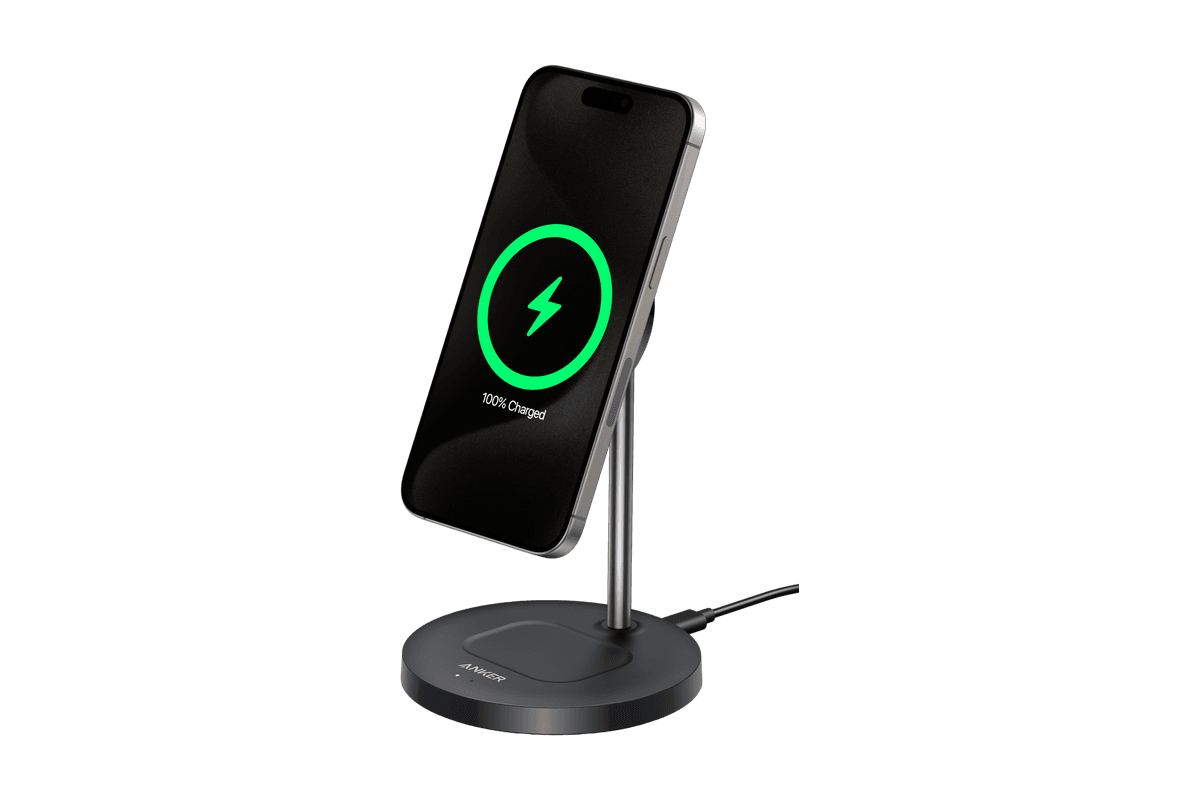
15W magnetic charging with a rotating, adjustable stand.

Anker MagGo Wireless Charger (Stand) product image
Anker MagGo Wireless Charger (Stand) hover image
HardwarePoweriOS
Snap-on Phone Stand & Wallet icon

Snap-on Phone Stand & Wallet

A slim MagSafe wallet that folds into a stand and grip.

Snap-on Phone Stand & Wallet product image
Snap-on Phone Stand & Wallet hover image
HardwareAccessoriesiOS
DiskBuddy icon

DiskBuddy

Visualize disk space and clean up files

DiskBuddy screenshot
One-time

DiskBuddy helps you find what is taking up space on your Mac, then review files before removing them. Scan a folder or drive and explore the results through eight visualizations. - Browse storage with folder grids, treemaps, sunburst charts, and other views. - Find duplicate files by content and identify large, old files. - See app footprints including associated caches, preferences, and logs. - Compare scan snapshots to see which folders have grown. - Stage cleanup candidates in a review queue before deleting anything. Supports macOS 14 or later on Apple silicon and Intel, with external and network drives supported. A one-time license includes all 1.x updates and works on one Mac or Windows machine at a time. File analysis happens locally; activation and periodic license checks require an internet connection.

SoftwareUtilitiesmacOS
Grok Bot icon

Grok Bot

AI teammates that work across your apps

Grok Bot screenshot
Paid

Grok Bot provides AI teammates that work inside apps and websites using a shared cloud computer. Give bots tasks from desktop or iOS, and follow their progress as they complete work. - Delegate research, reporting, operations, and other multi-step tasks. - Run multiple bots in parallel and let them coordinate in shared conversations. - Teach a workflow by demonstrating it, then reuse it as a routine. - Keep context across conversations and continue work while your laptop is closed. - Connect bots to the tools you use, with approval requested when needed. Available in beta on desktop, including macOS, and iOS through eligible paid Cursor, SuperGrok, and Teams plans. Usage allowances depend on the plan.
SoftwareAIiOS & macOS
DynamicLake icon

DynamicLake

Dynamic Island controls and activities for Mac

DynamicLake screenshot
One-time

DynamicLake adds a Dynamic Island interface to your Mac for music, system controls, notifications, and file actions. - Adjust volume, brightness, and keyboard backlighting from an integrated panel. - Control music and keep calendar events and weather within view. - Drag and drop files to preview, compress, share, AirDrop, or convert them. - See supported messaging notifications, calls, Bluetooth events, and live activities. - Customize the notch appearance or choose a compact miniLake layout. Supports macOS 14 or later on Intel and Apple silicon, including Macs with and without a notch. A one-time license covers up to three devices and includes lifetime updates.

SoftwareUtilitiesmacOS
Orbs icon

Orbs

A radial launcher for apps and tools

Orbs screenshot
One-time

Orbs is a native Mac launcher that puts apps, shortcuts, and small utilities on a radial wheel beneath your cursor. Hold a key, move to an action, and release to run it. - Launch apps, run shell commands and macOS Shortcuts, or insert text snippets. - Build nested menus and separate profiles for different workflows. - Switch profiles automatically based on the frontmost app. - Use built-in tools including a timer, calculator, clipboard, color picker, and camera mirror. - Pin tool popovers above other windows when you need them to stay visible. Requires macOS 14 or later on Apple silicon or Intel. Its one-time lifetime license includes future updates, with local-only operation and no account required.

SoftwareProductivitymacOS