If you want more storage and more ports on your Mac mini without opening it up, a dock with a built-in SSD slot is the neatest fix. This guide compares the Mac mini docks that take your own NVMe SSD, explains what changes between the M4 and M4 Pro models, and covers two bigger Thunderbolt docks for people who care more about displays than storage. You will see prices with the date we checked them, port lists, and who should buy what.
What is the best Mac mini dock with an SSD slot?
Three docks sit under the Mac mini, add front-facing ports, and hold an M.2 NVMe SSD that you supply. The Satechi is the tidy all-rounder, the Wokyis Retro Dock is the fun one with a screen, and the UGREEN is the cheapest way in. If you want a full Thunderbolt dock instead, the Anker and Belkin options below skip the SSD slot.
Best overall: Satechi Mac mini Stand & Hub with SSD Enclosure, $99.99.
Best for big storage and a display: Wokyis M5 Retro Dock, $169.99 list price.
Best budget pick: UGREEN Mac mini 11-in-1 Docking Station, $54.99 on sale.
Best Thunderbolt 5 dock (no SSD slot): Anker Prime 14-in-1 Thunderbolt 5 Dock, $399.99.
Best Thunderbolt 4 dock (no SSD slot): Belkin Pro Thunderbolt 4 Dock, $299.99.
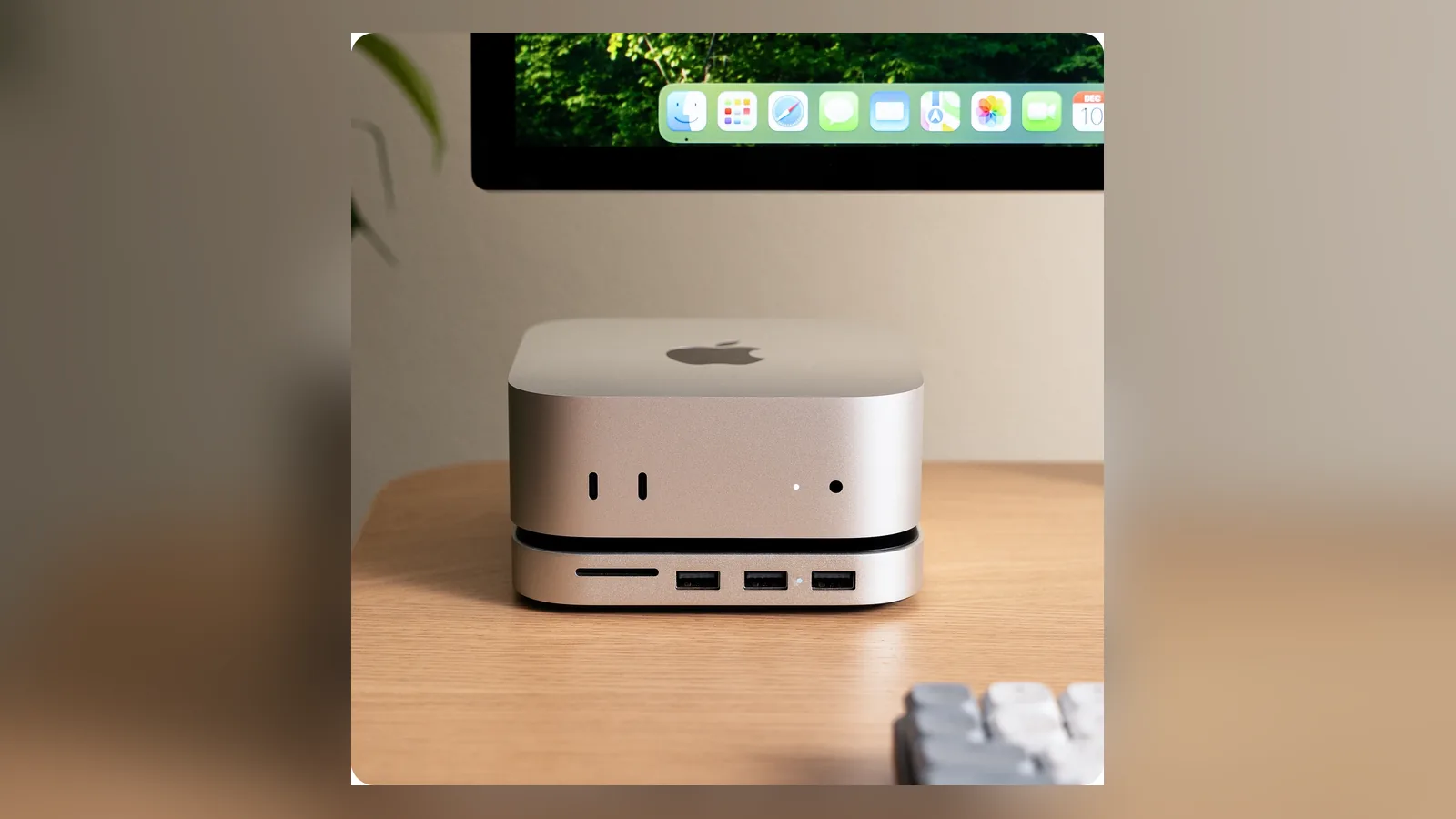
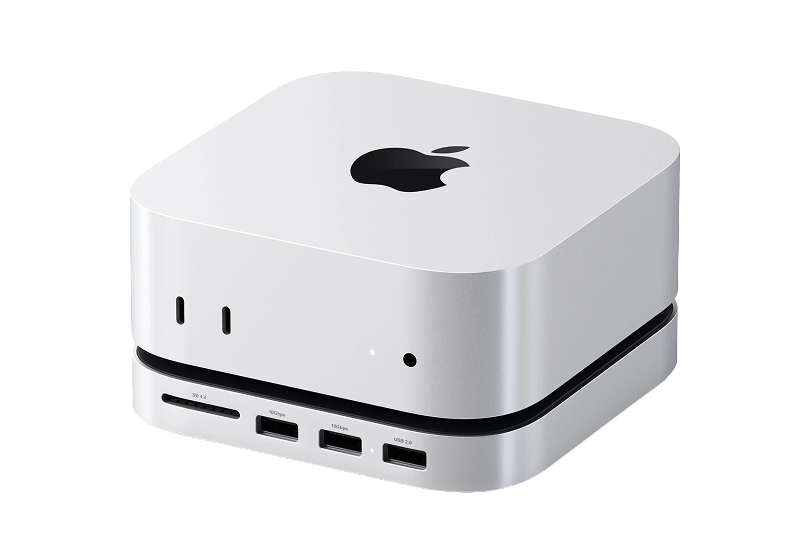
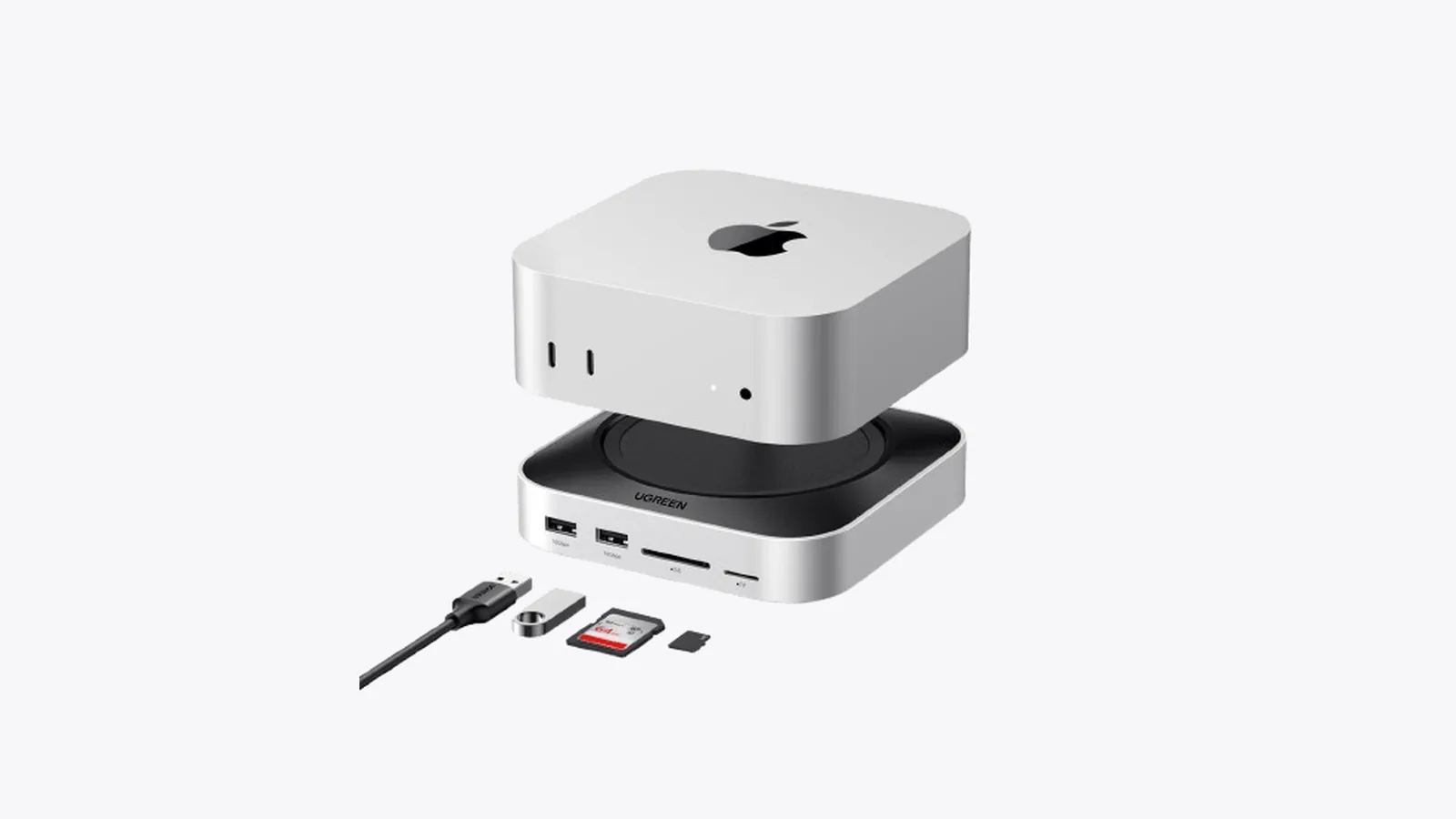
A stand-style hub raises the Mac mini slightly and puts the extra ports on the front. Image: Satechi
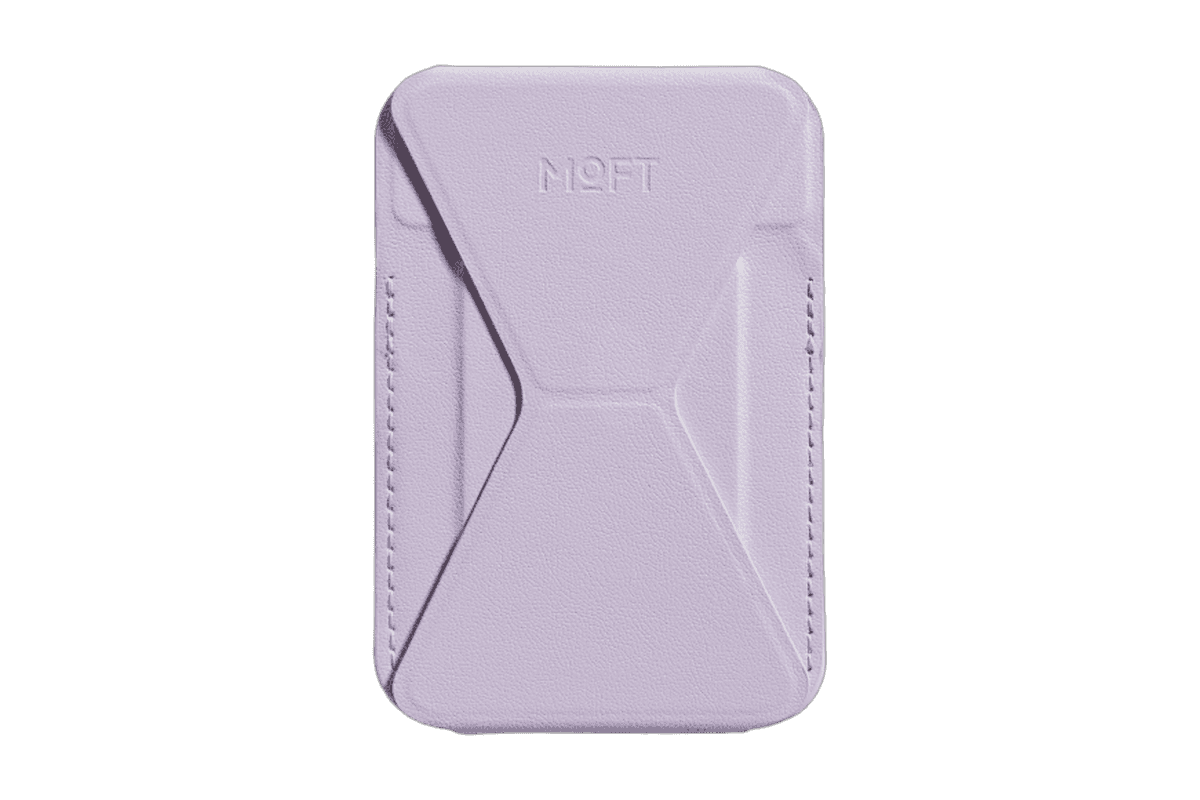
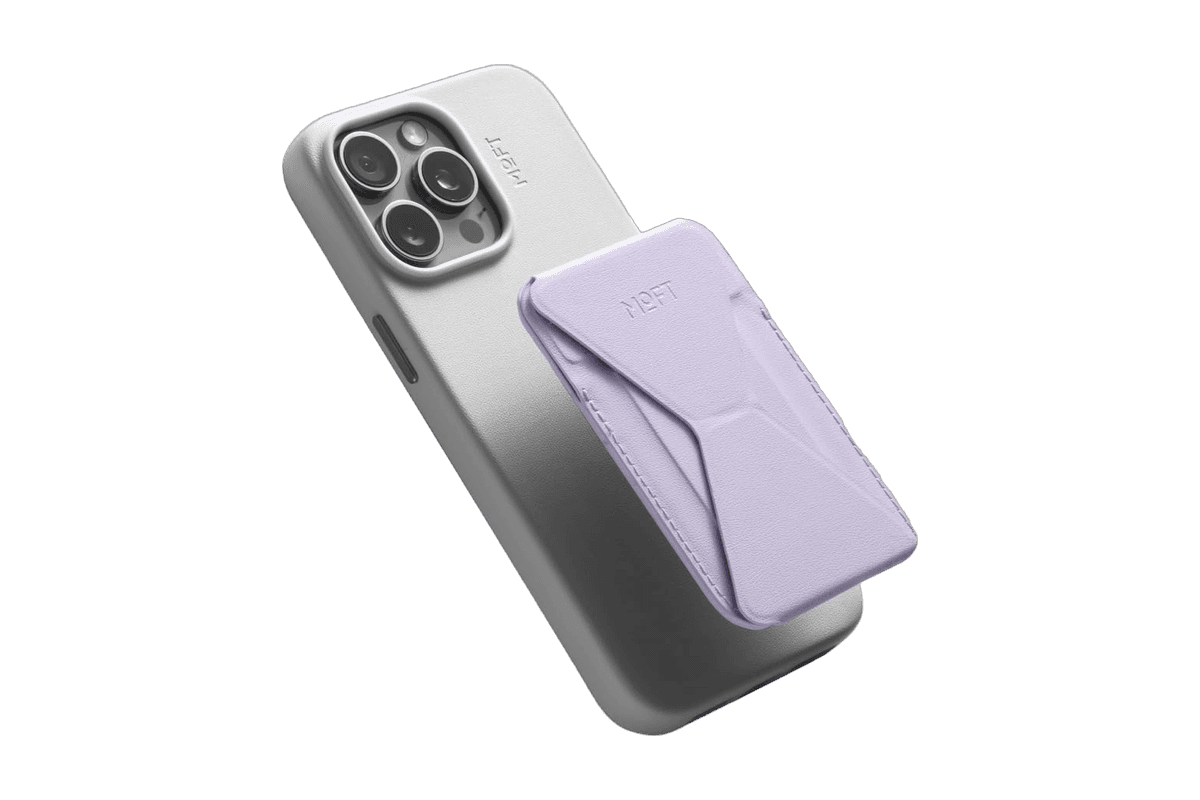
A slim MagSafe wallet that folds into a stand and grip.
HardwareAccessoriesiOS
Norma
Meet the object that restores silence.
WorkspaceAccessories
Opal C1 Camera
DSLR quality on a webcam for the
HardwareCamerasmacOS
Max Stand
A floating AirPods Max stand that charges through a magnetic port connector.
HardwareDesk SetupmacOS
Max Charging Stand
An AirPods Max charging stand with sleep mode and a Qi pad for earbuds.
HardwareDesk SetupmacOS
Nanotac AirPods Max Stand (MagFit)
An aluminum AirPods Max stand with a MagSafe charger slot for an iPhone.
HardwareDesk SetupmacOS
MX Keys S
A full-size wireless keyboard with smart backlighting and three-device switching.
HardwareKeyboards & MicemacOS
Brio 100 Full HD Webcam
A budget 1080p webcam with a privacy shutter and built-in mic.
HardwareCamerasmacOS
MX Brio 4K Webcam
A 4K/30 or 1080p/60 webcam with dual mics and Show Mode.
HardwareCamerasmacOS
How does a Mac mini dock with an SSD slot work?
The dock plugs into one of the Mac mini's USB-C or Thunderbolt ports with a short host cable. From there it gives you extra USB-A ports, an SD card reader, and an M.2 slot where you drop in an NVMe SSD. The Mac sees that SSD as an external drive.
That one cable is also the limit. All three docks below use a 10Gbps link for the SSD, so the drive will be much slower than the same SSD in a fast Thunderbolt enclosure. For photo libraries, project files, Time Machine backups and games, that is usually fine. For editing high bitrate video straight off the drive, check whether 10Gbps is enough for your files.
Because it is your own SSD, you pick the capacity and the price. The slot takes drives you can buy separately, so you can start small and swap later.
Which dock works with the Mac mini M4 and M4 Pro?
All the docks here plug into a standard USB-C port, so they work with both chips. The difference is on the Mac side. According to Apple's Mac mini (2024) tech specs, the M4 model has three Thunderbolt 4 ports and an HDMI port on the back, while the M4 Pro model has three Thunderbolt 5 ports. Both have two USB-C ports at up to 10Gb/s and a headphone jack on the front, and both measure 5 by 5 by 2 inches.
That matters in two ways:
SSD docks: Thunderbolt 5 on an M4 Pro does not speed up these enclosures, because the SSD slot is capped at 10Gbps either way.
Thunderbolt docks: If you have an M4 Pro and want multiple fast displays and peripherals from one cable, a Thunderbolt 5 dock such as the Anker uses the extra bandwidth. On an M4, a Thunderbolt 4 dock is plenty.
Apple's current lineup has moved on. The Mac mini tech specs page now lists M6 and M5 Pro models, and Satechi and Wokyis both list those chips as compatible alongside the M4. UGREEN's own US page names the M4 and says it does not fit the Mac mini M2 and earlier, so confirm fit for your model before buying.
How do the best Mac mini docks with SSD slots compare?
Dock
Price (checked Oct 26, 2026)
SSD slot
Max SSD size
Display
Satechi Stand & Hub
$99.99
M.2 NVMe, 10Gbps
4TB
No
Wokyis M5 Retro Dock (10Gbps)
$169.99 list ($161.49 sale on wokyis.com)
M.2 NVMe, 10Gbps
8TB
5-inch IPS
UGREEN 11-in-1 Dock
$54.99 sale ($62.99 regular)
M.2 NVMe, 10Gbps
8TB
No
Anker Prime 14-in-1 TB5
$399.99
None
n/a
Video out (HDMI 2.1 or DP 2.1)
Belkin Pro TB4 Dock
$299.99
None
n/a
2x HDMI
Satechi Mac mini Stand & Hub with SSD Enclosure
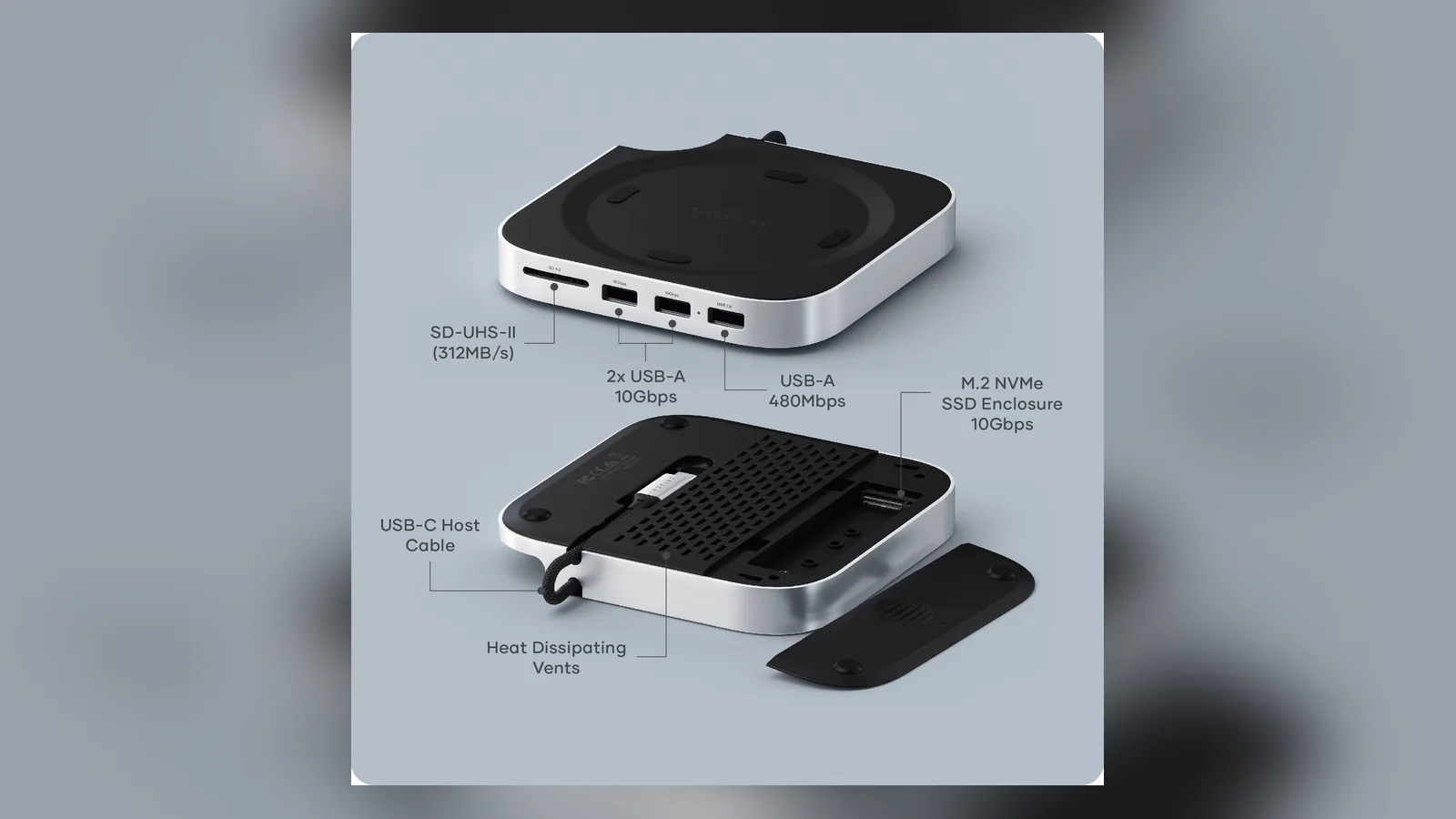
The Mac mini M4 Hub is the simplest dock to live with. It sits under the Mac mini like a stand and adds a row of ports on the front. Satechi's diagram lists an SD card reader (UHS-II, 312MB/s), two USB-A ports at 10Gbps, one USB-A port at 480Mbps, a 10Gbps M.2 NVMe enclosure, and a USB-C host cable. It also has vents and a cutout so you can still reach the Mac mini's power button.
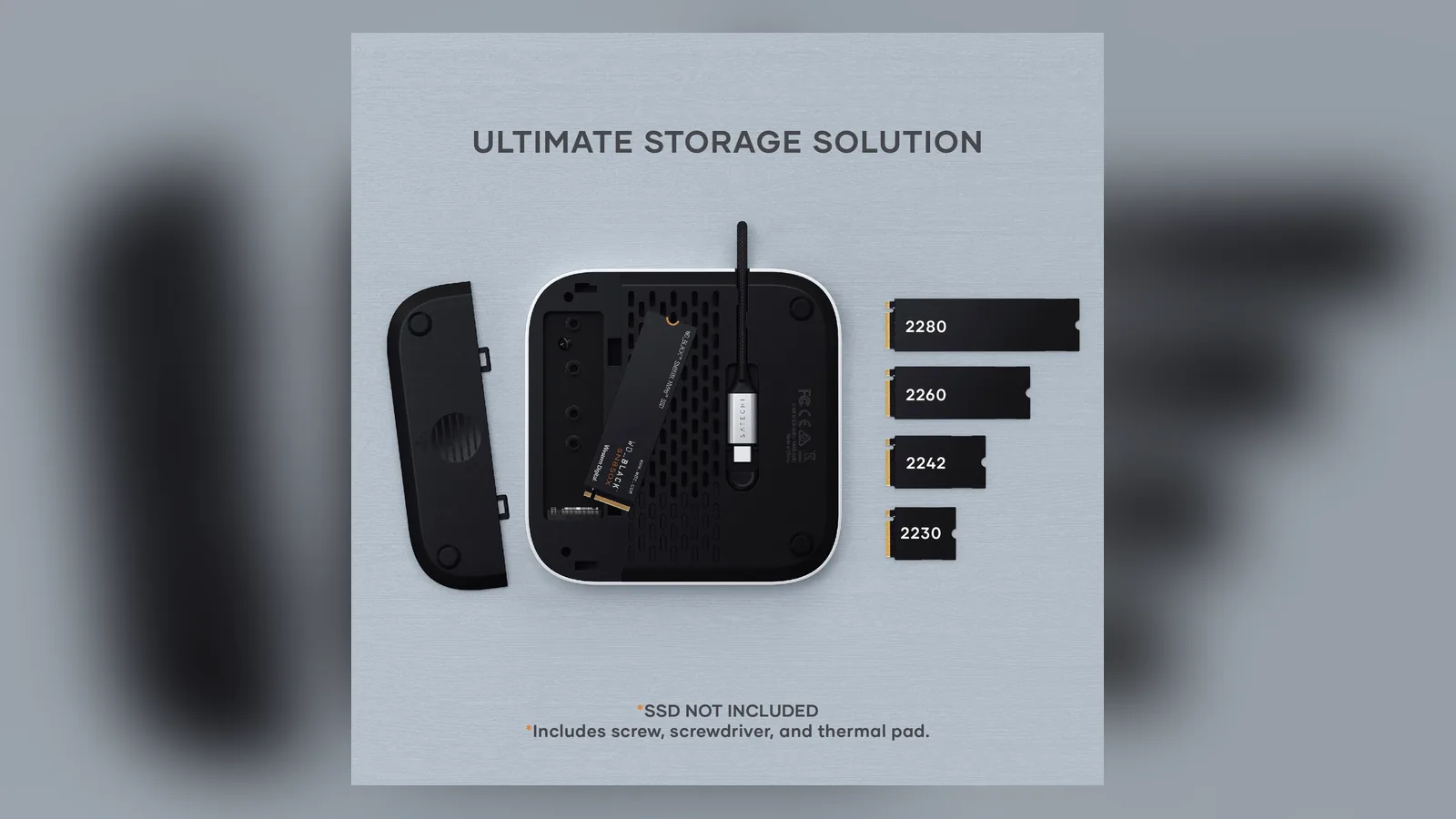
The SSD slot takes NVMe drives in 2230, 2242, 2260 and 2280 sizes, up to 4TB, according to Satechi's FAQ. It does not support M.2 SATA drives, SSDs with heatsinks, or double-sided drives. Satechi includes a screw, a screwdriver and a thermal pad. The page lists it at $99.99 as of Oct 26, 2026.
The M.2 slot is built into the hub, so there is no separate SSD enclosure to find room for. Image: Satechi
Satechi's port diagram. There is no front USB-C port, since the Mac mini already has two. Image: Satechi
Mac mini M4 HubExpand your Mac Mini capabilities with enhancedVisit WebsiteThe Satechi Mac Mini M4 Hub & Stand is designed to enhance your Mac Mini M4 experience. Featuring an M.2 NVMe SSD enclosure for easy storage expansion, it supports SSDs up to 4TB (SSD not included) and provides blazing-fast data transfer speeds of up to 10Gbps. The hub keeps your workspace organized with 5-in-1 expansion ports, including two high-speed USB-A (3.2) ports, one USB-A 2.0, and an SD card reader (UHS-II). Its optimized self-cooling design ensures your Mac Mini operates efficiently and coolly even under heavy use. Crafted with durability in mind, this sleek aluminum hub blends seamlessly with your setup. Get everything you need to elevate your Mac Mini experience!Visit Website
Who it is for: anyone who wants a clean desk, a fast card reader for photos, and a straightforward SSD slot. If you already use the Mac mini's two front USB-C ports, the extra USB-A ports are where this dock helps.
Wokyis Retro Dock (M5 10Gbps)
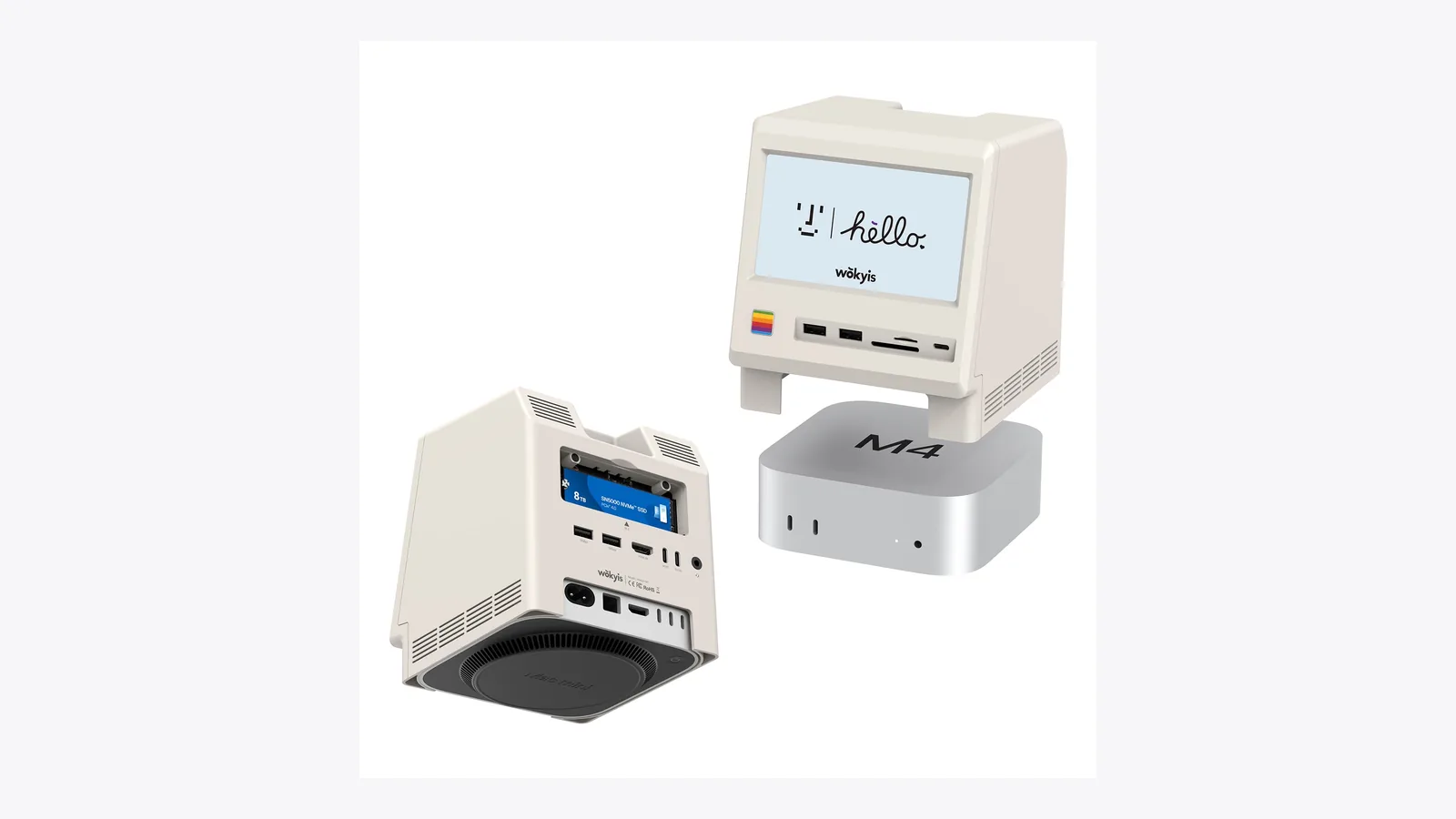
The Retro Dock Station is the most characterful dock in this group. It styles itself after a classic compact Mac and has a 5-inch IPS display, listed at up to 1280 by 720 resolution, and a power button that turns the screen on and off.
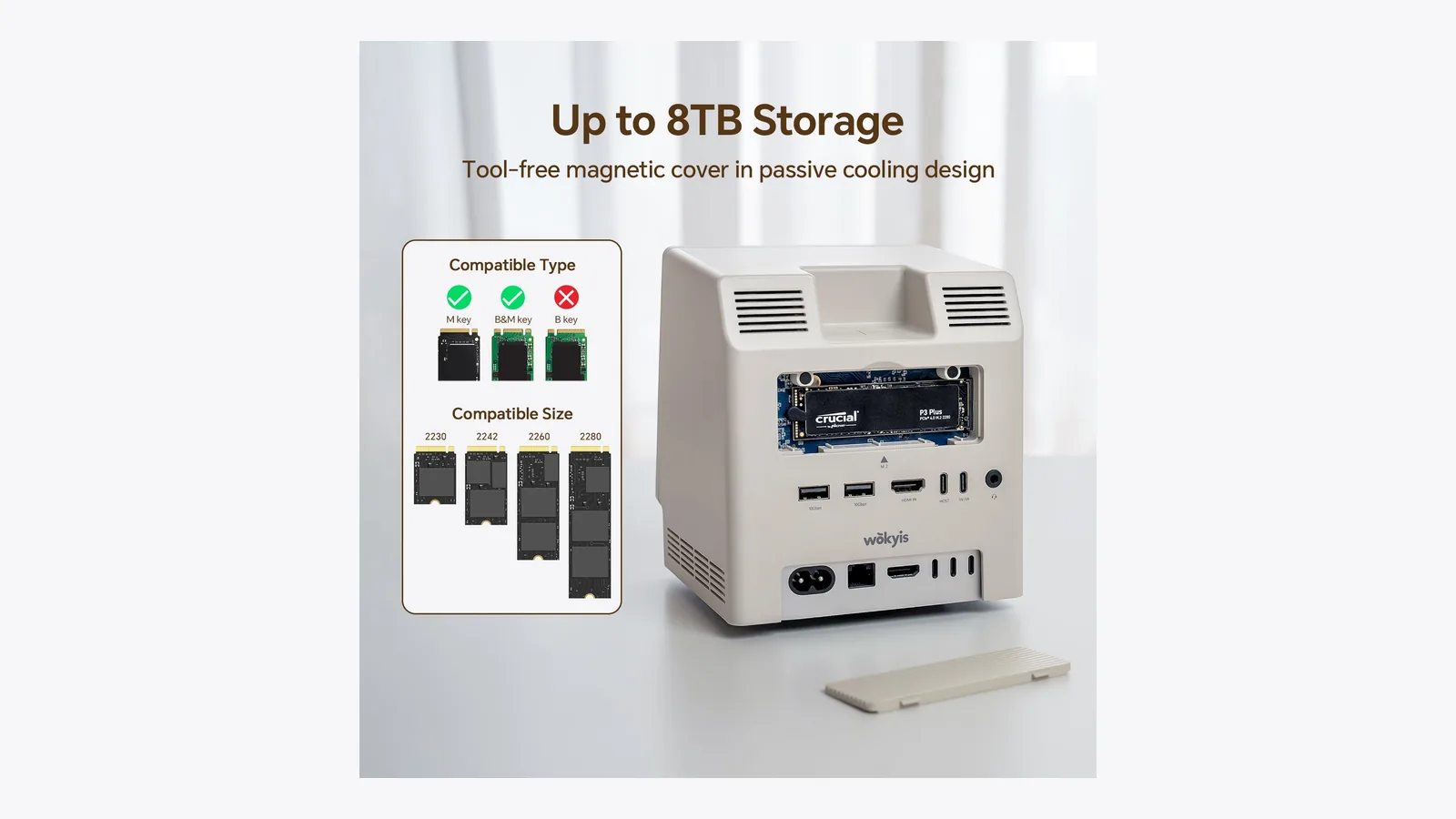
On the practical side, Wokyis lists an M.2 slot for 2230, 2242, 2260 and 2280 NVMe drives with a capacity of up to 8TB, at speeds up to 10Gbps. You also get an SD 4.0 UHS-II reader and a microSD reader that can be used at the same time, four USB-A ports and one USB-C port at 10Gbps, a 3.5mm audio port, and a USB-C port for external power. The HDMI port is input only, so it does not give you another display output for the Mac mini.
Wokyis sells the 10Gbps model at $169.99 list, with a $161.49 sale price showing on wokyis.com on Oct 26, 2026. Amazon showed it at $149.99 the same day. There is also an 80Gbps version with a cooling fan at a higher price. That one is for Thunderbolt owners who want a much faster SSD, and we have not compared it here. Wokyis lists the 10Gbps model as compatible with the Mac mini M4 and M4 Pro, plus M5 Pro and M6.
The 5-inch screen sits in the front of the dock, in a retro compact-Mac style. Image: Wokyis
Wokyis lists SSD support up to 8TB, with the enclosure limited to 10Gbps. Image: Wokyis
Retro Dock StationTransform your Mac mini into a retroVisit WebsiteThe Wokyis M5 Retro Dock is not just a stylish dock but a multifunctional productivity hub for your Mac mini M4. It features a compact 5-inch HD display that provides quick access to notifications and apps while adding a nostalgic touch to your desk. The dock incorporates an M.2 NVMe SSD enclosure supporting drives up to 8TB, along with multiple connectivity options including USB-C, USB-A ports, and HDMI input. With its vintage aesthetic and modern functionality, the Wokyis dock is designed to enhance your workspace, making it tidier and more efficient while adding character to your setup.Visit Website
Who it is for: people who want the biggest SSD allowance and a desk object with some personality. The display is a nice-to-have, not a replacement for a monitor.
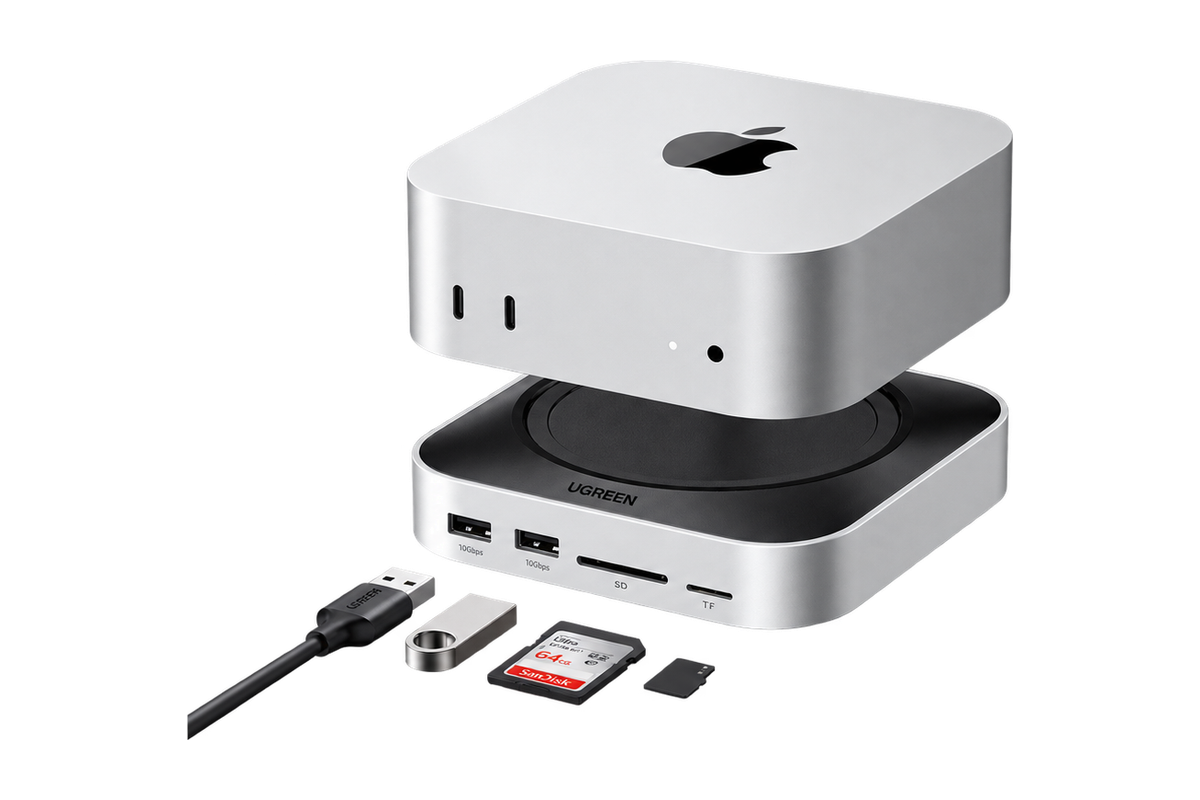
UGREEN Mac mini 11-in-1 Docking Station
The Mac mini 11-in-1 Docking Station is the budget choice. UGREEN's US page lists it at $54.99 during a Halloween sale, against a $62.99 regular price, as of Oct 26, 2026. Sale prices change, so check the page before you buy.
For that you get an M.2 NVMe slot at 10Gbps that takes 2230, 2242, 2260 and 2280 drives up to 8TB, SD and microSD slots rated up to 104MB/s, a 3.5mm jack, and eight USB ports in total according to UGREEN's spec table. It has a short built-in 4cm host cable, a cutout for the Mac mini's power button, and a 2-year warranty.
There are things to know before buying:
The downstream USB ports are current limited, so use them for accessories and drives, not for charging phones or tablets.
2.4GHz wireless receivers, such as the dongles for some mice and keyboards, can interfere with USB 3 devices placed next to them.
UGREEN sells regional versions with different SKUs and port lists, and the gallery text mentions a DisplayPort output that is not in the US spec table. Confirm the exact port list for the version you are buying.
The page showed a 3.8 out of 5 rating from 10 reviews, which is a small sample.
UGREEN's dock is the lowest priced of the three SSD docks in this guide. Image: UGREEN
Mac mini 11-in-1 Docking StationA Mac mini M4 dock with an 8TB-capable NVMe slot and card readers.Visit WebsiteUGREEN's Mac mini 11-in-1 Docking Station is a base that sits under a Mac mini M4 and adds ports plus an internal M.2 NVMe slot. A short built-in USB-C cable connects it to one of the Mac mini's ports.
- The M.2 NVMe slot runs at 10Gbps and takes drives up to 8TB in 2230, 2242, 2260, and 2280 sizes.
- Adds USB-A and USB-C 10Gbps ports, SD and microSD slots, and a 3.5mm audio jack.
- A cutout keeps the Mac mini power button reachable.
- Can be powered from the Mac mini or an external PD adapter.
- The SSD is not included, and UGREEN says the downstream USB ports are current limited, so they are not meant for charging phones or tablets.
It is designed for the Mac mini M4 and UGREEN says it does not fit the M2 or earlier models.Visit Website
Who it is for: anyone who wants an SSD slot and extra ports for the least money, and who is happy to check the port list first.
Best Thunderbolt docks for a Mac mini (no SSD slot)
If your goal is displays, Ethernet, and a pile of peripherals from one cable, these two are the usual picks. Neither has an SSD slot, so pair them with a separate SSD enclosure if you want storage. A dock this size also does not need to charge a laptop, so host charging matters less on a Mac mini than it does on a MacBook.
Anker Prime 14-in-1 Thunderbolt 5 Dock
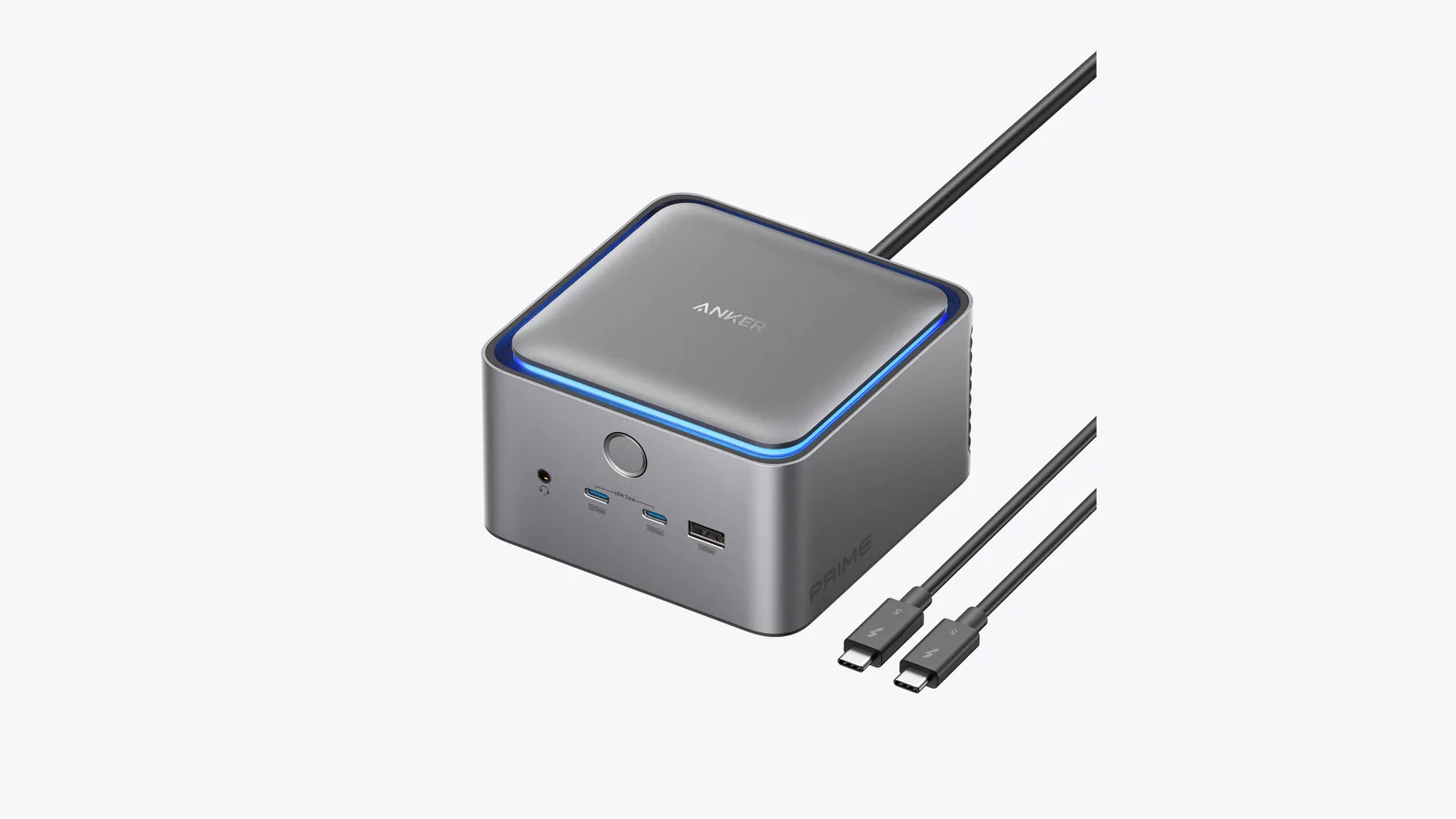
The Prime Thunderbolt 5 Dock is the one to look at with an M4 Pro, since that model has Thunderbolt 5 ports. Anker lists 14 ports, including a Thunderbolt 5 upstream port with up to 140W charging, two Thunderbolt 5 downstream ports, three USB-A ports at 10Gbps, two front USB-C ports at 10Gbps, 2.5Gbps Ethernet, and SD and microSD slots. It has one video output that is either HDMI 2.1 or DisplayPort 2.1, and you can only use one of them at a time. Anker says it needs macOS 15 or later and its included or certified Thunderbolt 5 cable.
Anker lists it at $399.99, and the page showed a time-limited $60-off offer on Oct 26, 2026. It is not compatible with Thunderbolt 3 Macs.
The Anker is a full desktop dock, and it does not include an SSD slot. Image: Anker
Prime Thunderbolt 5 DockA Thunderbolt 5 dock for a fully connected Mac desk.Visit WebsitePrime Thunderbolt 5 Dock brings charging, storage, networking, and display connections together at a MacBook desk. Its 14-port layout combines high-bandwidth Thunderbolt connections with everyday USB ports and card readers, reducing the number of adapters attached to your Mac.
- Up to 140W USB-C host charging powers a compatible MacBook through its dock connection.
- Two downstream Thunderbolt 5 ports connect compatible high-speed drives and peripherals.
- USB-A and USB-C ports support accessories; the two front USB-C ports share up to 45W.
- SD and microSD readers, 2.5Gb Ethernet, and an audio jack cover common desk connections.
- HDMI 2.1 or DisplayPort 2.1 connects a display; a 3.3-foot Thunderbolt 5 cable is included.
This gray A83B5 dock suits a MacBook setup with several wired accessories and fast external storage. Check your Mac’s display and Thunderbolt capabilities first: monitor count and resolution vary, and HDMI and DisplayPort cannot operate simultaneously.Visit Website
Belkin Pro Thunderbolt 4 Dock
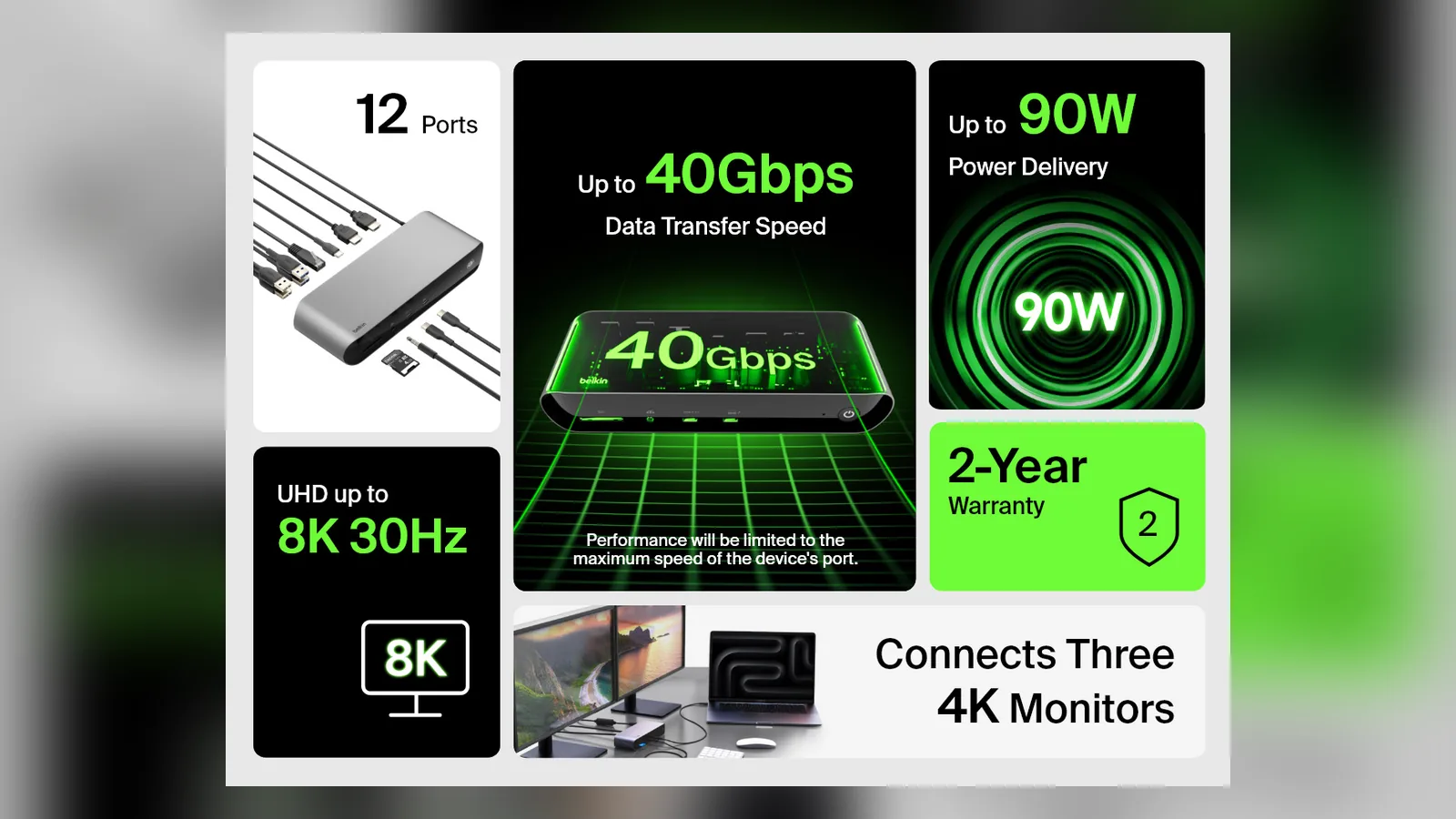
The Thunderbolt 4 Dock Pro is the better fit for an M4 Mac mini, which has Thunderbolt 4 ports. Belkin lists 12 ports: an SD reader, audio in and out, a USB-C port with power delivery, two Thunderbolt 4 ports, two HDMI 2.0 ports, Gigabit Ethernet, two USB-A 3.1 ports and two USB-A 2.0 ports. Display support is up to 8K at 30Hz for one display or up to 4K at 60Hz for two, and Belkin says up to three monitors can be connected depending on your computer.
It costs $299.99 on belkin.com as of Oct 26, 2026. Belkin's own support answers say the dock has not been tested with every Mac, and we did not find a Mac mini listed as tested, so treat Mac mini support as likely but unconfirmed.
Belkin's spec graphic: 12 ports, 40Gbps, 90W power delivery and up to three 4K monitors. Image: Belkin
Thunderbolt 4 Dock ProA 12-port Thunderbolt dock with 90W laptop charging and desktop connections.Visit WebsiteThunderbolt 4 Dock Pro consolidates power, displays, network access, and accessories into one connection to a compatible MacBook. The gray INC006ttSGY model combines front-facing everyday ports with a rear bank of display and peripheral connections for a more permanent desktop setup.
- Up to 90W of host power delivery charges a compatible MacBook through its Thunderbolt cable.
- Two Thunderbolt 4 ports provide the host connection and a downstream peripheral connection.
- HDMI, Gigabit Ethernet, USB-A, and USB-C ports accommodate common desktop equipment.
- An SD card reader and 3.5mm audio connection make removable media and headsets accessible.
- The package includes a 0.8-meter Thunderbolt 4 cable and a 120W external power supply.
Check your exact Mac before planning a multi-monitor desk: macOS display expansion uses HDMI together with downstream Thunderbolt, rather than two independent HDMI displays. Host display limits still apply. Amazon.com currently has no available offer or USD price.Visit Website
Which Mac mini dock should you buy?
You want the simplest, tidiest setup: Satechi.
You want up to 8TB and a bit of retro style: Wokyis M5 Retro Dock.
You want the lowest price: UGREEN, after checking the port list for your region.
You have an M4 Pro and several fast displays: Anker Prime TB5, plus a separate SSD enclosure.
You have an M4 and need many ports and displays: Belkin Pro TB4 Dock, plus a separate SSD enclosure.
1. Check that your SSD is NVMe, not SATA, and in a supported size (2230, 2242, 2260 or 2280). 2. Open the enclosure and slide the SSD into the M.2 slot. 3. Secure it with the screw, and add the thermal pad if the dock includes one. 4. Close the dock and connect the host cable to the Mac mini. 5. Open Disk Utility on the Mac and format the drive if it does not appear in Finder.
Satechi's enclosure does not support SSDs with heatsinks or double-sided SSDs, so pick a plain single-sided drive.
FAQ
Is there a Mac mini dock with a built-in SSD slot?
Yes. The Satechi Stand & Hub, the Wokyis Retro Dock and the UGREEN 11-in-1 Docking Station all hold an M.2 NVMe SSD that you buy separately.
Does a Mac mini dock work with both the M4 and M4 Pro?
Yes, the SSD docks above connect over USB-C and are listed as compatible with both. Apple says the M4 has Thunderbolt 4 ports and the M4 Pro has Thunderbolt 5 ports, but these docks run the SSD at 10Gbps on either chip.
How fast is the SSD in a Mac mini dock?
The enclosures in the Satechi, Wokyis (10Gbps model) and UGREEN docks are rated at 10Gbps. That is fast for everyday files and backups, but slower than the best NVMe drives can run in a Thunderbolt enclosure.
Can I use any SSD in these docks?
You need an NVMe M.2 drive in 2230, 2242, 2260 or 2280 size. SATA M.2 drives are not supported, and Satechi also excludes SSDs with heatsinks and double-sided drives.
Do these docks fit older Mac minis?
Not necessarily. UGREEN says its dock does not fit the Mac mini M2 and earlier, and Wokyis says the M2 and earlier are functionally compatible but the size is not. The Satechi is built for the M4 generation and newer.
Do I need a Thunderbolt dock instead?
Only if you need multiple displays, Ethernet and a lot of ports from one cable. The Anker and Belkin docks cover that but have no SSD slot, and they cost several times more.
Verdict
For most Mac mini owners, the Satechi is the easy recommendation, the Wokyis is the one to get if you want 8TB and a display on the dock, and the UGREEN is the budget pick if its port list suits you. Choose the Anker or Belkin only if you need a full Thunderbolt dock.
A floating AirPods Max stand that charges through a magnetic port connector.
HardwareDesk SetupmacOS
Max Charging Stand
An AirPods Max charging stand with sleep mode and a Qi pad for earbuds.
HardwareDesk SetupmacOS
Nanotac AirPods Max Stand (MagFit)
An aluminum AirPods Max stand with a MagSafe charger slot for an iPhone.
HardwareDesk SetupmacOS
MX Keys S
A full-size wireless keyboard with smart backlighting and three-device switching.
HardwareKeyboards & MicemacOS
Double Shot
Free open-source Mac app that keeps your Mac awake for AI agents
Free
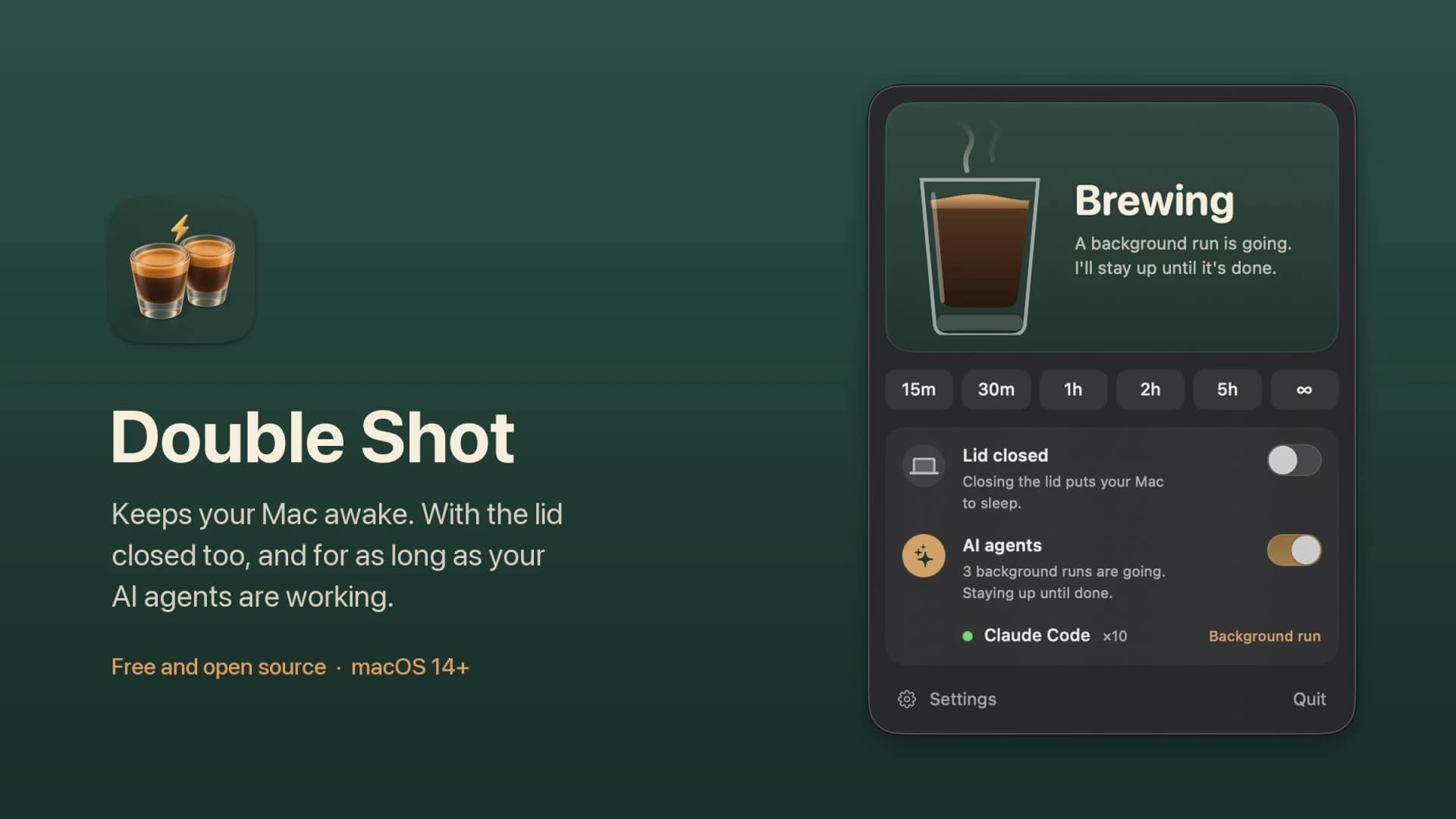
Double Shot is a free, open-source macOS menu bar app that keeps your Mac awake, with the lid closed too, and for as long as your AI coding agents are working.
- Detects when Claude Code, Codex, Gemini CLI, Cursor Agent, Copilot CLI, OpenCode, Amp or Aider are actually working, not just open.
- Lid closed mode uses pmset disablesleep, with a one-time password prompt that adds a sudoers rule.
- Stops at the first warm level, turns the dark display off, switches on Low Power Mode on battery, and lets go when the battery gets low.
- Quick picks from 15 minutes to 5 hours, or until you turn it off.
- MIT licensed. Install with Homebrew or download from GitHub. Not notarized by Apple yet, and it needs macOS 14 or later.
Double Shot suits anyone who starts a long agent run, closes the lid and expects the work to carry on.
SoftwareUtilitiesmacOS
Peek
Glance at websites and widgets with a shortcut
Free
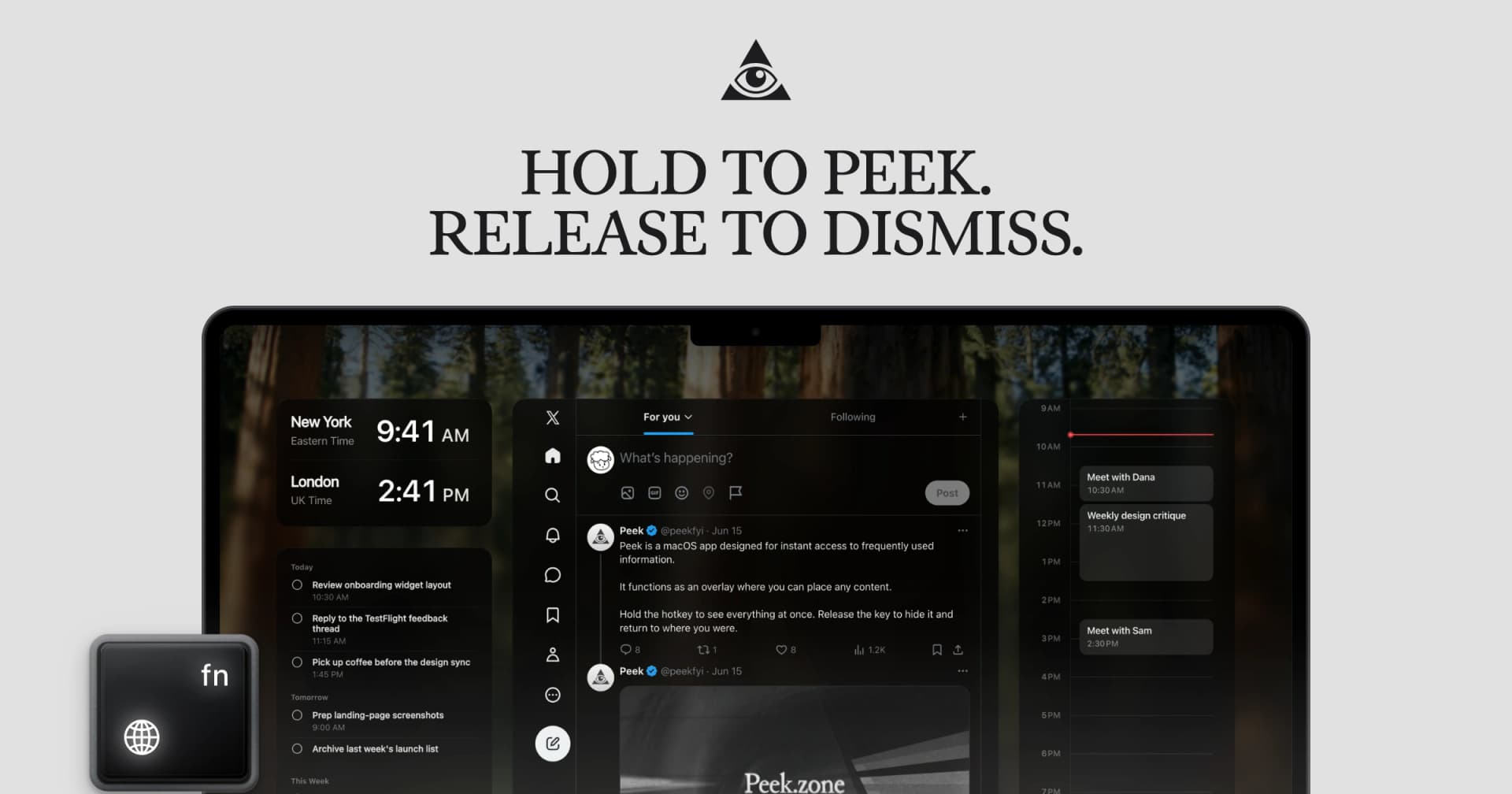
Peek is a native Mac app that brings frequently checked information into a personal overlay. Hold a shortcut to glance at it, release to return to your work, or tap the shortcut to keep it open and interact.
Combine websites, local PDFs, and widgets such as Calendar, Reminders, and time zones in one space. Arrange and resize content freely, or use Flow mode to organize your layout. Hide unwanted page elements and block ads, trackers, and cookie banners.
Set custom keyboard shortcuts, including separate left and right modifier keys. Peek works across multiple monitors and full-screen spaces, with per-display layouts or synced widgets. Optional auto-refresh keeps pages current, and you can open content in its default app when you want to continue outside the overlay. The site also lists passkey support and experimental web extensions.
Use it to check analytics beside your calendar, review GitHub pull requests and Linear issues while coding, or gather visual references from websites without switching away from your current app.
Available free on the Mac App Store. Requires macOS 14.2 or later.
SoftwareProductivitymacOS
Brio 100 Full HD Webcam
A budget 1080p webcam with a privacy shutter and built-in mic.
HardwareCamerasmacOS
MX Brio 4K Webcam
A 4K/30 or 1080p/60 webcam with dual mics and Show Mode.
HardwareCamerasmacOS
Cap
The open source screen recorder
Freemium
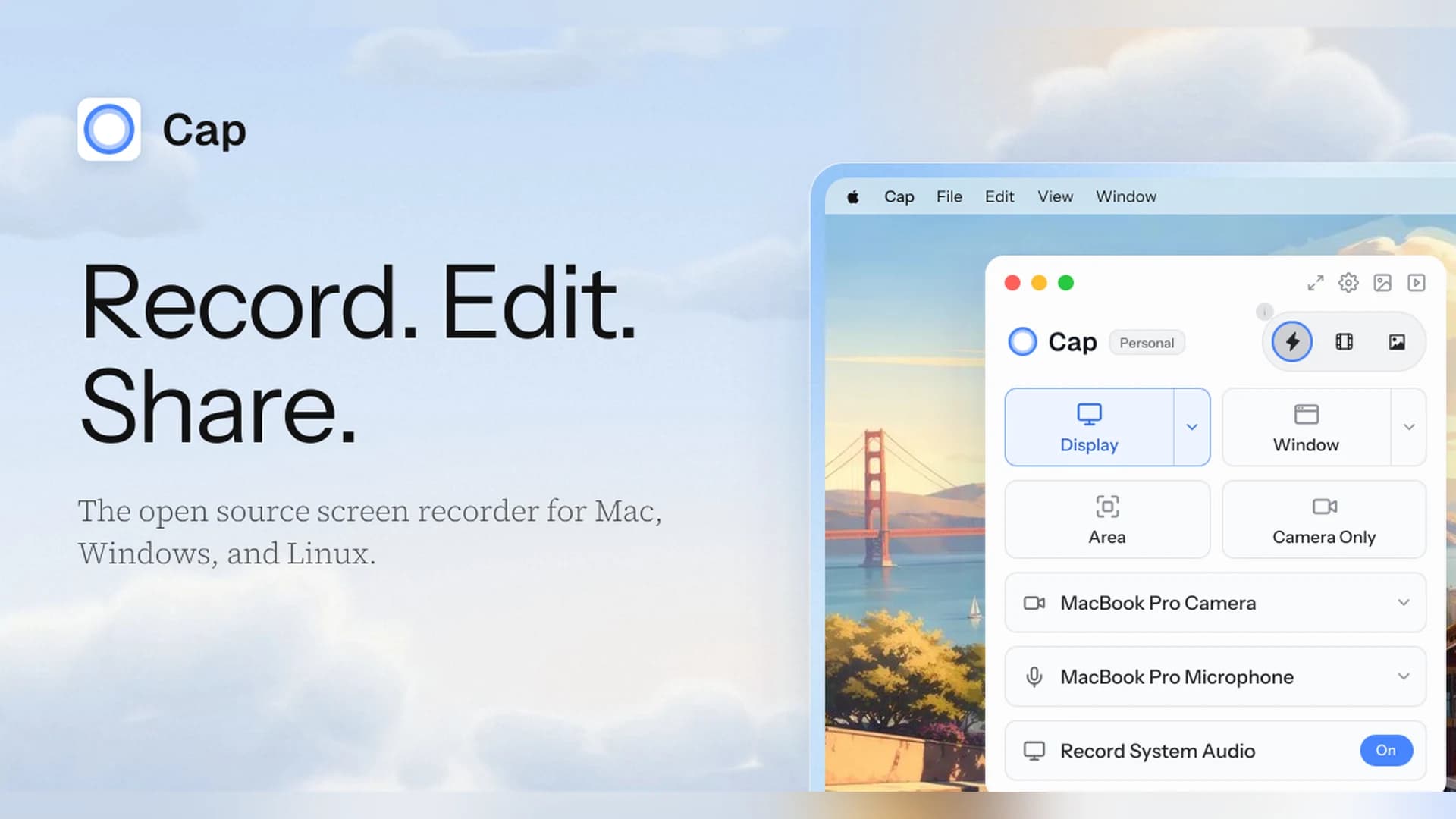
Cap is an open-source screen recorder for Mac, Windows, and Linux that works as a Loom alternative, with instant share links and a local Studio Mode.
- Instant Mode records and uploads at once so you get a shareable link as you stop.
- Studio Mode records locally with a full editor and exports up to 4K at 60 fps.
- Free for personal use. A Desktop License ($29 a year, or $58 once) adds commercial rights, and Cap Pro ($12 per user a month) adds unlimited cloud sharing.
- Open source, with a self-hosting option.
Cap suits people who want a Loom-style workflow without being locked into one vendor.