Created November 16, 2026Updated November 26, 2026
A Thunderbolt 5 dock connects your Mac to monitors, drives, Ethernet, and charging with one cable. The best Thunderbolt 5 dock for most Mac users is the CalDigit TS5, with 15 ports and 140W charging for $399.99. If you want storage inside the dock, the Sonnet Echo 21 and Satechi CubeDock both have an M.2 SSD slot.
Prices and specs below were checked on each maker's official site on November 16, 2026.
Quick picks:
Best Thunderbolt 5 dock for Mac:CalDigit TS5, $399.99.
Thunderbolt 5 runs at up to 80Gb/s, and up to 120Gb/s for video. That matters if you use fast external SSDs or several high-resolution displays.
Check your Mac first:
MacBook Pro with M5 Pro or M5 Max: three Thunderbolt 5 ports. Apple lists up to three external displays on M5 Pro and up to four on M5 Max.
MacBook Pro with M6: three Thunderbolt 4 ports and up to two external displays.
MacBook Air with M5: two Thunderbolt 4 ports and up to two external displays.
A Thunderbolt 5 dock still works with a Thunderbolt 4 Mac, but at Thunderbolt 4 speeds. If your Mac has Thunderbolt 4 and you only need a few ports, a Thunderbolt 4 dock costs less.
CalDigit TS5: best Thunderbolt 5 dock for Mac
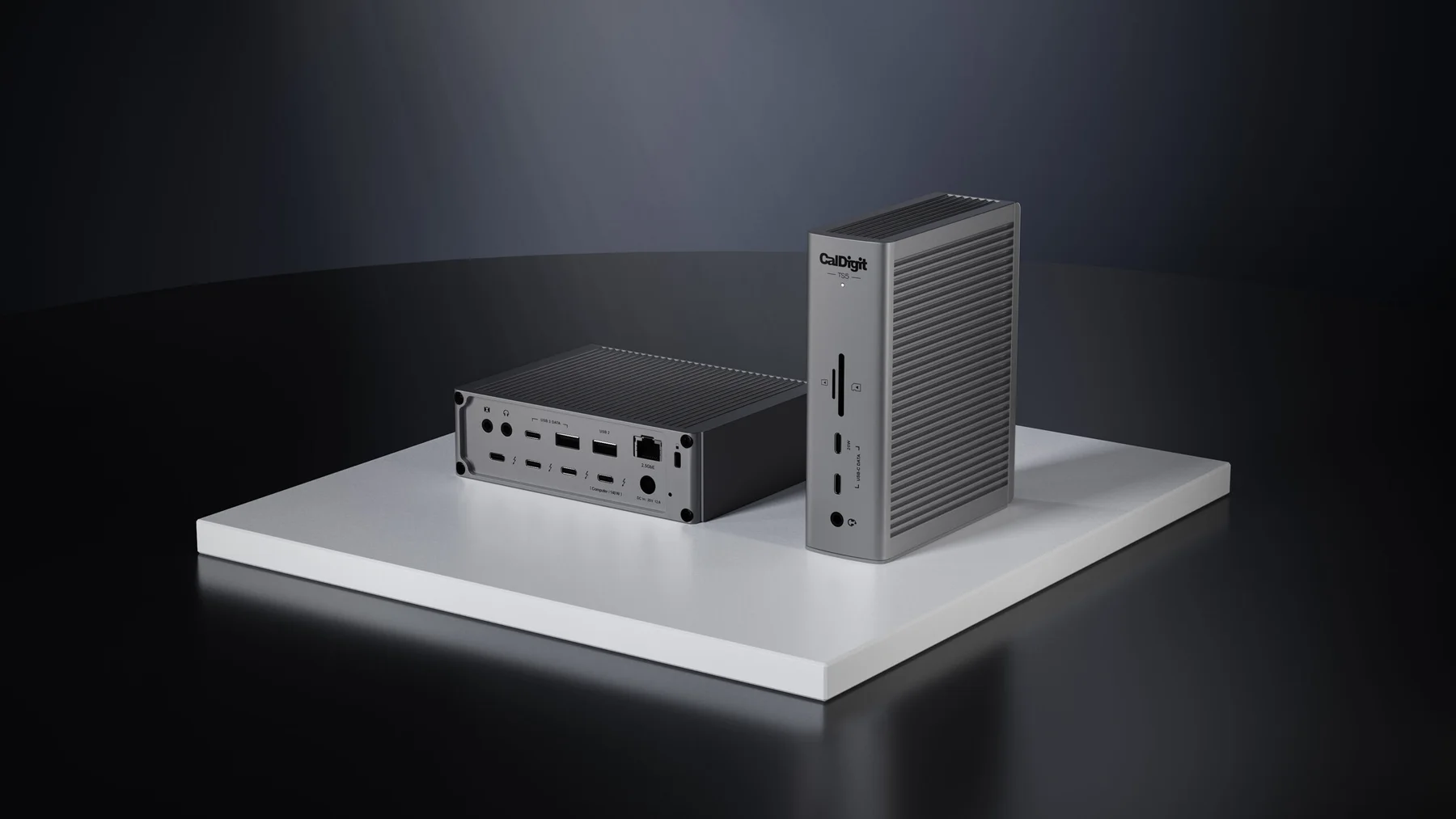
The CalDigit TS5 has 15 ports on the front and back. Image: CalDigit
CalDigit TS5 is the dock most Mac users should buy. It has the ports a desk needs, card readers in the front, and enough charging power for a 16-inch MacBook Pro.
Key features:
1 Thunderbolt 5 host port (up to 120Gb/s) and 3 downstream Thunderbolt 5 ports (80Gb/s).
3 USB-C (10Gb/s), a USB-A (10Gb/s), and a USB 2.0 port for a keyboard or mouse.
SD 4.0 and microSD 4.0 (UHS-II) readers and 2.5 Gigabit Ethernet.
140W laptop charging, plus a 20W front USB-C port.
Up to 4 displays on an M5 Max Mac. Base M-series Macs can use up to two. It needs macOS 15 or newer.
Better or worse than the others? Better balanced than the OWC for a little more money. It has no HDMI or DisplayPort, so monitors connect through the Thunderbolt ports or an adapter.
CalDigit TS5A 15-port Thunderbolt 5 dock with 140W charging and 2.5GbE.Visit WebsiteThe CalDigit TS5 is a Thunderbolt 5 dock with 15 ports and up to 140W of laptop charging over one cable.
- 1 Thunderbolt 5 host port (up to 120Gb/s) and 3 downstream Thunderbolt 5 ports (80Gb/s).
- 3 USB-C (10Gb/s), 1 USB-A (10Gb/s) and 1 USB-A (USB 2.0) for a keyboard or mouse.
- SD 4.0 and microSD 4.0 (UHS-II) card readers, 2.5 Gigabit Ethernet, and front and rear audio jacks.
- Up to 140W host charging, plus a 20W front USB-C port.
- Up to 4 displays on an M5 Max Mac. Base M-series Macs can use up to two.
- macOS 15 or newer.
CalDigit lists the TS5 at $399.99.Visit Website
CalDigit TS5 Plus: best Thunderbolt 5 dock with 10GbE
The TS5 Plus stands upright and has 20 ports. Image: CalDigit
CalDigit TS5 Plus is CalDigit's biggest dock. It adds 10 Gigabit Ethernet and a DisplayPort 2.1 output.
Key features:
1 Thunderbolt 5 host port and 2 downstream Thunderbolt 5 ports.
5 USB-C and 5 USB-A ports, all 10Gb/s.
DisplayPort 2.1, SD and microSD (UHS-II), and three audio jacks.
10 Gigabit Ethernet.
140W laptop charging, 36W on each downstream Thunderbolt port, and a 36W front USB-C port.
Better or worse than the TS5? Better if you work off a NAS or a fast network, or need lots of USB-A. It has one fewer downstream Thunderbolt port and costs $100 more.
CalDigit TS5 PlusA 20-port Thunderbolt 5 dock with 10GbE, DisplayPort 2.1 and 140W charging.Visit WebsiteThe CalDigit TS5 Plus is CalDigit's largest Thunderbolt 5 dock, with 20 ports, 10 Gigabit Ethernet and up to 140W of laptop charging.
- 1 Thunderbolt 5 host port (up to 120Gb/s) and 2 downstream Thunderbolt 5 ports (80Gb/s).
- 5 USB-C and 5 USB-A ports, all 10Gb/s.
- DisplayPort 2.1, SD 4.0 and microSD 4.0 (UHS-II), and three audio jacks.
- 10 Gigabit Ethernet.
- Up to 140W host charging, 36W on each downstream Thunderbolt port and a 36W front USB-C port.
- Vertical Space Black chassis, 0.90 kg. macOS 15 or newer.
CalDigit lists the TS5 Plus at $499.99.Visit Website
OWC Thunderbolt 5 Dock: best value Thunderbolt 5 dock
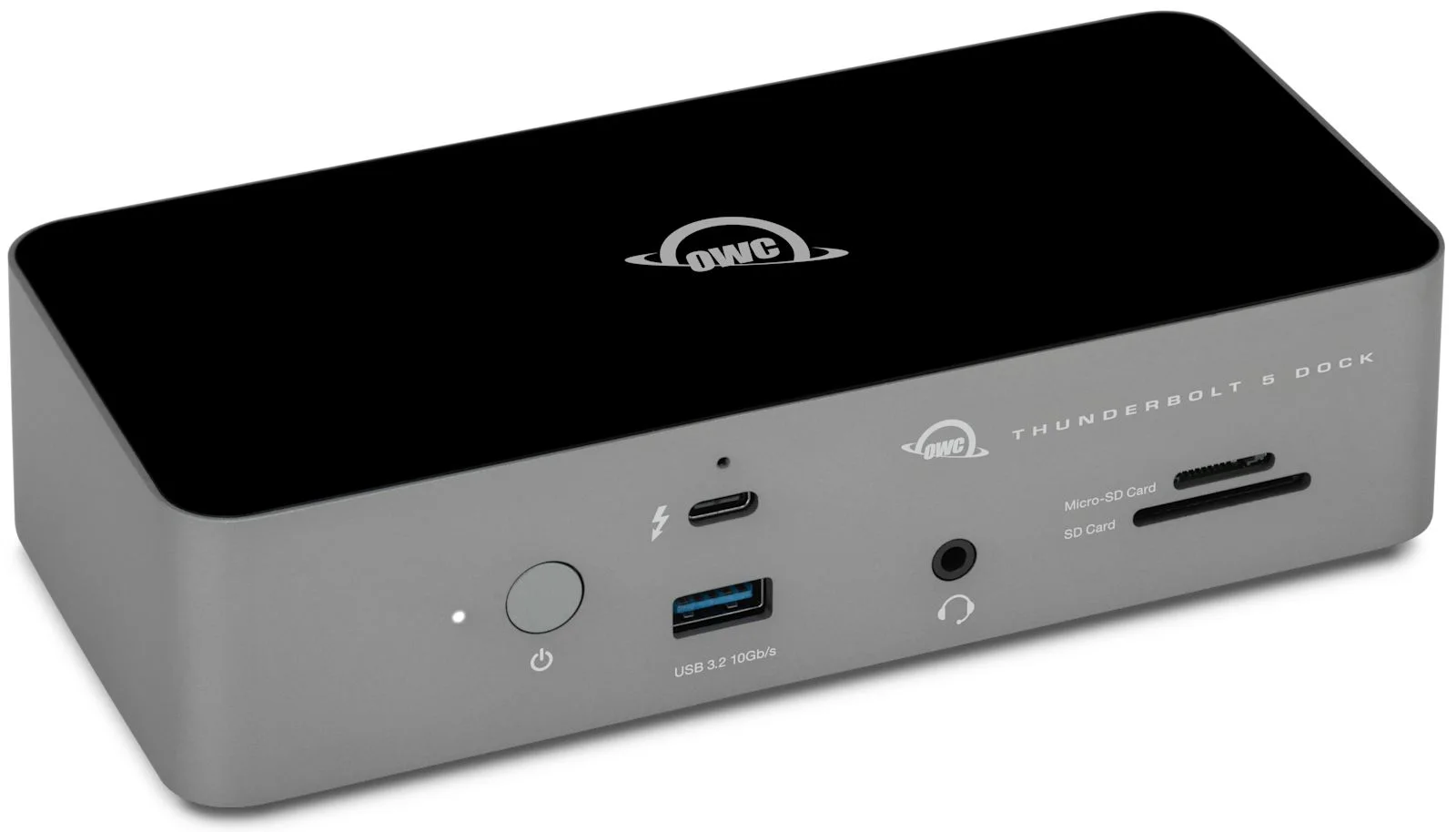
OWC Thunderbolt 5 Dock is the cheapest dock here with three downstream Thunderbolt 5 ports.
Key features:
1 Thunderbolt 5 host port and 3 downstream Thunderbolt 5 ports.
2 USB-A 10Gb/s ports and a USB-A 5Gb/s port.
SD and microSD (UHS-II) readers, 2.5 Gigabit Ethernet, and an audio jack.
140W laptop charging, and 15W on each downstream Thunderbolt port.
OWC lists up to three 8K displays at 60Hz on supported computers.
Fanless and silent. It works with macOS 14, 15, and 26.
Better or worse than the CalDigit TS5? $70 cheaper with the same number of Thunderbolt 5 ports. It has no USB-C data ports of its own, so you use the Thunderbolt ports for USB-C devices.
OWC Thunderbolt 5 DockAn 11-port fanless Thunderbolt 5 dock with 140W charging.Visit WebsiteThe OWC Thunderbolt 5 Dock (OWCTB5DOCK11P) is an 11-port aluminum dock that adds Thunderbolt 5 ports, card readers and 2.5GbE to a Mac over one cable.
- 1 Thunderbolt 5 host port and 3 downstream Thunderbolt 5 ports.
- 2 USB-A 10Gb/s ports and 1 USB-A 5Gb/s port.
- SD and microSD (UHS-II) readers, 2.5 Gigabit Ethernet and a 3.5 mm audio combo jack.
- Up to 140W of host charging, and 15W on each downstream Thunderbolt 5 port.
- Up to three 8K displays at 60Hz on supported computers.
- Fanless, silent design. Works with macOS 14, 15 and 26.
OWC lists it at $329.99.Visit Website
Sonnet Echo 21 SuperDock: best Thunderbolt 5 dock with an SSD slot
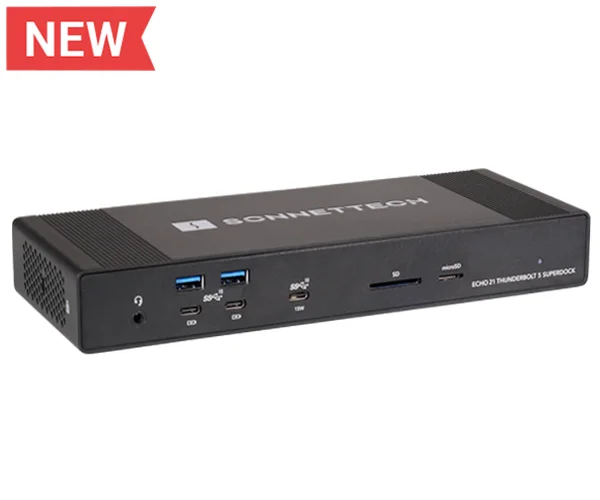
The Echo 21 adds an M.2 SSD slot and 10GbE. Image: Sonnet
Sonnet Echo 21 Thunderbolt 5 SuperDock is a big desktop dock that holds an M.2 NVMe SSD inside it. That gives a Mac mini or MacBook fast extra storage without a separate drive on the desk.
10 Gigabit Ethernet, UHS-II SD and microSD, a headset jack, a mic jack, and RCA line out.
140W charging and a fanless design.
Better or worse than the TS5 Plus? Better if you want storage and video outputs in the dock. The TS5 Plus has more USB-A and DisplayPort 2.1, but no SSD slot.
Sonnet Echo 21 Thunderbolt 5 SuperDockA 21-port Thunderbolt 5 dock with an M.2 NVMe SSD slot and 10GbE.Visit WebsiteThe Sonnet Echo 21 Thunderbolt 5 SuperDock is a large desktop dock with a built-in M.2 NVMe SSD slot, 10 Gigabit Ethernet and 140W laptop charging.
- 3 Thunderbolt 5 ports, 5 USB-C ports (10Gbps) and 4 USB-A ports (10Gbps).
- HDMI and DisplayPort video outputs.
- An M.2 NVMe SSD slot for storage inside the dock.
- 10 Gigabit Ethernet, UHS-II SD and microSD slots, a headset jack, a mic jack and RCA line out.
- 140W through the included Thunderbolt 5 cable.
- Fanless and silent. Works with all M-series Macs and Intel Macs with Thunderbolt 3.
Sonnet's store lists it at $499.99.Visit Website
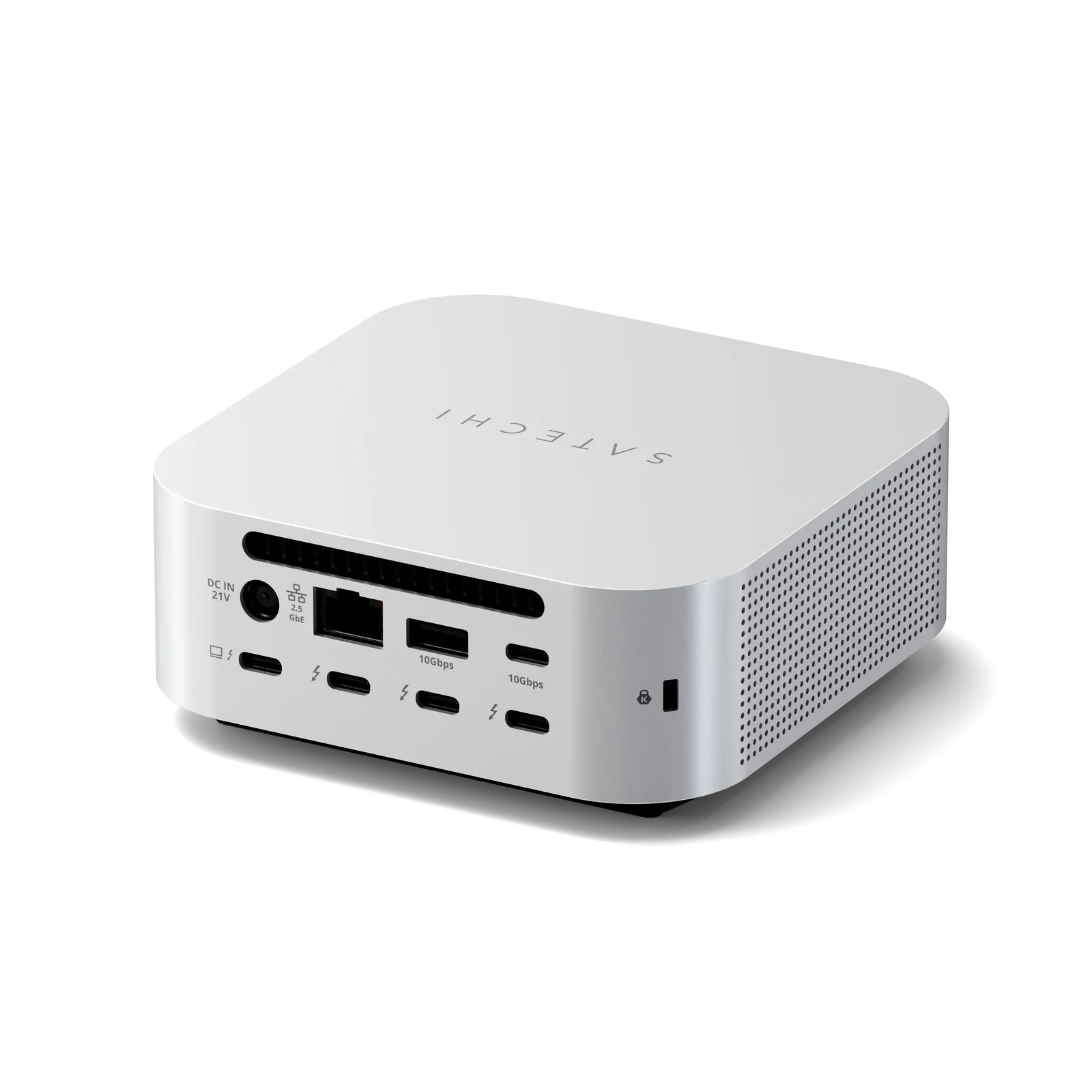
Satechi Thunderbolt 5 CubeDock: best compact dock with an SSD
The CubeDock is a 5 by 5 inch aluminum block. Image: Satechi
An M.2 NVMe enclosure (2230 to 2280) with speeds up to 6000MB/s.
2 USB-C ports (one with 30W charging), 2 USB-A ports, SD and microSD, 2.5G Ethernet, and an audio jack.
140W laptop charging from a 180W power supply.
Active cooling with a fan.
Better or worse than the Sonnet Echo 21? Smaller and $100 cheaper. It has fewer ports, no 10GbE, and a fan, while the Sonnet is fanless.
Satechi Thunderbolt 5 CubeDock with SSD EnclosureA compact Thunderbolt 5 dock with a built-in M.2 NVMe SSD enclosure.Visit WebsiteThe Satechi Thunderbolt 5 CubeDock is a 5 x 5 inch aluminum dock with a built-in M.2 NVMe enclosure, made to sit next to a Mac mini or MacBook.
- 1 upstream and 3 downstream Thunderbolt 5 ports.
- An M.2 NVMe SSD enclosure for drives up to 8TB (2230 to 2280), with speeds up to 6000MB/s.
- 2 USB-C ports (one with 30W charging), 2 USB-A ports, SD and microSD readers, 2.5G Ethernet and a 3.5 mm audio jack.
- Up to 140W host charging from a 180W power supply.
- Active cooling with a smart fan curve.
Satechi lists it at $399.99.Visit Website
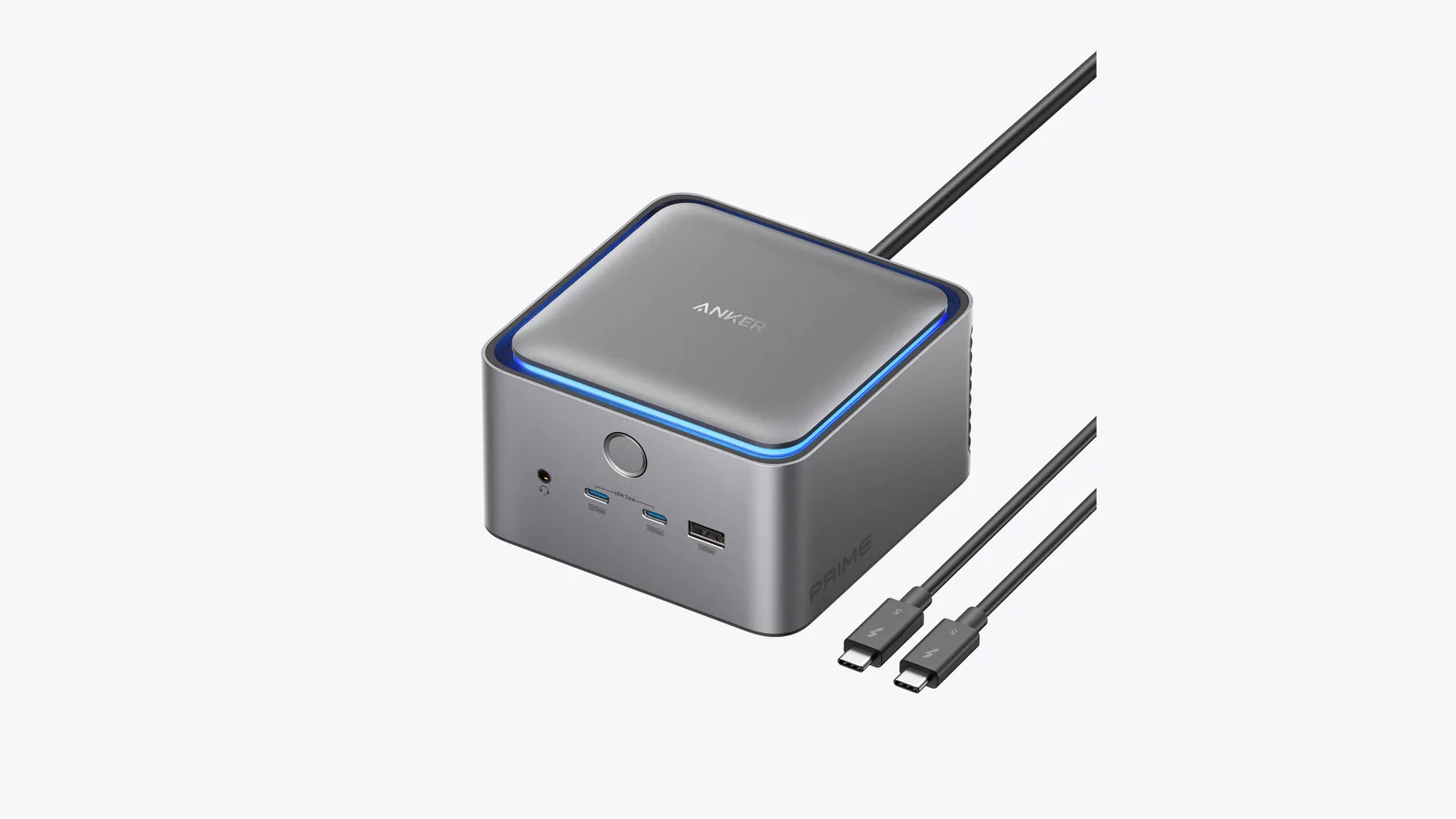
Anker Prime Thunderbolt 5 Dock: best with HDMI or DisplayPort built in
Anker's 14-in-1 dock has HDMI 2.1 and DisplayPort 2.1. Image: Anker
Price: $399.99, on sale for $349.99 at Anker when checked.
Prime Thunderbolt 5 Dock is a 14-port dock with a display output built in, so you can plug in an HDMI or DisplayPort monitor without an adapter.
Key features:
Up to 140W laptop charging.
Two downstream Thunderbolt 5 ports.
USB-A and USB-C ports, with up to 45W shared on the front USB-C ports.
SD and microSD, 2.5Gb Ethernet, and an audio jack.
HDMI 2.1 or DisplayPort 2.1. They cannot run at the same time.
Better or worse than the CalDigit TS5? Better if your monitor uses HDMI. The TS5 has one more downstream Thunderbolt 5 port.
Prime Thunderbolt 5 DockA Thunderbolt 5 dock for a fully connected Mac desk.Visit WebsitePrime Thunderbolt 5 Dock brings charging, storage, networking, and display connections together at a MacBook desk. Its 14-port layout combines high-bandwidth Thunderbolt connections with everyday USB ports and card readers, reducing the number of adapters attached to your Mac.
- Up to 140W USB-C host charging powers a compatible MacBook through its dock connection.
- Two downstream Thunderbolt 5 ports connect compatible high-speed drives and peripherals.
- USB-A and USB-C ports support accessories; the two front USB-C ports share up to 45W.
- SD and microSD readers, 2.5Gb Ethernet, and an audio jack cover common desk connections.
- HDMI 2.1 or DisplayPort 2.1 connects a display; a 3.3-foot Thunderbolt 5 cable is included.
This gray A83B5 dock suits a MacBook setup with several wired accessories and fast external storage. Check your Mac’s display and Thunderbolt capabilities first: monitor count and resolution vary, and HDMI and DisplayPort cannot operate simultaneously.Visit Website
Belkin Thunderbolt 4 Dock Pro: a cheaper Thunderbolt 4 option
A Thunderbolt 4 dock is enough for many MacBook Air desks. Image: Belkin
Thunderbolt 4 Dock Pro is a Thunderbolt 4 dock with 90W charging, HDMI, Gigabit Ethernet, USB-A, USB-C, and an SD reader.
Better or worse than a Thunderbolt 5 dock? Worse for fast SSDs, 16-inch MacBook Pro charging, and multi-display setups. Fine for a MacBook Air with one monitor.
Thunderbolt 4 Dock ProA 12-port Thunderbolt dock with 90W laptop charging and desktop connections.Visit WebsiteThunderbolt 4 Dock Pro consolidates power, displays, network access, and accessories into one connection to a compatible MacBook. The gray INC006ttSGY model combines front-facing everyday ports with a rear bank of display and peripheral connections for a more permanent desktop setup.
- Up to 90W of host power delivery charges a compatible MacBook through its Thunderbolt cable.
- Two Thunderbolt 4 ports provide the host connection and a downstream peripheral connection.
- HDMI, Gigabit Ethernet, USB-A, and USB-C ports accommodate common desktop equipment.
- An SD card reader and 3.5mm audio connection make removable media and headsets accessible.
- The package includes a 0.8-meter Thunderbolt 4 cable and a 120W external power supply.
Check your exact Mac before planning a multi-monitor desk: macOS display expansion uses HDMI together with downstream Thunderbolt, rather than two independent HDMI displays. Host display limits still apply. Amazon.com currently has no available offer or USD price.Visit Website
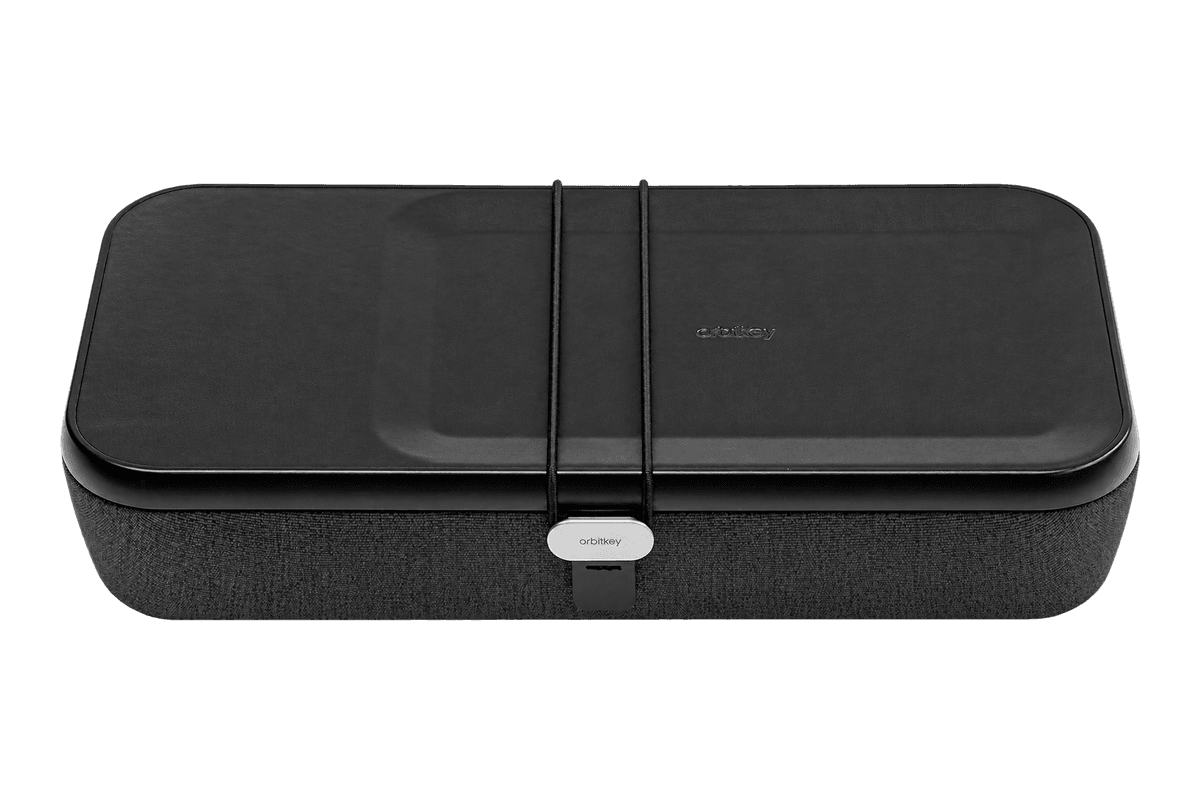
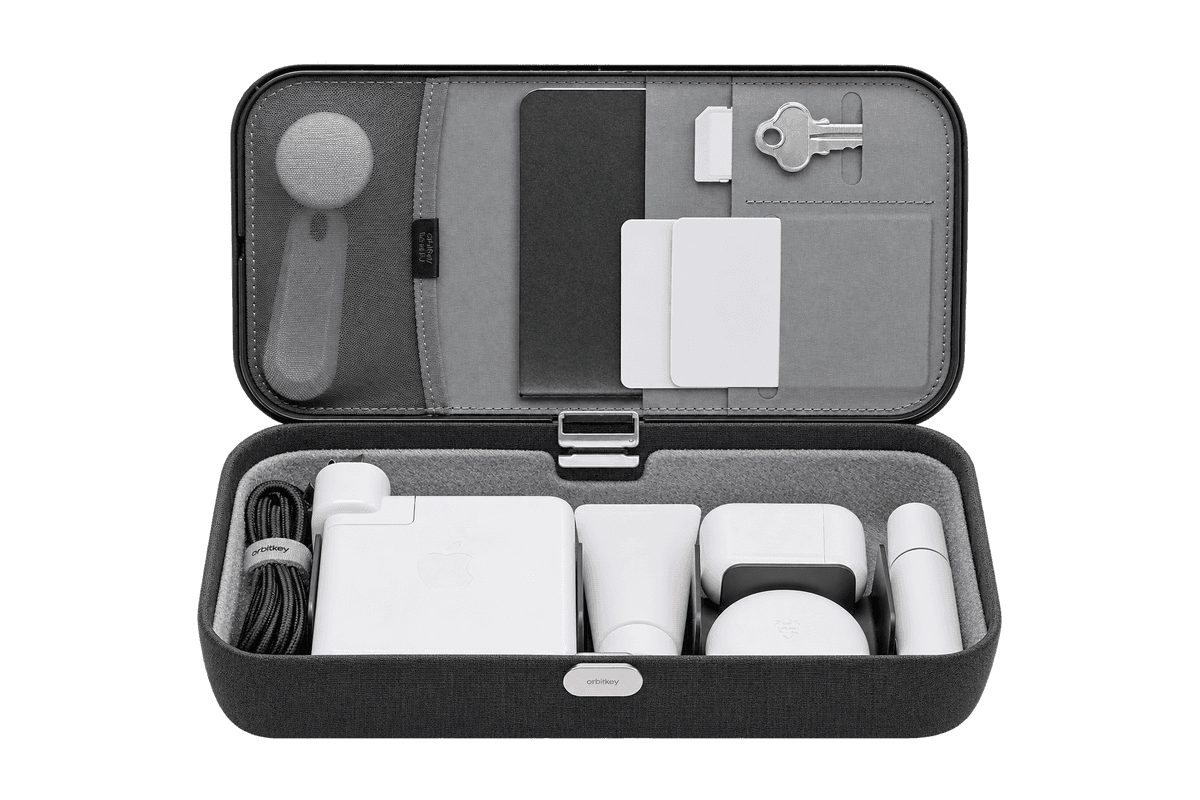
A portable organizer for desk essentials with a wireless charging pad in the lid.
WorkspaceOrganization
Joi
Calendar, task, and habit management app
Freemium
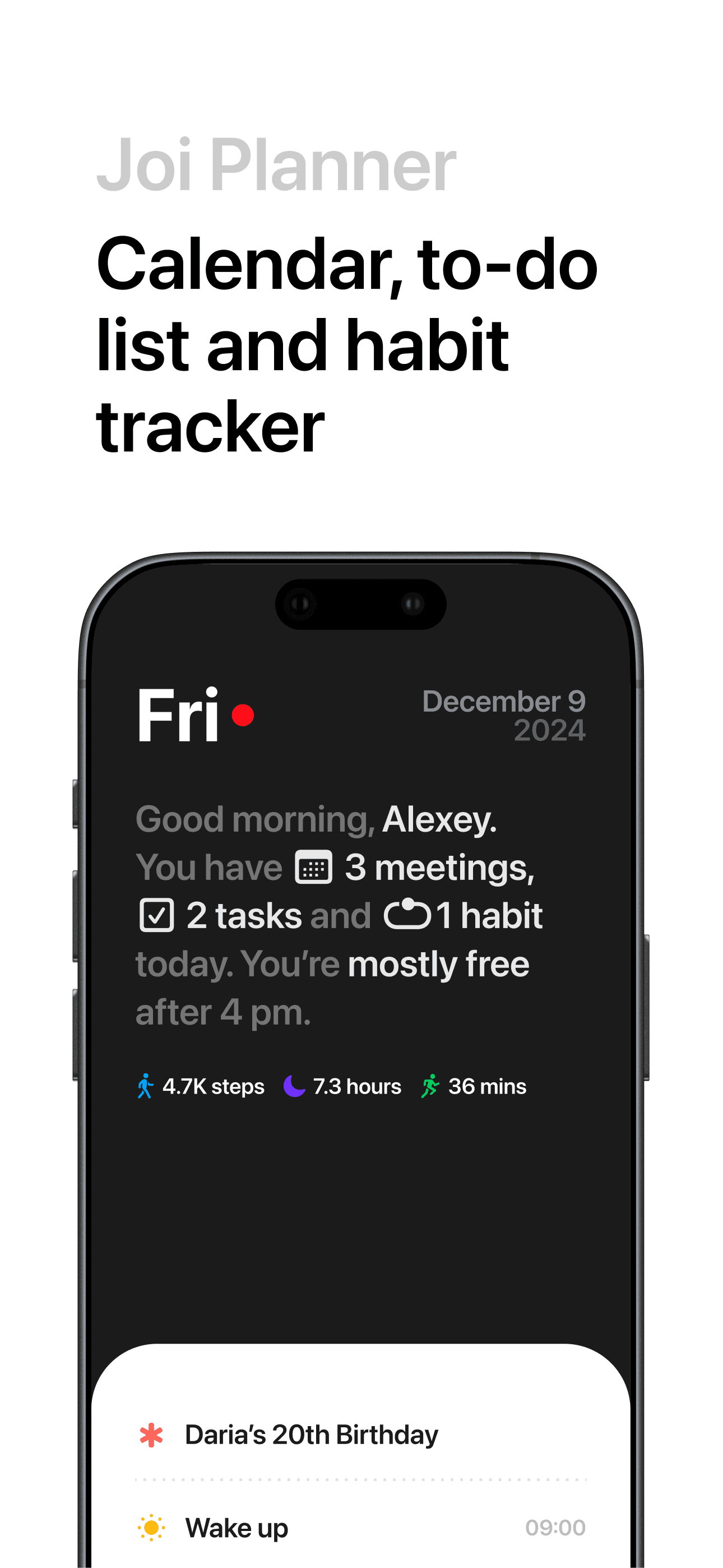
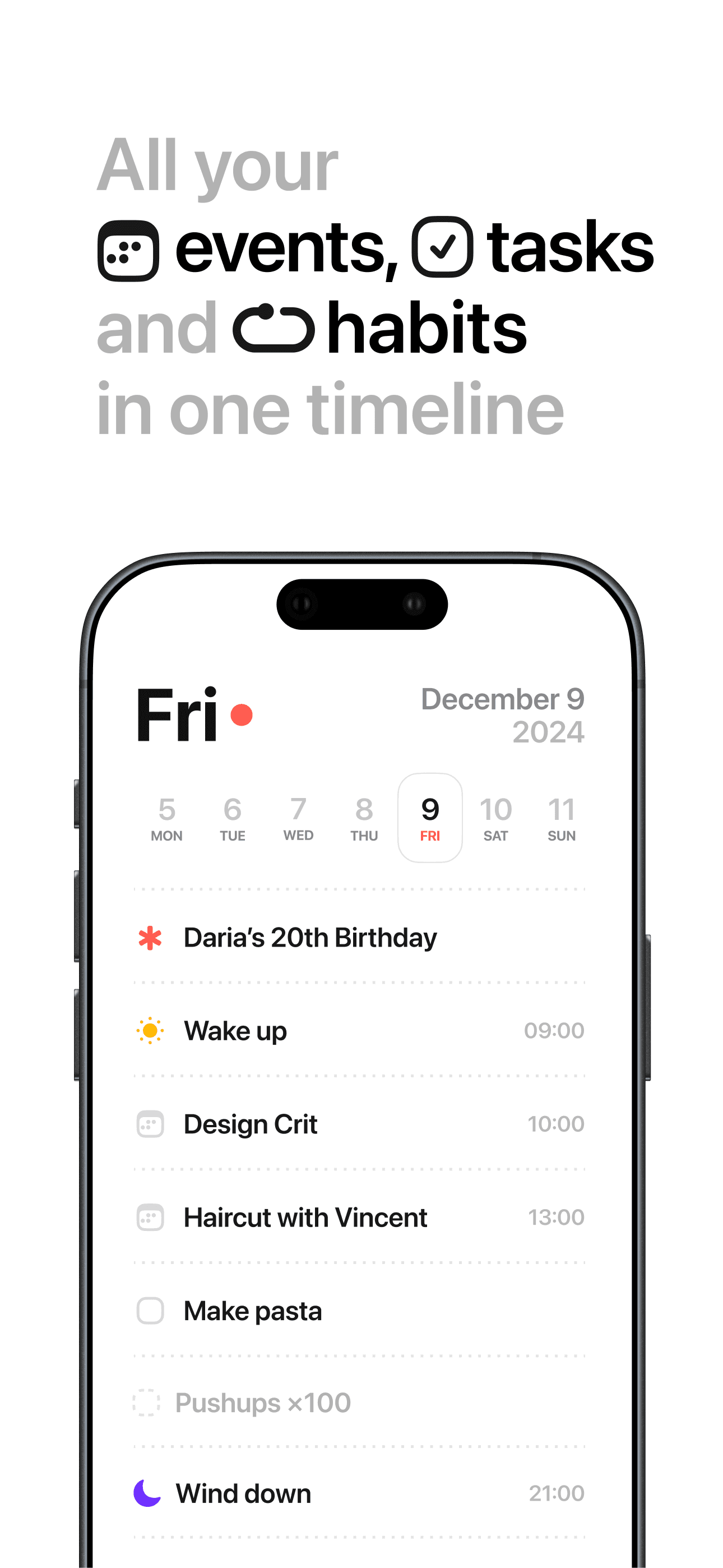
Joi is an app that combines a calendar, task manager, and habit tracker into a single timeline, aimed at helping users manage routines and activities efficiently.
- Create and adjust tasks and events quickly.
- Track daily or weekly habits in one place.
- View tasks, habits, and events on a single visual calendar.
- Synchronize with calendar and reminders for task transfer.
- Access and manage tasks and habits from any device.
- Receive notifications for important scheduled tasks.
Joi is free to download with in-app purchases available. The app requires iOS 17.6 or later for use on compatible devices.
SoftwareProductivityiOS & iPadOS
Winq
Gaze-based screen and window focus for Mac
One-time
Winq is a macOS application that lets users switch focus between screens and windows using head and eye movements captured by your Mac's camera.
- Allows you to select and focus windows or screens just by looking at them
- Supports multiple monitors and overlapping windows; visible portions are counted and top windows take precedence
- Learns from your gaze patterns and interactions to improve accuracy over time
- Never switches focus while you type or use the mouse and can be paused any time
- Calibration takes about 20 seconds per screen and can be re-centred in two seconds as sitting position changes
- Processes camera data locally with Apple's Vision framework; no images or video are stored or sent anywhere
Winq offers a free trial for one day with full feature access. Continued use requires a one-time purchase per Mac, and all future updates are included. Requires macOS 13 or later and works on Apple Silicon and Intel Macs.
SoftwareProductivitymacOS
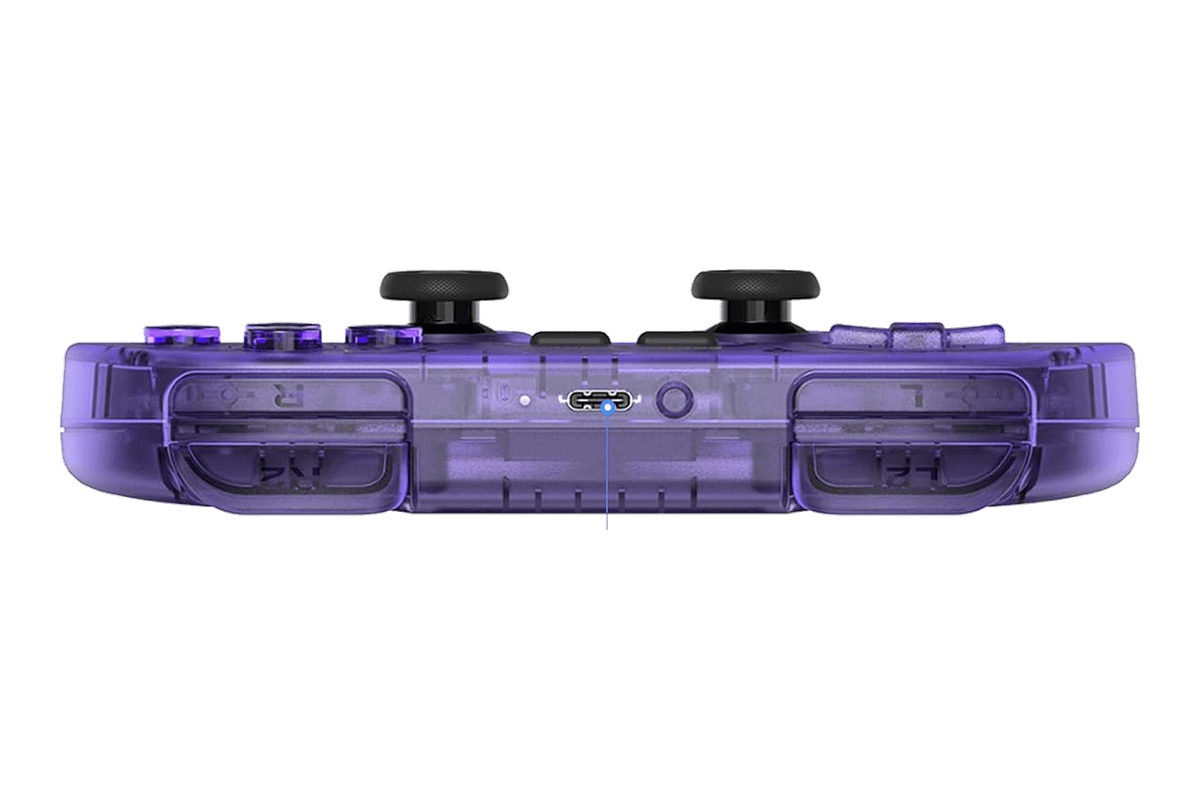
SN30 Pro (Crystal Purple)
A compact Bluetooth controller with Hall-effect sticks for supported Mac, iPhone, and iPad games.
HardwareAccessoriesmacOS & iOS & iPadOS
Abejas
Professional network organizer for Apple devices
One-time
Abejas is a universal app for Mac and iPhone that helps you manage, organize, and remember your professional network. It focuses on grouping contacts, private notes, and reminders linked to the people you already know.
- One-click import of contacts from a major professional network on Mac
- Group, tag, favorite, and automatically group contacts on Mac using on-device AI
- Take and keep private notes for each contact and interaction
- Set follow-up reminders with optional notifications on Mac and iPhone
- Sync all contacts, notes, and reminders securely via your private iCloud account
- Supports features like Spotlight search, widgets, Shortcuts, VoiceOver, dynamic text, and offline access
Abejas is available as a one-time purchase for $49.99. The universal license includes both Mac (Apple silicon, macOS 27+) and iPhone (iOS 27+) apps. Requires iCloud for syncing; no subscription or upsells are involved.
SoftwareProductivitymacOS
CapWords
Capture vocabulary from real life photos
Freemium
CapWords is an iOS app that lets users capture words from any real-life text by taking a photo, using AI to recognize text and provide contextual definitions. Each captured word is added to a personal vocabulary library and connected to its image.
- Recognizes and extracts words from photos using AI
- Provides contextual definitions, example sentences, and usage notes
- Links new vocabulary to images for visual memory support
- Employs spaced repetition to remind users to review words
- Supports multiple languages and offers offline word bank
- Allows vocabulary export to other apps
CapWords is free to download on iOS devices running iOS 17.0 or later, with in-app purchases available. No mention of a full-featured free tier; additional features may require payment.
SoftwareEducationiOS & iPadOS
Sonder
Native, open-source markdown editor for Mac
Free
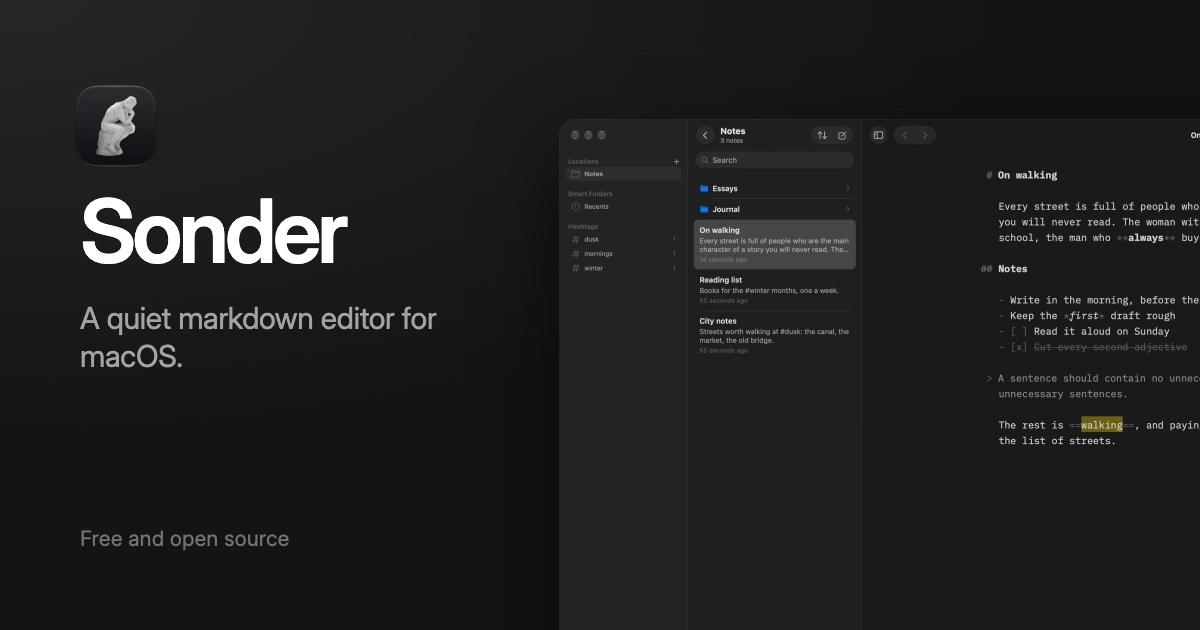
Sonder is a free, open-source markdown editor for macOS 14 or later. It works directly with your own folder of .md files without importing or renaming them.
- Focus Mode dims everything except the current sentence for distraction-free writing.
- Browse and manage notes by folder, hashtag, favorite or saved search.
- Renders markdown with support for tables, footnotes, task lists, and math.
- Export files to PDF, HTML, or Word formats.
- Integrates with third-party AI tools of your choice for editing and suggestions.
- Supports Apple silicon and Intel Macs, built with SwiftUI and TextKit.
Sonder is available at no cost, open-sourced under the MIT license, and requires macOS 14 or newer. No accounts, subscriptions, or in-app purchases are needed.
SoftwareWritingmacOS
Alto Keys K98M
A compact mechanical keyboard with a number pad, white backlighting, and Mac support.
HardwareKeyboards & MicemacOS
Kinnu
Microlearning app for diverse knowledge topics
Freemium
Kinnu is a microlearning app that uses cognitive science principles to help users build and retain knowledge across a wide range of domains, including psychology, science, history, technology, and literature.
- Offers expert-edited, bite-sized content spanning multiple subjects
- Provides Memory Shield technology for reinforcing learning retention
- Features gamified, interactive learning sessions with adaptive questions
- Supports audio versions of all content for learning on the go
- Includes progress tracking with a Knowledge Bank feature
- Lets users influence app development through community voting
Kinnu is available as a free download with optional in-app subscription purchases. It requires iOS 17.0 or later and is compatible with a wide range of iPhone and iPad devices.